❌

Normal view

DistroWatch Weekly, Issue 1139

15 September 2025 at 08:09
The DistroWatch news feed is brought to you by TUXEDO COMPUTERS. This week in DistroWatch Weekly:
Review: EasyOS 7.0
News: FreeBSD runs Plasma 6 in a Wayland session, GNOME restores X11 support temporarily, openSUSE drops BCacheFS in newer kernels
Myths and misunderstandings: Open source and central authority
Released last week: MocaccinoOS 25.09, Clear NDR 1.0, Luberri Linux 25.1, Univention Corporate Server 5.2-3,....

VirtualBox 7.2.2 Update Resolves TPM Emulation on Linux

14 September 2025 at 17:26

VirtualBox 7.2.2 is out, fixing critical startup crashes and making TPM emulation on Linux work again. It's the first maintenance update in the new 7.2 series.

You're reading VirtualBox 7.2.2 Update Resolves TPM Emulation on Linux, a blog post from OMG! Ubuntu. Do not reproduce elsewhere without permission.

Dash to Panel updated with GNOME 49 (Ubuntu 25.10) Support

By:Ji m
15 September 2025 at 00:07

Dash to Panel, the popular Gnome Shell extension, updated few days ago with support for GNOME desktop 49.

Meaning you can now install it on Ubuntu 25.10, Fedora Workstation 43, and Arch etc Linux distributions to combine the top-bar and dash into single highly customizable task-bar.

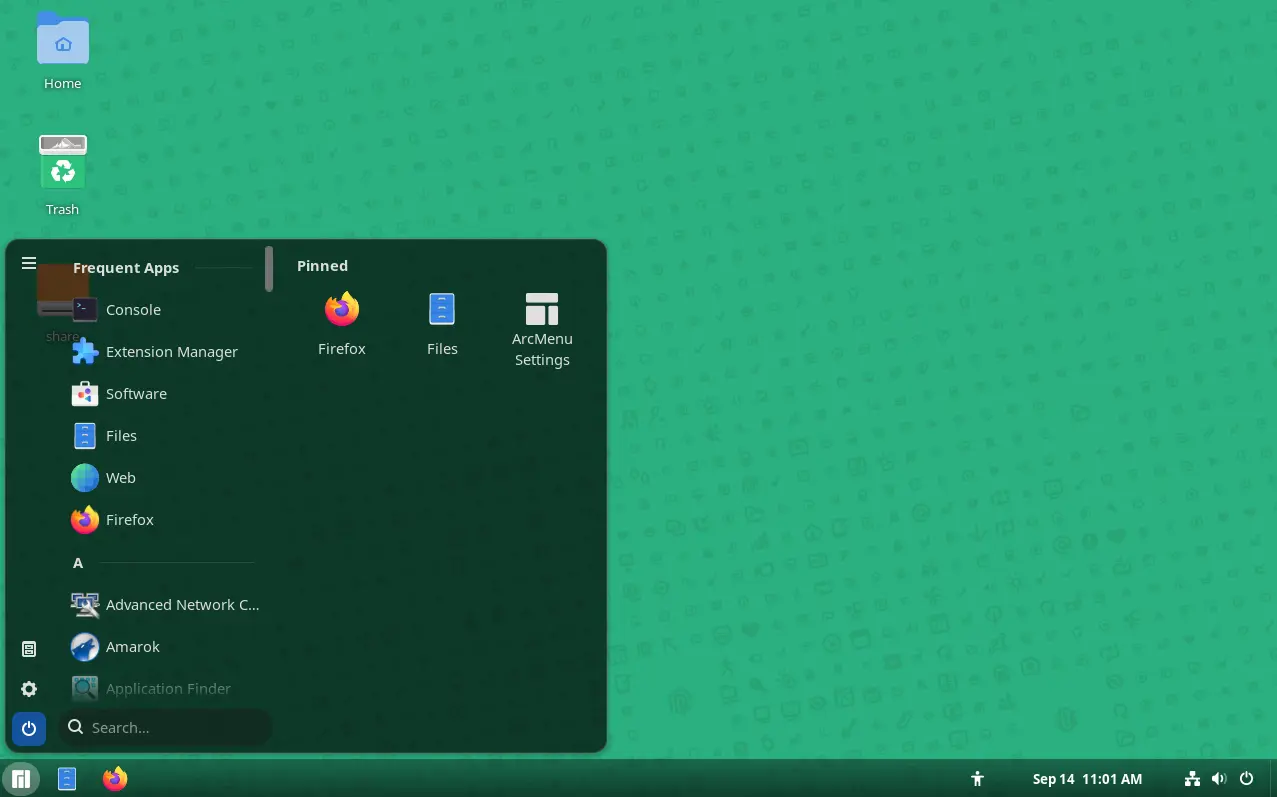
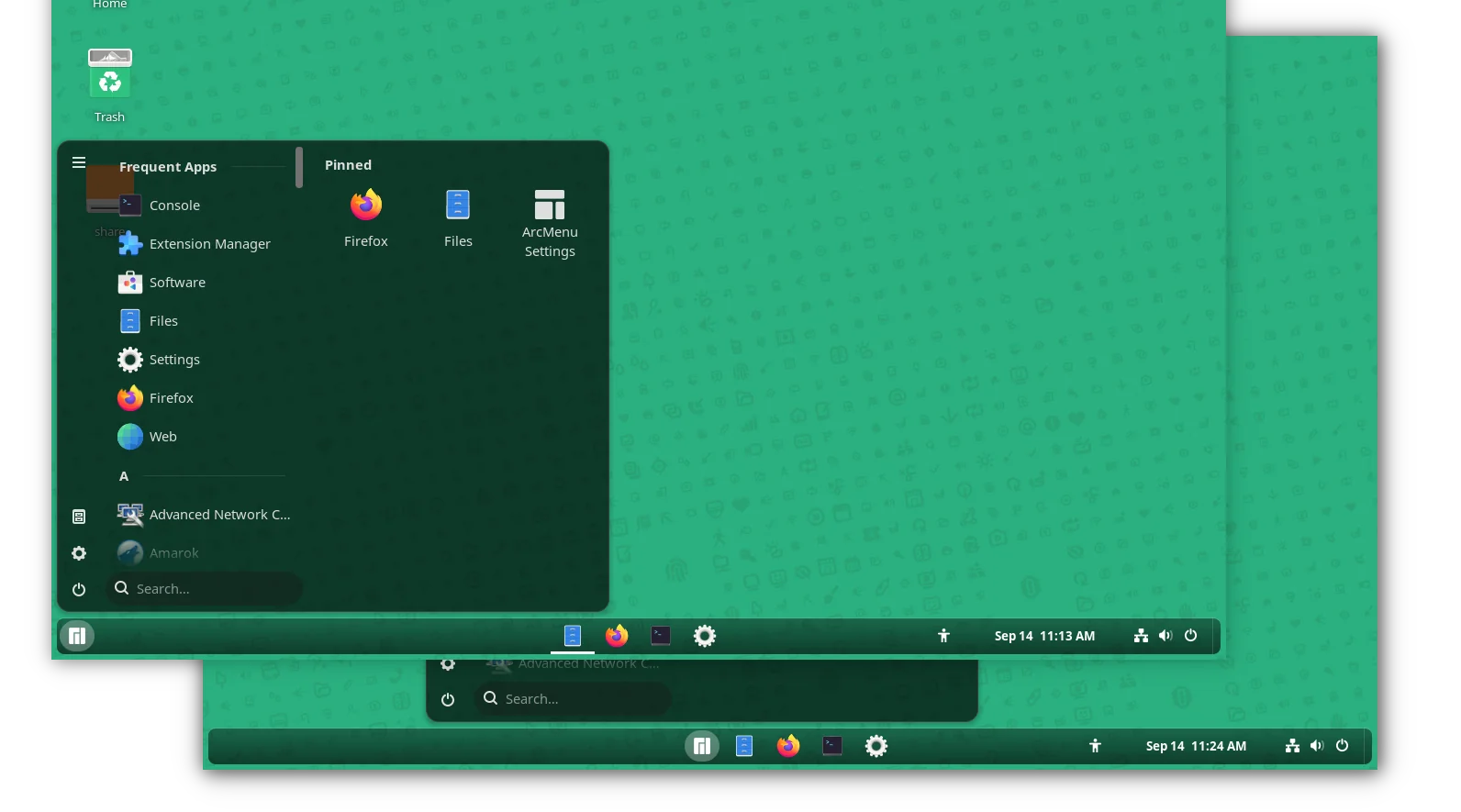
GNOME 49 with Dash to Panel, plus ArcMenu

As you can see via the screenshot above, the extension provides a Windows 7+ and KDE Plasma look-like panel layout by moving the dash (the dock launcher) into the main panel and moving them to bottom (though you can then move the panel to any other screen edge).

Along with ArcMenu, an application menu extension, you can configure the Gnome desktop to be user friendly for those who’re switching from Windows.

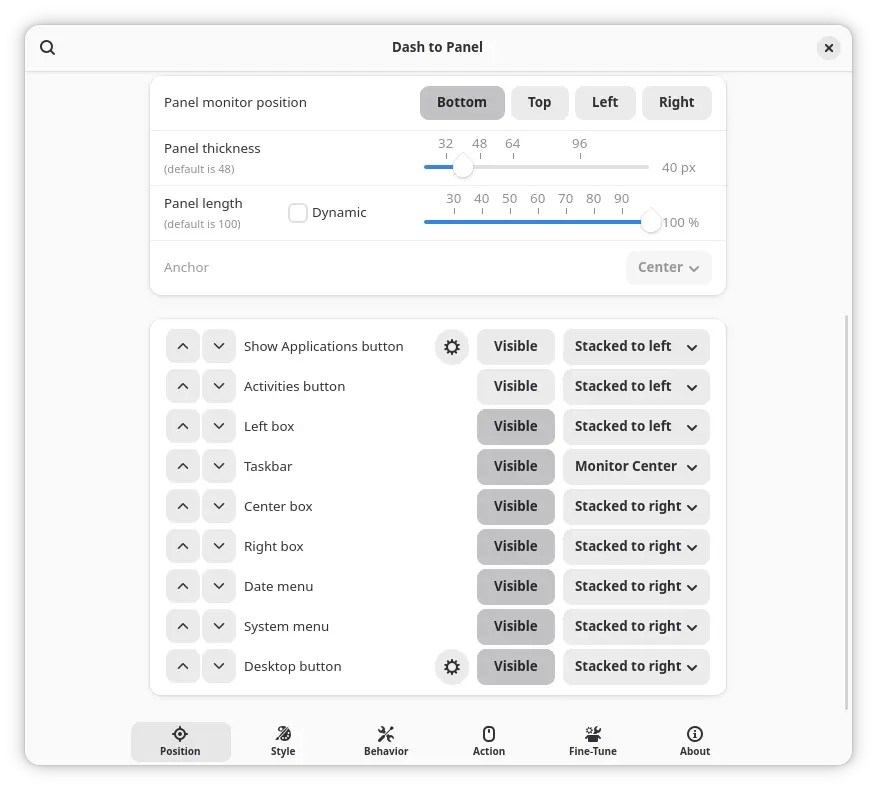
The extension provides many configure options, allowing to customize the panel position, length and width, background color and opacity, and, change panel item position, visibility, icon size, font, and margin.

It as well support intelli-hide, configuring click action, scroll action, keyboard shortcuts, as well as other panel behaviors.

As GNOME updates its GJS API for every releases, the developers mostly need to port their extensions whenever a new release is out.

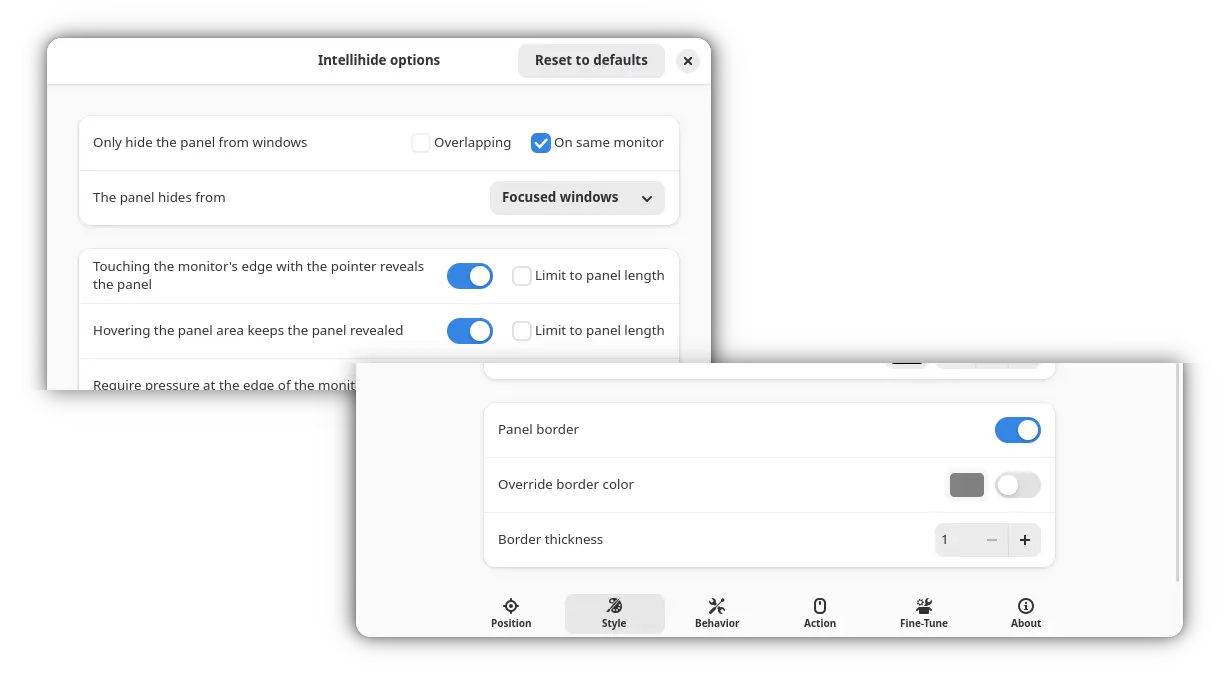
Now, Dash to panel has been updated to version 70 for GNOME 49 desktop, which will be released in next few days. And, it also introduced options to configure panel border color and thickness, and improved auto-hide with following changes:

  • Option to set time delay before revealing the panel.
  • Hide panel from window on same monitor.
  • And disable moving mouse cursor to edge to reveal panel.

New intellihide and border configure options

Dash to panel is sponsored and originally developed by Zorin OS. The new release of Dash to Panel added this sponsorship and provenance note in its About page.

Install Dash to Panel

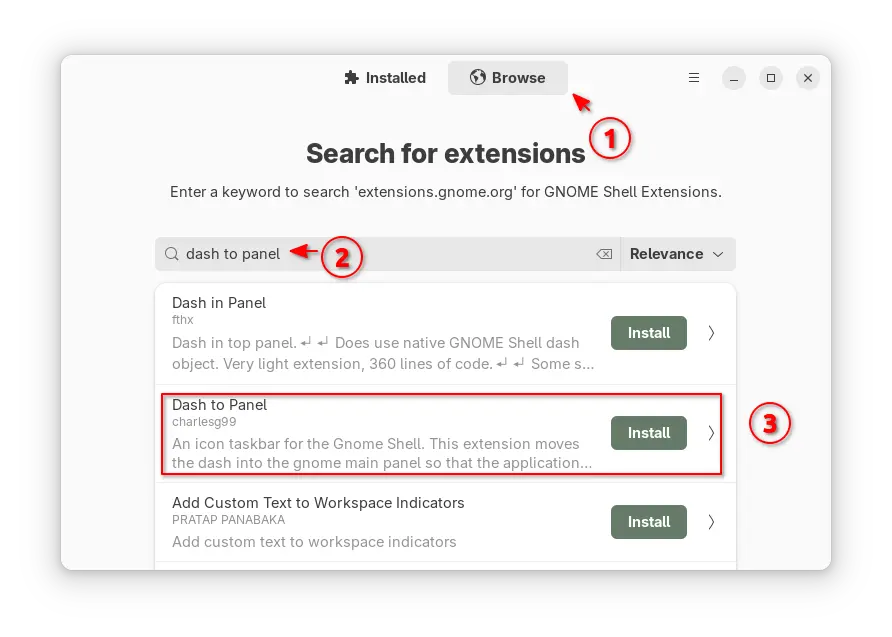
To install Dash-to-Panel, either search & install Extension Manager (from either App Center or GNOME Software), then use the tool to search & install this extension.

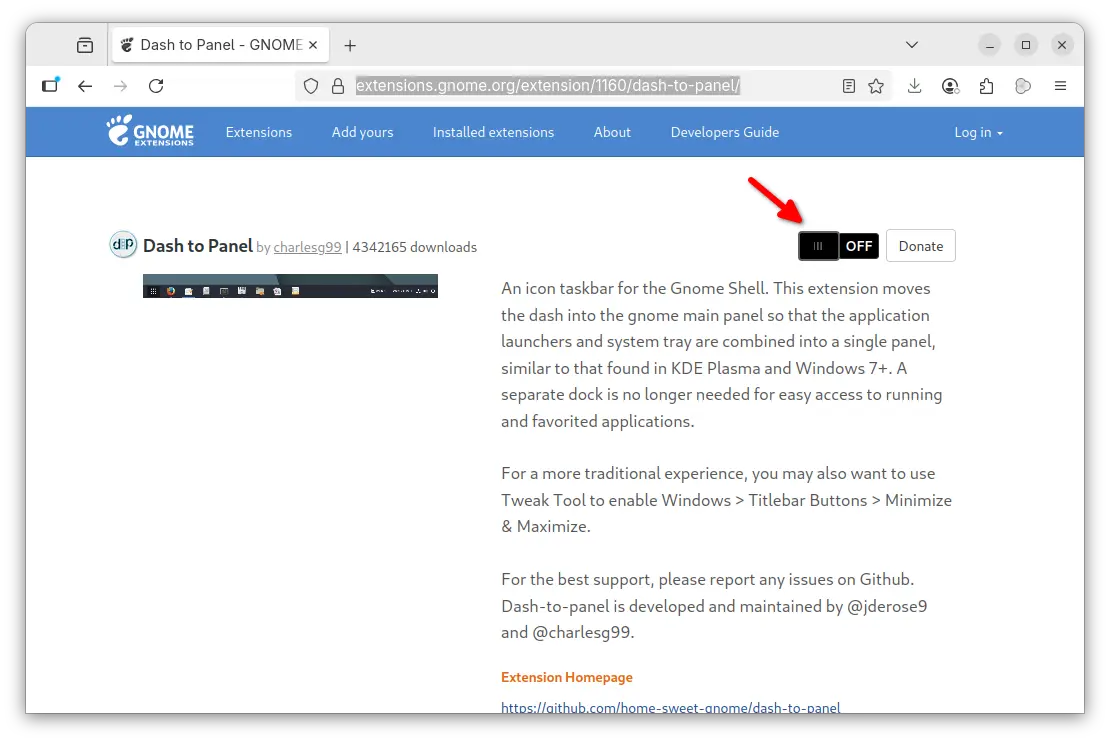
Or, visit the extension web page in GNOME website via the link below, then use the ON/OFF switch in that page to install/uninstall the extension.

NOTE: you need to install the gnome-browser-connector package via either command below depends on your Linux Distribution:

sudo apt install chrome-gnome-shell
sudo dnf install gnome-browser-connector
sudo pacman -S gnome-browser-connector

Then install browser extension (click the link in that web page) and refresh before being able to install a GNOME Shell extension from web.

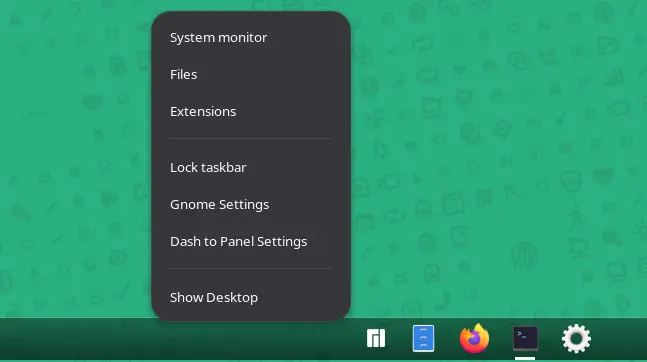
After installed and enabled the extension, it automatically disables the top-bar and dash (also Ubuntu Dock) and shows you the new panel, which can be configured by right-clicking on panel (blank area) and choose β€œDash to Panel Settings”.

For the ArcMenu application menu, either get it via Extension Manager or use the ON/OFF switch on this page. Though, it does NOT support GNOME 49 at the moment of writing (I built it from source).

Turntable Adds Offline Scrobbling, Resizing & More Bling

15 September 2025 at 03:52

turntable music widget.Turntable, a desktop music controller for Linux that is also a universal scrobbler for any MPRIS-compataible app, has a new version out - and it's ace!

You're reading Turntable Adds Offline Scrobbling, Resizing & More Bling, a blog post from OMG! Ubuntu. Do not reproduce elsewhere without permission.

How to Install Caddy and Set Up Caddyfile Reverse Proxy

14 September 2025 at 02:00

Unlike traditional servers that require dozens of lines just to get started, a Caddyfile reverse proxy can be configured in as few as three lines while automatically handling HTTPS certificates. Whether you’re looking for a Caddyfile reverse proxy Docker Compose setup or need to configure Caddy WebSocket proxy configuration, this guide covers every scenario. A […]

The post How to Install Caddy and Set Up Caddyfile Reverse Proxy appeared first on LinuxShout.

What is nproc and nofile in ulimits?

12 September 2025 at 15:37

Quick Answer: nproc limits control the maximum number of processes/threads a user can create (default: 1024–4096), while nofile limits restrict the maximum number of open file descriptors per process (default: 1024). Both are critical Linux resource limits that prevent system overload and ensure stability. Configure them via /etc/security/limits.conf or systemd service files. Every Linux system […]

The post What is nproc and nofile in ulimits? appeared first on LinuxShout.

How to Fix β€œcdrom:// Debian GNU/Linux 13.1.0 Trixie DVD” Error in APT

11 September 2025 at 22:40

Recently, after installing Debian 13 (Trixie) using a DVD or ISO, when I tried to update the system by running the sudo apt update command, I got this error: This is not something that only happened with Debian 13, but also with other versions. So, what is this error, and why does it appear? In […]

The post How to Fix β€œcdrom:// Debian GNU/Linux 13.1.0 Trixie DVD” Error in APT appeared first on LinuxShout.

How to Upgrade Debian 12 Bookworm to 13 Trixie

11 September 2025 at 18:02

The transition from Debian 12 β€œBookworm” to Debian 13 β€œTrixie” represents a significant milestone in the Debian ecosystem, bringing enhanced performance, updated packages, and improved security features that make the upgrade worthwhile for both personal and enterprise systems. Whether you’re a seasoned system administrator managing critical infrastructure or a Linux enthusiast running Debian on your […]

The post How to Upgrade Debian 12 Bookworm to 13 Trixie appeared first on LinuxShout.

How to install Chrome browser on Debian 13 Trixie Linux

10 September 2025 at 14:34

Installing Google Chrome on Debian 13 is similar to setting it up on Ubuntu or other distributions. However, with the right approach, you can have it running smoothly in minutes. As a Linux system administrator who has deployed Chrome across multiple Debian workstations and servers, I present a detailed tutorial on every possible way to […]

The post How to install Chrome browser on Debian 13 Trixie Linux appeared first on LinuxShout.

Install Chromium browser Debian 13 | 12| 11 Linux

10 September 2025 at 14:18

The steps provided here for installing Chromium on Debian 13, 12, and 11 will also work for Debian 10 Buster and other previous versions, including Ubuntu, Linux Mint, MX Linux, Kali Linux, and more.Β  Chromium is an open-source browser from Google, on which β€œGoogle Chrome” is based. With this web app, developers and users always […]

The post Install Chromium browser Debian 13 | 12| 11 Linux appeared first on LinuxShout.

16 popular Open-Source Tools to Secure Your Linux Server

9 September 2025 at 21:12

Since I started learning about computers, I have heard many experienced users say Linux is impenetrable, Linux offers the best security, and so on. It is partly true that Linux offers various security measures that mitigate attacks and stop hackers from breaching your system network. However, you should also understand that simply deploying Linux on […]

The post 16 popular Open-Source Tools to Secure Your Linux Server appeared first on LinuxShout.

Firewall vs. firewalld: Understanding the Difference and Choosing the Right Tool

7 September 2025 at 02:28

When managing network security on Linux systems, understanding the distinction between a firewall and firewalld is quite vital for effective system administration. While these terms might sound similar, they represent fundamentally different concepts in the Linux security ecosystem. A firewall is a broad term referring to any network security systemβ€”whether software or hardwareβ€”that monitors and […]

The post Firewall vs. firewalld: Understanding the Difference and Choosing the Right Tool appeared first on LinuxShout.

How to install FirewallD GUI on Rocky Linux | Almalinux 9/8

7 September 2025 at 01:24

In this article, we will learn the simple steps and commands to install a graphical user interface (GUI) for managing FirewallD on either AlmaLinux or Rocky Linux 9/8. However, the steps are the same for CentOS, Red Hat, Oracle Linux, and other RPM-based distros. FirewallD is a command-line tool to provide a system firewall feature […]

The post How to install FirewallD GUI on Rocky Linux | Almalinux 9/8 appeared first on LinuxShout.

VS Code 1.104 Added Auto Model Selection & Sign in with Google Account

By:Ji m
13 September 2025 at 23:59

Visual Studio Code 1.104, the August release of Microsoft’s code editor, was released few days ago.

The new release introduced Auto AI model selection support (Preview feature), allowing to automatically choose between Claude Sonnet 4, GPT-5, GPT-5 mini, and GPT-4.1 models, to get the optimal performance and reduce rate limits.

And, user can view the selected model and the model multiplier by hovering over the response in the Chat view.

In agent mode, the agent now explicitly asks for user confirmation before making edits to certain files. And you can configure file patterns to indicate which files require confirmation with chat.tools.edits.autoApprove setting.

The release also improved GitHub coding agent integration with chat editor actions, seamless transitions, better session rendering, and performance boosts. And, it enhanced chat sessions view with status bar tracking, multi-session support, rich descriptions, and expanded context menus.

The #codebase tool has been updated to use a new embeddings model for semantic searching for code in workspace, providing better results, while using less storage space (only 6% compare to previous model).

Other AI changes in VS Code 1.104 include:

  • Support for AGENTS.md files (Experimental).
  • Use custom chat mode in prompt file.
  • Support changing font family and font size of chat messages.
  • Sign in or sign up to GitHub Copilot with Google account is GA.
  • Add warning first time to enable global auto approve.
  • New setting for disabling and hiding GitHub Copilot AI features.
  • Add more terminal tools to core.
  • Math rendering in chat responses is GA and enabled by default.
  • Enhance terminal auto-approve usability and security.
  • Enable or disable each tool individually.

Besides AI changes, the release also added support configuring the color of window borders in Windows. User can choose to respect color theme settings, Windows settings, disable border colors, and a specific color in Hex, RGB, RGBA, HSL, HSLA format.

It added Accounts: Manage Extension Account Preferences command to the Command Palette, new setting to show tab index, ability to toggle editor tab bar scoll-bar visibility, as well as new β€œCeate on GitHub” and β€œPreview on Github” buttons in built-in issue reporter.

The code editor can now reads and includes MCP server instructions in base prompt. It includes new setting options to allow all MCP servers or disable MCP entirely. And, it now disables MCP auto discovery by default.

As well, it improved NES suggestion by adding new setting to allow the language model to access the entire notebook, thus it will generate more accurate and higher-quality next edit suggestions.

Other changes include:

  • add Focus Chat Confirmation action.
  • new setting to configure how quickly inline suggesstions appear after you type.
  • add β€œCompare with Workspace” context menu option for worktree file, and Migrate Worktree Changes… command
  • remove the built-in bower.json IntelliSense
  • add Python Environments extension support for Pipenv
  • new experimental AI hover summaries for Python with latest Pylance.
  • Pylance IntelliSense enabled in all Python documents
  • finalized Language Model Chat Provider API
  • And much more!

Get VS Code 1.104

The official release note, and download links for Windows, MacOS, and Linux are available via the link below:

Ubuntu users may either search & install the Snap package from App Center (or Ubuntu Software for 22.04), or download the deb package from the link above.

While, a community maintained flatpak available is available for choice. See this guide for how to install them.

Dash to Panel Update Adds GNOME 49 Support + More

14 September 2025 at 05:29

The words "Dash to panel" in white text surrounded by a box.Popular GNOME Shell extension Dash to Panel is updated for GNOME 49, but all of its changes, fixes and improvements are available on earlier releases too.

You're reading Dash to Panel Update Adds GNOME 49 Support + More, a blog post from OMG! Ubuntu. Do not reproduce elsewhere without permission.

Linux Mint 22.3 Plans App Menu Revamp, Better Wayland Support

14 September 2025 at 02:57

Linux Mint 22.3 is due for release in December, and we just got our first idea of what's planned: redesigned app launcher, new applets, and Wayland integration.

You're reading Linux Mint 22.3 Plans App Menu Revamp, Better Wayland Support, a blog post from OMG! Ubuntu. Do not reproduce elsewhere without permission.

❌