Normal view

Received — 20 September 2025 Linux News & Update

Linux Mint Released LMDE 7 Beta, based on Debian 13

By:Ji m
19 September 2025 at 23:40

For Linux Mint users who prefer Debian package base, LMDE 7 code-name “Gigi”, is available for beta testing!

LMDE stands for Linux Mint Debian Edition. As the name says, it’s a Linux Mint edition based on Debian, aims to continue to deliver the same user experience if Ubuntu was ever to disappear.

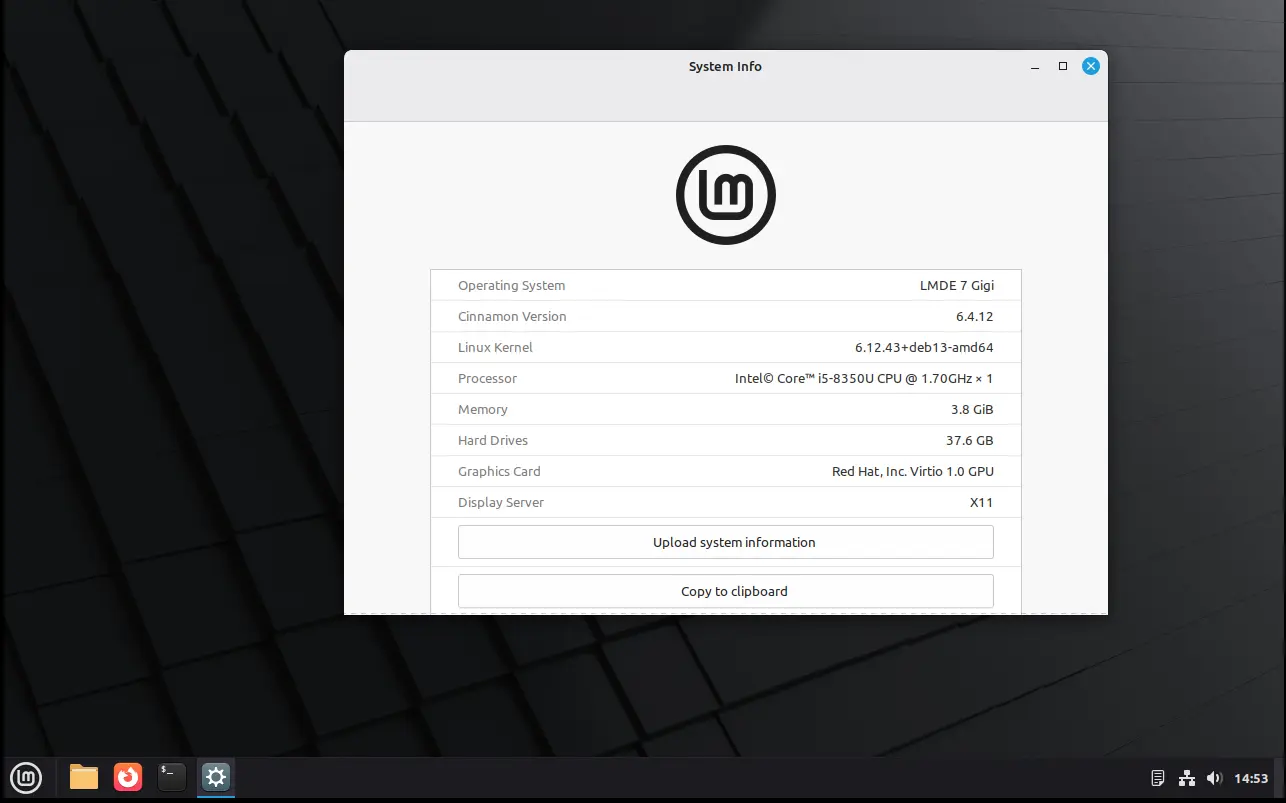
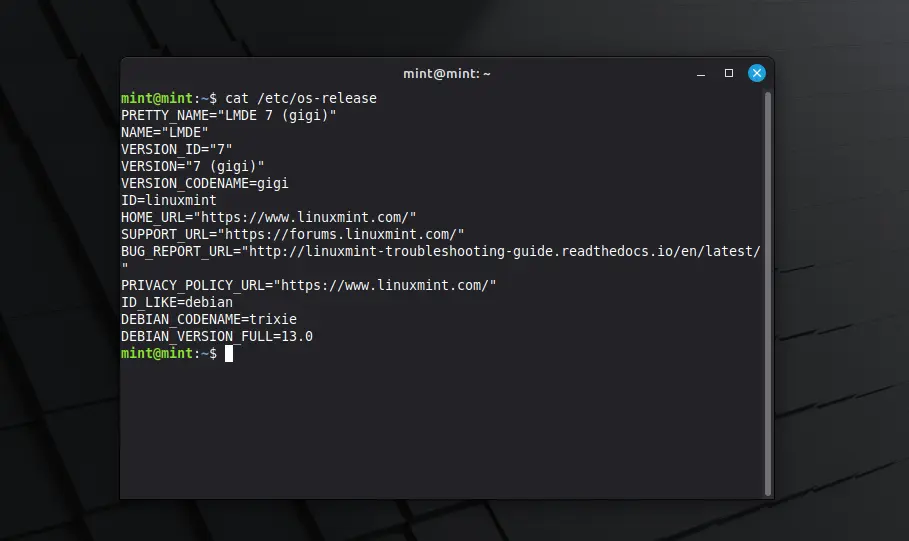
LMDE 7 is the next major release of this Linux Mint edition based on Debian 13 trixie, which was released a month ago. It features Kernel 6.12, Cinnamon desktop 6.4.12, and Debian 13 package base.

In my experience, Debian is more stable and reliable than Ubuntu. It’s perfect for server and advanced user use. And, LMDE makes it friendly for beginners.

However, it lacks major kernel version updates and most recent drivers (e.g., NVIDIA proprietary driver), unless upgrading the entire system to a new version (e.g., from LMDE 6 to LMDE7). If they are not big deal for you, then it’s a great choice!

Besides the difference between Kernel version and systems they’re based on, LMDE and normal Linux Mint edition deliver almost the same user experiences!

And, LMDE 7 Beta so far features Cinnamon only desktop, with following changes in Linux Mint 22.2:

  • New XApp Fingwit provides graphical interface to manage user fingerprints.
  • Improved Sticky Notes app with rounder corners and Wayland support.
  • Add “Theater Mode” and “Borderless Mode” mode for Hypnotix IPTV player.
  • Display user avatar in the login screen.
  • Add blur effect to the panel and user selection dialog box in login screen for better appearance.
  • Patch LibAdwaita with theme support, including Mint-Y, Mint-X and Mint-L themes.
  • Add accent colors support for LibAdwaita Flatpak apps.
  • New xapp-aiff-thumbnailer thumbnailer for cover art in .aiff audio files
  • Add iOS app for Warpinator file sharing utility.
  • Configurable EDID-based color correction (disabled by default) in XViewer.
  • Support editing description field in WebApp Manager.
  • Support leading zeros when renaming multiple files and using enumerations
  • Add description in Software Manager to tell the difference between Flatpak and system packages.

Download LMDE 7 Beta

The official announcement as well as the download link for LMDE 7 Beta is available in Linux Mint website via the link below:

For choice, you may download it from a mirror from this page. Though, as Beta it’s usually available in “testing” directory.

Hardware Requirements include: 2 GB RAM (though 4 GB recommended for smoother experience), 20 GB disk space, and 1024×768 resolution display.

Ubuntu 25.10 Beta Release is Available to Download

By:Ji m
19 September 2025 at 17:03

Ubuntu 25.10, code-name Questing Quokka, is now available for Beta testing!

The developer team announced the release last night for Ubuntu Desktop, Server, WSL, Cloud products, and official flavors.


Ubuntu 25.10 is a new short-term release with 9-month support until July 2026. It features GNOME 49, Kernel 6.17, and various other toolkit and packages updates.

The new Kernel is still in RC release stage at the moment. Compare to Kernel 6.14 in current 24.04 and 25.10, it features many new and improved hardware support, drivers, and performance improvements. For detailed changes, go HERE and HERE.

The Ubuntu Desktop so far has GNOME 49 RC, though the stable release of this desktop environment was just released 2 days ago, which features:

  • New Showtime video player (not pre-installed in Ubuntu with default mode, though available in App Center).
  • New Papers document viewer.
  • Remove ‘GNOME on Xorg’ (Ubuntu on Xorg) session, meaning Wayland only.
  • Music playback control from lock screen.
  • Improve remote desktop with multi-touch, relative mouse input, and additional virtual desktop.
  • Add configuration for pointing stick (aka TrackPoint).
  • Support relative dials on tablet pads.
  • Brightness in the Quick Settings when HDR is enabled, with external monitors support.
  • And more. See the official release note.

As you know, Ubuntu features a customized GNOME desktop experience. The 25.10 release replaced the default terminal with Ptyxis, which features first-class container integration.

And, it finally added Loupe as default image viewer, which was introduced in GNOME since v45. The image viewer features sandboxed image loading by using Glycin library, which also handles the background image loading in Gnome 49.

New default Ptyxis terminal emulator

Other changes in the Beta include screen reader support in new desktop installer, TPM-backed Full Disk Encryption recovery key management, and tryboot’s A/B booting support on Raspberry Pi.

There are as well toolkit updates, including systemd 257, gcc 15.2, binutils 2.45, glic 2.42, python 3.13.7, LLVM 20, Rust 1.85, Golang 1.24, openJDK 25, Mysql 8.4, Ruby 3.3, and more.

The final release of Ubuntu 25.10 is planned for October 9. For more about it, see the official release note.

Get Ubuntu 25.10 Beta

NOTE: Ubuntu 25.10 so far has a bug that prevents it from loading other dual-/multi-boot OSes. Configure apparmor didn’t work in my case, and I end up disabling Apparmor to get back Ubuntu 24.04.

For Ubuntu 25.04, it’s now able to upgrade to this 25.10 Beta, by firstly installing all available updates, then launch “Update Manager” via the command below:

update-manager -d

And if everything goes well, you’ll be able to upgrade from Beta to 25.10 final by installing updates regularly through “Software Updater”.

NOTE: It’s IMPORTANT to backup your data before upgrading, as it may have bug that breaks your system.

For choice, the iso images of the Beta are available to download at the link below:

Don’t know why, but it misses amd64 iso image at the moment of writing. To workaround the issue, you may choose a download mirror instead to get the ISO.

And for non-GNOME users, there are also 10 official flavors features different desktop environments, which can be download from either their websites or this page.

Zorin OS 18 Beta Brings a ‘Redesigned’ Desktop

20 September 2025 at 00:00

Zorin OS 18 is the next major update to the Ubuntu-based Linux distribution aimed at Windows converts. A beta is available for testing - with plenty of new features.

You're reading Zorin OS 18 Beta Brings a ‘Redesigned’ Desktop, a blog post from OMG! Ubuntu. Do not reproduce elsewhere without permission.

💾

Downloads Live for Ubuntu’s Daily ‘Dangerous’ Desktop Builds

19 September 2025 at 22:35

Testing Ubuntu's development releases is now a little more dangerous, as the first of the new Ubuntu Daily Dangerous Desktop builds is made available for download.

You're reading Downloads Live for Ubuntu’s Daily ‘Dangerous’ Desktop Builds, a blog post from OMG! Ubuntu. Do not reproduce elsewhere without permission.

Development Release: Zorin OS 18 Beta

20 September 2025 at 01:02
The DistroWatch news feed is brought to you by TUXEDO COMPUTERS. Artyom Zorin has announced the availability of the beta release of Zorin OS 18, an upcoming major new update from the project that develops a beginner-friendly Linux distributions with a highly-customised GNOME desktop, based on Ubuntu's latest LTS (long-term support) release: "We're thrilled to announce the beta release....

Distribution Release: IPFire 2.29 Core 197

19 September 2025 at 22:12
The DistroWatch news feed is brought to you by TUXEDO COMPUTERS. The IPFire project has released a new update for its operating system for firewalls and routers. The project's new version, IPFire 2.29 Core Update 197, introduces an upgrade to OpenVPN and makes running under light loads more energy efficient. "IPFire will now by default clock down its CPUs.....
Received — 19 September 2025 Linux News & Update

Development Release: Ubuntu 25.10 Beta

19 September 2025 at 08:40
The DistroWatch news feed is brought to you by TUXEDO COMPUTERS. Utkarsh Gupta has announced the availability of the beta release of Ubuntu 25.10, inclusive of most of the usual Ubuntu flavours, with the notable exception of Ubuntu MATE: "The Ubuntu Release team is pleased to announce the beta release of the Ubuntu 25.10 Desktop, Server, WSL and Cloud....

Development Release: Linux Mint 7 Beta "LMDE"

19 September 2025 at 05:30
The DistroWatch news feed is brought to you by TUXEDO COMPUTERS. Clement Lefebvre has announced the availability of the beta release of Linux Mint Debian Edition (LMDE) 7, the popular distribution's alternative branch, based on the recently-released Debian 13: "Linux Mint 7 comes with updated software and brings refinements and many new features to make your desktop experience more....

Denmark’s Strategic Leap Replacing Microsoft Office 365 with LibreOffice for Digital Independence

Denmark’s Strategic Leap Replacing Microsoft Office 365 with LibreOffice for Digital Independence

In the summer of 2025, Denmark’s government put forward a major policy change in its digital infrastructure: moving away from using Microsoft Office 365, and in part, open-source its operations with LibreOffice. Below is an original account of what this entails, why it matters, how it’s being done, and what the risks and opportunities are.

What’s Changing and What’s Not

  • The Danish Ministry of Digital Affairs has committed to replacing Microsoft Office 365 with LibreOffice.

  • Earlier reports said that Windows would also be entirely swapped-out for Linux, but those reports have since been corrected: Windows will remain in use on many devices for now.

  • For LibreOffice, the adoption is being phased: about half of the ministry’s employees will begin using LibreOffice (and possibly Linux in some instances) in the summer months; the rest are expected to transition by autumn.

Why Denmark Is Making This Move

Digital Sovereignty & Dependence

A primary driver is the concern over reliance on large foreign tech companies, especially suppliers based outside Europe. By reducing dependency on proprietary software controlled by corporations abroad, Denmark aims to gain more control over its data, security, and updates.

Cost and Licensing

Proprietary software comes with licensing fees, recurring costs, and often tied contracts. Adopting open-source alternatives like LibreOffice can potentially reduce those long-term expenditures.

Security, Transparency, Flexibility

Open-source software tends to allow more auditability, quicker patching, and the ability to adapt tools or software behavior to specific local or regulatory requirements.

Implementation Plan & Timeline

Phase What happens Approximate Timing
Phase 1 Begin by moving about 50% of Ministry of Digital Affairs employees to LibreOffice (and in selected cases, using Linux tools) Summer 2025 (mid-year)
Phase 2 Full transition of the ministry’s office productivity tasks away from Microsoft Office 365 to LibreOffice Autumn 2025


“Full” here is understood in the scope of office productivity tools (word processing, spreadsheets, slides, etc.), not necessarily replacing all legacy systems or moving everything off Windows.

Challenges & Concerns

While the vision is ambitious, there are several hurdles:

Google Chrome is Becoming an AI Browser — Starting Today

19 September 2025 at 07:01

Google Chrome web browserGoogle Chrome is to become an AI browser powered by Gemini and agentic abilities to 'fundamentally change the nature of browsing', the search giant has announced.

You're reading Google Chrome is Becoming an AI Browser — Starting Today, a blog post from OMG! Ubuntu. Do not reproduce elsewhere without permission.

Ubuntu 25.10 Beta Released for Final Bout of Testing

19 September 2025 at 05:51

It’s time to get testing — or do I mean questing? — as the beta release of Ubuntu 25.10 (Questing Quokka) is available to download. The Ubuntu 25.10 Beta brings a number of user-facing changes to the desktop, the majority of which come via the GNOME 49 release. There’s an accessibility menu on the login screen, media controls on the lock screen, and a Yaru theme update with new icons and smoother spinner animation on the boot screen. Canonical’s engineers have also plumbed in lower-level enhancements, designed to improve the distribution’s security, reliability and compatibility ahead of next year’s important Ubuntu […]

You're reading Ubuntu 25.10 Beta Released for Final Bout of Testing, a blog post from OMG! Ubuntu. Do not reproduce elsewhere without permission.

Vivaldi 7.6 Released with New Tab Bar Editor, Tab Button Menu + More

18 September 2025 at 22:15

Vivaldo logo on a colourful backgroundCustomisable tab bar, searchable tab overview menu and address bar actions are new features on offer in the latest update to the Vivaldi web browser.

You're reading Vivaldi 7.6 Released with New Tab Bar Editor, Tab Button Menu + More, a blog post from OMG! Ubuntu. Do not reproduce elsewhere without permission.

Received — 18 September 2025 Linux News & Update

Distribution Release: Tails 7.0

18 September 2025 at 18:35
The DistroWatch news feed is brought to you by TUXEDO COMPUTERS. A major update of Tails, a Debian-based portable Linux distribution that protects against surveillance and censorship, is now available. Tails 7.0 is based on the recently-released Debian 13 and includes GNOME 48: "We are very excited to present you Tails 7.0, the first version of Tails based on....

Distribution Release: Security Onion 2.4.180

18 September 2025 at 13:06
The DistroWatch news feed is brought to you by TUXEDO COMPUTERS. Doug Burks has announced the release of Security Onion 2.4.180, an updated build of the project's Linux distribution designed for threat hunting, enterprise security monitoring and log management: "Security Onion 2.4.180 is now available and includes several new features, updated components and many quality-of-life improvements. Cancel your own....

GNOME 49 Officially Released with New Video Player & Document Viewer

By:Ji m
18 September 2025 at 17:30

GNOME developer team finally announced the 49 release of this popular Linux Desktop environment!

If everything goes well, GNOME 49 will be the default desktop for Ubuntu 25.10, Fedora Workstation 43, and optional for Arch, Manjaro, etc Linux distributions.

The new desktop release introduced Showtime to replace Totem as the default video player, and Papers to replace Evince as the default document viewer.

Both use the GTK4 plus LibAdwaita libraries for the modern user interfaces with native look and touch friendly experience in today’s GNOME desktop.

Showtime video player

Gnome on Xorg (or Ubuntu on Xorg) is finally removed in the release, meaning there’s no longer Xorg/X11 session but only Wayland for GNOME. Though, the GDM login screen still can load other Xorg sessions, e.g., XFCE and Cinnamon.

It as well features new accessibility menu in login screen, with Quick Settings style buttons to toggle access to screen keyboard, screen reader, etc tools.

And, user can now control music playback and power-off/restart (though not enabled by default) from the lock screen.

GNOME 49 also improved Remote Desktop support, by adding multi-touch input support for client device with touch-screen, relative mouse input for better 3D app or gaming experience, and ability to have additional virtual monitors even when there aren’t additional displays physically present.

The image loading and the background wallpaper now are handled by the Glycin library, which is sandboxed to help prevent security exploits.

And, the release now supports changing the display brightness in the Quick Settings when HDR is enabled. While, these new HDR brightness controls support external displays, and allow multiple displays to be adjusted at the same time.

There are also many improvements to the Gnome Weather, Gnome Maps, Gnome Calendar apps, as well as following changes:

  • Move “Do Not Distrub” to Quick Settings.
  • Indicate when Preserve Battery Health enabled.
  • New wallpapers for HDR displays.
  • Improved Flatpak app data parsing for GNOME Software.
  • New option to disable “Super” shortcut key.
  • Support relative dials on tablet pads.
  • Hardware accelerated video encoding for Camera app.
  • Add ‘Donate’ button in About page.
  • Add configuration for pointing stick (aka TrackPoint)

For more about GNOME 49, see the official release note.

Get GNOME 49

As mentioned above, GNOME 49 will be available in Ubuntu 25.10, Fedora Workstation 43, etc Linux Distributions. And, Arch has already made the new release into GNOME Unstable repository.

For choice, there’s GNOME OS Nightly available for trying it out in either virtual machine (only support Gnome Boxes) or real hardware.

How to Install cPanel & WHM on AlmaLinux 9

The post How to Install cPanel & WHM on AlmaLinux 9 first appeared on Tecmint: Linux Howtos, Tutorials & Guides .

If you’ve ever managed a hosting server, you know that cPanel & WHM is one of the most popular control

The post How to Install cPanel & WHM on AlmaLinux 9 first appeared on Tecmint: Linux Howtos, Tutorials & Guides.
❌