 Login
LoginArchinstall 3.0.11 Released with Systemd Service Handling Fixes
25 September 2025 at 06:17


If you want weather information displayed directly on your Ubuntu desktop, the Desktop Widgets GNOME Shell extension is worth checking out. See why inside.
You're reading This GNOME Weather Widget Puts Forecasts Directly on Your Desktop, a blog post from OMG! Ubuntu. Do not reproduce elsewhere without permission.
Kali Linux 2025.3 ethical hacking and penetration testing distribution is now available for download with 10 new tools and other updates. Here’s what’s new!
The post Kali Linux 2025.3 Penetration Testing Distro Introduces 10 New Hacking Tools appeared first on 9to5Linux - do not reproduce this article without permission. This RSS feed is intended for readers, not scrapers.
Elementary OS 8.0.2 is available to download — the final minor update before the next major release due late 2025. On offer is a new kernel, GPU drivers and fixes.
You're reading elementary OS 8.0.2 Released with Linux 6.14 Kernel, a blog post from OMG! Ubuntu. Do not reproduce elsewhere without permission.

Every now and then, we check Udemy out for the most rated courses in different niches to compile a collection
The post 10 Best Udemy Courses for Web Development & Data Science in 2025 first appeared on Tecmint: Linux Howtos, Tutorials & Guides.Python is often considered to be one of the most powerful, adaptable, and easy-to-learn high-level programming languages for developing websites,
The post 3 Highest-Rated Udemy Python Courses for Beginners first appeared on Tecmint: Linux Howtos, Tutorials & Guides.We are living in the midst of a revolution powered by computers and among the most important aspects of computer
The post 8 Best Computer Science Courses for Beginners in 2025 first appeared on Tecmint: Linux Howtos, Tutorials & Guides.The new OBS Studio 32.0 release is out, with support for higher-quality recordings out-of-the-box, new filters and effects, a plugin manager and plenty of bug fixes.
You're reading OBS Studio 32.0 Brings New Plugin Manager, NVIDIA RTX Effects, a blog post from OMG! Ubuntu. Do not reproduce elsewhere without permission.
elementary OS, the Ubuntu based Linux Distribution that features Pantheon desktop environment, released new 8.0.2 version few days ago.
This is a second and last minor release for current 8.0 series, while, the developer team is busy working on the next major 8.1 version due to be released before year end.
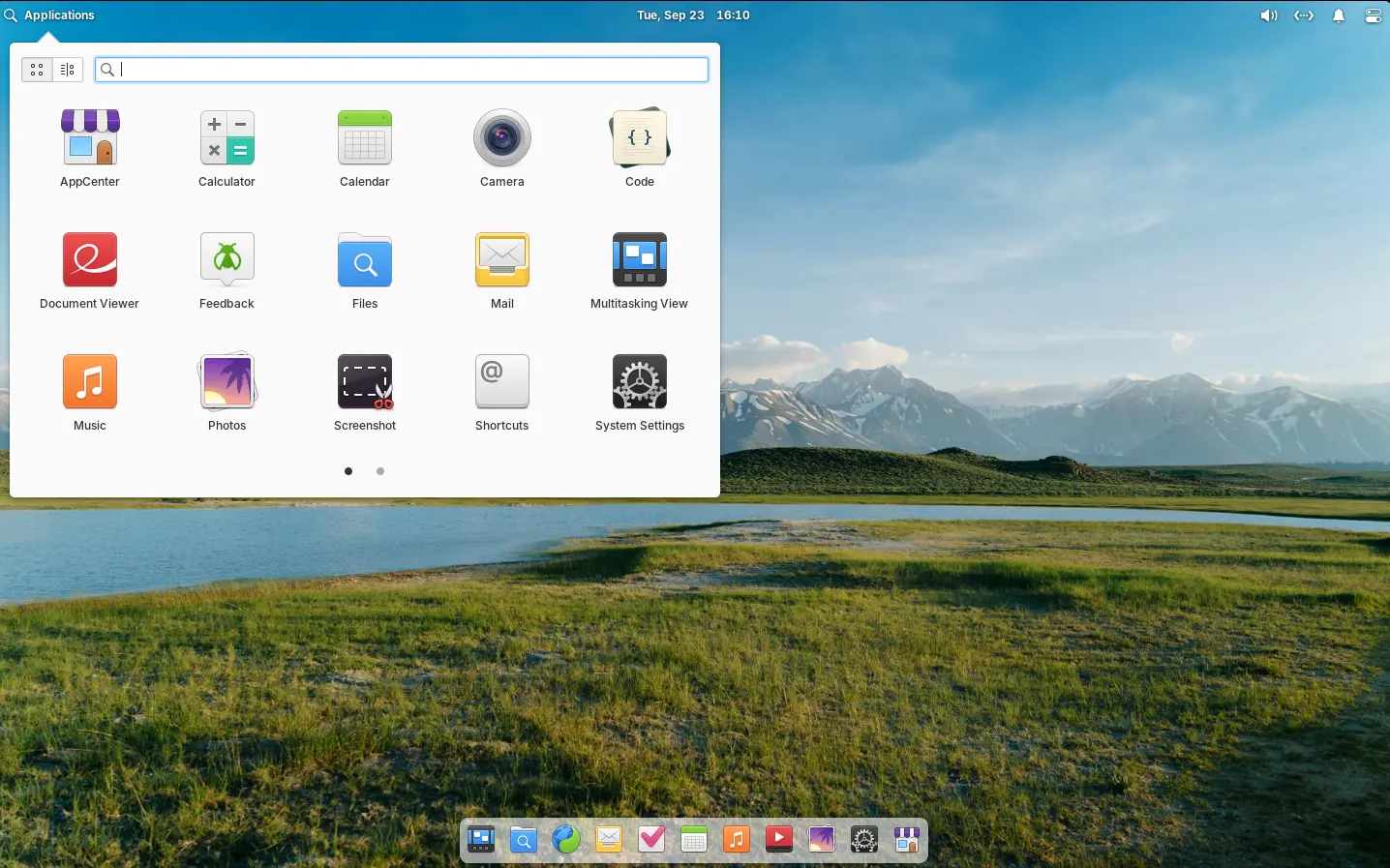
elementary OS 8.0.2
elementary OS 8.0 is based on Ubuntu 24.04 LTS. The new 8.0.2 point release added the most recent Hardware Enablement stack from Ubuntu.
They include Linux Kernel 6.14 that features improved gaming performance, extended battery life, and more gamepads, wifi, microphones, etc hardware support, and, Mesa 25 with Vulkan 1.4 API and RDNA4, and new NVIDIA/Intel hardware support.
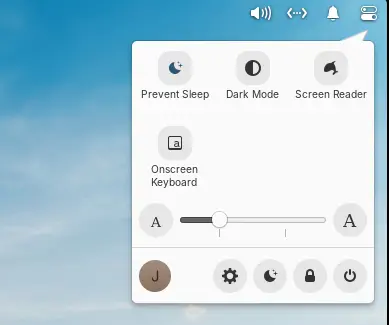
Besides the benefits from Ubuntu upstream, the new point release improved the top-right Quick Setting menu, with new “Prevent Sleep” toggle option. Which is useful when watching video or running other jobs that need to prevent system from going to sleep.
It also added new Gesture Controller, with ability to swipe up in Multitasking View to close windows. App titles in Multitasking View are now always shown, making them accessible for touch screen setups. And, screenshots taken with a keyboard shortcut will send a notification allowing to view it in Files.
For those who are blind or have low vision, the release improved screen reader support by adding password quality feedback in the installer and initial setup. Alt-Tab window switcher, and Notifications and Shortcut Overlay are also updated with screen reader support.
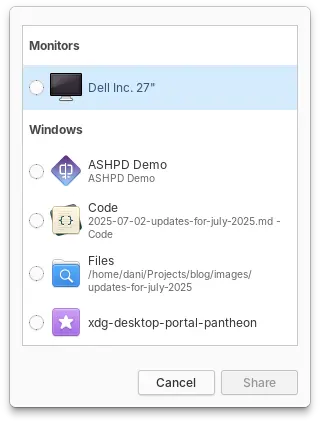
elementary OS 8.0.2 also improved the Screencast Portal an improved design for selecting which display or window should be captured, as well as respecting options for capturing the pointer.
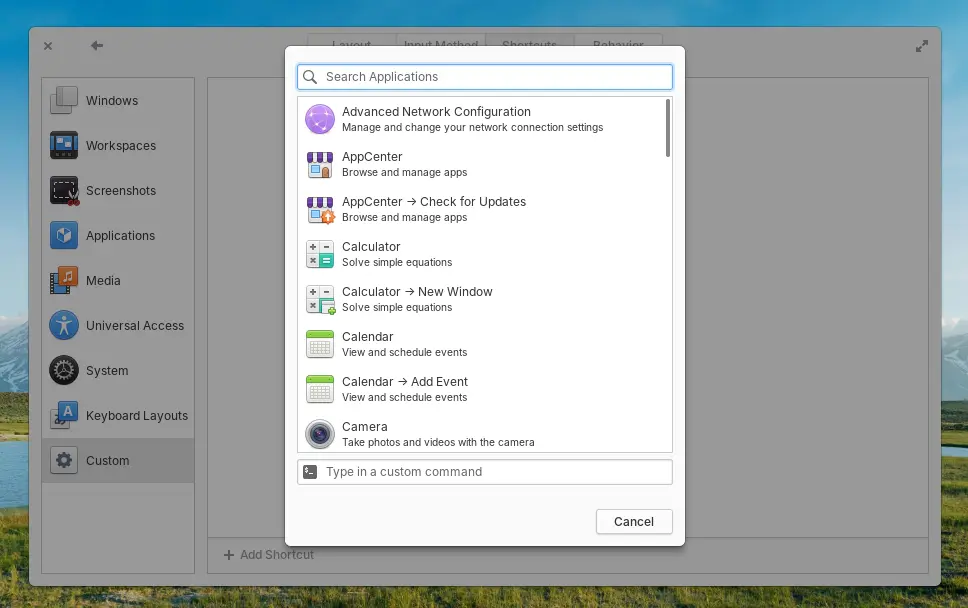
And, the custom keyboard shortcut dialog now displays a list of installed apps and their actions, allowing to easily add keyboard shortcut for launching selected app or performing an app action.
Other changes include:
-y, --interactive=never, and --force.There are also tons of other changes and improvements, see the official release note for details.
The iso image for Intel/AMD platform is available to download in its website via the link below:
Tips: set custom value to 0 if you want to try it out before donate. And recommended hardware specs include 4 GB RAM, 32 GB disk space, and 1024×768 display.

OBS Studio, the popular free open-source live streaming and video recording software, released new 32.0.0 version today!
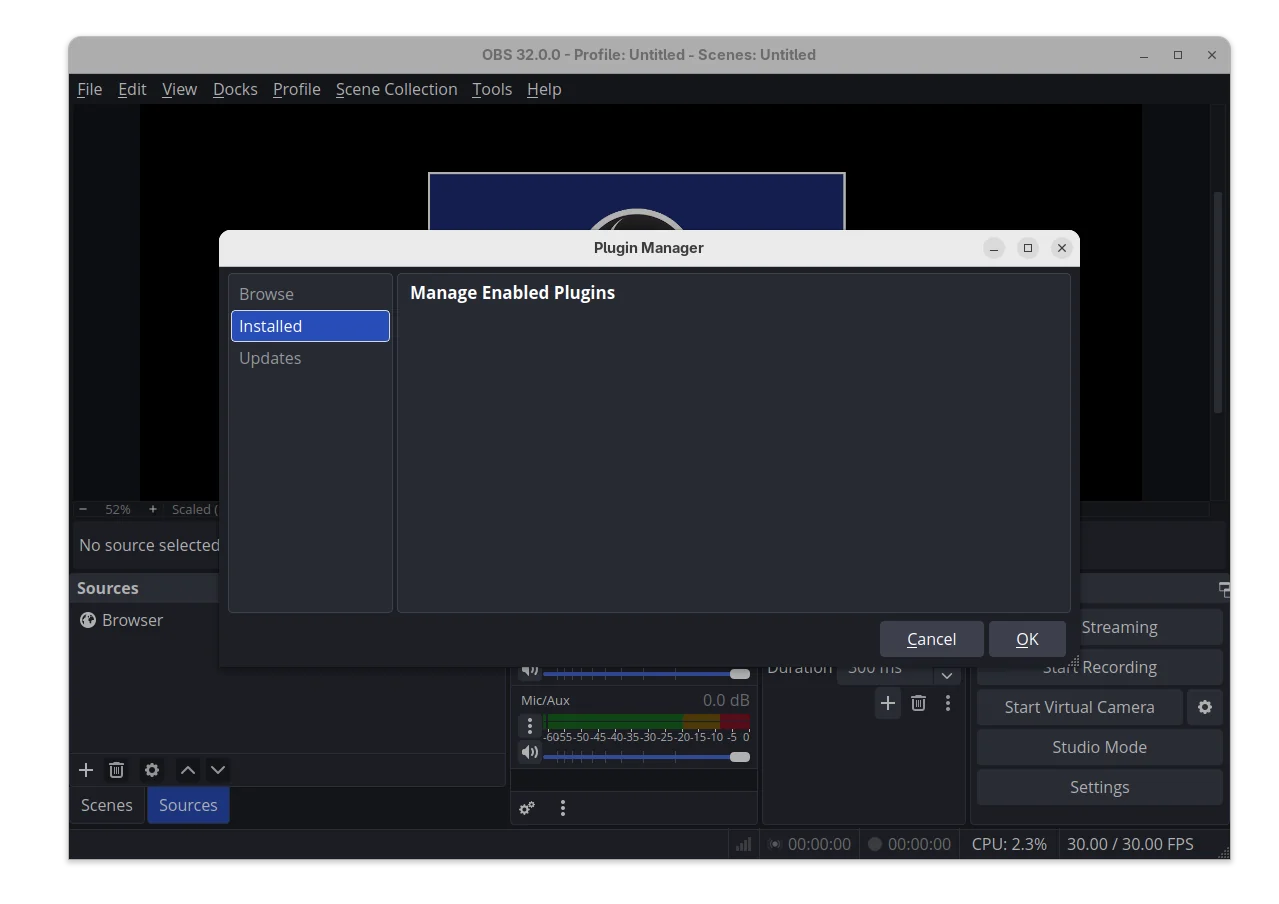
The new release is made available after 2 Beta and 1 RC testing releases. It features a new plugin manager, allowing to browser, install, update, and turn on/off plugins loading when OBS starts.
The feature is however at very early stage. There are only an UI dialog available via Tools -> Plugin Manager, but no plugin to install and manage in my case.
And probably due to new plugin manager, it will no longer load plugins built for a newer release of OBS to prevent future compatibility issues.
For users with NVIDIA RTX series graphics card, the new release added Voice Activity Detection (VAD) to audio effects. It’s a speech activity detection technique that can improve noise suppression for speech.
As well for NVIDIA RTX, the release added new AI-powered background removal option, allowing removal of chairs.
For modern mac computers with Apple Silicon processor, OBS Studio 32.0.0 added experimental Metal renderer support. It provides a low-level API to directly control the GPU of Apple devices, which will significantly improve the performance and efficiency.
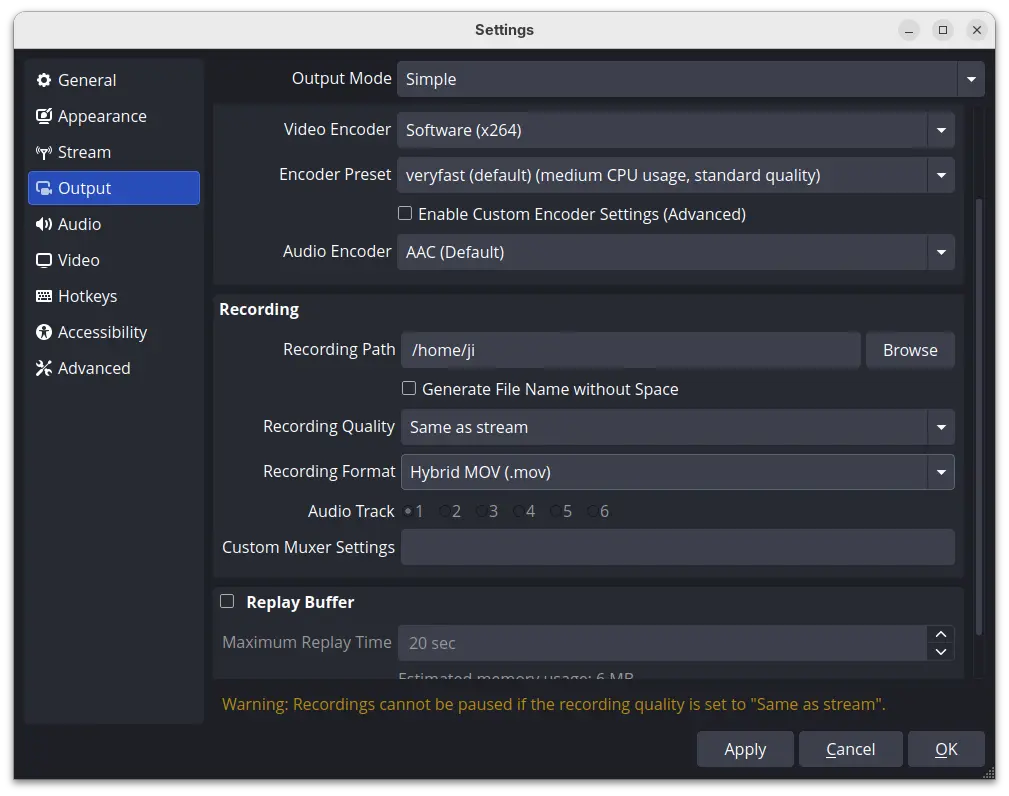
OBS 32.0.0 also introduced new Hybrid MOV container, and set Hybrid MP4/MOV as the default containers. The new container format brings Apple ProRes codec support on macOS and a more widely supported HEVC/H.264 + PCM audio option to all platforms.
Other changes in the release include:
--disable-shutdown-check launch flag.The official release note as well as the installers (under “Assets”) for Linux, Windows, and macOS are available in Github via the link below:
For Ubuntu, it only provides the .deb package for 24.04. User may choose this official PPA for other Ubuntu releases support.
While, there are also Snap package available in App Center (or Ubuntu Software), and Flatpak package which also support ARM64 processors. Though, you may need to wait for few days as all of them are not updated at the moment of writing.
Keeping files in sync across multiple machines is a common task for Linux users. You might use both a laptop
The post How to Install Unison File Synchronizer for Two-Way File Sync on Linux first appeared on Tecmint: Linux Howtos, Tutorials & Guides.