
Normal view

Received — 20 September 2025 Linux News & Update

Linux Mint Released LMDE 7 Beta, based on Debian 13

By:Ji m
19 September 2025 at 23:40

For Linux Mint users who prefer Debian package base, LMDE 7 code-name “Gigi”, is available for beta testing!

LMDE stands for Linux Mint Debian Edition. As the name says, it’s a Linux Mint edition based on Debian, aims to continue to deliver the same user experience if Ubuntu was ever to disappear.

LMDE 7 is the next major release of this Linux Mint edition based on Debian 13 trixie, which was released a month ago. It features Kernel 6.12, Cinnamon desktop 6.4.12, and Debian 13 package base.
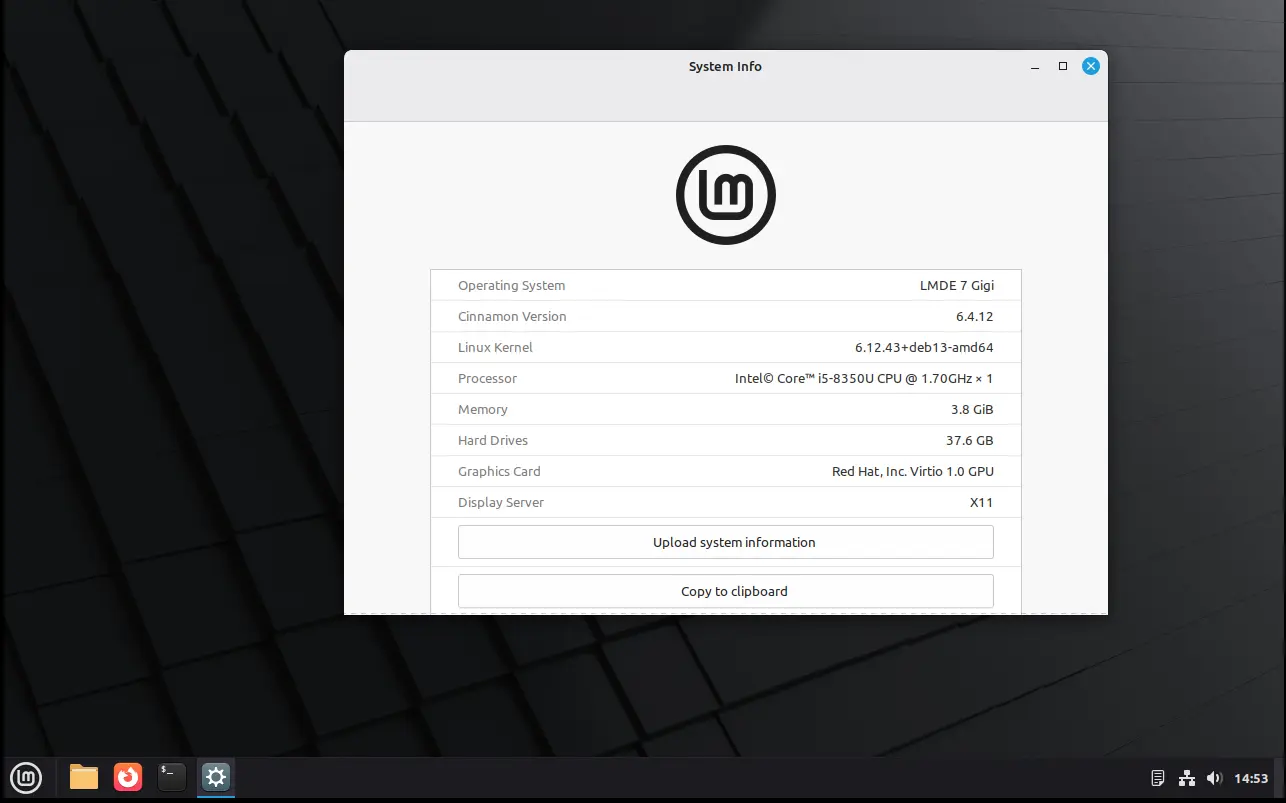
In my experience, Debian is more stable and reliable than Ubuntu. It’s perfect for server and advanced user use. And, LMDE makes it friendly for beginners.

However, it lacks major kernel version updates and most recent drivers (e.g., NVIDIA proprietary driver), unless upgrading the entire system to a new version (e.g., from LMDE 6 to LMDE7). If they are not big deal for you, then it’s a great choice!
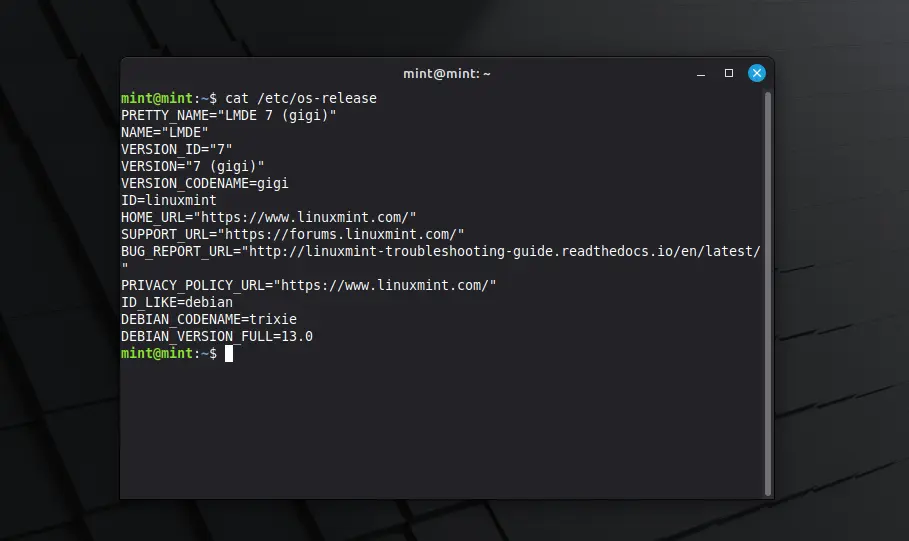
Besides the difference between Kernel version and systems they’re based on, LMDE and normal Linux Mint edition deliver almost the same user experiences!

And, LMDE 7 Beta so far features Cinnamon only desktop, with following changes in Linux Mint 22.2:

  • New XApp Fingwit provides graphical interface to manage user fingerprints.
  • Improved Sticky Notes app with rounder corners and Wayland support.
  • Add “Theater Mode” and “Borderless Mode” mode for Hypnotix IPTV player.
  • Display user avatar in the login screen.
  • Add blur effect to the panel and user selection dialog box in login screen for better appearance.
  • Patch LibAdwaita with theme support, including Mint-Y, Mint-X and Mint-L themes.
  • Add accent colors support for LibAdwaita Flatpak apps.
  • New xapp-aiff-thumbnailer thumbnailer for cover art in .aiff audio files
  • Add iOS app for Warpinator file sharing utility.
  • Configurable EDID-based color correction (disabled by default) in XViewer.
  • Support editing description field in WebApp Manager.
  • Support leading zeros when renaming multiple files and using enumerations
  • Add description in Software Manager to tell the difference between Flatpak and system packages.

Download LMDE 7 Beta

The official announcement as well as the download link for LMDE 7 Beta is available in Linux Mint website via the link below:

For choice, you may download it from a mirror from this page. Though, as Beta it’s usually available in “testing” directory.

Hardware Requirements include: 2 GB RAM (though 4 GB recommended for smoother experience), 20 GB disk space, and 1024×768 resolution display.

Ubuntu 25.10 Beta Release is Available to Download

By:Ji m
19 September 2025 at 17:03

Ubuntu 25.10, code-name Questing Quokka, is now available for Beta testing!

The developer team announced the release last night for Ubuntu Desktop, Server, WSL, Cloud products, and official flavors.


Ubuntu 25.10 is a new short-term release with 9-month support until July 2026. It features GNOME 49, Kernel 6.17, and various other toolkit and packages updates.

The new Kernel is still in RC release stage at the moment. Compare to Kernel 6.14 in current 24.04 and 25.10, it features many new and improved hardware support, drivers, and performance improvements. For detailed changes, go HERE and HERE.

The Ubuntu Desktop so far has GNOME 49 RC, though the stable release of this desktop environment was just released 2 days ago, which features:

  • New Showtime video player (not pre-installed in Ubuntu with default mode, though available in App Center).
  • New Papers document viewer.
  • Remove ‘GNOME on Xorg’ (Ubuntu on Xorg) session, meaning Wayland only.
  • Music playback control from lock screen.
  • Improve remote desktop with multi-touch, relative mouse input, and additional virtual desktop.
  • Add configuration for pointing stick (aka TrackPoint).
  • Support relative dials on tablet pads.
  • Brightness in the Quick Settings when HDR is enabled, with external monitors support.
  • And more. See the official release note.

As you know, Ubuntu features a customized GNOME desktop experience. The 25.10 release replaced the default terminal with Ptyxis, which features first-class container integration.

And, it finally added Loupe as default image viewer, which was introduced in GNOME since v45. The image viewer features sandboxed image loading by using Glycin library, which also handles the background image loading in Gnome 49.

New default Ptyxis terminal emulator

Other changes in the Beta include screen reader support in new desktop installer, TPM-backed Full Disk Encryption recovery key management, and tryboot’s A/B booting support on Raspberry Pi.

There are as well toolkit updates, including systemd 257, gcc 15.2, binutils 2.45, glic 2.42, python 3.13.7, LLVM 20, Rust 1.85, Golang 1.24, openJDK 25, Mysql 8.4, Ruby 3.3, and more.

The final release of Ubuntu 25.10 is planned for October 9. For more about it, see the official release note.

Get Ubuntu 25.10 Beta

NOTE: Ubuntu 25.10 so far has a bug that prevents it from loading other dual-/multi-boot OSes. Configure apparmor didn’t work in my case, and I end up disabling Apparmor to get back Ubuntu 24.04.

For Ubuntu 25.04, it’s now able to upgrade to this 25.10 Beta, by firstly installing all available updates, then launch “Update Manager” via the command below:

update-manager -d

And if everything goes well, you’ll be able to upgrade from Beta to 25.10 final by installing updates regularly through “Software Updater”.

NOTE: It’s IMPORTANT to backup your data before upgrading, as it may have bug that breaks your system.

For choice, the iso images of the Beta are available to download at the link below:

Don’t know why, but it misses amd64 iso image at the moment of writing. To workaround the issue, you may choose a download mirror instead to get the ISO.

And for non-GNOME users, there are also 10 official flavors features different desktop environments, which can be download from either their websites or this page.

❌