
❌

Normal view

Blender 5.0 Released with HDR Color Space, Much Faster Material Compilation

By:Ji m
19 November 2025 at 22:26

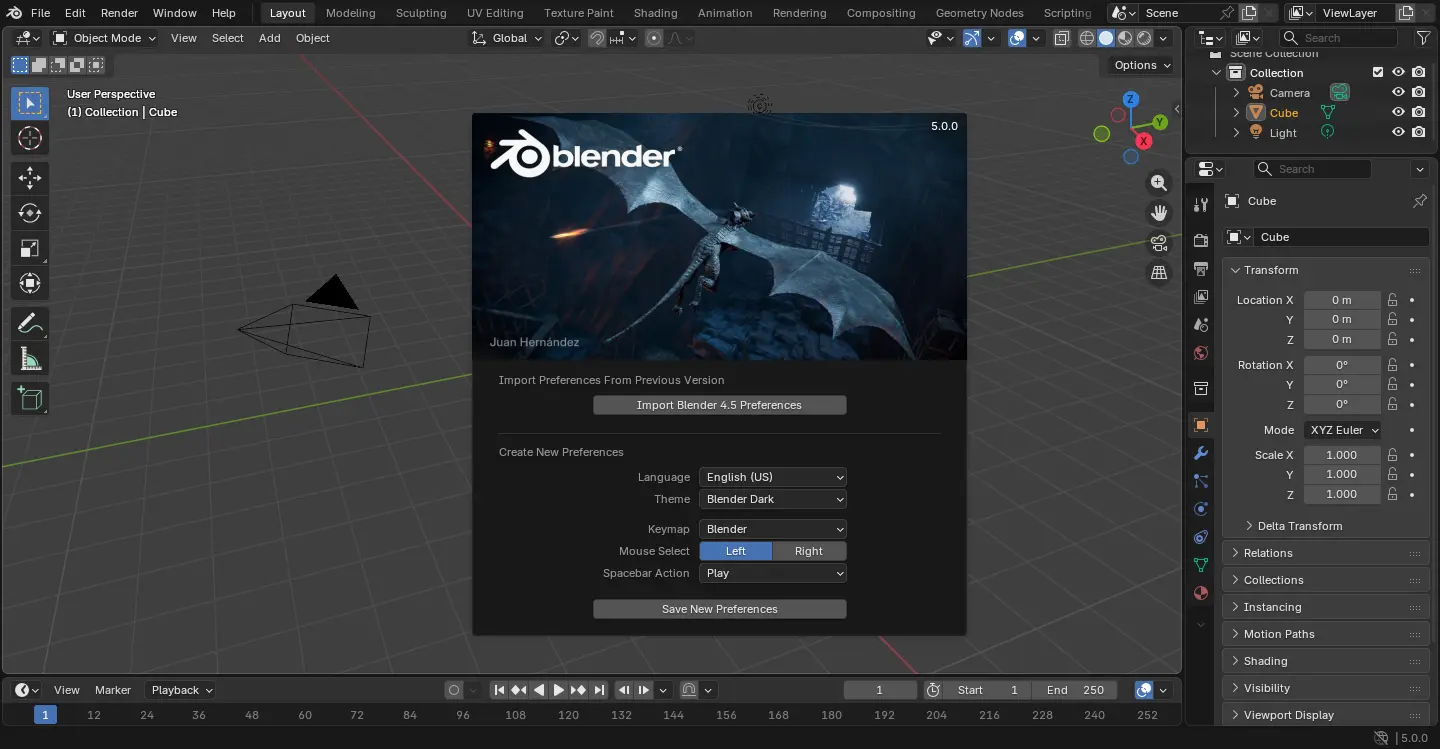
Blender, the popular 3D computer graphics software, released new major 5.0 version yesterday.

The new 5.0 release overhauled the color management pipeline with native wide-gamut and HDR color spaces support.

It can now display and export HDR and wide-gamut colors for both images and video. And, it added new ACES 1.3 and 2.0 views as alternative to AgX and Filmic, AgX HDR view, and Rec.2100-PQ and Rec.2100-HLG displays.

It’s now possible to use a wider gamut of colors for materials, lights and compositing, and to follow common ACES workflows, set a custom Working Space per file and Sequencer, and use the Convert Colorspace node in the Compositor.
The Sky Texture node now supports multiple scattering, while the old β€œNishita” model is still available as β€œSingle Scattering”. It can now generate a sunset scene instantly by animating only one parameter.

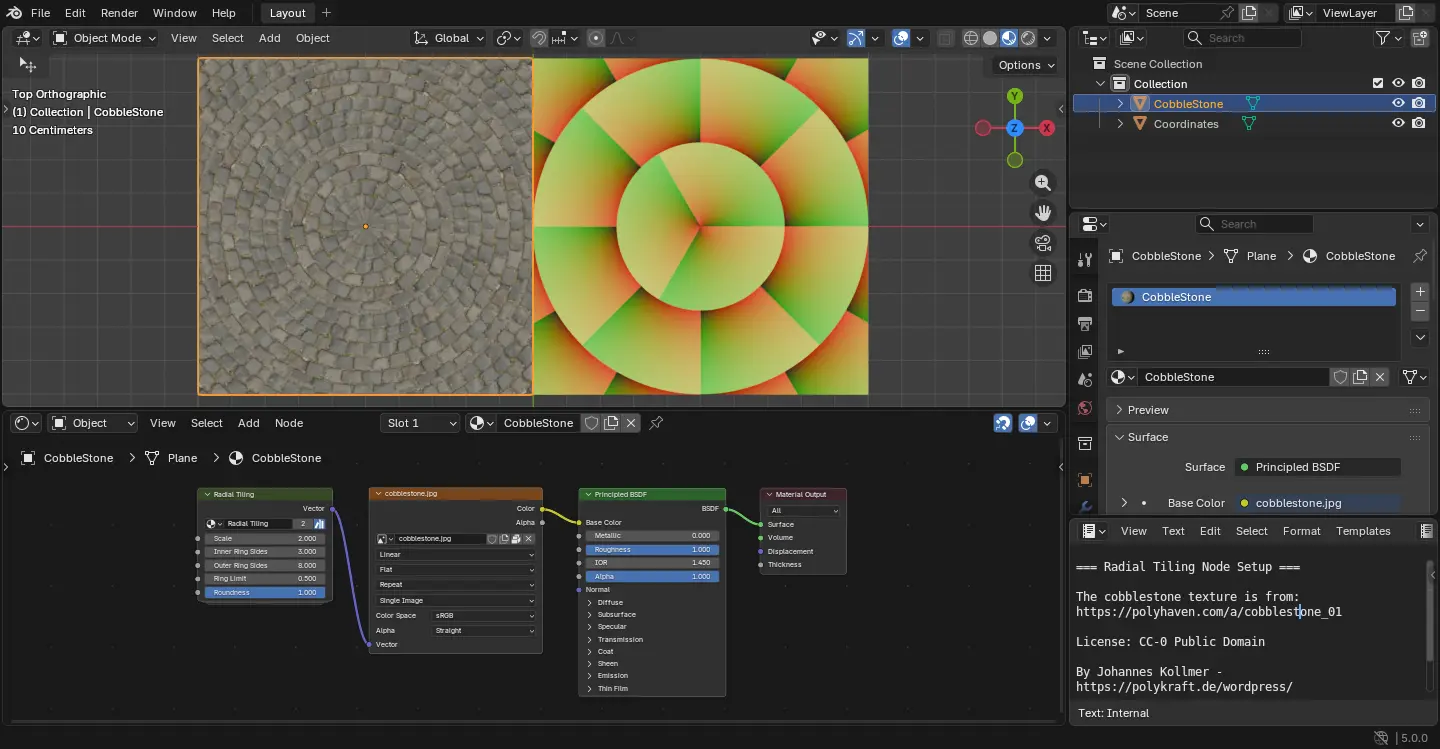
And it introduced new Radial Tiling node building block for creating shapes and tilings, including rounded corners. While, baking from meshes has been greatly improved with n-gon faces, baking Vector Displacement, as well as bake only to selected and active images etc features.
For circles, the release also introduced new unbiased null-scattering volume rendering algorithm and set it as default. There are as well a more accurate random walk subsurface scattering algorithm with multiple bounces, and the physically-based iridescense effects supported by metals.

Adaptive Subdivision is now considered stable, and, it features a new Object Space option to set edge length in object space instead of pixel size.

Other circles updates include new Linear 3D Curves, new Portal Depth light pass, new Render Time pass, better OptiX denoiser quality, new driver and hardware requirements, and more!

Material compilation is now much faster compare to the last 4.5 version though either OpenGL or Vulkan backend. Meaning that it has a faster startup and overall experience.

The Compositor in Blender 5.0 features a new asset shelf, filled with built-in effects to get from nothing to stunning in no time.

Grease Pencil objects now support motion blur, and, the number of motion blur steps can be adjusted for better quality.

Grease Pencil strokes can now have different corner types set per point: Flat, Sharp, and Round (default). And, Cyclical strokes now correctly connect start and end segments without gaps or overlaps.

Other changes in the release include:

  • New modifier: Array, Scatter on Surface, Instance on Elements, Randomize Instances, Curve to Tube, and Geometry Input
  • Overhauled UV Sync feature and enable it by default.
  • Nodes from compositor now available in the Video Sequencer.
  • Shading nodes now support Repeat Zones, just like Geometry Nodes.
  • New and updated MatCaps that include optional specular light.
  • And tons more other changes. See official release note for details.

Get Blender 5.0

The installer packages for Linux, Windows, macOS, as well as the source code are available to download at the link below:

For Ubuntu, the official snap package is available to install through either App Center or Ubuntu Software, though v5.0.0 is still in Beta channel at the moment of writing.

While Linux user may also choose the portable tarball (from download link above), decompress, then run the executable to launch the software. And, a community maintained Flatpak package. For beginners, see this step by step how to install guide.
GIMP 3.2 RC1 Released with SVG Export and New Keyboard Shortcuts

By:Ji m
18 November 2025 at 19:38

GIMP, the popular image editing software, announced the first release candidate for the next major 3.2 version yesterday.

This is the third development release for GIMP 3.2. It introduced some new keyboard shortcuts, new and improved image formats support, API changes and UI/UX improvements.

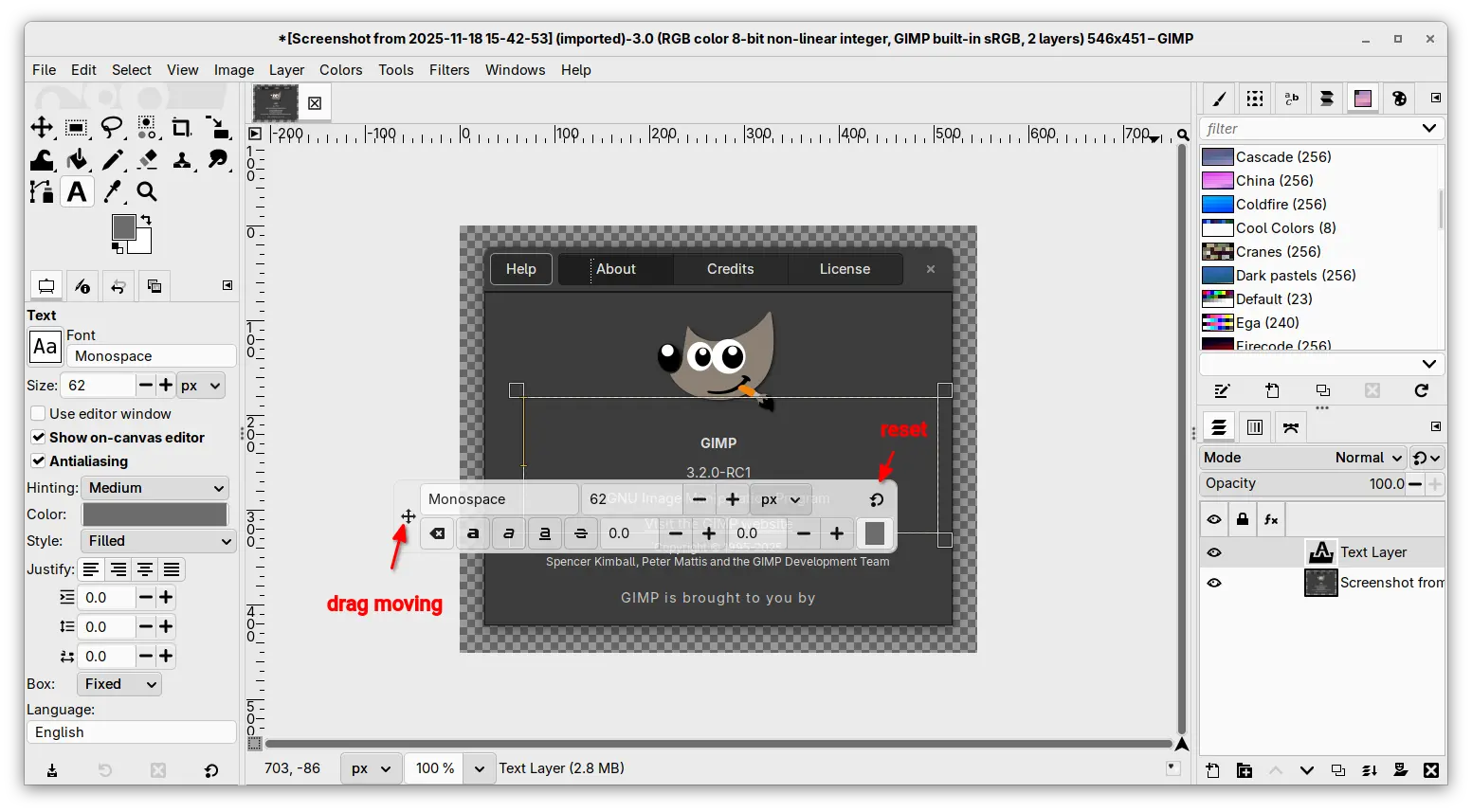
The on-canvas editor for the Text Tool now is movable. It now includes a move cursor icon in left side, allowing to drag on it to move the on-canvas editor. While, a circle arrow icon is also available to reset its position.

Besides that, this RC release added new Shift + Ctrl + V keyboard shortcut to paste unformatted text in the on-canvas editor, and new Shift+X shortcut to switch between current and last used tools, while, user has choice to change the shortcut by Edit -> Keyboard Shortcuts dialog.

The release also added support exporting SVG as actual vectors. While, the export dialog offers options to optionally embed raster layers as either PNGs or JPEG.

The PDF plug-in now exports vector layers as actual vectors, meaning that those layers can be further edited in other vector graphics software.

As well, it supports importing PowerVR (PVR) texture files, which is most commonly used for SEGA Dreamcast games and mods, and supports loading any supported image that’s compressed by GIMP standard compression algorithms.

GIMP 3.2 RC1 also improved its UI/UX experience by allowing to drag and drop image files on-to tab bar to open multiple images, drag and drop color swatches from the Color History, and hide GIMP from macOS App Menu.

It as well updated the API with new GimpImage and GimpItem widgets added to GimpProcedureDialog, and many additional public API commands for text, vector, and link layers.

Other changes include:

  • Simulate adjustment layers with layer groups.
  • Document History dockable is now multi-selection aware.
  • Update Windows Installer with automatic Dark Mode support.
  • Update color immediately after typing hex colors without hitting Enter.
  • Fixes and improvements to the link layer and vector layer features introduced in last 3.1.4.
  • various security fixes.

For more about this RC release, see the official announcement.

How to Install GIMP 3.2 RC1

GIMP provides official installer packages for Linux, Windows, and macOS, which are available to download via the link below:

For Linux, they include Snap package which can be directly installed from Ubuntu Software or App Center.

While, user may also choose non-install AppImage that can be launched directly after adding executable permission.

Or install the Flatpak package in sandbox environment for most Linux by running command after enabled flatpak support:

flatpak install --user https://flathub.org/beta-repo/appstream/org.gimp.GIMP.flatpakref

And, launch the Flatpak package via the command below in case you also has the stable version installed as Flatpak.

flatpak run org.gimp.GIMP//beta

Uninstall GIMP 3.2 Devel version

For the AppImage and Snap package, either delete the file or uninstall via App Center (or Ubuntu Software).

For the Flatpak package, use the command below to uninstall:

flatpak uninstall --delete-data org.gimp.GIMP//beta

You may then even delete the flathub-beta repository afterward by running command:

flatpak remote-delete flathub-beta

NOTE: the command will list and uninstall all apps and runtimes installed from the Beta repository. Answer NO if you want to keep any of them.

❌