Pinta, the free open-source clone of Paint.Net 3.0, released new major 3.1 version today.
The new version of this simple GTK4 based painting software introduced Axonometric Grid. By going to “View -> Canvas Grid”, user can enable this feature with adjustable width, which is useful for drawing three-dimensional objects.
It also added context menu support for layers. Meaning, user can now right-click on a layer to get a pop-up menu with options to duplicate, merge, delete, flip, rotate or zoom layer or open layer properties dialog.
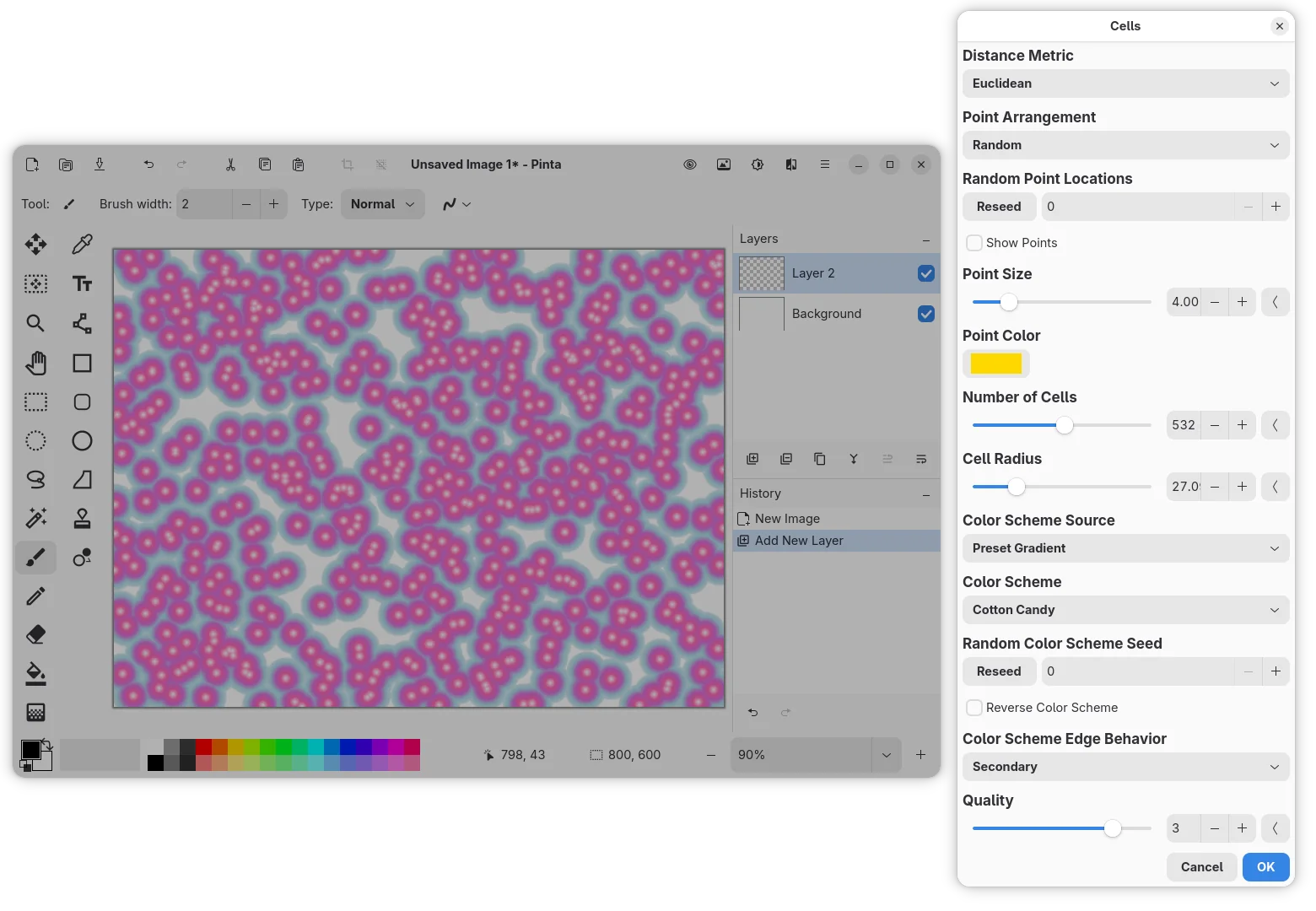
Pinta 3.1 introduced new Cells effect which can be accessed from “Effects -> Render” menu. It can add worley noise in selected area or the whole canvas with custom point arrangement, point size, cell numbers, and color scheme.
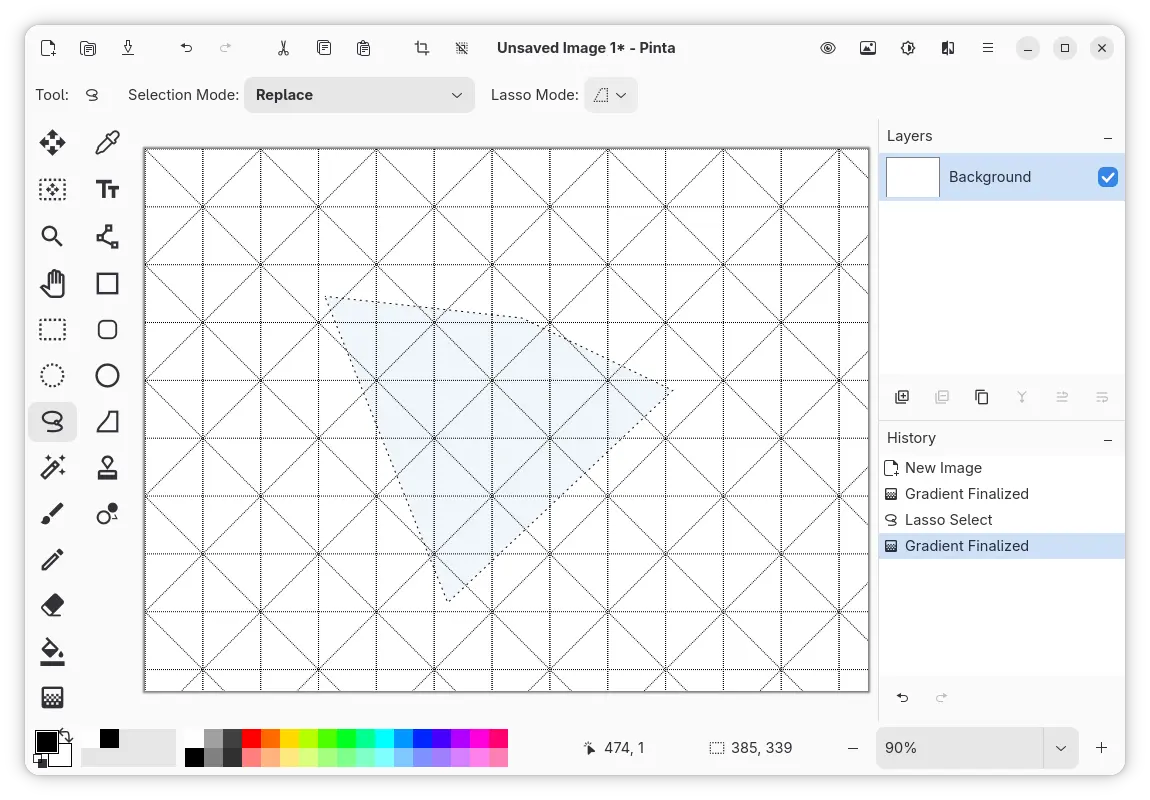
The Lasso Select tool now has new Polygon mode. Like the Polygon Lasso Select tool in Adobe Photoshop, it allows to select objects with straight lines or sharp angles.
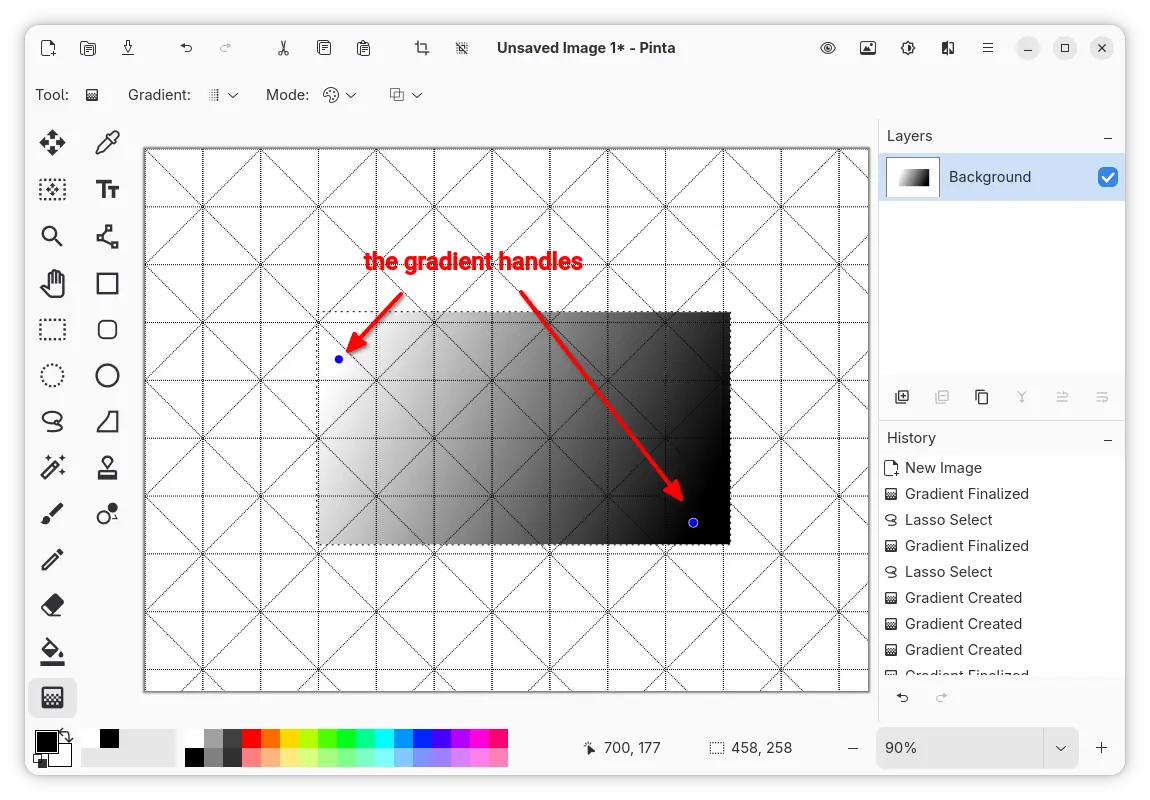
The Gradient tool now provides handles, the blue points in the screenshot below, that define the start and the end points of gradient.
User can drag moving the handles to change the gradient length and direction, or click anywhere apart from any handle to create a new gradient, and hit Enter to finalize the gradient and remove the handles. And, creating, modifying or finalizing gradient will add a new history item.
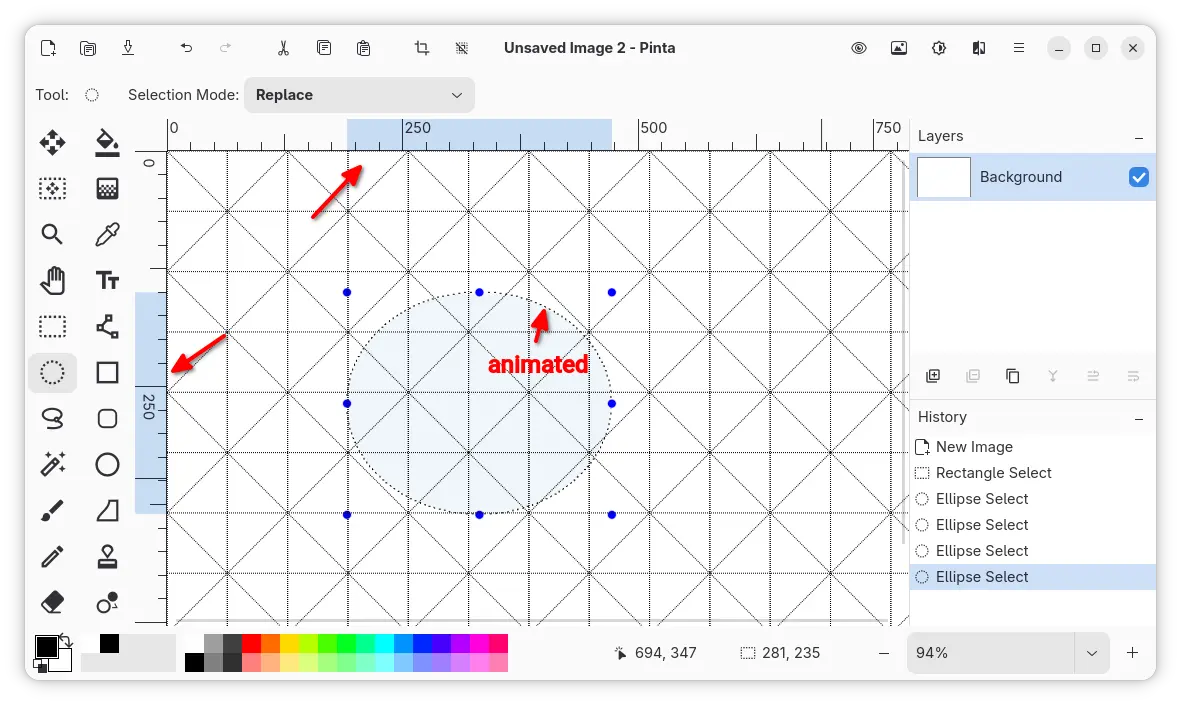
The selection of an area on the canvas is now being projected and highlighted on the rulers, so you can easily find out the position, width and height of the selection.
And, the outline dots of selection are animated to improve the visibility.
highlight the selection in ruler, and show animated outline
The Twist effect now has a new Radius Percentage parameter. The Dithering effect can now use Pinta’s current palette in addition to the effect’s preset color palettes.
And, Render effects (e.g., Clouds, Julia Fractal) now support Random values and Reseed button.
Other changes in Pinta 3.1 include:
- Add
Ctrl+Backspace shortcut to delete words in Text tool.
- Splatter brush draws repeatedly when holding down mouse left button.
- Support for color picking in SimpleEffectDialog.
- Display keyboard shortcuts in toolbar button tool-tips.
- Rewrite the canvas widget to improve performance and memory usage issues.
- Add issue tracker and discussion links in About dialog.
- Add installer for Windows on ARM64.
For other changes and bug-fixes, see the official release note in the Github page.
Install Pinta 3.1
Pinta provides official packages for Linux, OpenBSD, Windows, and macOS, which are available to download via the link below:
Linux user may choose the Flatpak package which runs in sandbox environment.
While, Linux Mint and Fedora may search & install it from either Software Manager or GNOME Software, Debian/Ubuntu may run the 2 commands below one by one instead:
- Install Flatpak daemon:
sudo apt install flatpak
- Install Pinta Flatpak package:
flatpak install https://dl.flathub.org/repo/appstream/com.github.PintaProject.Pinta.flatpakref
For updates, run flatpak update com.github.PintaProject.Pinta to check & install.
For Ubuntu, it’s also available to install as Snap package through App Center (or Ubuntu Software).
For those who prefer the native .deb package, keep an eye on the Xtradeb PPA, though it won’t support Ubuntu 24.04 and older anymore, as Pinta 3.1 requires GTK >= 4.18 that only 25.04 and higher match.

 Login
Login