
 Login
Login
HPLIP 3.25.8 Released with Few Dozen More Printers Support

HPLIP, the free open-source Linux driver for HP inkjet and laser based printers, released new 3.25.8 version few days ago.
This is the third release in 2025, which features a few dozen new printer devices support but NO installer update for the most recent Linux Distributions support.
According to the official release note, HPLIP 3.25.8 added following printers support:
- HP LaserJet Enterprise Flow MFP 8601z
- HP LaserJet Enterprise 5501
- HP LaserJet Enterprise MFP 5601dn
- HP LaserJet Enterprise 6500dn
- HP LaserJet Enterprise 5501n
- HP LaserJet Enterprise MFP 5601
- HP LaserJet Enterprise 6500
- HP LaserJet Enterprise 5502dn
- HP LaserJet Enterprise MFP 5602dn
- HP LaserJet Enterprise 6500n
- HP LaserJet Enterprise 5502
- HP LaserJet Enterprise MFP 5602f
- HP LaserJet Enterprise 6501dn
- HP LaserJet Enterprise X50452dn
- HP LaserJet Enterprise Flow MFP 5602zfw
- HP LaserJet Enterprise 6501
- HP LaserJet Enterprise X50452
- HP LaserJet Enterprise MFP 5602
- HP LaserJet Enterprise X60257dn
- HP LaserJet Enterprise MFP X53052dn
- HP LaserJet Enterprise Flow MFP X530
- HP LaserJet Enterprise X60257
- HP LaserJet Enterprise MFP X53052
- HP LaserJet Enterprise X60357dn
- HP LaserJet Enterprise X60357
- HP LaserJet Enterprise MFP 6600dn
- HP LaserJet Enterprise Flow MFP 6600zfw
- HP LaserJet Enterprise MFP 6600
- HP LaserJet Enterprise Flow MFP 6600zfsw
- HP LaserJet Enterprise MFP X62757dn
- HP LaserJet Enterprise Flow MFP X62757zs
- HP LaserJet Enterprise MFP X62757
- DEX D50452dn
- DEX MFP D53052dn
Sadly, the official installer so far supports Distros up to following versions:
- Ubuntu24.04
- Fedora 40
- Debian 12
- RHEL 9.1
- Linux Mint 22
- SUSE Linux 15.5
- Zorin 17.1
- and more.
Meaning for Ubuntu 25.04, 25.10, Debian 13, Fedora 43 etc, you need to manually build the driver from source.
How to Install HPLIP 3.25.8
The official installer “hplip-3.25.8.run” is available to download in sourceforge.net via the link below:
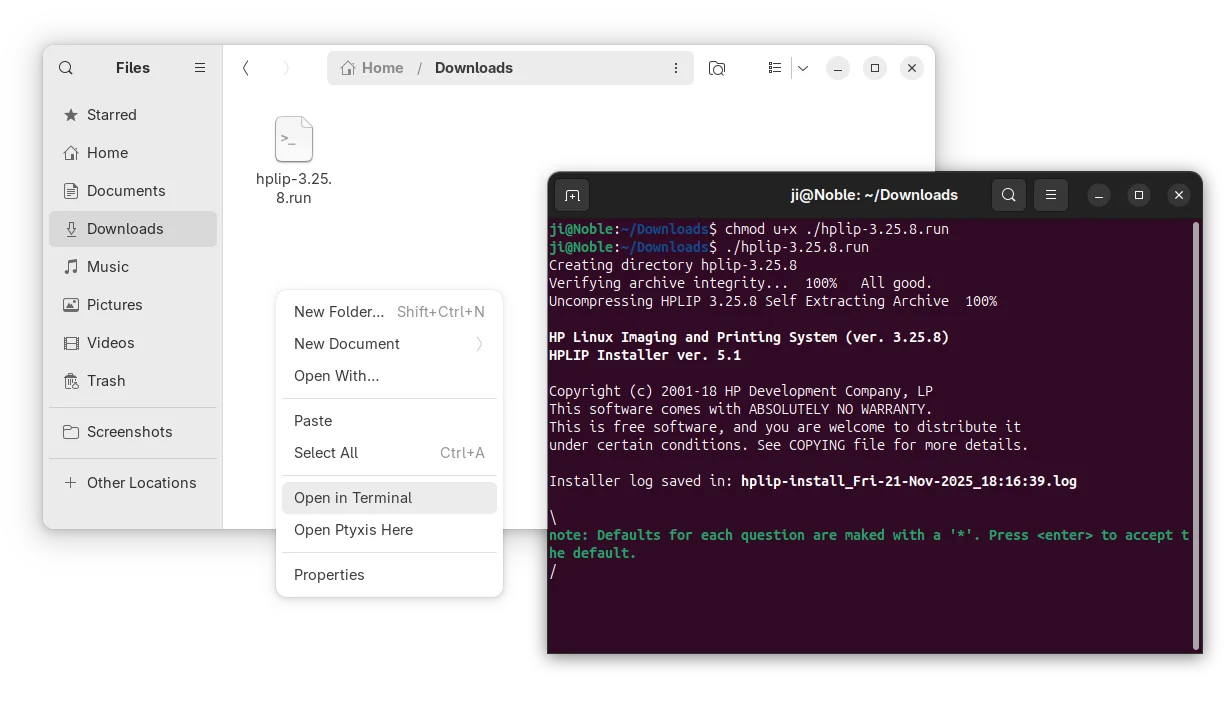
After downloaded the installer, open the Downloads folder in terminal, and finally run the 2 commands below one by one:
- Add executable permission:
chmod u+x ./hplip-3.25.8.run
- Start the installer and follow terminal output to install HPLIP:
./hplip-3.25.8.run
For non-supported Linux Distributions, either grab the source form the link above, or, open the extracted folder (the command above automatically generate the source folder) in terminal, then compile by yourself.
