
❌

Normal view

Linux Mint Officially Released LMDE 7 based on Debian 13

By:Ji m
14 October 2025 at 19:19

For Linux Mint users who prefer Debian package base, LMDE 7 code-name β€œGigi”, is officially released!

LMDE stands for Linux Mint Debian Edition. As the name says, it’s a Linux Mint edition based on Debian, aims to continue to deliver the same user experience if Ubuntu was ever to disappear.

After less than a month of Beta testing, LMDE7, the new major release of this Linux Mint edition based on Debian 13 trixie, is now available to download. It features Kernel 6.12, Cinnamon desktop 6.4.12, and Debian 13 package base.
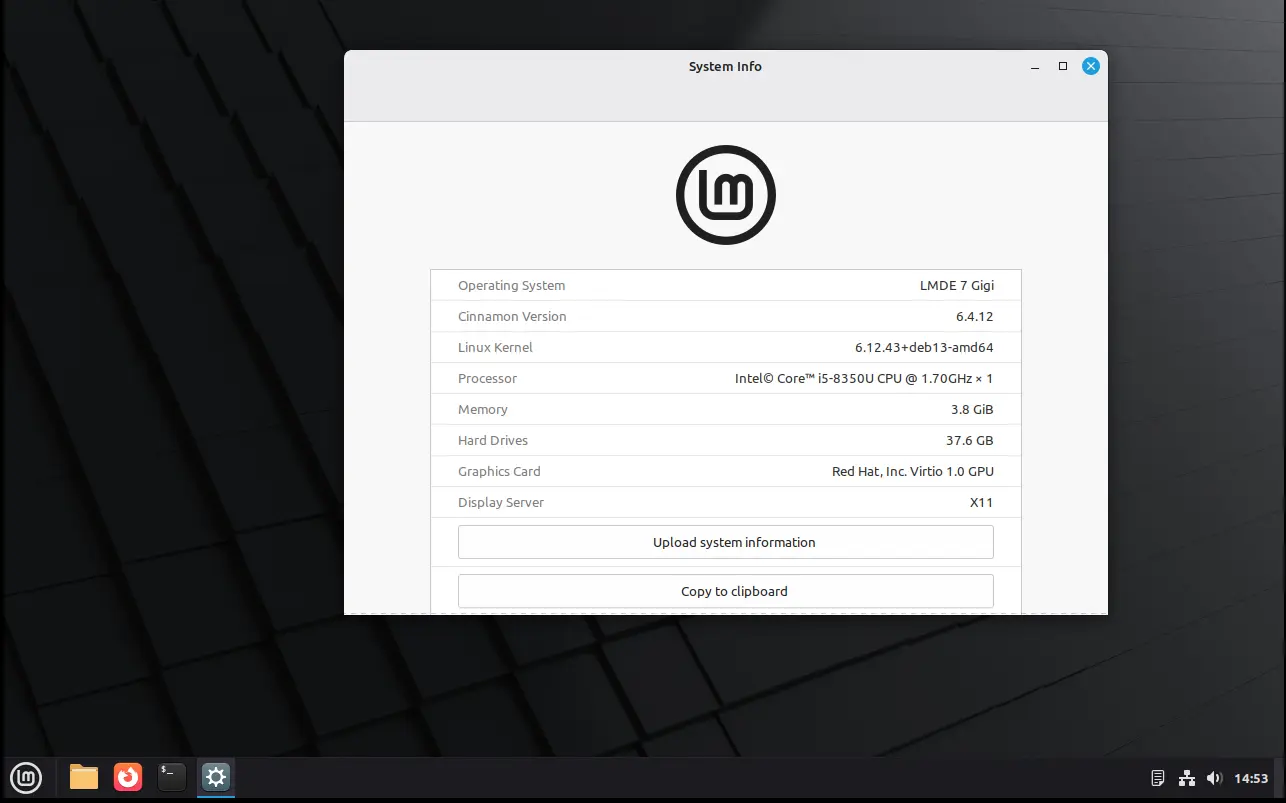
In my experience, Debian is a bit more stable and reliable than Ubuntu. It’s perfect for server and advanced user use. While, LMDE is a fork makes it friendly for beginners.

However, LMDE lacks major kernel version updates and most recent drivers (e.g., NVIDIA proprietary driver), unless upgrading the entire system to a new version (e.g., from LMDE 6 to LMDE7). If they are not big deal for you, then it’s a great choice!
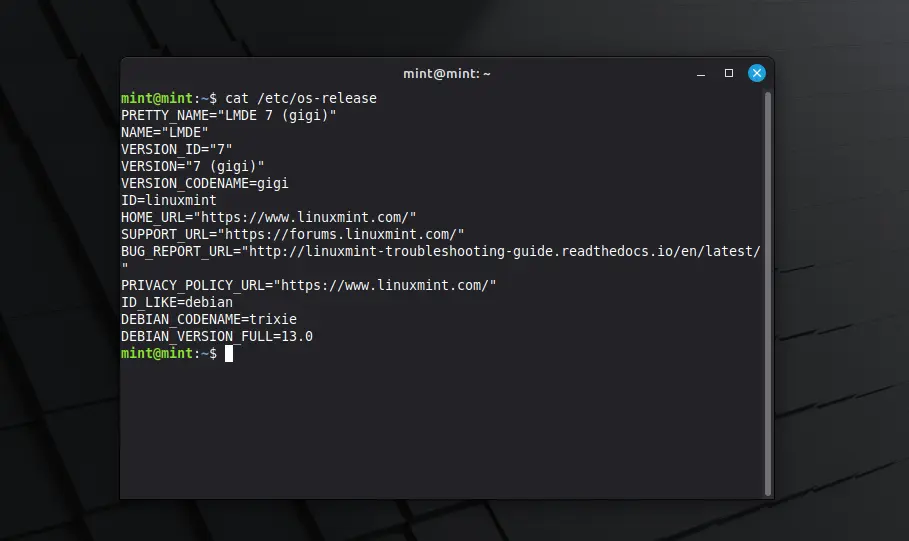
Besides the difference between Kernel version and systems they’re based on, LMDE and normal Linux Mint edition deliver almost the same user experiences!

And, LMDE 7 so far features Cinnamon only desktop, with following changes in Linux Mint 22.2:

  • New XApp Fingwit provides graphical interface to manage user fingerprints.
  • Improved Sticky Notes app with rounder corners and Wayland support.
  • Add β€œTheater Mode” and β€œBorderless Mode” mode for Hypnotix IPTV player.
  • Display user avatar in the login screen.
  • Add blur effect to the panel and user selection dialog box in login screen for better appearance.
  • Patch LibAdwaita with theme support, including Mint-Y, Mint-X and Mint-L themes.
  • Add accent colors support for LibAdwaita Flatpak apps.
  • New xapp-aiff-thumbnailer thumbnailer for cover art in .aiff audio files
  • Add iOS app for Warpinator file sharing utility.
  • Configurable EDID-based color correction (disabled by default) in XViewer.
  • Support editing description field in WebApp Manager.
  • Support leading zeros when renaming multiple files and using enumerations
  • Add description in Software Manager to tell the difference between Flatpak and system packages.

Download LMDE 7

The .iso image for LMDE 7 (torrent) is available to download via the link below:

For choice, you may download it from a mirror that near to you. See this page for the download mirrors all over the world.

Hardware Requirements include: 2 GB RAM (though 4 GB recommended for smoother experience), 20 GB disk space, and 1024Γ—768 resolution display.

For LMDE 6, it easy to upgrade to LMDE 7 by running the commands below one by one:

NOTE: LMDE 7 has no i386 support! Backup important data first, and connect to power supply for laptop.

  • Refresh cache and install mint-upgrade tool:
    sudo apt update
    sudo apt install mintupgrade
  • Start the upgrade tool, and follow on screen intructions:
    sudo mintupgrade
  • When done successfully, remove the tool and reboot your computer:
    sudo apt remove mintupgrade
    sudo reboot

For more, see the official guide in Linux Mint website.

Firefox 144.0 is out! Perplexity AI Search & AES-256-CBC Encryption

By:Ji m
14 October 2025 at 18:31

Firefox 144.0, the October release of Mozilla’s web browser, is available to download today!

The new browser release continues improving the tab group feature support. It now supports dragging a tab into a collapsed tab group without automatically expanding it.

The profile management is now available to all users globally. You can now name profiles and customize them with avatars and color themes, then quickly switch between them while keeping bookmarks, tabs, and browsing history completely separate.

The picture-in-picture (aka pop-out video) now supports Shift + Click on the close button or use Shift + Esc shortcut key to exit (meaning merge back browser window) while keeping playback uninterrupted.

video playback in Picture-in-picture mode

Firefox 144.0 now includes Perplexity AI search for desktop users, allowing to get AI-powered conversational answers directly from the address bar via the unified search button.

The AI search engine seems to be disabled by default, at least in my case, as I can’t find the option and the about:config page shows the β€œbrowser.urlbar.perplexity.hasBeeninSearchMode” key set to false.

Besides that, it added new β€œSearch Image with Google Lens” option when you right-clicking on any image in browser. Which, allows to quickly find similar products, places, or objects, copy, translate, or search text from images. Though, you need to set Google as default search engine for being able to use the feature.

image from mozilla.org

For security reason, the passwords stored in Firefox are now encrypted on disk using AES-256-CBC algorithm, while logins synced through Firefox Sync already use AES-256-GCM. The new encryption algorithm is much faster and secure than the older 3DES-CBC, which is deprecated.

Other changes in Firefox 144.0 include:

  • New Azerbaijani, Bangla, and Icelandic translations.
  • Only use or open window in current virtual desktop, when open link from another application in Windows.
  • And various security fixes.

They are as well many changes for web developers:

  • Support the Element.moveBefore API.
  • Add support math-shift compact.
  • Support PerformanceEventTiming.interactionId, allowing to group related input events.
  • Support the command and commandfor attributes.
  • Add support the View Transitions API Level 1.
  • Disable dithering when linear-gradient, conic-gradient, and radial-gradient are rendered using hardware WebRender.
  • Add support upsert proposal.
  • Support the lock() and unlock() methods of ScreenOrientation interface on Windows tablets and Android devices.
  • Support worker transfer for RTCDataChannel.
  • Add support the resizeMode getUserMedia constraint, allowing to crop and downscale video captured from a camera.
  • Add support the WebGPU GPUDevice.importExternalTexture API on Windows.
  • WebCodecs on Windows now has a batch-encoding path for VideoEncoder.
  • Rename Gecko-specific CSS2Properties to CSSStyleProperties.
  • Jump to a CSS custom property’s definition from within the var() function in style rules.

Get Firefox 144.0

The official release note as well as the download link will be soon available in Firefox website via the link below:

While the source code, and installers for Linux, Windows, and macOS are available to download at this page.

❌