Reading view

Commands for Installing Bottles on Any Ubuntu Version

If you’ve ever tried running Windows software on Linux, you know the frustration of wrestling with Wine configurations. “Bottles” changes that entirely. It’s a modern, graphical Wine prefix manager that wraps all the complexity into a clean interface—letting you run Windows apps and games without touching cryptic config files. This guide provides the exact terminal […]

The post Commands for Installing Bottles on Any Ubuntu Version appeared first on LinuxShout.

  •  

Download and Install Ubuntu 26.04 LTS in VirtualBox or VMware

Ubuntu 26.04 LTS “Resolute Raccoon” is shaping up to be one of the most significant Ubuntu releases in years. Scheduled for official release on April 23, 2026, this Long-Term Support version brings GNOME 50, Rust-based core utilities, enhanced security features, and new default applications. But why wait until April? Daily builds of Ubuntu 26.04 LTS […]

The post Download and Install Ubuntu 26.04 LTS in VirtualBox or VMware appeared first on LinuxShout.

  •  

The Second Snapshot Release of Ubuntu 26.04 LTS is Available

Ubuntu Team announced the second development release of Ubuntu 26.04, Resolute Snapshot 2, yesterday afternoon (UTC time).

The date was moved up by a week, because of end-of-year (EOY) shutdown and the developers need more time to fix issues before holidays.

Whilst the snapshot was planned for next week, we wanted to do it a week earlier so as to give ourselves some time to fix anything that might break ahead of the EOY shutdown from w/c December 22nd.

Ubuntu 26.04 is a Long Term Support (LTS) release with a total of 15 years support: 5-years standard support, 5-years Expanded Security Maintenance (ESM), and 5 years of security coverage (for paid customers).

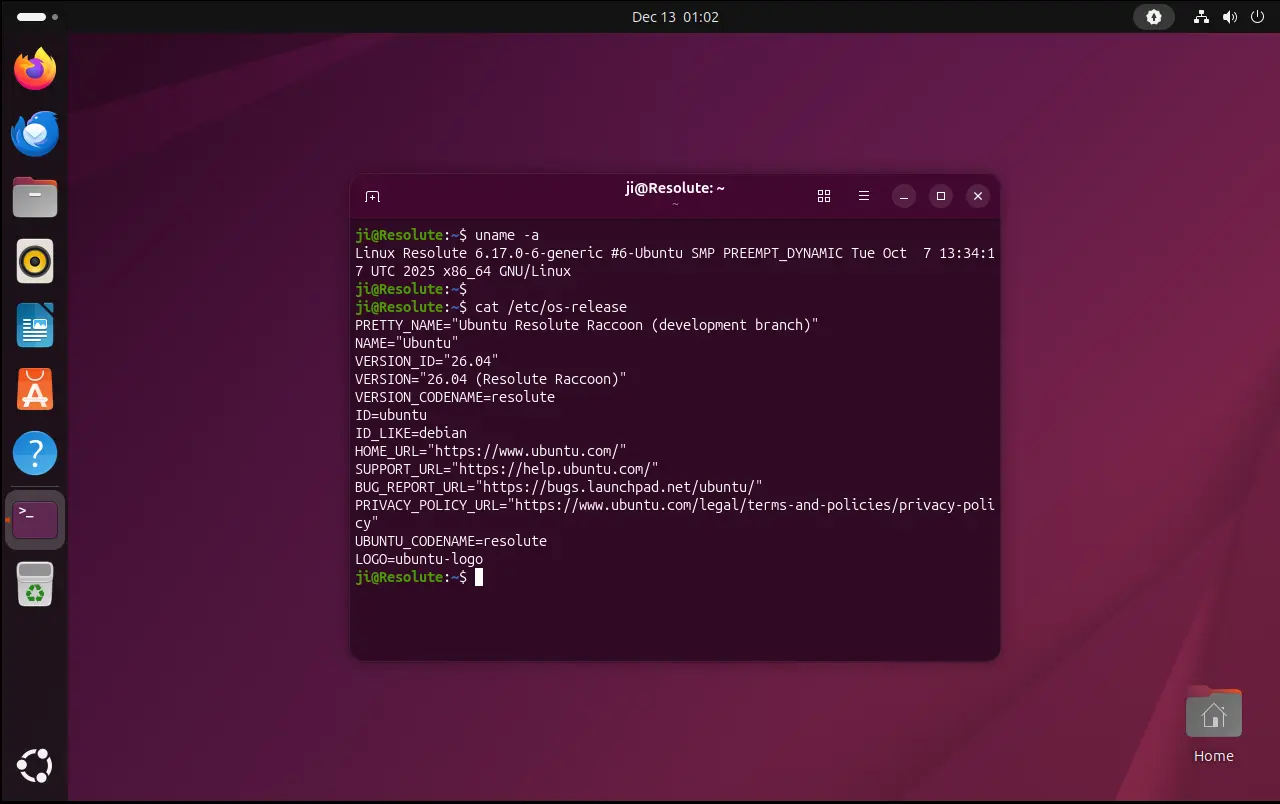
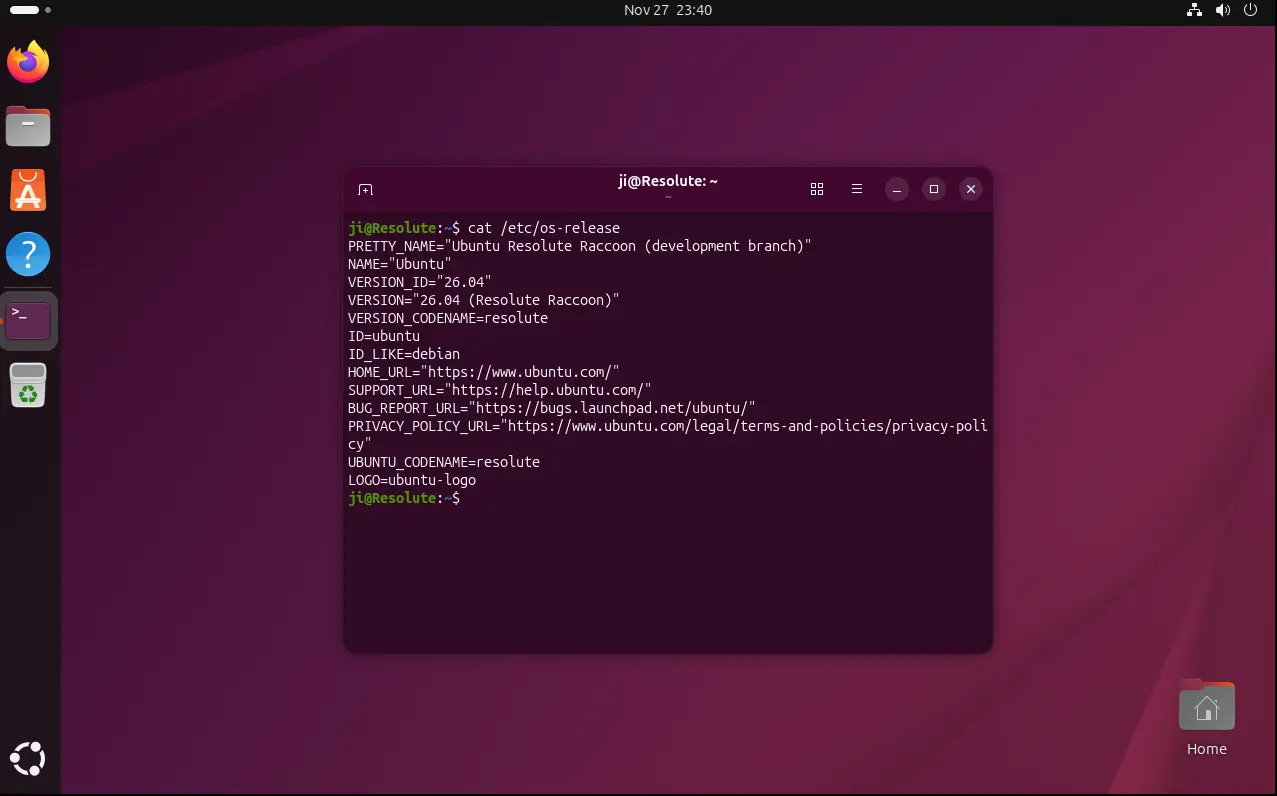
The snapshot so far is still powered by Kernel 6.17 and features Gnome Desktop 49. There’s NO visual difference compare to the last snapshot release. Though, you may keep an eye on this on-going release note page for the updates.

According to the road map, Ubuntu 26.04 will have 2 new default applications: Showtime video player, and Resources system monitor and task manager.

It will continue improving the NVIDIA on Wayland experience, introduce Security Protocol and Data Model (SPDM) based fingerprint authentication, add more control for TPM-backed full disk encryption (e.g., ability to add/remove PIN or passphrase after installation, re-encrypt a disk via Security Center), unified software management, and Ubuntu Pro on WSL.

And, it will sadly exclude Ubuntu MATE and Ubuntu Unity as the official flavors in next LTS, because the two flavors lack of maintainers and miss the deadline of LTS re-qualification.

Get Ubuntu 26.04 Snapshot 2

NOTE: This is a development release that’s NOT ready for production use!

The .iso images for Desktop and Server, as well as Netboot tarball, WSL, and pre-install server images are available to download via the link below:

For desktop and education users, the snapshot also includes the .iso images for all the official flavors, which are available to download via the link below:

For Ubuntu MATE and Unity, the iso images are automated builds without maintainers behind them.

If you’ve already run your machine with Ubuntu 26.04 daily build or snapshot 1, then simply install all the available updates to get to the new snapshot.

For current Ubuntu 25.10, I’ve tried to upgrade to the new 26.04 Development release by first installing all updates:

sudo apt update && sudo apt full-upgrade

Restart if required, then run:

do-release-upgrade -d

For future releases, see the table below or the official release schedule.

January 29, 2026 Snapshot 3
February 26, 2026 Snapshot 4
March 26, 2026 Beta (mandatory)
April 16, 2026 Final Freeze, Release Candidate
April 23, 2026 Final Release
  •  

Ubuntu MATE & Unity Will NOT Be Official Ubuntu 26.04 Flavors

For users of Ubuntu MATE and Ubuntu Unity, the 2 Linux Distributions will NOT be the official flavors for the next Ubuntu 26.04 LTS.

Ubuntu announced the LTS qualifications for Resolute Raccoon in last week:

We haven’t seen LTS requalification requests from Ubuntu MATE nor Ubuntu Unity, so these will release subject to release team approval, and they will be non-LTS.

As you know, the Ubuntu flavors are the community maintained distributions with different desktop environments or specific intended use case. So far, Ubuntu has 10 official flavors, they are listed in this Ubuntu web-page.

Ubuntu always requires the official flavors to go through a qualification process for every releases, especially for LTS. For next Ubuntu 26.04 LTS, the following flavors have been approved with three year LTS qualification.

  • Ubuntu Budgie
  • Ubuntu Kylin
  • Xubuntu
  • Lubuntu
  • Edubuntu
  • Ubuntu Studio
  • Ubuntu Cinnamon

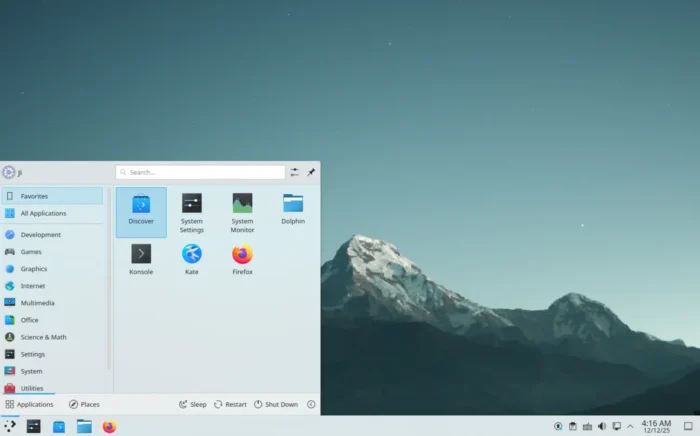
What About KUbuntu 26.04

KUbuntu 24.04

KUbuntu is not mentioned in the announcement. And, I didn’t see the qualification request for KUbuntu 26.04 in the Technical Board.

The KUbuntu developer, Scarlett Gately Moore, was in a car accident in last July. Though back to work now, she needs a little help.

Rik Mills, another KUbuntu developer who’s also Ubuntu core developer, is actively building packages for Ubuntu 26.04 and backporting Plasma desktop and KDE frameworks for current Ubuntu release through KUbuntu PPAs.

IMO, KDE Plasma is so popular and maintainers are still actively working, there’s no reason to exclude KUbuntu 26.04 as one of the next official LTS flavors.

Why Ubuntu MATE and Ubuntu Unity Excluded

Ubuntu MATE 24.04

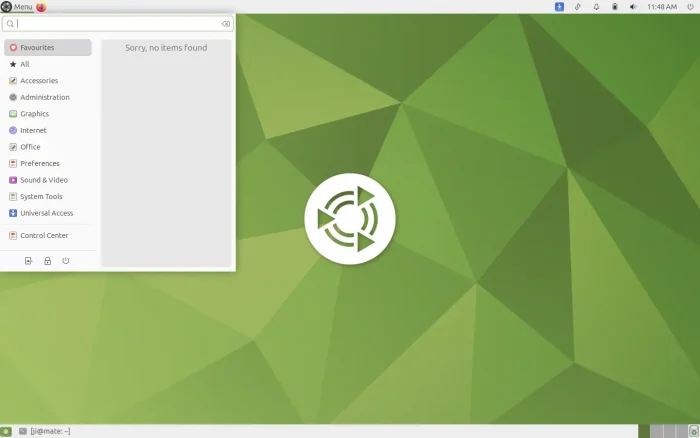
Ubuntu MATE is Ubuntu with MATE desktop environment, a continuation of the classic GNOME 2. It was firstly approved as official flavor when it was in version 15.04.

MATE in current Ubuntu releases is still at version 1.26, while the latest MATE 1.28 has been released for more than a year. Debian upstream has started packaging MATE 1.28 for Forky and Ubuntu 26.04, though Ubuntu MATE developer missed the LTS qualification.

According to the future of Ubuntu MATE discussion, it seems that the project lead, Martin Wimpress, is now having other interests and obligations (Nøughty Linux), so he didn’t apply the re-qualification requests.

For Ubuntu Unity, the official flavor since 22.10, the project lead Rudra Saraswat, is too busy because of university exams and tests.

Other members lack of knowledge to maintain the project, and Maik Adamietz asked for help by this thread in discrouse few months ago, but without luck. And, they didn’t even know the requalification process so missed the deadline for next 26.04 LTS.

For current Ubuntu MATE and Ubuntu Unity users

Without Ubuntu MATE or Ubuntu Unity, Ubuntu 26.04 can install the 2 desktop environments from the system repositories, though they will be less stable due to lack of desktop specific maintenance.

According to this discourse page, 24.04 users may stay with it until 2034, by enabling Ubuntu Pro for security maintenance, though Canonical does not offer phone or ticket support for Community Flavors.

  •  

The First Snapshot of Ubuntu 26.04 LTS Released!

The first monthly snapshot release for Ubuntu 26.04 LTS was released yesterday morning (UTC time).

Ubuntu development team announced this development snapshot:

Hello everyone, I’d like to announce the first successful publication of the monthly snapshot – Resolute Snapshot 1. You can find the images on cdimage.ubuntu.com …

As you may know, Ubuntu 26.04 is the next Long Term Support (LTS) release with 5 years standard support until 2031, plus Expanded Security Maintenance (ESM) support until 2036, and security coverage (for paid customers) until 2041.

Ubuntu 26.04 will use GNOME 50 as default desktop environment. According to Linux Kernel history release date, it will perhaps be powered by Kernel 6.20 (or 7.0).

According to the road map, the 26.04 release will also introduced 2 new default applications. It will replace Totem with Gnome core Showtime video player, and replace Gnome System Monitor with Resources system monitor and task manager.

And, it will continue improving the performance and stability for Wayland on NVIDIA, unify the package management experience, and update Security Center with ability to re-encrypt a disk and manage Ubuntu Pro features.

At the moment, the 26.04 Snapshot 1 still has GNOME 49, Kernel 6.17, and most features are not completed yet. You may keep an eye on this on-going release note page for the recent changes.

Get Ubuntu 26.04 Snapshot 1

NOTE: This snapshot is a development release that’s NOT ready for production use!

The .iso images for Desktop and Server, as well as Netboot tarball and WSL image are available to download via the link below:

Don’t know why, but this snapshot does not provide the Desktop and Server image for amd64 (Intel/AMD platform) at the moment of writing.

Thanks to @Rodolfo, the iso images for amd64 (AMD/Intel platform) is available via the link below:

For non-GNOME users, the 26.04 snapshot 1 also includes the .iso images for all the 10 official flavors, which are available to download via the link below:

For current Ubuntu 25.10, it easy to upgrade to the new 26.04 Development release by first installing all updates:

sudo apt update && sudo apt full-upgrade

Restart if required, then run:

do-release-upgrade -d

For future releases, see the table below or the official release schedule.

December 18, 2025 Snapshot 2
January 29, 2026 Snapshot 3
February 26, 2026 Snapshot 4
March 26, 2026 Beta (mandatory)
April 16, 2026 Final Freeze, Release Candidate
April 23, 2026 Final Release
  •  

Ubuntu 26.04 to Have Showtime Video Player & Resources System Monitor as Default

The Ubuntu Desktop team announced the road-map for Ubuntu 26.04 LTS today, introducing two new default applications!

As you may know, Ubuntu introduced some new default apps in recent releases, e.g., Security Center to manage snap app permissions, the container-focused Ptyxis terminal emulator, Papers document viewer, and Loupe image viewer.

According to the road-map, 2 new default applications will be made into the next Ubuntu 26.04 Long Term Support (LTS) release along with GNOME 50.

They are:

  • Showtime video player to replace the old Totem.
  • Resources system monitor and task manager to replace Gnome System Monitor.

Showtime Video Player

Showtime is the core video player for GNOME since version 49, meaning it’s also default in Fedora 43, Debian Forky, Arch etc Linux Distribution with vanilla Gnome Desktop environment.

As you see via the screenshot above, it features a distraction-free viewing experience with minimal interface clutter. Controls (e.g., play/pause, seek-bar, and title-buttons) fade away automatically during playback so the screen is clean.

And, it supports essential features such as volume and playback speed control, rotate video, take screenshot, and multiple audio and subtitle tracks.

The player has been made into Ubuntu system repository since Ubuntu 25.04, while Ubuntu 24.04 and earlier may install it through Flatpak package which runs in sandbox environment.

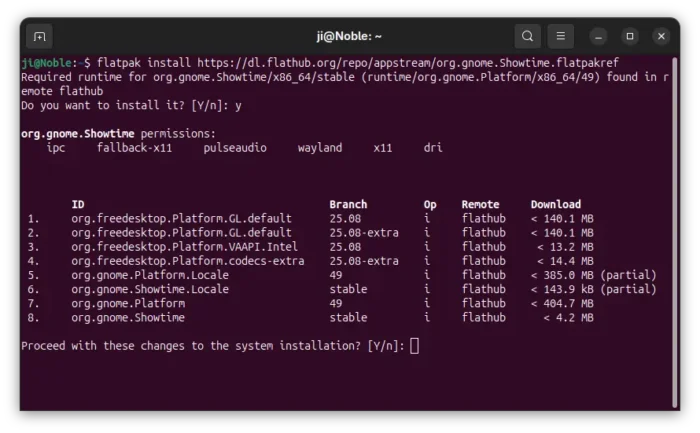
To install Showtime flatpak package, simply open terminal (Ctrl+Alt+T) and run the 2 commands below one by one.

  • Install flatpak daemon:
    sudo apt install flatpak
  • Install showtime package:
    flatpak install https://dl.flathub.org/repo/appstream/org.gnome.Showtime.flatpakref

Tip: If this is the first time you install a flatpak package, then you may need a log out and back in to make app icon visible.
Resources system monitor and task manager
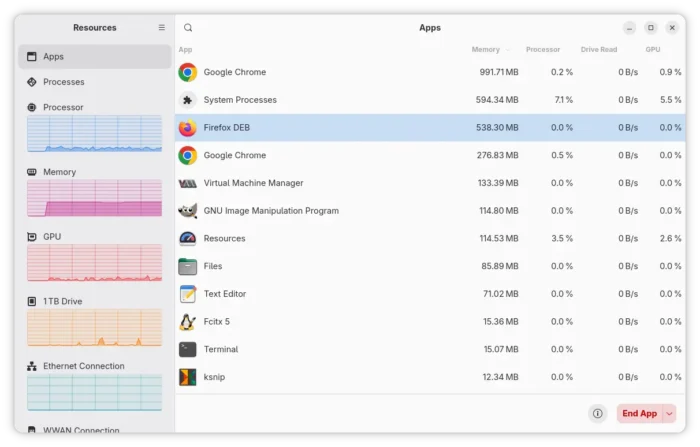
Resources is a free open-source Rust written application that uses GTK4 + LibAdwaita to provide a modern UI for monitoring system processes and resources.

As you see, it supports monitoring running apps and processes, with CPU, GPU, Memory usage and Drive read/write data on per app/process basis, and actions to end, kill, halt, or continue app/process.

And, it monitors the real-time usage of your system resources, such as CPU, GPU, Memory, Drive, and Network, in graphs along with basic info of your hardware properties.
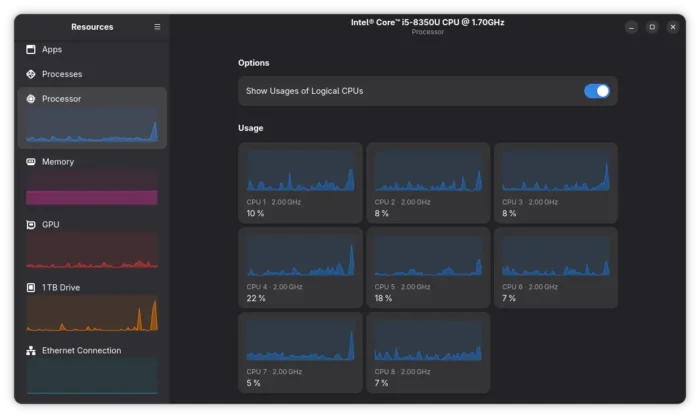
As well, it shows the percentage of battery and its health, design capacity, charge circles, manufacturer, and the module name, etc information. For more about Resources, go to its project page.

Same to Showtime, all current Ubuntu releases can install Resources through Flatpak package, by running the 2 commands below one by one.

sudo apt install flatpak
flatpak install https://dl.flathub.org/repo/appstream/net.nokyan.Resources.flatpakref

Besides new default applications, Ubuntu 26.04 will also improve the performance and stability for Wayland on NVIDIA, add more controls for the disk encryption, such as ability add/remove PIN/passphrase after installation, and graphical option to re-encrypt a disk.

It’s also going to unify the package management experience by making App Center the single place to handle all applications, deprecate Software Properties (Software & Updates), and more. See the discourse page for details.

  •  

The Release Schedule for Ubuntu 26.04 LTS is Out

Ubuntu team announced the release schedule for next Ubuntu 26.04 LTS few days ago!

Ubuntu 26.04, code-name Resolute Raccoon, is the next Long Term Support (LTS) release that will have 5-year standard support until 2031 and another 5 year Expanded Security Maintenance (ESM) support via Ubuntu Pro.

image by Alexas_Fotos from pixabay.com

If everything goes well, 26.04 will feature GNOME 50 and perhaps Kernel 6.20 (if not switch to version 7.x) according to the Linux Kernel release history.

Besides Kernel and default Desktop environment, the next LTS will probably use Python 3.14 as default, and include Golang 1.25, binutils 2.46, and GCC 16 and other toolkit updates.

And the official Ubuntu 26.04 release note in Ubuntu Discourse has been created. Where you may keep an eye for the latest changes.

Ubuntu 26.04 Release Schedule:

Ubuntu 26.04 is planned to be released on April 23, 2026. From now on, there will be following events according to the release schedule.

February 19, 2026 Feature Freeze,  Debian Import Freeze
March 12, 2026 User Interface Freeze
March 19, 2026 Kernel Feature Freeze, Documentation String Freeze
March 23, 2026 Beta Freeze, Hardware Enablement Freeze
March 26, 2026 Beta (mandatory)
April 09, 2026 Kernel Freeze
April 16, 2026 Final Freeze, Release Candidate
April 23, 2026 Final Release

As you may know, Ubuntu introduced monthly Snapshot releases when 25.10 was in development. It’s somehow NOT included in this release schedule.

NOTE: Ubuntu MAY change the schedule as time goes on. See this page for the official one.

GNOME, the default desktop environment, is developed by another team. It’s also has a release schedule for the next 50 version. See the table below:

January 03, 2026 Gnome 50 Alpha
January 31, 2026 Gnome 50 Beta
February 28, 2026 Gnome 50 RC
March 14, 2026 Gnome 50.0
April 11, 2026 Gnome 50.1

Also, the schedule may change as time goes on. See this page for the official calendar.

  •  

MATE 1.28 Finally Coming to Ubuntu 26.04 & Debian Forky

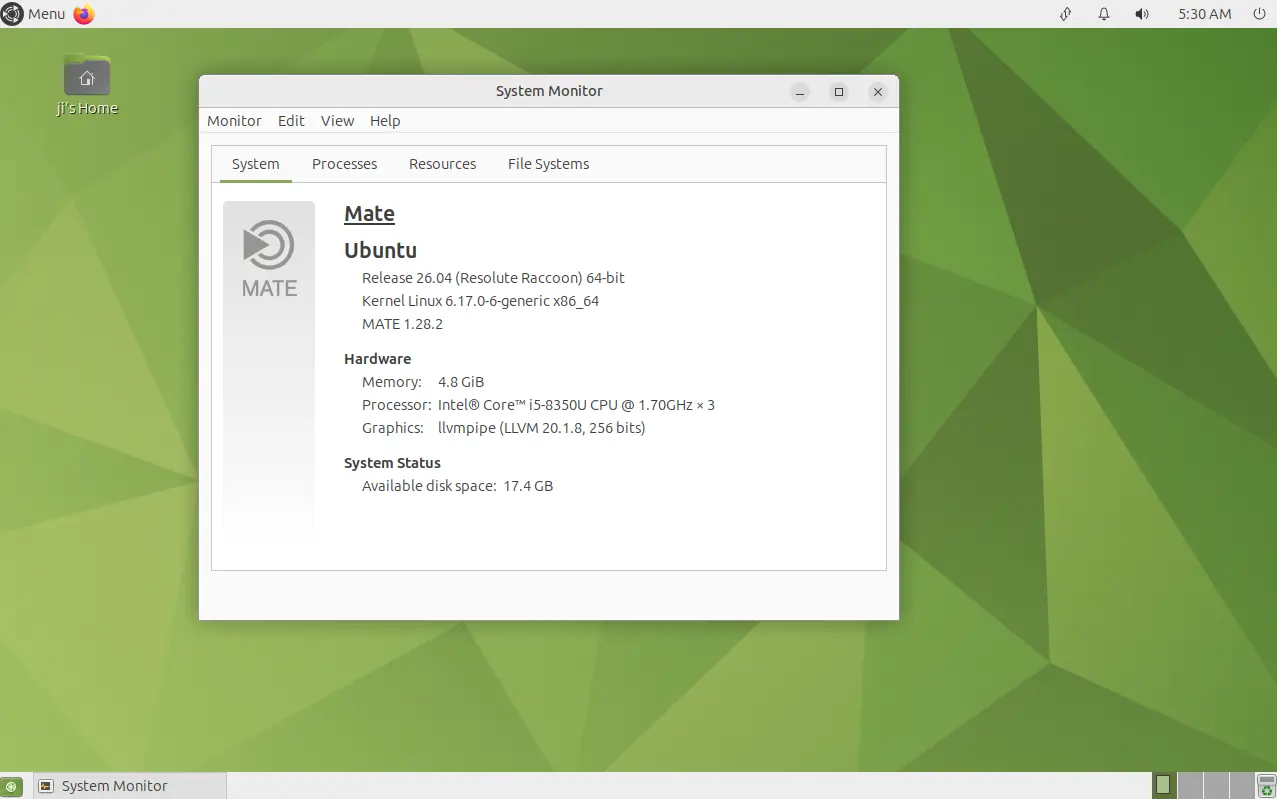
For MATE users, Debian and Ubuntu are finally migrating this desktop environment to version 1.28 for Debian Testing (Forky) and Ubuntu 26.04 LTS.

MATE, the continuation of GNOME 2, is a popular lightweight desktop environment for Linux. The latest version is MATE 1.28 which was released more than a year and a half ago in February 2024.

MATE 1.28 in Ubuntu MATE 26.04

What’s New in MATE 1.28

In case you don’t know or forget about the release, MATE 1.28 introduced experimental Wayland session using Wayfire.

It updated several core components, such as file manager, mate-applets, and control center, to work seamlessly with Wayland. And, it updated the codebase to ensure compatibility with the latest GTK versions.

Other changes include:

  • Support reading epub via Atril document viewer.
  • Use unar instead of cpio for CPIO archives, and support unrar-free for the archive manager.
  • Add new Quickhighlight plugin for pluma text editor.
  • Add new plugin to view the exact properties of media files in file manager.
  • Mouse middle-click support for mate-indicator-applet.
  • Double click to set mate-terminal tab title.
  • Add OSC 8 hyperlinks support for mate terminal.

For more about MATE 1.28, see the official release note.

Why MATE 1.28 is NOT available in current Ubuntu & Debian 13 Trixie

The MATE desktop packages for Debian and Ubuntu in the past 10 years are mostly maintained by Mike Gabriel.

However, due to lack of time and two problems he said in the MATE 1.28, the migration delayed:

The problem is indeed an ENOTIME (haven’t had time for it) early enough before the trixie freeze.

I started packaging stuff, but noticed two problems:

* mate-desktop (libmate-desktop-…) removed symbols without an SOVERSION_MAJOR bump. I started bringing back the removed symbols but that was not a trivial task and I ended up discouraged as this is a major upstream flaw of the 1.28 version of libmate-desktop and it needs to be fixed there.
* mate-settings-daemon’s behaviour on DBus is broken, breaking e.g. arctica-greeter

So, Trixie will come with MATE 1.26 and I will put some effort into bumping it to 1.28 after the trixie release.

Unless someone else steps up and pushes MATE 1.28 in (but please resolve the above issues sanely). If it needs more feedback and details, I can provide them.

Thankfully, Jeremy Bícha took up the task in last week and submitted MATE desktop 1.28 into Debian unstable. Then, it’s migrated to Debian Forky and backported for Ubuntu 26.04 LTS (so far available as pre-release updates) few days ago.

NOTE: So far only few of MATE 1.28 components are migrated. As 26.04 is in very early stage, things may change! See this page to track the mate-desktop package for Debian, and see the package for Ubuntu.

  •  

Ubuntu 26.04 LTS “Resolute Raccoon” Daily Builds Are Now Available for Download

Ubuntu 26.04 LTS Daily

Ubuntu 26.04 LTS (Resolute Raccoon) daily build ISO images are now available for download for early adopters and application developers who want to test drive their apps against the new toolchain.

The post Ubuntu 26.04 LTS “Resolute Raccoon” Daily Builds Are Now Available for Download appeared first on 9to5Linux - do not reproduce this article without permission. This RSS feed is intended for readers, not scrapers.

  •  

Ubuntu 26.04 LTS to Drop Legacy ISO Tracker After 15 Years

Canonical is preparing to release Ubuntu 26.04 LTS without the long-standing ISO Tracker, ending a 15-year dependency on the aging PHP/Drupal system that powered image testing and release validation. The ISO Tracker has served as the central platform for Ubuntu’s release testing since the early days of the distribution. But after years of technical debt, […]

The post Ubuntu 26.04 LTS to Drop Legacy ISO Tracker After 15 Years appeared first on UbuntuPIT.

  •  

Ubuntu 26.04 LTS Codename Revealed: ‘Resolute Raccoon’

Canonical has announced “Resolute Raccoon” as the codename for its next Long-Term Support (LTS) release, Ubuntu 26.04 LTS, scheduled for April 2026. The choice is a deliberate nod to stability and a posthumous tribute: the codename was selected by Steve Langasek, a long-time Canonical employee and former Debian and Ubuntu release manager who passed away […]

The post Ubuntu 26.04 LTS Codename Revealed: ‘Resolute Raccoon’ appeared first on UbuntuPIT.

  •