Normal view
10 Best Ubuntu Extensions for Smarter Desktop Management
Do you feel like your Ubuntu desktop turns messy the moment you open more than a few apps? Always dragging
The post 10 Best Ubuntu Extensions for Smarter Desktop Management first appeared on Tecmint: Linux Howtos, Tutorials & Guides.Linux 6.17 Kernel Arrives in Ubuntu 25.10 Daily Builds
Linux kernel 6.17 is now baked-in to the latest Ubuntu 25.10 daily builds, which means this will be the kernel version the next Ubuntu releases ships with.
You're reading Linux 6.17 Kernel Arrives in Ubuntu 25.10 Daily Builds, a blog post from OMG! Ubuntu. Do not reproduce elsewhere without permission.
SuperTuxKart 1.5 RC2 added GUI option to Choose Vulkan or DirectX 9
![]()
SuperTuxKart, the 3D kart racing game, announced the second release candidate for the next 1.5 release few days ago.
Due to inner team disagreement, the release of version 1.5 was delayed. And, it explained the reason by announcing SuperTuxKart Evolution (the name of the next major release) few days ago.
![]()
Now the problem has been fixed. And, SuperTuxKart 1.5-rc2 is available as the first update afterwards.
The new release candidate introduced a graphical option in βGraphicsβ settings page, allowing to easily switch rendering driver to Vulkan or DirectX9 (Windows only), without having to edit the configuration file. While the default is still OpenGL.
![]()
In addition, the release migrated the online services to a new, more powerful server, which fixed occasional server disconnect issue due to sporadic overloads and improved server list loading performance.
As well, a new forum is introduced for sharing your tips, artistic creations, and discussing about the gameβs development. For more, see the official announcement.
Download SuperTuxKart 1.5 RC2
The official packages for Windows, Linux, macOS, Switch, and Android, are available to download via the link below:
For Linux, select download the .tar.gz tarball depends on your CPU. They include x86_64 for modern Intel/AMD, x86 for old 32-bit CPU, arm64 for 64-bit ARM (e.g., Snapdragon processors), 32-bit armv7, and RISC-V processors.
If you donβt even know your CPU processor architecture type, open terminal and run uname -m command to tell.
After downloaded the tarball, decompress, then run the run_game.sh file to launch the game and enjoy!
![]()
Distribution Release: MocaccinoOS 25.09
Raspberry Pi Not Booting: How to Repair Micro SD Card
24 Best Command Line Tools to Monitor Linux Performance
Being a System or Network administrator tasked with monitoring and debugging Linux system performance problems on a daily basis is
The post 24 Best Command Line Tools to Monitor Linux Performance first appeared on Tecmint: Linux Howtos, Tutorials & Guides.Euphonica MPD Client added official Flatpak package for Linux
![]()
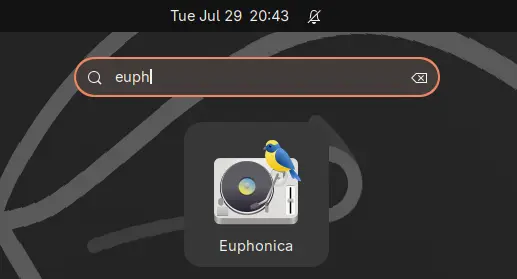
Euphonica, the modern GTK4 based MPD client, finally added official package for Linux. Hereβs how to install it in Ubuntu desktop.
For those who never heard of Euphonica, itβs a client app for Music Player Daemon (MPD) that provides a modern user interface for managing large local music collection (tens of thousands of songs).
![]()
It uses GTK4 + LibAdwaita for a modern UI designed for GNOME (though also works in other desktops), and support basic MPD features, such as playback control, queue reordering, ReplayGain, crossfade and MixRamp configuration.
It can automatically fetch album arts, artist avatars from Last.fm and Music Brainz, and use the current album art for the app window background.
There are also synced song lyrics support through either the 2 external sources alongwith LRCLIB or local files, as well as MPRIS integration, allowing to control you MPD instance via keyboard shortcuts and shell applets without having to keep the app window open.
![]()
As you see in the screenshot, the client also has a built-in visualiser, which can read from either FIFO output (not work for Flatpak so far due to sandboxing) or PipeWire output. And, it provides few basic options to switch between and configure them.
![]()
Other features include:
- Playlist browser and editor.
- Album, artist, and folder view.
- Asynchronous search for large collections.
- Volume knob with dBFS readout support.
- Laze init for smoother performance.
- Manage MPD sound output.
As a young application, itβll keep updating with new features and improvements. See it in Github page for more details.
See more screenshots about Euphonica:
Install Euphonica via the new Flatpak package
The app added official Flatpak package, a few days ago, for running the MPD client in sandbox on most Linux (amd64 and arm64).
Linux Mint 21+ and Fedora Workstation (with third party repository enabled) may search & install it from either Software Manager or GNOME Software.
Euphonica in Mint software manager
Tips: the Flatpak package is NOT verified at the moment, though officially maintained by software developers, so you may need to configure your Software Manager first before being able to install it.
For Debian, Ubuntu, and other Linux, do the steps below one by one to install the package:
- First, run command in terminal (Ctrl+Alt+T) to install the Flatpak daemon package:
sudo apt install flatpak
Other Linux may follow the official setup guide for Flatpak support
- Next, use the command to install the Flatpak app package:
flatpak install https://dl.flathub.org/repo/appstream/io.github.htkhiem.Euphonica.flatpakref
- For future updates, run the command to check & install:
flatpak update io.github.htkhiem.Euphonica
NOTE: After enabled Flatpak support, you need a log out and back in to apply environment variable changes, or you wonβt see the app icon from menu.
And for beginners, you need to install & setup MPD daemon before being able to play & manage your local music collection.
Uninstall:
To uninstall Euphonica MPD client, use command:
flatpak uninstall --delete-data io.github.htkhiem.Euphonica
Here skip --delete-data if you want to keep local app data, and run flatpak uninstall --unused to remove useless run-times (e.g., Gnome platform which was also installed in sandbox).

Firefox is Ending Support for 32 bit Linux
Mozilla is FINALLY pulling the plug on 32-bit Firefox builds for Linux, a decade after Google Chrome did the same. Why now? It says they're getting hard to build.
You're reading Firefox is Ending Support for 32 bit Linux, a blog post from OMG! Ubuntu. Do not reproduce elsewhere without permission.
DistroWatch Weekly, Issue 1138
Review: Shebang 25.8, LibreELEC 12.2.0, Debian GNU/Hurd 2025
News: AerynOS introduces package sets, postmarketOS seeks to encourage patches upstream, Redox imports new COSMIC desktop application, openSUSE extends support for Leap, Debian publishes refreshed Trixie media
Questions and answers: The importance of software updates
Released last week:....
Distribution Release: Kamuriki Linux 4.00
Slick MPD Client Euphonica is Now Available on Flathub
Euphonica is a slick new MPD client for Linux, written in Rust and GTK4/libadwaita. It's currently in beta, but testing is easier as it's finally arrived on Flathub.
You're reading Slick MPD Client Euphonica is Now Available on Flathub, a blog post from OMG! Ubuntu. Do not reproduce elsewhere without permission.
New Icons, Theme Tweaks Land in Ubuntu 25.10
Yaru, Ubuntu's default theme, has received a refresh ahead of October's 25.10 release. The artwork drop adds new app icons, and improves theme consistency.
You're reading New Icons, Theme Tweaks Land in Ubuntu 25.10, a blog post from OMG! Ubuntu. Do not reproduce elsewhere without permission.
Linux Performance: Almost Always Add Swap Space β Part 2: ZRAM
Linux Performance: Almost Always Add Swap Space
KDE Release First Alpha of its New Linux Distribution
KDE has launched its own immutable Linux distribution in alpha. It acts as a 'reference implementation', offering atomic updates, Flatpak apps and more.
You're reading KDE Release First Alpha of its New Linux Distribution, a blog post from OMG! Ubuntu. Do not reproduce elsewhere without permission.
Development Release: KDE Linux 20250906
-
Tecmint: Linux Howtos, Tutorials & Guides
- Asciinema β Record and Share Your Terminal Sessions in Linux
Asciinema β Record and Share Your Terminal Sessions in Linux
Asciinema is an open-source terminal recording tool that makes it super easy to share your command-line work with others. Unlike
The post Asciinema β Record and Share Your Terminal Sessions in Linux first appeared on Tecmint: Linux Howtos, Tutorials & Guides.How to Keep ConfigServer Firewall (CSF) Running After the Shutdown
How to Check Exit Status for Command in Linux
When working on a Linux system, every command you run returns a status code (also called an exit status or
The post How to Check Exit Status for Command in Linux first appeared on Tecmint: Linux Howtos, Tutorials & Guides.