❌

Normal view

Distribution Release: Mauna Linux 25

17 September 2025 at 09:00
The DistroWatch news feed is brought to you by TUXEDO COMPUTERS. The Mauna Linux project has announced the release of Mauna Linux 25, a major update of the Brazilian project's desktop Linux distribution, based on Debian's "Stable" branch. The new release delivers a brand-new "GNOME" edition, alongside the well-established Cinnamon, LXQt, MATE and Xfce flavours: "We are pleased to....

Distribution Release: SparkyLinux 2025.09

17 September 2025 at 06:46
The DistroWatch news feed is brought to you by TUXEDO COMPUTERS. PaweΕ‚ Pijanowski has announced the release of SparkyLinux 2025.09, the latest release of the project's set of Linux distributions based on Debian's "Testing" branch: "There are new SparkyLinux 2025.09 ISO images available of the semi-rolling line, code-named 'Tiamat'. Changes: packages updated from the Debian and SparkyLinux testing repositories....

Development Release: Fedora 43 Beta

16 September 2025 at 22:55
The DistroWatch news feed is brought to you by TUXEDO COMPUTERS. The Fedora project has announced a new development release for Fedora 43. The new version, Fedora 43 beta, focuses on new installation methods and automatic updates across spins. "Anaconda WebUI for Fedora Spins by default - this creates a consistent and modern installation experience across all Fedora desktop....

Distribution Release: Murena 3.1.1

16 September 2025 at 22:18
The DistroWatch news feed is brought to you by TUXEDO COMPUTERS. The Murena team have announced an update to the project's mobile /e/OS platform. The new version, 3.1.1, focuses on bug fixes and minor improvements to the user experience. "Users of the new Fairphone (Gen. 6) will especially benefit, with key features like Mobile Data and VoLTE now enabled....

VLC 3.0.22 Adds Qt6 & AMD AI Frame Interpolation Support [Ubuntu PPA]

By:Ji m
16 September 2025 at 19:27

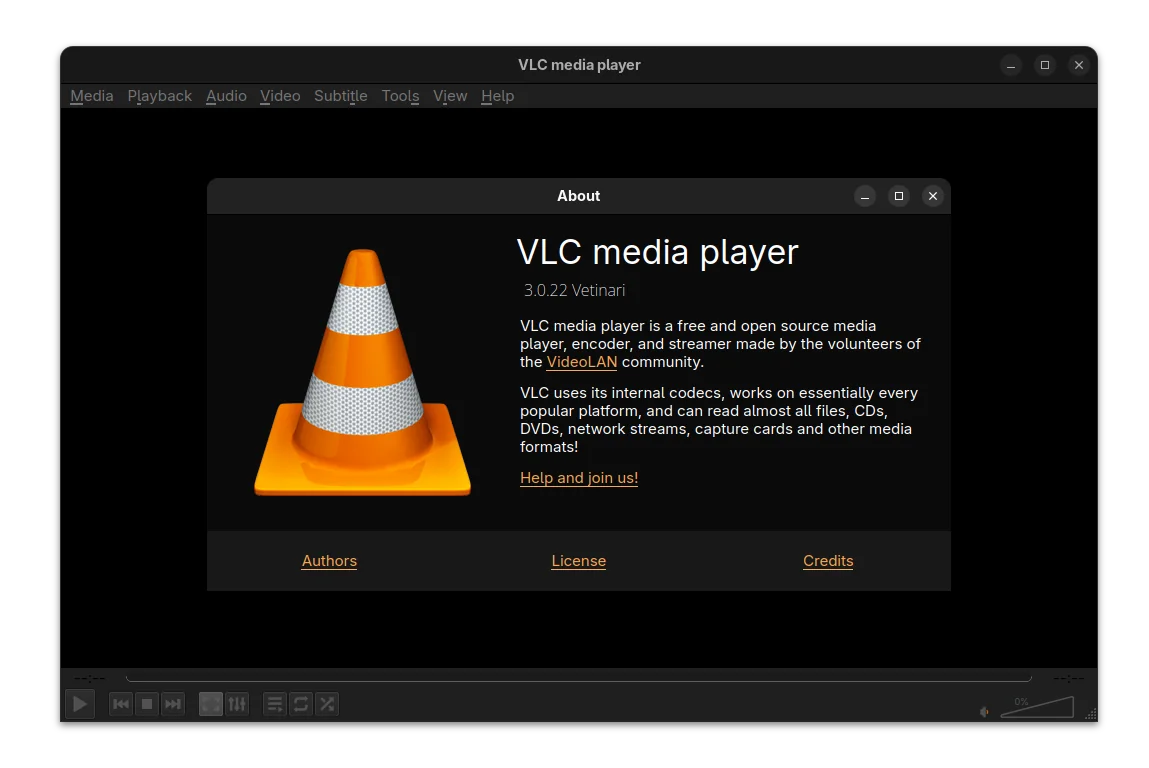
VLC, the popular free open-source media player, rolled out the new 3.0.22 version few days ago.

This is the twenty-third release of VLC 3.0 branch, code-name β€œVetinari”, with the work of more than a year of development.

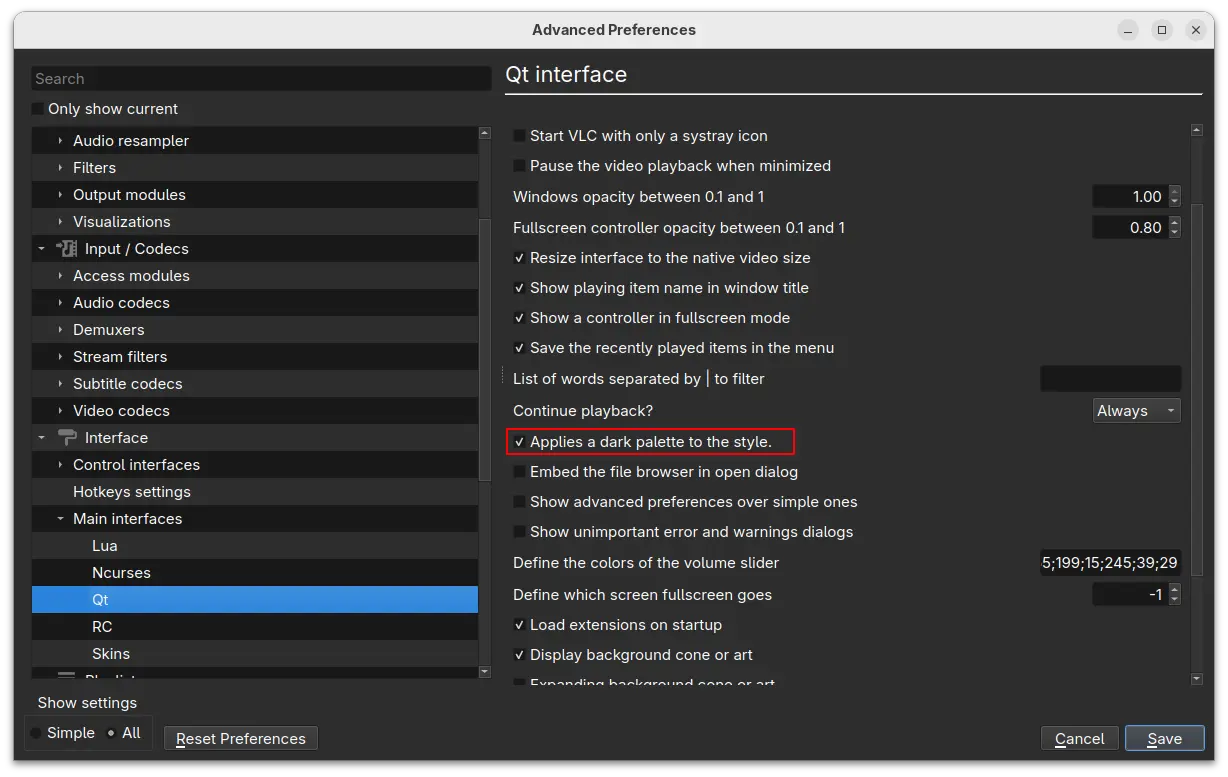
VLC qt dark interface

For Windows user, the release added official ARM64 build (for e.g., snapdragon processors), though it needs at least Windows 10 RS5 17763 / 1809.

It fixed the support for Windows XP SP3, though restricted the SystemParametersInfo calls. And, now it allows to rename, move, or delete the playing files on Windows.

The UI now can be build with Qt6, while Qt5 is still supported. And, it introduced a dark palette for the Qt interface.

For user with AMD graphics card, VLC 3.0.22 added AMD Fluid Motion Frames (AFMF) support. It’s a video enhancement technology that use AI to generate and interpolate frames between existing frames in a video, resulting more fluid and high frame rate video.

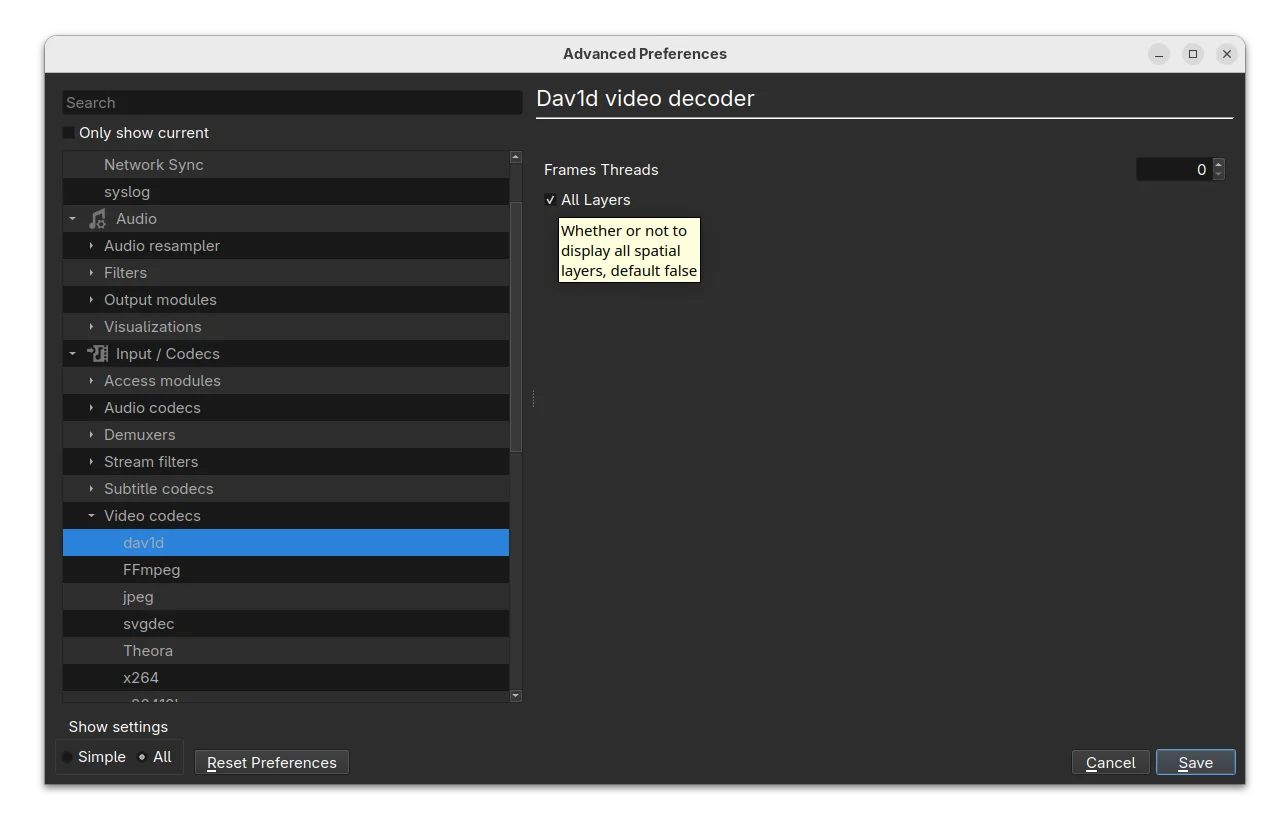
It also added dav1d-all-layers option for the dav1d decoder, to control whether or not to display all spatial layers. The feature is disabled by default, but you may enable it to make the decoder output every available spatial layer in the video higher-quality playback experience.

Other changes include A_ATRAC/AT1 (Sony ATRAC1 Codec) support in matroska, handle pictures in FLAC, as well as:

  • Assume subpictures are in SDR by default
  • Fix Opus channel mapping
  • Fix hardware decoding with VideoToolbox of XVID MPEG-4 video
  • Fix DVD CEA-608 captions parsing
  • Fix ProRes 4:4:4:4
  • Disable decoding using libdca, libmpeg2 and liba52 by default in favor of libavcodec
  • Handle mkv-use-chapter-codec option
  • Prevent FLAC seeking logic get stuck
  • Fix VOB/AOB LPCM/MLP detection failing occasionally
  • Cut QNap title on first invalid character
  • Fix display of certain JPEG files
  • Fix playback of very short ASF files (duration less than 1s)
  • Fix crashes in multiple demuxers
  • Fix SFTP seeking for large files on 32-bit OS
  • UPnP: remove SAT>IP channel list fallback
  • Use a better stretch mode in wingdi
  • Fetch missing device information when running in UWP

Install VLC 3.0.22

VLC 3.0.22 is not officially announced yet, though the source code now is available to download via the link below:

For Debian, the Deb Multimedia repository has made the package for Debian Unstable. And I’ve uploaded the new release package into this unofficial PPA for Ubuntu 22.04, Ubuntu 24.04 and 25.04.

To add the PPA and install VLC 3.0.22 in Ubuntu, open terminal (Ctrl+Alt+T) and run commands below one by one:

sudo add-apt-repository ppa:ubuntuhandbook1/vlc
sudo apt update
sudo apt install vlc -t "o=LP-PPA-ubuntuhandbook1-vlc"

Firefox 143.0 is out with Microsoft Copilot AI Integration

By:Ji m
16 September 2025 at 16:18

Firefox 143.0, the new monthly release of the popular free open-source web browser, is available to download.

The new release of Mozilla’s web browser added support installing websites as web apps for Windows user.

For running website, there’s a new β€œAdd tab to taskbar” icon in the right corner of address bar. By clicking on it, will install the website as web app, and pin it into task bar.

The web app uses the website’s favicon as app icon. It runs in a separate header-less browser window without losing access to your installed add-ons. The features so far is only available for Windows, but not for Firefox installed from Microsoft Store.

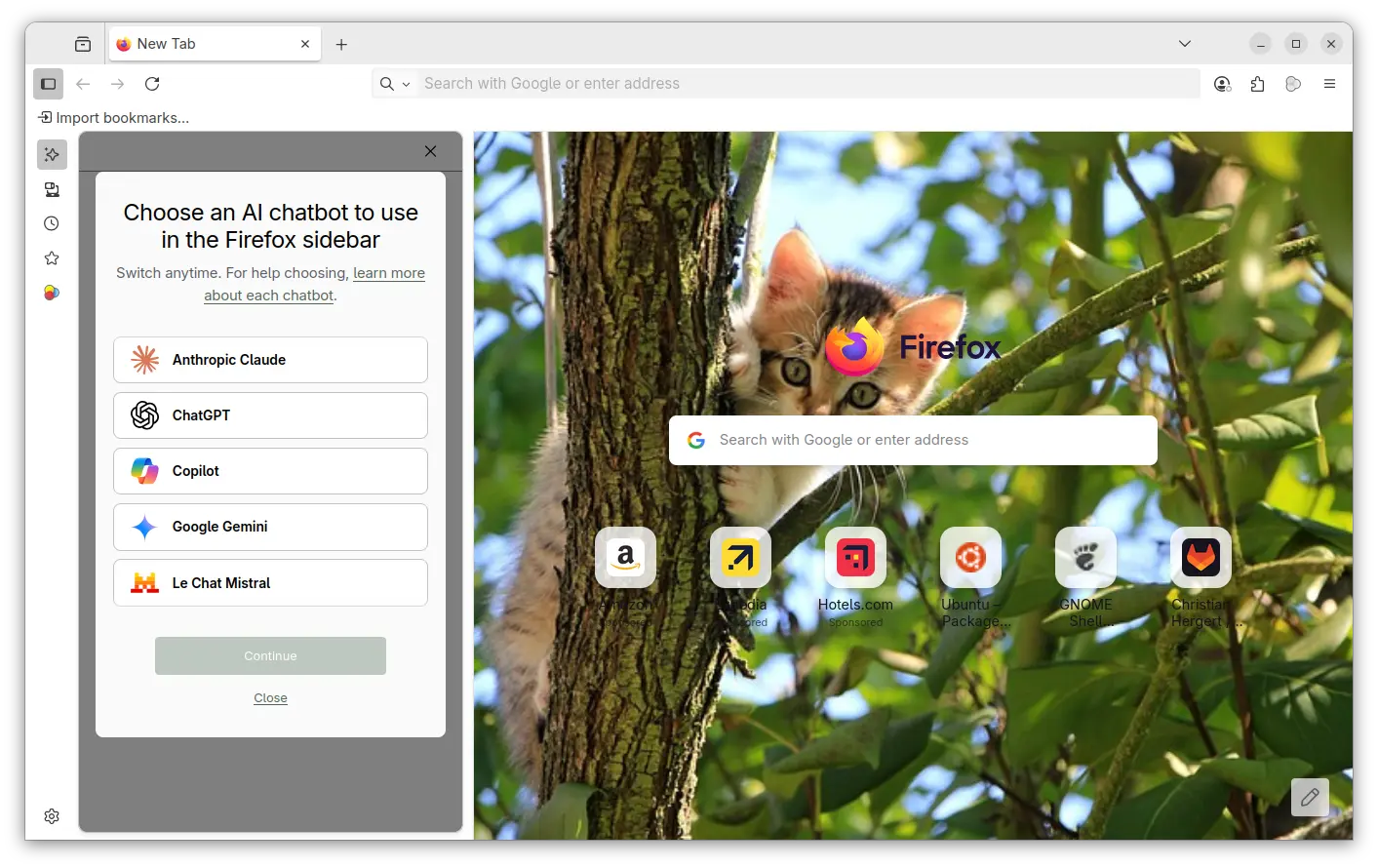
For AI users, the new Firefox release added Microsoft Copilot support. It so far supports β€œQuick response” and β€œSmart (GPT-5)” chat mode in my case, with ability to generate text, image, and code, and analyze image. It’s free without login required, though a pad version is available for choice that needs an account.

Also for Windows, the browser release added support Windows UI Automation, which improves support for accessibility tools such as Windows Voice Access, Text Cursor Indicator and Narrator. Though, it’s a progressive roll-out feature that may be not ready for you.

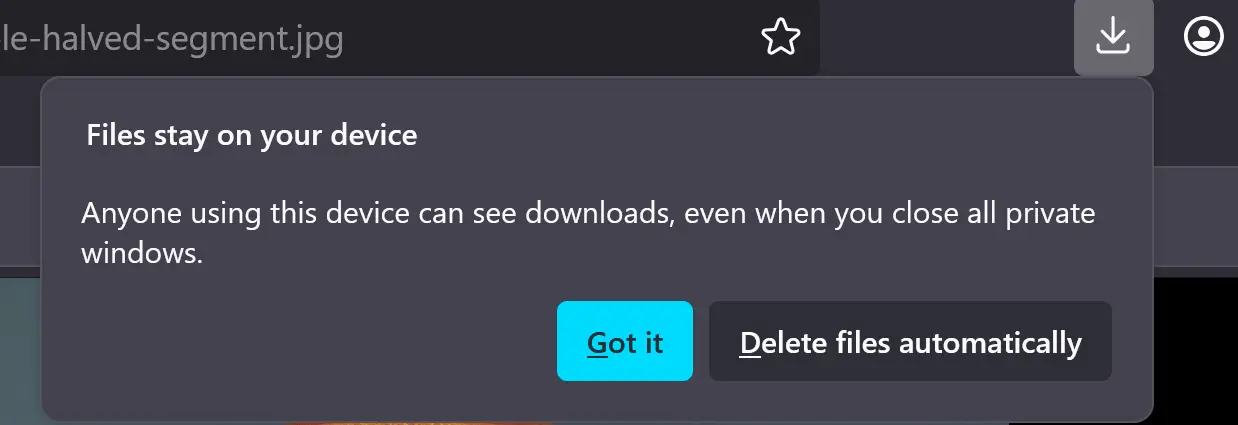
When downloading a file in the Private mode, Firefox now asks whether to keep or delete it after that session ends. You have the choice to disable this behavior, by navigating to β€œFiles and Applications” in Settings page.

Other changes in Firefox 143.0 include:

  • Pin a tab by dragging to the start of the tab strip.
  • Preview camera inside the permission dialog.
  • Display events and dates in address bar, for users in United States, United Kingdom, Germany, France, and Italy regions.
  • xHE-AAC audio playback on Windows 11 22H2+, macOS, and Android 9+
  • Expand Fingerprinting Protection by reporting constant values for several more attributes.
  • Various security fixes.

As well there are some change for developers, including:

  • updated grid sizing algorithm
  • <input type=color> now recognizes the CSS <color> format in addition to the color hex format
  • Uncheck the Group Similar Messages now prevents successive similar messages from being grouped.
  • Remove restrictions that prevent setting the display property on <details> elements, added a ::details-content pseudo-element to style the expandable/collapsible contents of those elements.”,

Get Firefox 143.0

The official release note and download link are available in Firefox website via the link below:

The link is not ready at the moment of writing, and this tutorial is written according to the Github release note.

For Ubuntu, user may either choose download the official package, or install it via Snap, Flatpak or Ubuntu PPA.

Kdenlive Devs Plan New Pro Editing Features

17 September 2025 at 06:59

Kdenlive developers are working on keyframes dopesheet, UI changes, per‑project layouts and titler animations to improve this free video editor.

You're reading Kdenlive Devs Plan New Pro Editing Features, a blog post from OMG! Ubuntu. Do not reproduce elsewhere without permission.

Firefox 143 Released with Copilot Chatbot, Web App Creation + More

16 September 2025 at 11:42

Firefox logo in front of white number '143'; pink to purple gradient background.Mozilla Firefox 143 brings new features and improvements, including access to Microsoft's AI chatbot, date info in the address bar, and web app support.

You're reading Firefox 143 Released with Copilot Chatbot, Web App Creation + More, a blog post from OMG! Ubuntu. Do not reproduce elsewhere without permission.

GNOME’s Tetris Clone Quadrapassel Drops a Huge Update

16 September 2025 at 06:23

Quadrapassel 49 modernises GNOME’s Tetris clone on Linux with GTK4, adds touch support, and improves scoring and gameplay for casual gamers.

You're reading GNOME’s Tetris Clone Quadrapassel Drops a Huge Update, a blog post from OMG! Ubuntu. Do not reproduce elsewhere without permission.

Canonical Make It Easier to Install NVIDIA CUDA on Ubuntu

16 September 2025 at 02:50

Canonical will package and distribute NVIDIA CUDA in the Ubuntu repositories, making it easier for developers to install with a single, simple APT command.

You're reading Canonical Make It Easier to Install NVIDIA CUDA on Ubuntu, a blog post from OMG! Ubuntu. Do not reproduce elsewhere without permission.

VirtualBox 7.2.2 Fixed TPM 2.0 Emulation & KVM Conflict

By:Ji m
15 September 2025 at 22:12

Oracle VirtualBox, announced the first maintenance update for the 7.2 release series few days ago.

VirtualBox 7.2.2 fixed various crash issues and regressions in the major 7.2.0, it as well added some minor new features.

First, it fixed the issue that TPM 2.0 emulation does not work with certain guests, brings back secure boot, TPM based disk encryption, Windows Hello, etc features for your virtual machines.

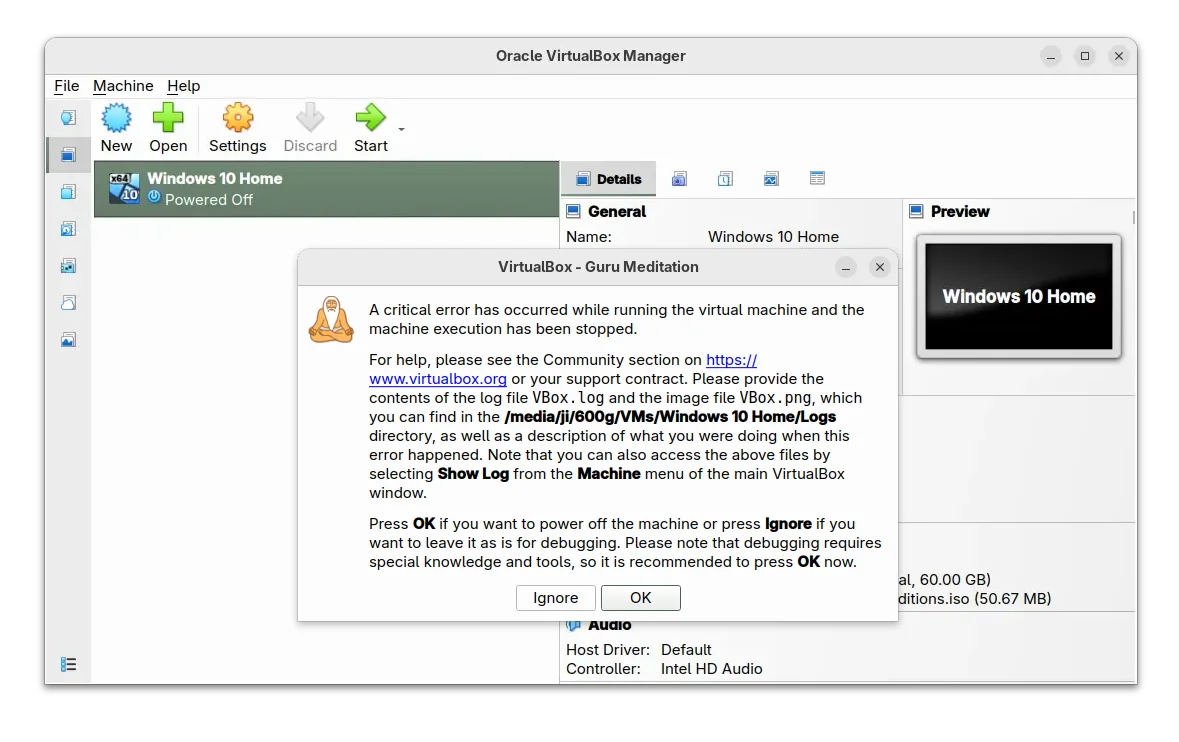
For Linux hosts who use KVM (Kernel-based Virtual Machine), VirtualBox will shows β€œGuru Meditaion” critical error when trying to start a VM, due to conflict.

It fixed the conflict by using KVM APIs for acquiring/releasing VT-x, which however needs Kernel 6.16.0 or higher. For earlier Kernel releases, host needs to disable the KVM kernel module for being able to start VBox VMs properly.

VBox 7.2.2 also improved Windows 11 support by adding legacy light/dark themes from Windows 10. It added a new experimental type of e1000 adapter (82583V), though requires the ICH9 chipset. And, the virtual USB webcam is now part of the open source base package.

Others are primarily bug-fixes, including fixes for various crashes, such as VM startup crash on Arm host, VBox Manager crashes when VM has a lot of snapshots, when attempting to show error notifications too early, while removing all VMs from VM list, and when trying to add a VM on Linux host.

There are as well following issues that have been fixed in VirtualBox 7.2.2. They include:

  • virtual machine not able to start on Windows Arm host.
  • error notifications could not be displayed on snapshot deletion.
  • invisible menus on Linux host.
  • NAT network does not work.
  • USB/IP backend not work.
  • high CPU usage on Arm host when VM is idle.
  • Linux guest additions reporting unable to load shared libraries on start.
  • guest additions installation fail on Windows XP SP2 64-bit.

For more, see the official ChangeLog page.

Download & Install VirtualBox 7.2.2

The official installer packages and extension package are available to download in its website via the link below:

For Ubuntu, simply select download the DEB package for your system version from this page. Then click open with either Ubuntu Software or App Center and install.

DistroWatch Weekly, Issue 1139

15 September 2025 at 08:09
The DistroWatch news feed is brought to you by TUXEDO COMPUTERS. This week in DistroWatch Weekly:
Review: EasyOS 7.0
News: FreeBSD runs Plasma 6 in a Wayland session, GNOME restores X11 support temporarily, openSUSE drops BCacheFS in newer kernels
Myths and misunderstandings: Open source and central authority
Released last week: MocaccinoOS 25.09, Clear NDR 1.0, Luberri Linux 25.1, Univention Corporate Server 5.2-3,....

VirtualBox 7.2.2 Update Resolves TPM Emulation on Linux

14 September 2025 at 17:26

VirtualBox 7.2.2 is out, fixing critical startup crashes and making TPM emulation on Linux work again. It's the first maintenance update in the new 7.2 series.

You're reading VirtualBox 7.2.2 Update Resolves TPM Emulation on Linux, a blog post from OMG! Ubuntu. Do not reproduce elsewhere without permission.

Dash to Panel updated with GNOME 49 (Ubuntu 25.10) Support

By:Ji m
15 September 2025 at 00:07

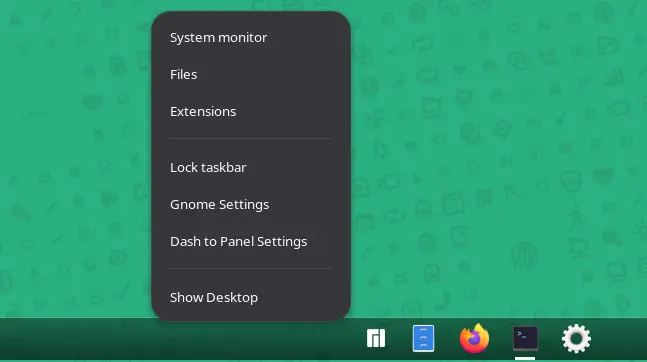
Dash to Panel, the popular Gnome Shell extension, updated few days ago with support for GNOME desktop 49.

Meaning you can now install it on Ubuntu 25.10, Fedora Workstation 43, and Arch etc Linux distributions to combine the top-bar and dash into single highly customizable task-bar.

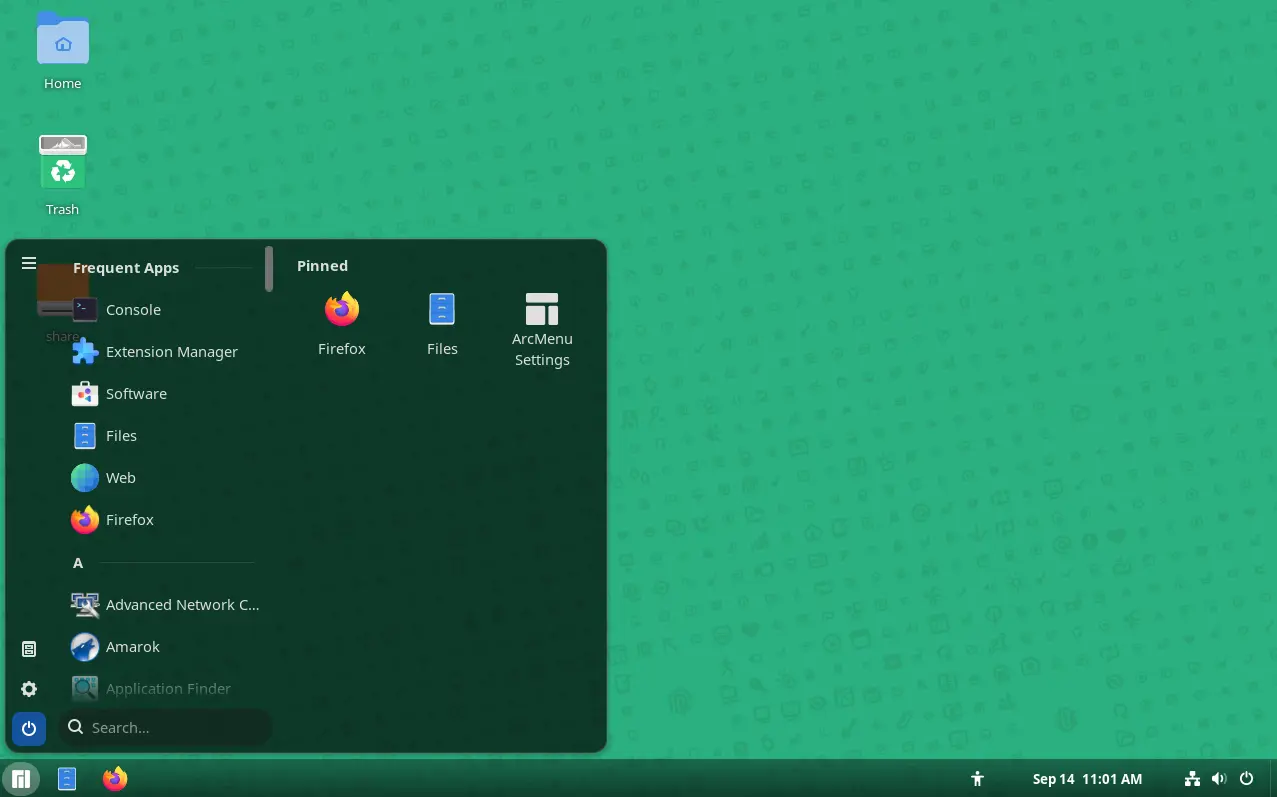
GNOME 49 with Dash to Panel, plus ArcMenu

As you can see via the screenshot above, the extension provides a Windows 7+ and KDE Plasma look-like panel layout by moving the dash (the dock launcher) into the main panel and moving them to bottom (though you can then move the panel to any other screen edge).

Along with ArcMenu, an application menu extension, you can configure the Gnome desktop to be user friendly for those who’re switching from Windows.

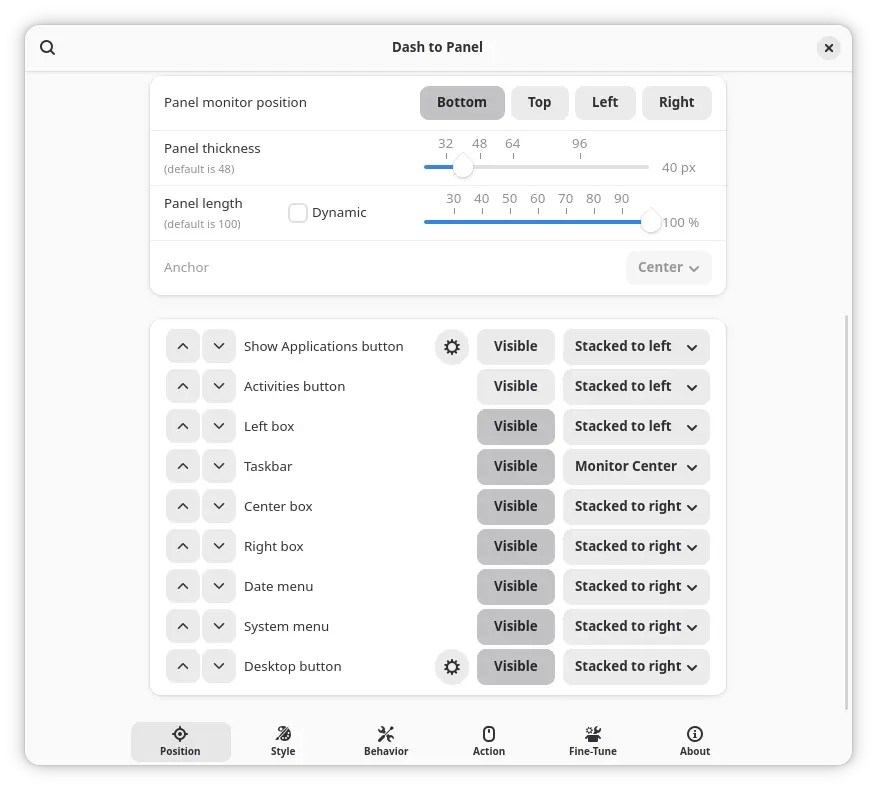
The extension provides many configure options, allowing to customize the panel position, length and width, background color and opacity, and, change panel item position, visibility, icon size, font, and margin.

It as well support intelli-hide, configuring click action, scroll action, keyboard shortcuts, as well as other panel behaviors.

As GNOME updates its GJS API for every releases, the developers mostly need to port their extensions whenever a new release is out.

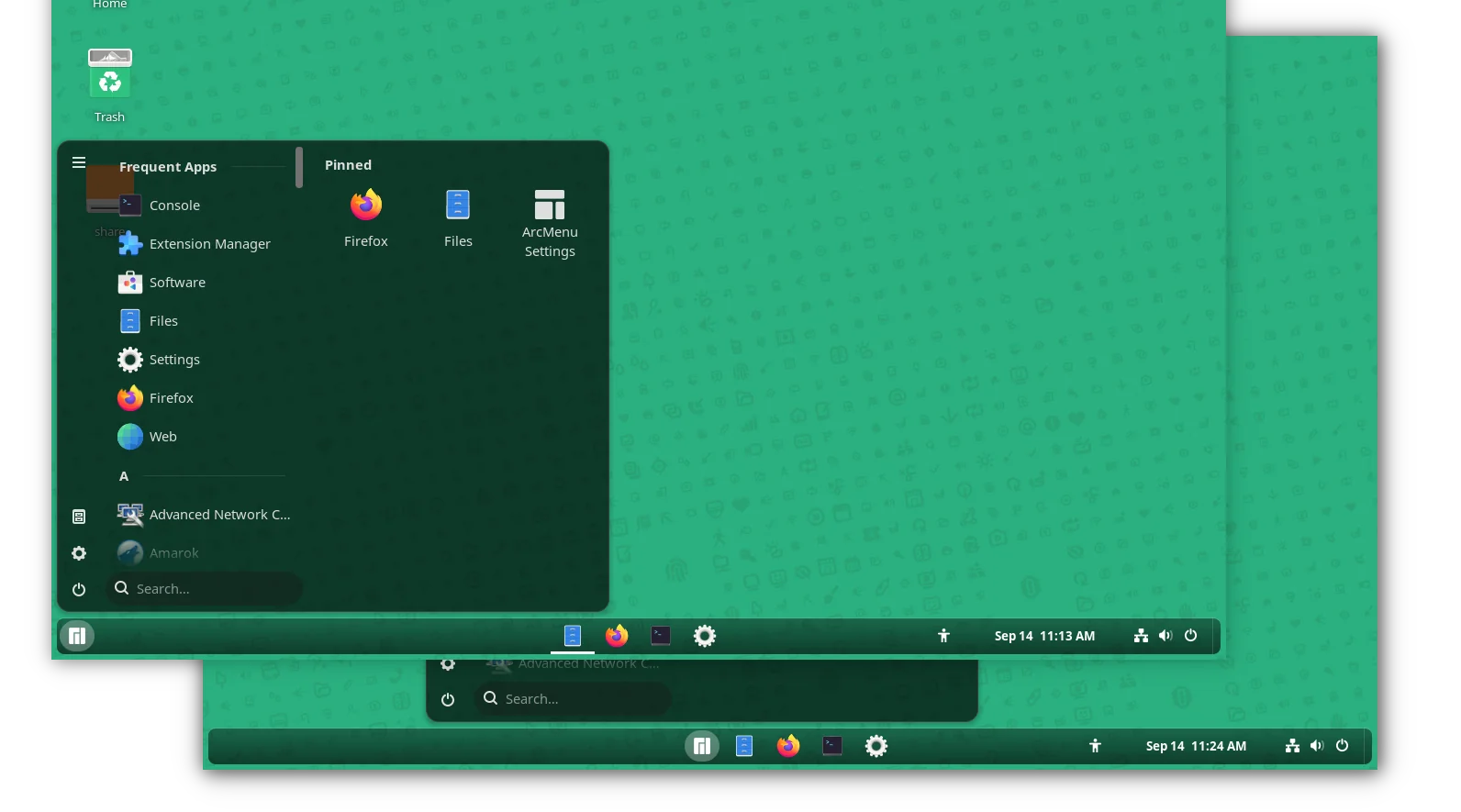
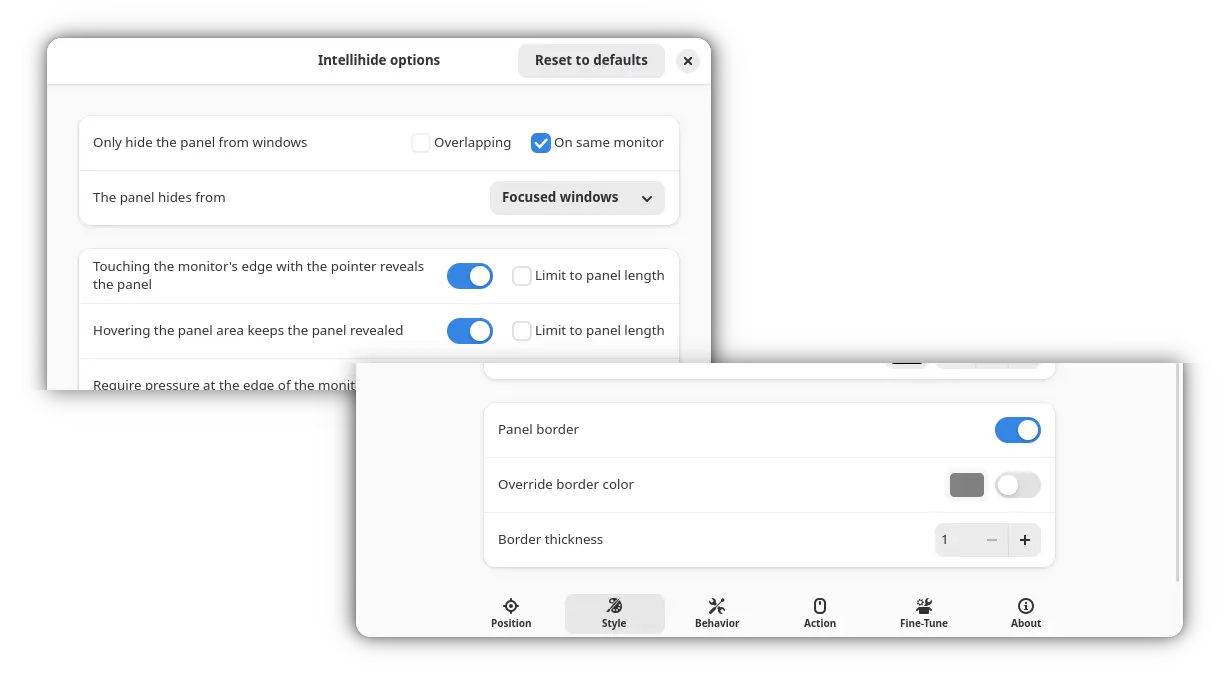
Now, Dash to panel has been updated to version 70 for GNOME 49 desktop, which will be released in next few days. And, it also introduced options to configure panel border color and thickness, and improved auto-hide with following changes:

  • Option to set time delay before revealing the panel.
  • Hide panel from window on same monitor.
  • And disable moving mouse cursor to edge to reveal panel.

New intellihide and border configure options

Dash to panel is sponsored and originally developed by Zorin OS. The new release of Dash to Panel added this sponsorship and provenance note in its About page.

Install Dash to Panel

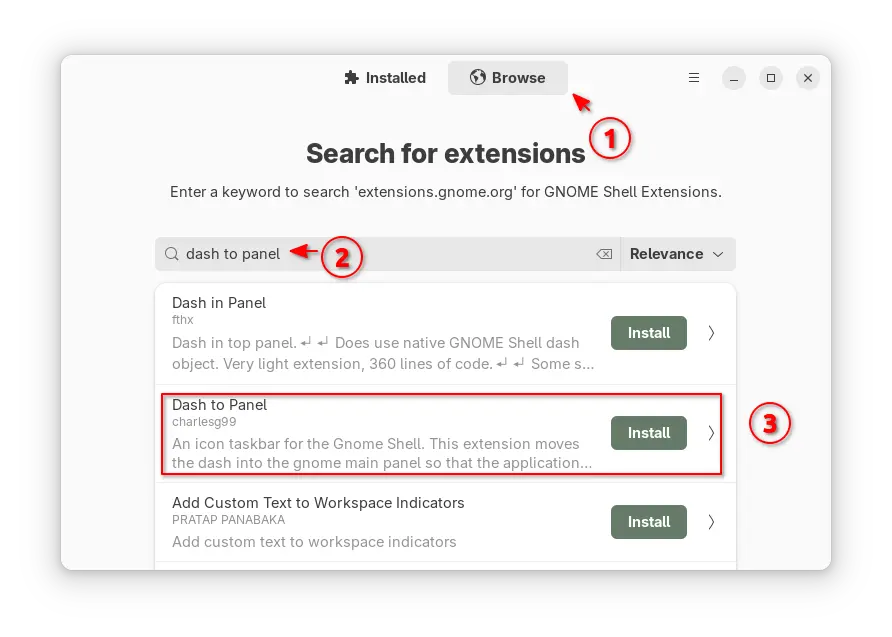
To install Dash-to-Panel, either search & install Extension Manager (from either App Center or GNOME Software), then use the tool to search & install this extension.

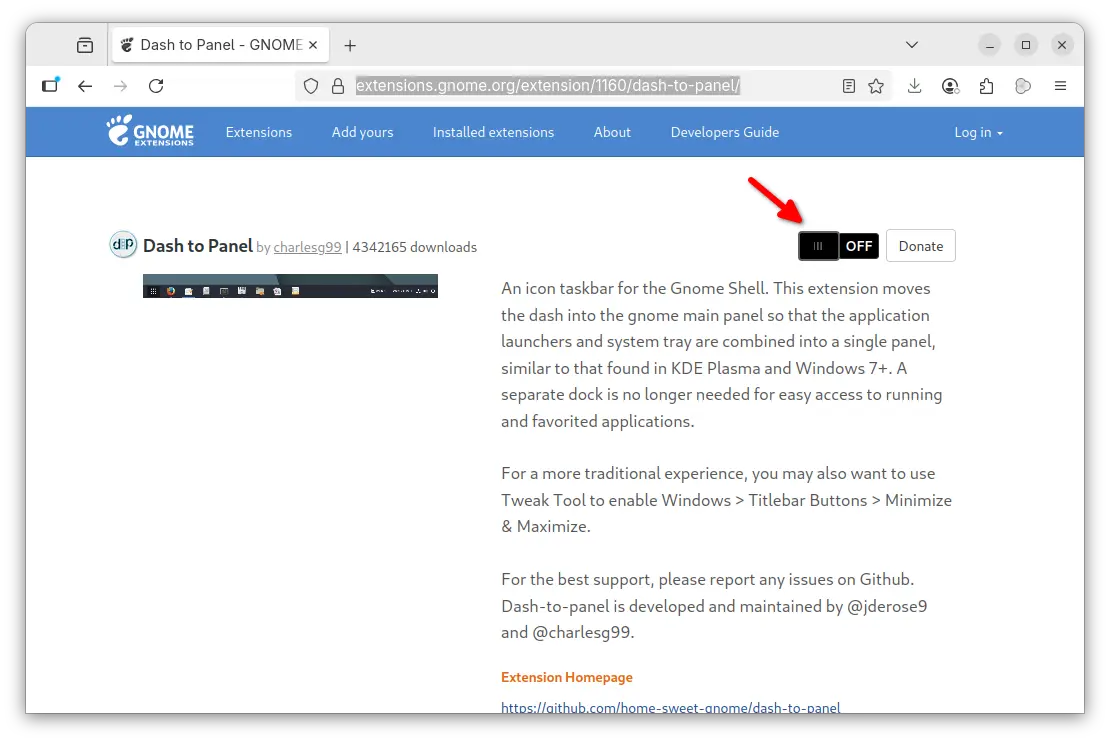
Or, visit the extension web page in GNOME website via the link below, then use the ON/OFF switch in that page to install/uninstall the extension.

NOTE: you need to install the gnome-browser-connector package via either command below depends on your Linux Distribution:

sudo apt install chrome-gnome-shell
sudo dnf install gnome-browser-connector
sudo pacman -S gnome-browser-connector

Then install browser extension (click the link in that web page) and refresh before being able to install a GNOME Shell extension from web.

After installed and enabled the extension, it automatically disables the top-bar and dash (also Ubuntu Dock) and shows you the new panel, which can be configured by right-clicking on panel (blank area) and choose β€œDash to Panel Settings”.

For the ArcMenu application menu, either get it via Extension Manager or use the ON/OFF switch on this page. Though, it does NOT support GNOME 49 at the moment of writing (I built it from source).

Turntable Adds Offline Scrobbling, Resizing & More Bling

15 September 2025 at 03:52

turntable music widget.Turntable, a desktop music controller for Linux that is also a universal scrobbler for any MPRIS-compataible app, has a new version out - and it's ace!

You're reading Turntable Adds Offline Scrobbling, Resizing & More Bling, a blog post from OMG! Ubuntu. Do not reproduce elsewhere without permission.

How to Install Caddy and Set Up Caddyfile Reverse Proxy

14 September 2025 at 02:00

Unlike traditional servers that require dozens of lines just to get started, a Caddyfile reverse proxy can be configured in as few as three lines while automatically handling HTTPS certificates. Whether you’re looking for a Caddyfile reverse proxy Docker Compose setup or need to configure Caddy WebSocket proxy configuration, this guide covers every scenario. A […]

The post How to Install Caddy and Set Up Caddyfile Reverse Proxy appeared first on LinuxShout.

What is nproc and nofile in ulimits?

12 September 2025 at 15:37

Quick Answer: nproc limits control the maximum number of processes/threads a user can create (default: 1024–4096), while nofile limits restrict the maximum number of open file descriptors per process (default: 1024). Both are critical Linux resource limits that prevent system overload and ensure stability. Configure them via /etc/security/limits.conf or systemd service files. Every Linux system […]

The post What is nproc and nofile in ulimits? appeared first on LinuxShout.

How to Fix β€œcdrom:// Debian GNU/Linux 13.1.0 Trixie DVD” Error in APT

11 September 2025 at 22:40

Recently, after installing Debian 13 (Trixie) using a DVD or ISO, when I tried to update the system by running the sudo apt update command, I got this error: This is not something that only happened with Debian 13, but also with other versions. So, what is this error, and why does it appear? In […]

The post How to Fix β€œcdrom:// Debian GNU/Linux 13.1.0 Trixie DVD” Error in APT appeared first on LinuxShout.

❌