❌

Normal view

Ubuntu 26.04 LTS Codename Revealed: β€˜Resolute Raccoon’

7 October 2025 at 02:38

Canonical has announced β€œResolute Raccoon” as the codename for its next Long-Term Support (LTS) release, Ubuntu 26.04 LTS, scheduled for April 2026. The choice is a deliberate nod to stability and a posthumous tribute: the codename was selected by Steve Langasek, a long-time Canonical employee and former Debian and Ubuntu release manager who passed away […]

The post Ubuntu 26.04 LTS Codename Revealed: β€˜Resolute Raccoon’ appeared first on UbuntuPIT.

GIMP 3.0.6 Update Patches Key UI, Security, and Platform-Specific Bugs

6 October 2025 at 22:05

The GIMP team has shipped GIMP 3.0.6, the latest stable micro-release, delivering a significant number of bug fixes and performance improvements. The update focuses on enhancing stability across all major platforms by backporting numerous patches from the upcoming 3.2 release candidate, allowing users to benefit from the fixes immediately. This version brings critical workarounds for […]

The post GIMP 3.0.6 Update Patches Key UI, Security, and Platform-Specific Bugs appeared first on UbuntuPIT.

IPFire 2.29 Core Update 197 Overhauls OpenVPN, Enables Power-Saving by Default

6 October 2025 at 21:17

The IPFire project has released Core Update 197, a significant stable update to its hardened Linux firewall distribution. This release introduces a complete overhaul of its OpenVPN implementation by upgrading to version 2.6.14 and shifts to a power-saving CPU frequency governor by default, aiming to enhance security and reduce energy consumption without sacrificing performance. OpenVPN […]

The post IPFire 2.29 Core Update 197 Overhauls OpenVPN, Enables Power-Saving by Default appeared first on UbuntuPIT.

FreeBSD 15.0 Alpha 5 Arrives With Critical USB Sleep Fix, Keeps December Release on Track

6 October 2025 at 17:39

The FreeBSD Project has shipped the fifth alpha build for the upcoming 15.0-RELEASE, delivering a crucial fix for a power management regression. The update reverts a change that caused USB ports to be nonfunctional after a system resumed from S3 sleep. This release pushes the first beta back by one week, but the team remains […]

The post FreeBSD 15.0 Alpha 5 Arrives With Critical USB Sleep Fix, Keeps December Release on Track appeared first on UbuntuPIT.

Linux 6.18 DRM Pull Bringing Tyr, Rocket, and Critical Intel/AMD Enhancements

6 October 2025 at 00:46

Linus Torvalds has pulled the Direct Rendering Manager (DRM) updates for the next kernel release, ushering in a substantial set of improvements for graphics and accelerator hardware. In the pull request, DRM maintainer Dave Airlie emphasized the significant push toward Rust integration as a central theme. The update mainlines new open-source drivers, delivers critical enhancements […]

The post Linux 6.18 DRM Pull Bringing Tyr, Rocket, and Critical Intel/AMD Enhancements appeared first on UbuntuPIT.

GCC 16 Overhauls Diagnostics with HTML Output, Enhanced C++ Analyzer

5 October 2025 at 21:28

The upcoming GCC 16 release will introduce a significant overhaul of the compiler’s diagnostic systems, aimed at providing developers with more powerful and readable code analysis. The enhancements, detailed by Red Hat’s David Malcolm at the GNU Tools Cauldron 2025 in Porto, Portugal, include a new experimental HTML output format, major usability improvements to the […]

The post GCC 16 Overhauls Diagnostics with HTML Output, Enhanced C++ Analyzer appeared first on UbuntuPIT.

Distribution Release: Gnoppix AI Linux 25_10

7 October 2025 at 05:54
The DistroWatch news feed is brought to you by TUXEDO COMPUTERS. Andreas Mueller has announced the release of Gnoppix AI Linux 25_10, which features the KDE Plasma desktop. While most of the project's previous releases were derived from Debian's "Testing" branch, this one is based on Debian 13 and comes with a redesigned Welcome Screen: "We're thrilled to announce....

GIMP 3.0.6 Is Now Available for Download with Improved Photoshop Brush Support

6 October 2025 at 10:49

GIMP 3.0.6

GIMP 3.0.6 open-source image editor is now available for download with improved Photoshop brush support and many other changes. Here's what's new!

The post GIMP 3.0.6 Is Now Available for Download with Improved Photoshop Brush Support appeared first on 9to5Linux - do not reproduce this article without permission. This RSS feed is intended for readers, not scrapers.

9to5Linux Weekly Roundup: October 5th, 2025

6 October 2025 at 01:26

9to5Linux Roundup October 5th

9to5Linux Weekly Roundup for October 5th, 2025, brings news about Raspberry Pi OS, GNU Linux-libre 6.17 kernel, Ubuntu Touch, NVIDIA 580.95.05, Cairo-Dock 3.6, openSUSE Leap 16, OpenSSL 3.6, and more.

The post 9to5Linux Weekly Roundup: October 5th, 2025 appeared first on 9to5Linux - do not reproduce this article without permission. This RSS feed is intended for readers, not scrapers.

GIMP 3.0.6 Fixed Printing Support for Flatpak & Snap [PPA updated]

By:Ji m
7 October 2025 at 00:35

GIMP 3.0.6, the third maintenance update for 3.0 release series, is out today!

The new GIMP release fixed various bugs and regressions, improved flatpak support, added security updates, and back-ported some changes from the 3.1.2 and 3.1.4 DEV releases.

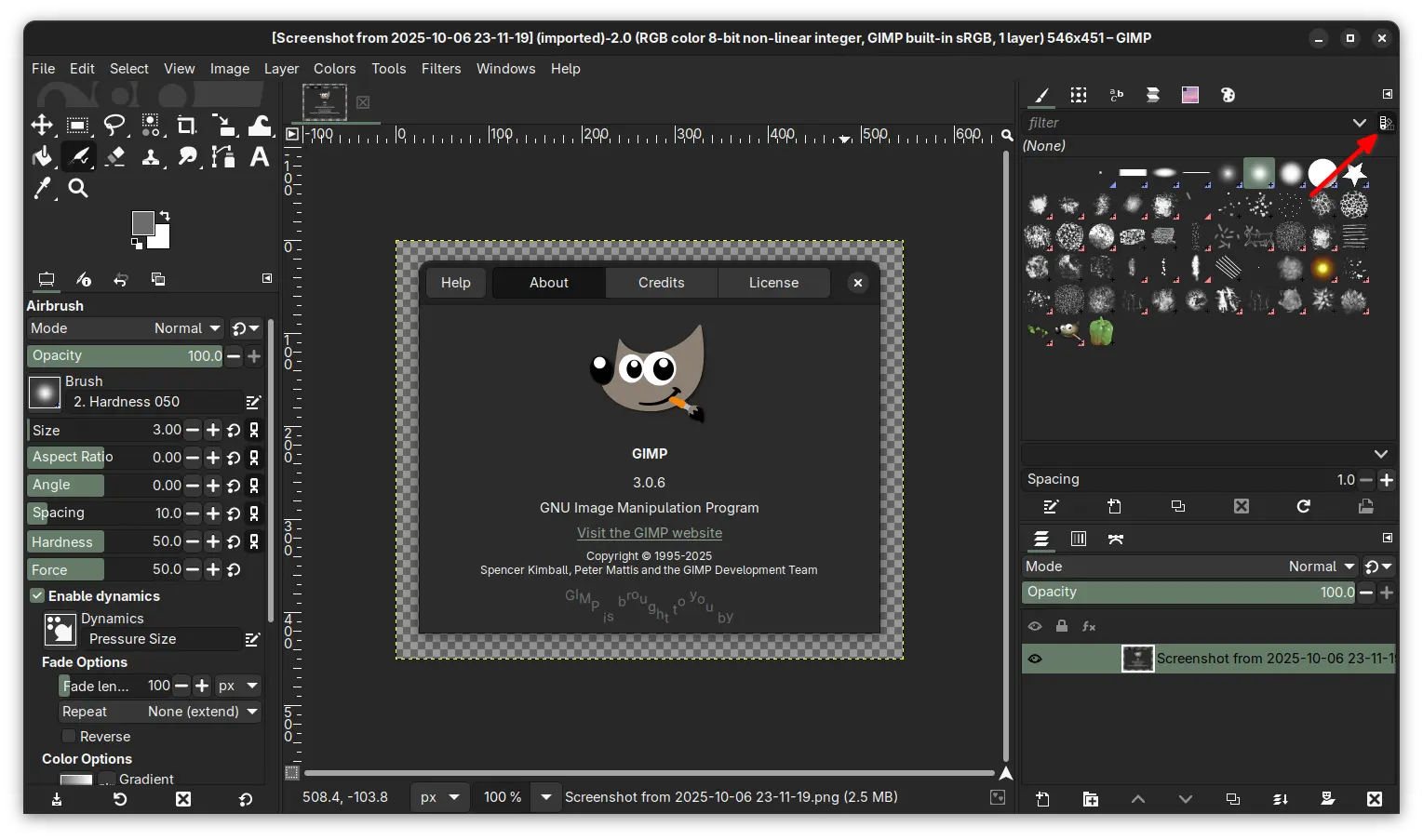
new brush preview toggle button

Previously, the brush previews and font previews are always rendered with light background. In the new release, it added a new toggle button (back-ported from 3.1.2) allowing to optionally follow the color theme. Meaning, when the app is in dark mode, the brush previews can be set to well fit by using a darker background.

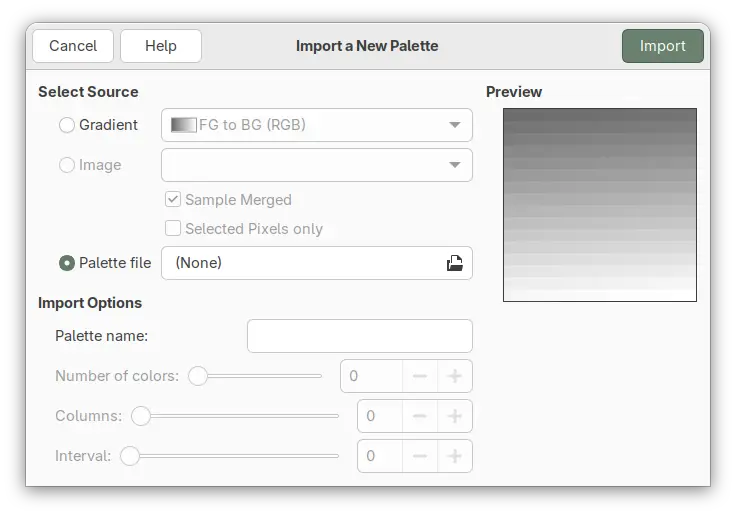
The new GIMP 3.0.6 improved palette import. It fixed Lab & CMYK ACB palette import, and added new select source from Palette file option. Meaning that you can easily find out what palette formats that currently supported through the file chooser dialog, and hide irrelevant files by choosing a specific file format.

import palette from file

For Flatpak and Snap packages that run the image editor in sandbox environment, the release also fixed the issue that the Print dialog previously did not show the β€œImage Settings” tab.

Other changes include:

  • Remove GIMP_ICONS_LIKE_A_BOSS environment variable.
  • Show Lock Content as an undo step.
  • Add alpha channel on filter merge (when necessary) and for certain transforms.
  • Ability to apply NDE filters to channels.
  • Make Seamless Clone tool work again (Experimental).
  • Improved Photoshop brush support.
  • Show frames again in animation playback process bar.
  • New gimp_prop_toggle_new() API function.
  • New GimpTRCType enum type.

There are as well many other fixes and changes, see the official release note for details.

Install GIMP 3.0.6

GIMP website provides official packages for Linux, Windows, macOS, which are available to download via the link below:

For Linux, either download Flatpak package, then install by running command below after enabled Flatpak support.

flatpak install drag-and-drop-flatpakref-file-here

If you’ve already installed the GIMP flatpak package, then simply run the command below to update it:

flatpak update org.gimp.GIMP

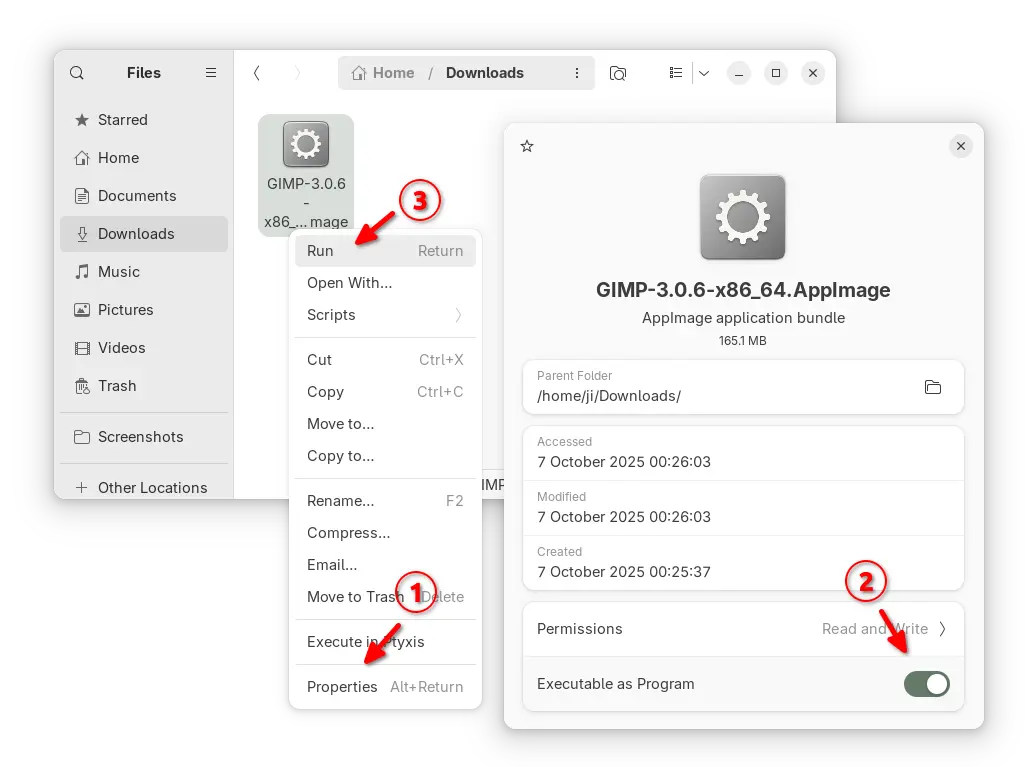
Or, select download the AppImage package, add executable permission from file properties, and run to launch the image editor.

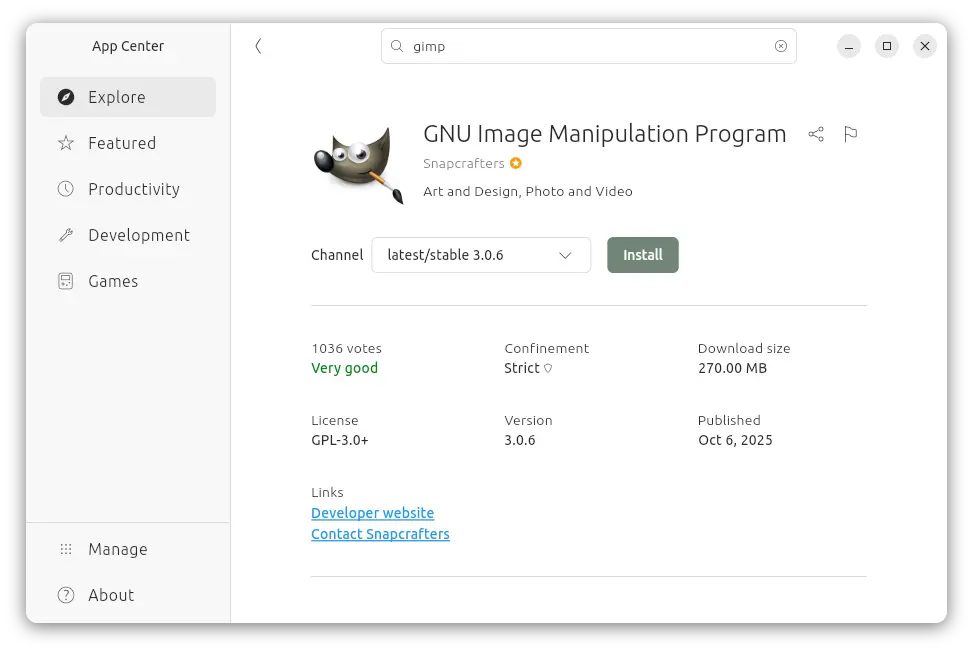
For Ubuntu users, it’s also can be easily installed from App Center (or Ubuntu Software) via Snap package, though it’s community maintained.

For those who prefer the native .deb package, I’ve uploaded the new package into this unofficial PPA for Ubuntu 24.04, 25.04 and 25.10, while Ubuntu 22.04 package is on the way.

To add PPA and install GIMP, run commands below one by one:

sudo add-apt-repository ppa:ubuntuhandbook1/gimp-3
sudo apt update
sudo apt install gimp libgegl-0.4-0t64 -t "o=LP-PPA-ubuntuhandbook1-gimp-3"

Top 5 Linux Programs for Students in 2025

The post Top 5 Linux Programs for Students in 2025 first appeared on Tecmint: Linux Howtos, Tutorials & Guides .

Linux is an open-source operating system whose use is increasing these days as a result of its stability, security, flexibility,

The post Top 5 Linux Programs for Students in 2025 first appeared on Tecmint: Linux Howtos, Tutorials & Guides.
❌