 Login
Login
Uptime Kuma 2.0 Arrives with MariaDB Support, Modern UI Refresh
21 October 2025 at 06:23


Zorin OS 18 was the "biggest launch ever", passing over 100k downloads in 2 days, say makers of the Ubuntu-based Linux distro – those trying it? Windows users.
You're reading Zorin OS 18 Broke Download Records on Windows 10 EOL Day, a blog post from OMG! Ubuntu. Do not reproduce elsewhere without permission.
SuperTuxKart 1.5 free and open-source kart racing game is now available for download as a major update that brings awesome new features and many improvements. Here's what's new!
The post SuperTuxKart 1.5 Open-Source Kart Racing Game Released with Major Changes appeared first on 9to5Linux - do not reproduce this article without permission. This RSS feed is intended for readers, not scrapers.
9to5Linux Weekly Roundup for October 19th, 2025, brings news about Zorin OS 18, Firefox 144, Tails 7.1, GStreamer 1.26.7, GNOME 49.1, Calibre 8.13, PeaZip 10.7, digiKam 8.8, Mozilla Thunderbird 144, new TUXEDO laptop, Blender 5.0 beta, and more.
The post 9to5Linux Weekly Roundup: October 19th, 2025 appeared first on 9to5Linux - do not reproduce this article without permission. This RSS feed is intended for readers, not scrapers.
digiKam 8.8 open-source digital photo management software is now available for download with various new features and improvements. Here's what's new!
The post digiKam 8.8 Adds Support to Automatically Use Monitor Color Profiles on Wayland appeared first on 9to5Linux - do not reproduce this article without permission. This RSS feed is intended for readers, not scrapers.
Want to scan your files for security threats? Here a new app can do the job for Linux Desktop.
It’s Lenspect, a free open-source Python written application that features a lightweight user interface designed for GNOME. And, it uses VirusTotal as backend for scanning.
As you may know, there’s a ClamAV AntiVirus software that supports Linux. It has a graphical front-end ClamTk (available in App Center or Ubuntu Software), that provides simple interface to scan your files or directories for malware.
ClamTk
ClamAV is great for basic use, but if you want to check for viruses that ClamAV may have missed or verify against any false positives, then VirusTotal is a good alternative and Lenspect is a graphical front-end for it working on Linux.
Lendspect
VirusTotal is an online service created by the Spanish security company Hispasec Sistemas. The company now belongs to Google Security Operations, a subsidiary of Google.
It’s a free service that aggregates over 70 antivirus engines and URL/domain blocklisting services called Contributors. They include Arcabit, Avast, BitDefender, ClamAV, McAfee, and more. See this page for all the scanning engines.
With it, you may scan files, IPs, and URLs to detect malware with multiple anti-malware or antivirus engines concurrently. Though as an online service, you need to upload file through either its web page, browser extension, or API.
Lenspect uses VirusTotal API to upload you files, then show you a scan summary, while you may click open in VirusTotal website for a more detailed information, including analysis from different antivirus products, file details, and more.
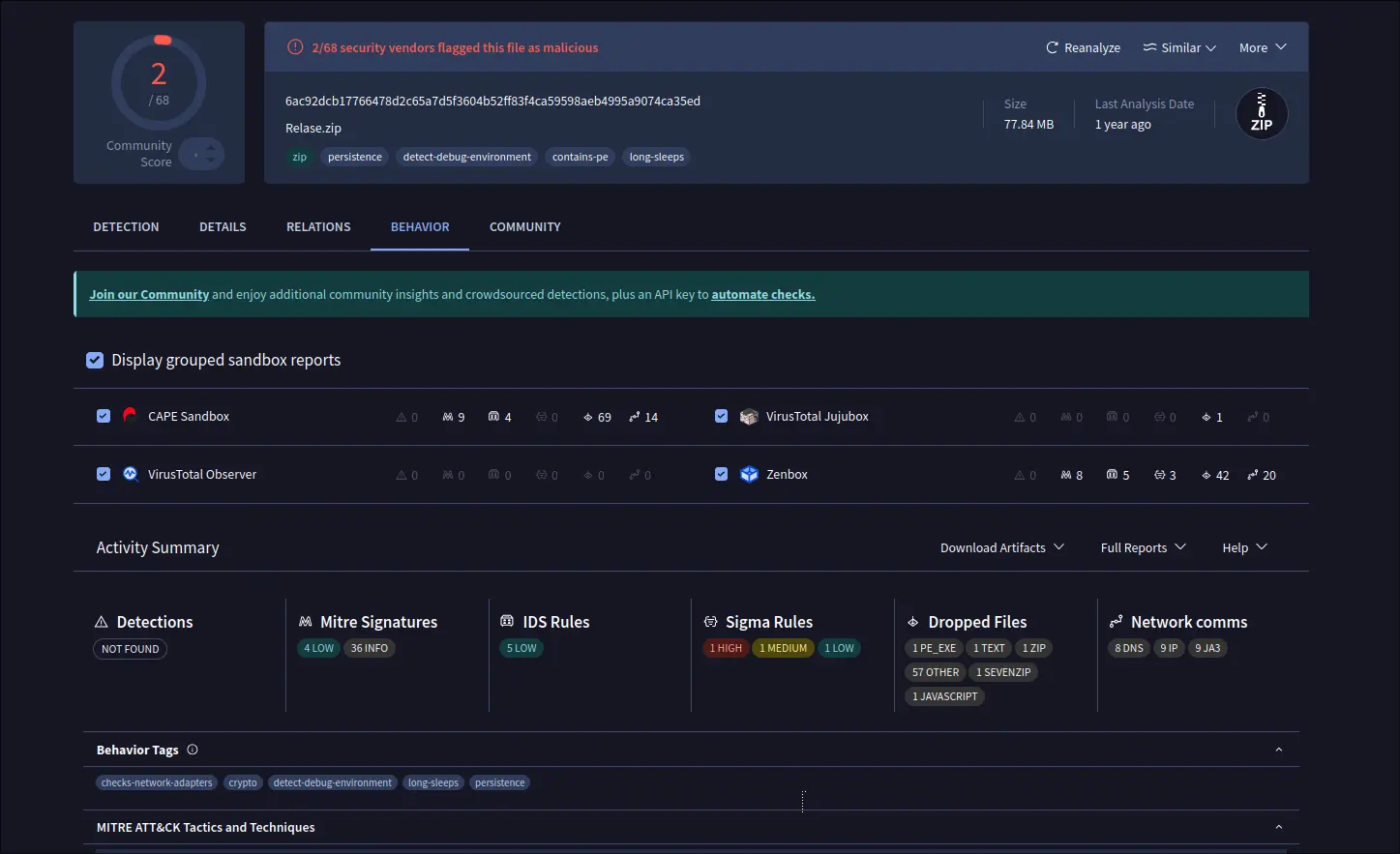
View scan details in virustotal.com
The standard API is free but has limitations. They include 4 lookups per min, 500 lookups per day, 15.5 K lookups per month, and non-business use.
NOTE that the app will send your file to VirusTotal, DON’T use it for scanning sensitive data.
Lenspect is available to install in most Linux through Flatpak package, which runs in sandbox environment.
Linux Mint and Fedora Workstation may simply search & install the application from either Software Manager or GNOME Software.
While Ubuntu and other Linux can do the steps below one by one to get it:
sudo apt install flatpak
For non-debian/ubuntu based distributions, follow the official setup guide to enable Flatpak support.
flatpak install https://dl.flathub.org/repo/appstream/io.github.vmkspv.lenspect.flatpakref
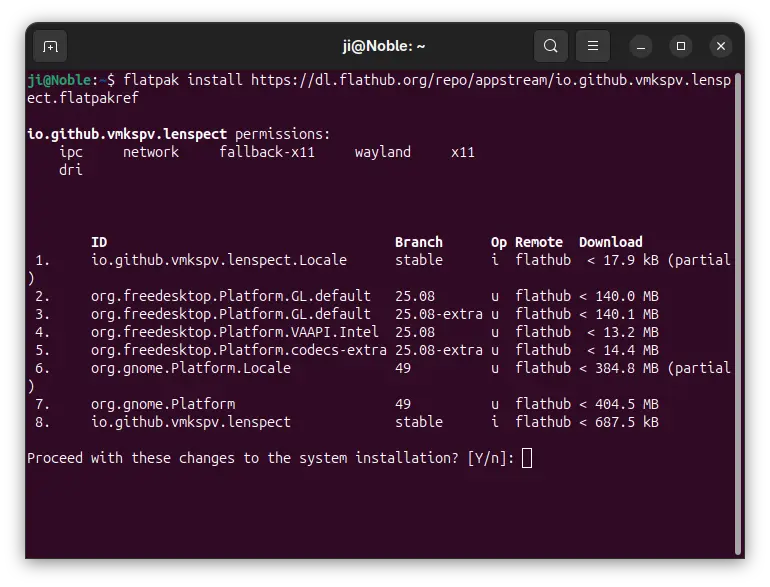
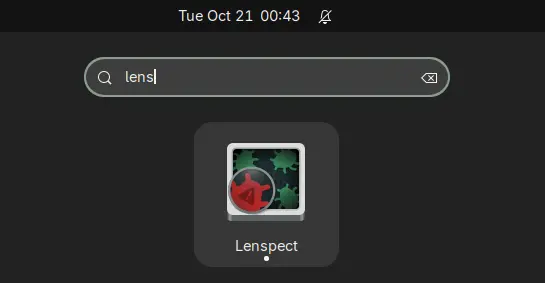
After installation, log out and back in if you don’t see the app icon, or run the command below to start it from terminal:
flatpak run io.github.vmkspv.lenspect
While you may replace run with update in last command to check updates.
To uninstall the app, simply open terminal (Ctrl+Alt+T) and run command:
flatpak uninstall --delete-data io.github.vmkspv.lenspect
Also run flatpak uninstall --unused to remove useless runtimes to free up disk space.
Ubuntu 26.04 LTS daily builds are now available for testing. As development snapshots for the next long-term release, these are not considered stable or bug-free.
You're reading Ubuntu 26.04 LTS Daily Builds Are Now Available, a blog post from OMG! Ubuntu. Do not reproduce elsewhere without permission.
