KeePass Password Safe released new 2.60 version few days ago. Here are the new features and PPA update for Ubuntu users.
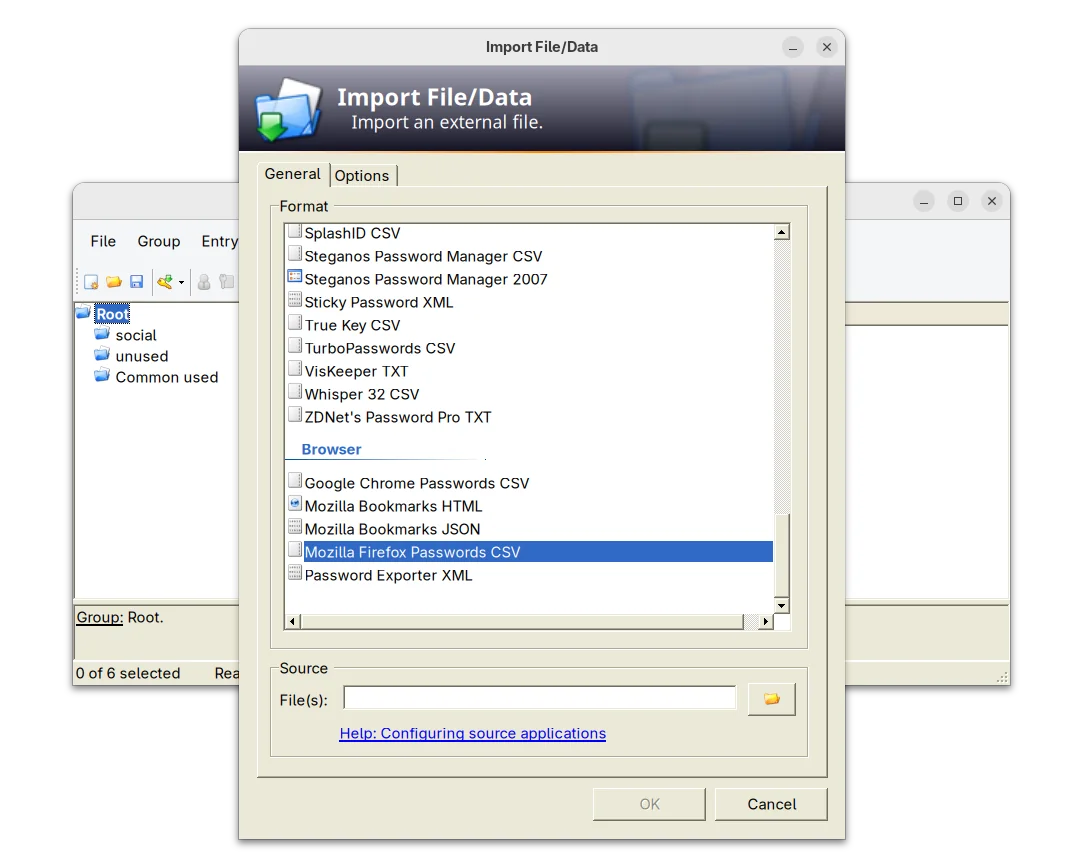
The new release of this free open-source password manager application added support importing .csv passwords exported from Mozilla Firefox web browser.
KeePass 2.60 support importing Firefox Password CSV
It as well improved Bitwarden JSON support. Now, if the value of a totp field consists only of Base32 characters, it is now treated as a shared secret for time-based one-time password generation.
The release also improved the app user interface. The quick search box now search for group paths, while a toggle option is available in Tools -> Options -> Interface (1) to turn on/off the feature.
The drop-down box for quick search box, which can be opened by Alt + Down now supports keyboard navigation and selection. However, due to bug, the auto-completion of the quick search box is disabled.
For users who have many groups, the release now supports displaying ‘Group Path’ and ‘Group Name’ list columns in the main entry. Though, the feature is not enabled by default. User may enable them by going to ‘View’ → ‘Configure Columns’.
KeePass 2.60 also improved the app user experience for keyboard users. It now supports pressing Ctrl+A to select all items in the list views, and Delete to delete selected items in list views that have a corresponding ‘Delete’ button.
And, for those who use Ctrl+Alt+A for the global auto-type hot key, while French Standard AZERTY keyboard layout is active, it shows a warning dialog telling the conflict along with a ‘More information’ link.
Other changes in the release include:
- Add empty state messages for list views.
- Support generating native ARM64 images (NGen) on ARM64 systems for ShInstUtil.
- Save configuration immediately when shutting down the system.
- The value of a ‘File/URL’ or ‘Key file’ field of a trigger event/condition/action may now optionally be enclosed in double quotation marks.
- Various other improvements. See the release note for details.
Install KeePass 2.60
The official installer and portable zip archive for Windows are available to download in its website along with KeePass 1.x and source tarball.
For choice, you may go directly to this sourceforge page download page.
For Ubuntu user, there’s no official package for the new release so far. Besides building from source, I’ve uploaded the package into this unofficial PPA for Ubuntu 20.04, Ubuntu 22.04, Ubuntu 24.04, 25.04 and 25.10.
You may press Ctrl+Alt+T on keyboard to open terminal, then run the commands below one by one to add PPA & install the password manager:
sudo add-apt-repository ppa:ubuntuhandbook1/keepass2
sudo apt update
sudo apt install keepass2
Uninstall:
To uninstall the PPA package, run command:
sudo apt remove keepass2
And, remove the PPA either by running the command below in terminal:
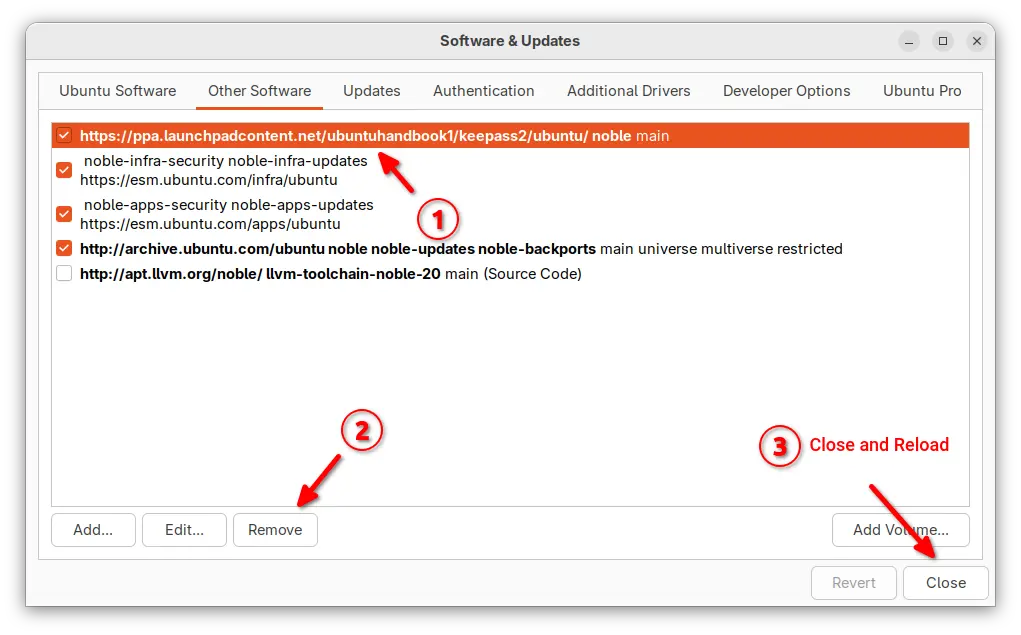
sudo add-apt-repository --remove ppa:ubuntuhandbook1/keepass2
Or, launch “Software & Updates” and remove the source line under Other Software tab.

 Login
Login