Normal view

Received — 9 December 2025 Linux News & Update

PyCharm 2025.3 Released with New LSP Tools & Claude AI Support

By:Ji m
9 December 2025 at 19:59

After 4 months of development, JetBrains finally announced the release of PyCharm 2025.3 today.

The new version of this Python IDE does NO longer have Community Edition, but introduced an unified version that brings everything together in a single product. While, Community users can continue using the IDE for free.

The IDE updated its UI with new default Islands theme for both light and dark mode.

It introduced new welcome screen for new users, with ability to create new script or notebook, clone a repository or connect to a remote development environment, and import files into your workspace.

For existing users who would like to try out this welcome screen, just enable “Show the Welcome screen in non-modal mode by going to Settings -> Advanced Settings -> Welcome Screen.

Besides the built-in Junie by JetBrains, the new version now supports Claude AI Agent from a single chat. And, it’s going to introduce Bring Your Own Key (BYOK) feature, that supports OpenAI API-compatible local models in next point releases.

For users with uv installed, Pycharm now automatically suggests uv as the default environment manager in the New Project wizard. And, for projects managed by uv, uv run will be used as default command for run configurations.

And, uv will use user selected Python version either by selecting the corresponding system version or downloading and managing the right one for you.

If you’ve previously selected a different environment manager (e.g., venv or Conda), it will remember that preference and continue using it by default.

The release also expanded its language server protocol (LSP) integration with new tools from the Astral, Microsoft, and Meta ecosystems, including ty, Pyright, and Pyrefly.

Other changes include:

  • Support for PEP 765 (Python 3.14+) that disallow using return, break, or continue to exit a finally block.
  • Support the asdf runtime version manager.
  • New dedicated Python Process Output tool window that displays every command run by the IDE along with its full standard input, output, and error streams.
  • Package and version completion for any filename that includes “requirements”.

There are also professional only features, including:

  • Fully Jupyter notebooks supporte in remote development
  • Latest updates from the DataGrip 2025.3 engine.
  • Latest improvements from WebStorm 2025.3.
  • Automatically analyze pandas DataFrames to detect the most common data quality issues.

Get Pycharm 2025.3

The official release note for version 2025.3, as well as the download link are available in the link below:

For Ubuntu, user may choose install the official Snap package from App Center (or Ubuntu Software for 22.04 and earlier).

For beginners, I’ve written a step by step guide shows how to install the IDE in Ubuntu via different ways.
Firefox 146.0 added Native Wayland Fractional Scaling Support

By:Ji m
9 December 2025 at 15:57

After a month of beta development, Firefox 146.0 is available to download for Linux, Windows, and macOS users.

The new release of this web browser finally added native support for fractional scaling on Linux with Wayland session (e.g., Ubuntu 22.04+ and Fedora Workstation).

Mozilla Firefox merged Wayland fractional-scale-v1 support more than 2 years ago. The feature was however disabled by default due to bugs.

Now with Firefox 146.0, Wayland fractional scaling is natively supported and enabled by default, thus text, icons, and UI elements will render more effective on HiDPI displays with 125%, 150% etc scaling.

For user in the EU and some other countries, there is a New Tab Weather opt-in workflow available. And, user can choose whether to enable location detection or manually search for a location.

When type in search bar, Firefox 146.0 can now show you the direct results in the drop-down suggestions box. Though, this is a progressive roll-out feature that’s only available for small percentages of users.

image from mozilla.org

For Windows, the new version introduced a scheduled backup feature, that automatically backup the passwords, bookmarks, and browsing data daily, and save them on local device.

The backup can be encrypted with a password and used to restore a fresh install of Firefox on any operating system to the status where you left off. Though, this is also a progressive roll-out feature so far only works in Windows, and will be coming to other operating systems soon.

Also for Windows, the Direct2D hardware accelerated 2D graphics rendering support has been removed! For those who still require this feature, it’s recommended to switch to Firefox ESR 140.0 or higher.

And for macOS, Firefox now has a dedicated GPU process by default. It includes WebGPU, WebGL, and Firefox’s own WebRender. With it, fatal errors in graphics code will no longer crash the browser, instead transparently restart the GPU process.

Other changes in Firefox 146.0 include:

  • Firefox Labs is now available to all users, for trying out experimental features.
  • Improve ‘Colors’ dialog in Settings to make it easier to understand.
  • Show English-language suggestions for holidays and other important dates for users in France, Germany, and Italy using the English-language versions of Firefox.
  • Support the contrast-color() CSS function.
  • Add support the @scope rule.
  • Introduce text-decoration-inset property.
  • Support legacy -webkit-fill-available keyword for CSS width and height properties.
  • Support ML-KEM for WebRTC.
  • Support compressed elliptic curve points in WebCrypto.
  • Update Skia graphics library with improved rendering performance and compatibility.
  • Hide unused CSS custom properties.
  • Provide full keyboard and assistive technology support, when the timepicker is enabled for <input type=\"time\"> and <input type=\"datetime-local\">.
  • Various security fixes.

Get Firefox 146.0

This post is written according to the Github release-note, while the official announcement and download link will be available soon via the link below:

If you can’t wait, then go to this page to get Firefox 146.0.

Flowblade Video Editor 2.24 added Auto Sync Trim Childs & UX Updates

By:Ji m
8 December 2025 at 23:30

Flowblade, the free open-source Linux video editing software, released new 2.24 version few days ago.

The new release of this multi-track non-linear video editor focused mostly on UX improvements, bug fixes and GTK 4 port, while there are also some new features.

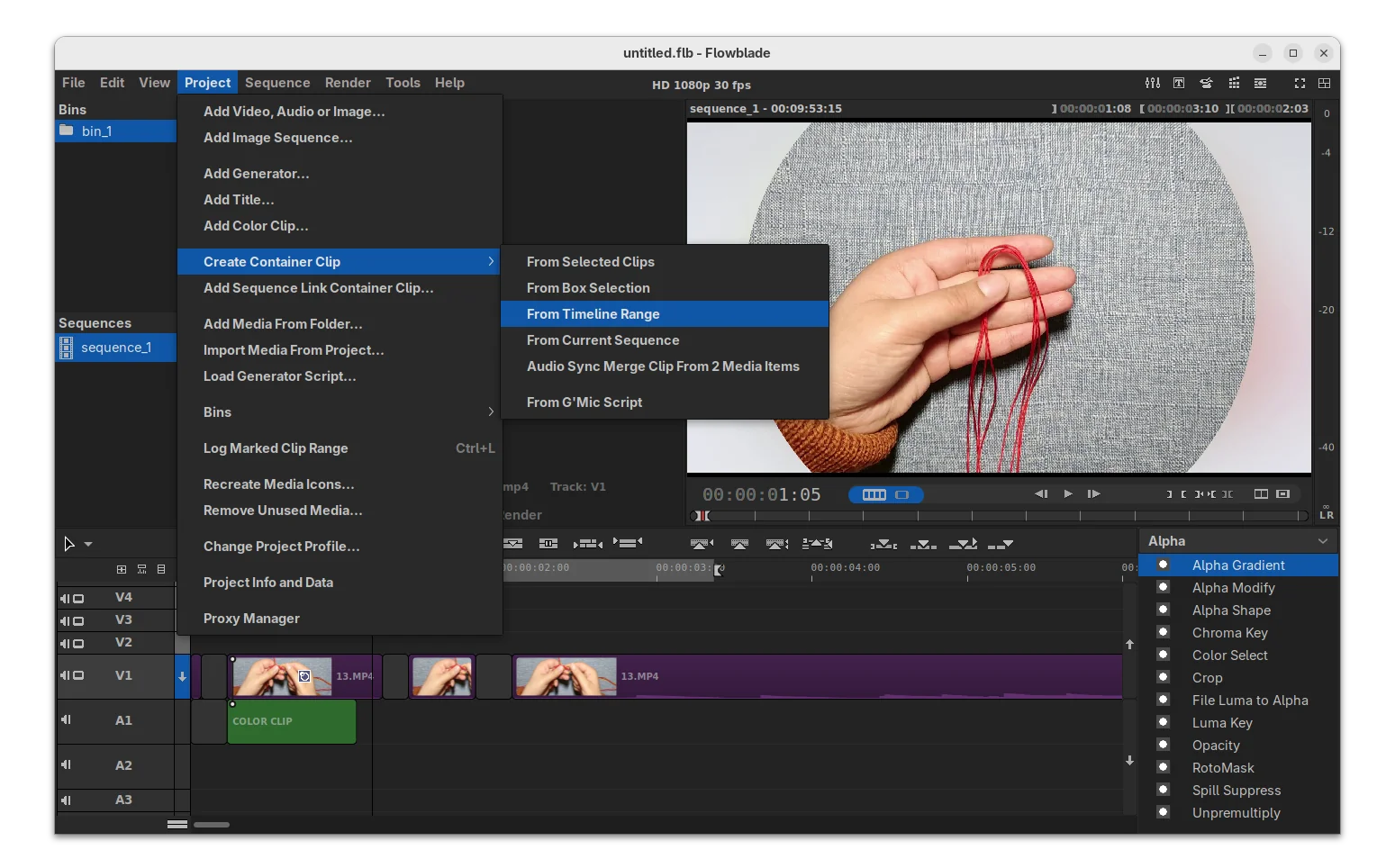
First, the new version improved support for Compound Clips, the way to group multiple clips into a single container clip on the timeline, by adding 2 new ways to create it.

Previously, user may either select multiple clips (via Ctrl or Shift + click) and use right-click menu to create Compound Clips, or go to menu Project -> Create Container Clip -> From Current Sequence to use the entire current timeline/sequence.

In the new version, user may also select a timeline range (press I in timeline for start point, and O for the end) or use box selection method to create the container clips.

It also added new Auto Sync Trim Single Childs feature, so that child clips now follow the their parent clips to be trimmed automatically when trimming the parent clips, though there’s an option available in “Syncing” menu to toggle on/off the function.

The release also improved the Rotomask editor with new Box Select Move edit mode, allowing to move a selection of edit points as a group. And, the line color is now editable through a new color picker tool.

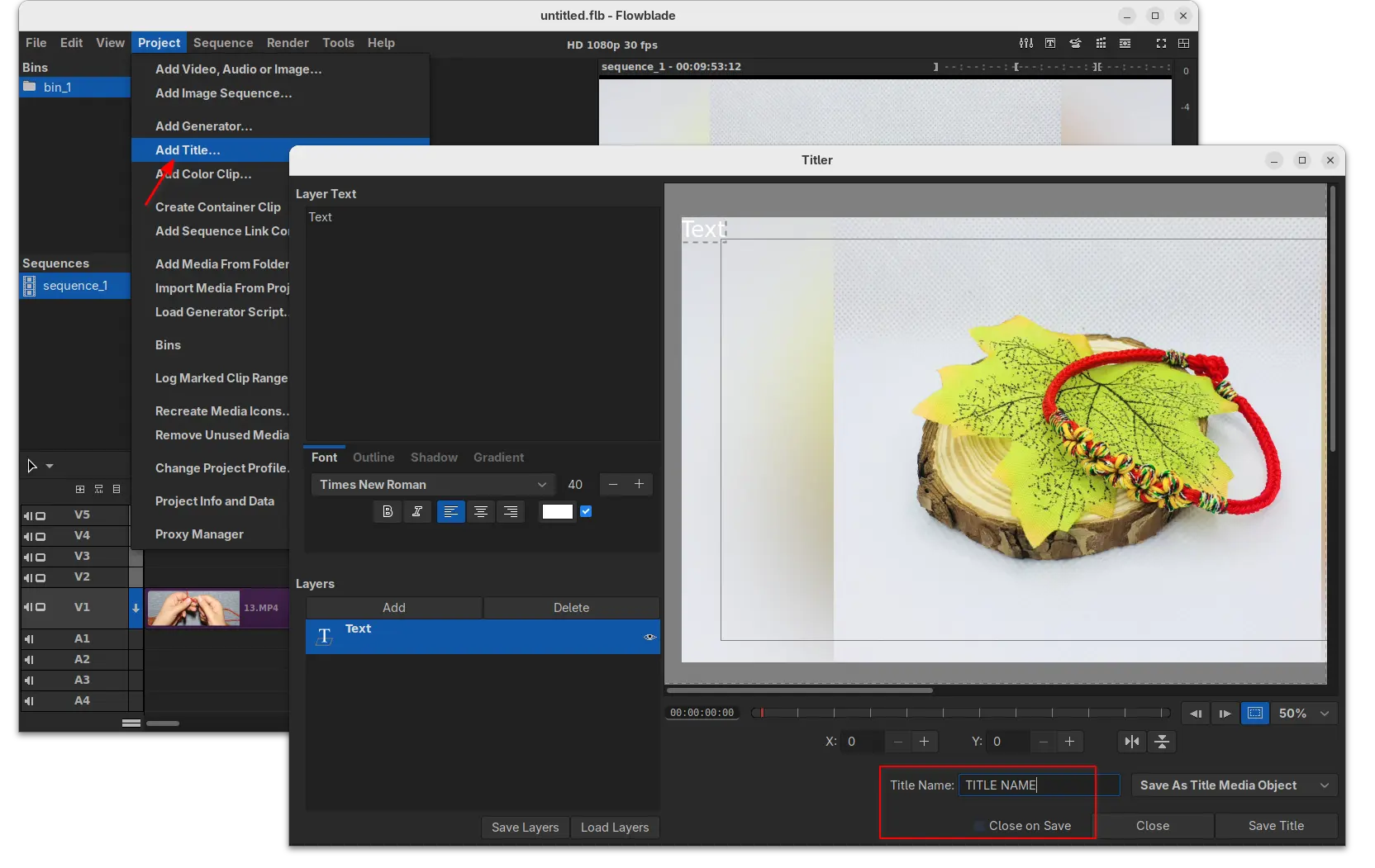
Moreover, new “Add Title” option is added to both “Project” menu and Media panel context menu, allowing to launch the titler dialog. And, the titler dialog added options to set the title name, and close the dialog automatically when clicking save.

Other changes include new Alt+J keyboard shortcut to mark selection range, new “Warning on Disk Cache Size” limit (4 GB and 8 GB), warn if estimated size exceeds 60% of the available disk space, as well as following changes:

  • Allow moving audio master meter position to bottom row.
  • Add ‘To Marks In’ and ‘To Marks Out’ buttons to player button panel.
  • Fix Audio Sync Split undo bug.
  • Add progress bar dialog for “Duplicate sequence…” action.
  • Make keyframe info bigger and move it to the left side in keyframe editors.
  • Fix ripple trim undo.
  • Clear box move data on undo/redo.
  • And various other minor improvements and fixes.

As mentioned, the release also includes some GTK4 port, such as new keyboard shortcut framework with per widget shortcuts, and more. See the RELEASE NOTE for details.

How to Install Flowblade 2.24 in Ubuntu & other Linux

Flowblade provides official installer for Linux through Flatpak package, which runs in sandbox environment.

Linux Mint and Fedora workstation (with 3rd party repository enabled) can search & install it from either Software Manager or GNOME Software.

flowblade Flatpak package in Linux Mint Software Manager

While, Debian/Ubuntu and other Linux may do the following steps one by one to install the package.

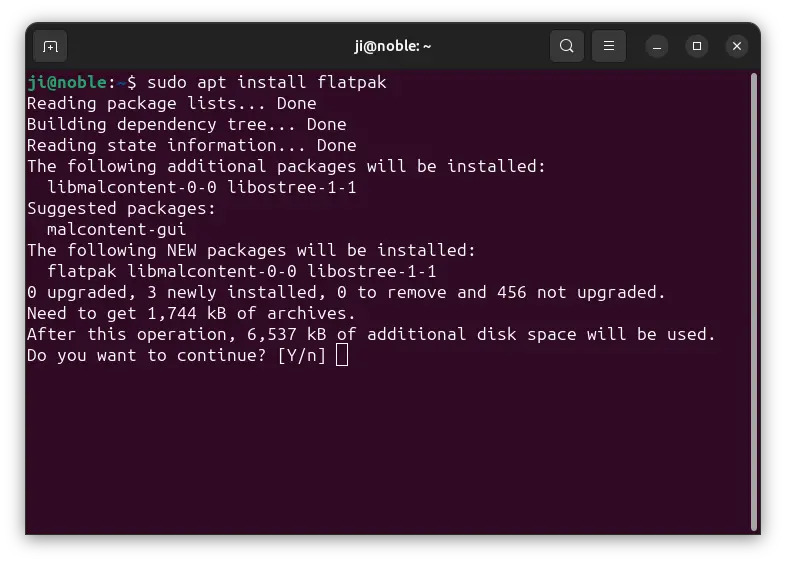
  • First, Debian/Ubuntu users can open terminal (Ctrl+Alt+T) and run command to install the Flatpak daemon:
    sudo apt install flatpak

    For other Linux, follow the official setup guide to enable Flatpak support.

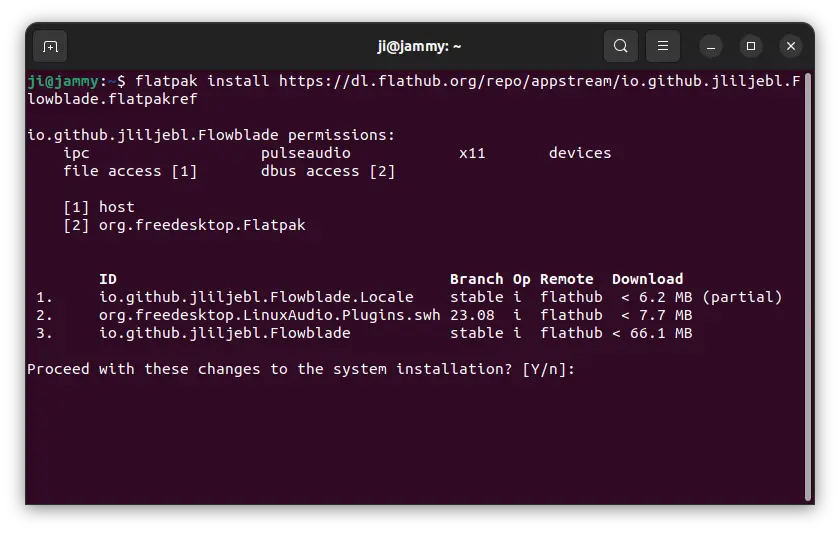
  • Then, run the single command below to install the Flowblade flatpak package:
    flatpak install https://dl.flathub.org/repo/appstream/io.github.jliljebl.Flowblade.flatpakref

After installed the software package, either start it from start menu (log out and back in if app icon not visible). Or, run the command below to launch it from terminal without re-login.

flatpak run io.github.jliljebl.Flowblade

And, you may replace run in last command with update to check & install updates.

Uninstall Flowblade

To uninstall the Flowblade Flatpak package, open terminal (Ctrl+Alt+T) and run command:

flatpak uninstall --delete-data io.github.jliljebl.Flowblade

Optionally run flatpak uninstall --unused to remove useless run-time libraries.

Audacity 3.7.6 Released with FFmpeg 8.0 & Import from Cloud Support

By:Ji m
7 December 2025 at 22:59

Audacity, the free open-source audio editor and recording application, released new 3.7.6 version few days ago. PPA updated for all current standard Ubuntu releases.

The new release of this cross-platform (Windows, Linux, and macOS) computer software added the FFmpeg 8.0 multimedia library support.

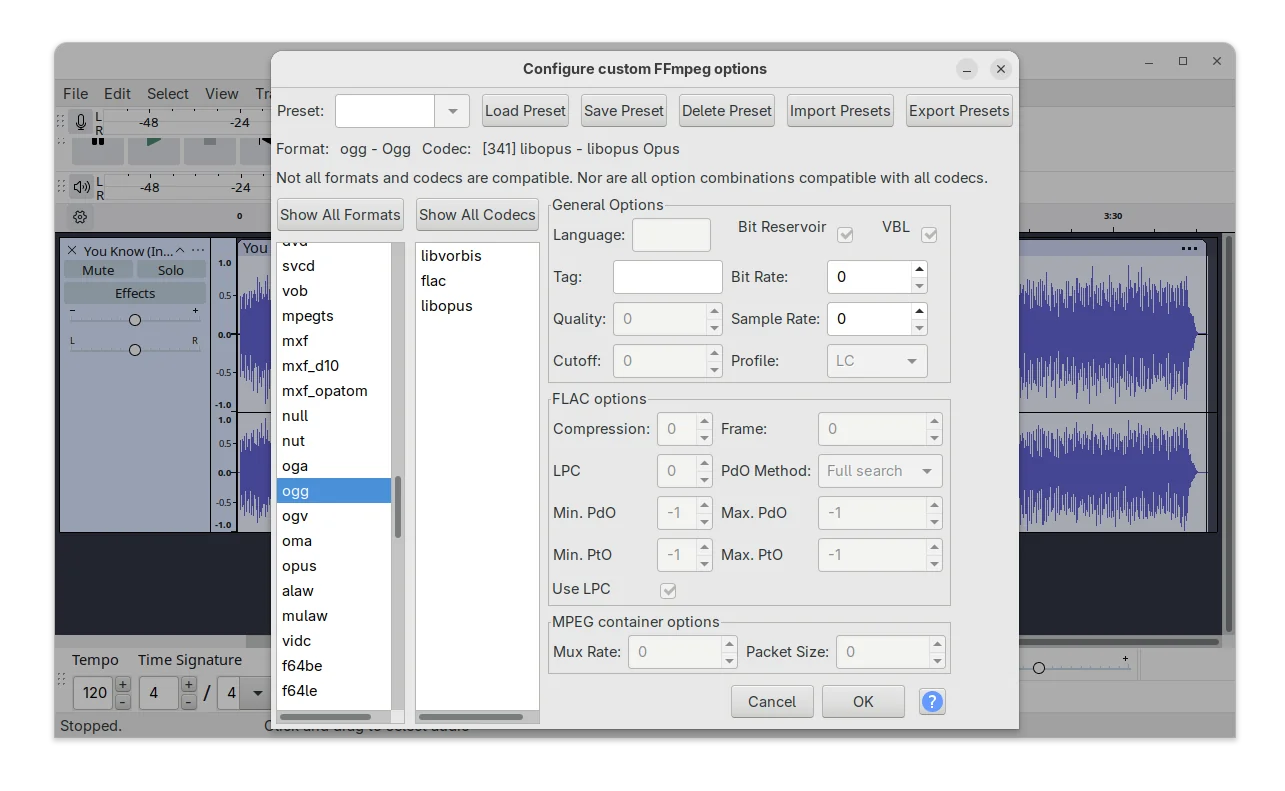
With the most recent FFmpeg library, it supports loading more audio codecs, such as Sanyo LD‑ADPCM, G.728 (.g728), and ADPCM IMA Xbox. And, custom FFmpeg export options now supports exporting to OGG/Opus audio formats using the libopus codec.

Audacity export with FFmpeg

For cloud users, besides uploading your audio to audio.com, it now also supports loading your audio projects or audio files from cloud (meaning audio.com), though you need to log in with a free account.

According to the release note, Audacity 3.7.6 also added first simple implementation of Spectrogram Wavelet analysis. It’s a new visualization mode allows to analyze audio using wavelet transforms with more adaptive time‑frequency display than the traditional Fourier spectrogram.

The new feature should add a “Wavelet (1/6 Octave Hann)” algorithm mode into the Spectorgram Settings dialog. However, I cannot see it in my case in Ubuntu 24.04.

I’m neither good at audio editing nor coding. It could be that I can’t meet the new “if condition” added in this commit (see code below) to make it visible, or the feature is just disabled.

#ifdef WAVELET
      XO("Wavelet (1/6 Octave Hann)") ,
#endif

The new version also backported the 4.0 feature that user can middle-click on waveform and drag moving left/right just like the default behavior in GIMP, Kdenlive, Blender, etc applications. And, the scrollbar and viewport will update in sync for natural movement.

Other changes are mostly bug-fixes. They include:

  • Fix “Share Audio” (upload to audio.com) function.
  • Fix incorrect import 16-bit flac files.
  • Fix audio list could not be accessed with keyboard.
  • Handle utf-8 file names correctly on windows.
  • Keep next/prev buttons focused on page change.
  • Tool libraries and translation updates.

How to Install Audacity 3.7.6 in Ubuntu & other Linux

Option 1: Audacity provides official Linux package through AppImage, which is available to download at the link below:

It’s a non-install Linux package format, that has most runtime libraries in bundle. Simply add executable permission from file properties dialog, then run it to launch the audio editor.

The AppImage is marked for 20.04/22.04, though it works in most Linux. And, Ubuntu 22.04 and higher need to install libfuse2 library first in terminal (Ctrl+Alt+T).

sudo apt install libfuse2

NOTE: Both Flatpak and PPA packages below have the networking support disabled, meaning no audio.com upload and import support.

Option 2: For choice, you may install Audacity 3.7.6 in most Linux through the community maintained Flatpak package. It runs in sandbox environment, and supports both amd64 and arm64 processors.

Linux Mint may simply search for and install it from Software Manager, though you need to first enable “unverified Flatpaks” in the preferences dialog.

While Debian/Ubuntu may run the 2 commands below one by one to install the package.

sudo apt install flatpak
flatpak install https://dl.flathub.org/repo/appstream/org.audacityteam.Audacity.flatpakref

Option 3: For those who don’t like running Audacity in sandbox, I’ve uploaded the new release package into this unofficial PPA for Ubuntu 22.04, Ubuntu 24.04, 25.04 and 25.10 on amd64 and arm64/armhf platforms.

To add the PPA and install the native .deb package, run commands below one by one:

sudo add-apt-repository ppa:ubuntuhandbook1/audacity
sudo apt update
sudo apt install audacity audacity-data

Uninstall

For AppImage, simply delete the file from file manager. While, you may run the command below to uninstall the Flatpak package:

flatpak uninstall --delete-data org.audacityteam.Audacity

Also run flatpak uninstall --unused to remove useless runtimes.

To uninstall the PPA as well as the .deb package, run commands:

sudo add-apt-repository --remove ppa:ubuntuhandbook1/audacity
sudo apt update
sudo apt remove audacity audacity-data
❌