
 Login
Login
You are using Game Turbo incorrectly all this time
Most HyperOS gamers are dependent on Game Turbo, but hardly know its most potent feature — background app optimization — lies disabled by default. This feature has the potential to boost your gaming performance and interruptions by a great margin but lies in the depths of the settings. If you experience periodic loss of frames or irritating notification interrupts while gaming, it may be because your most important option lies disabled.
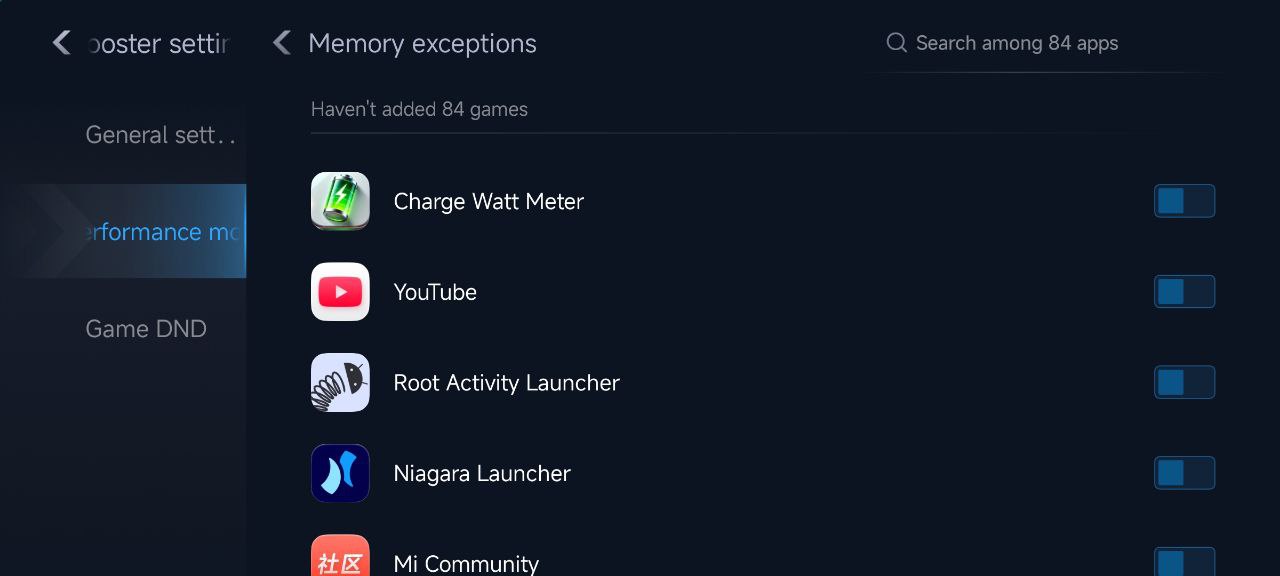
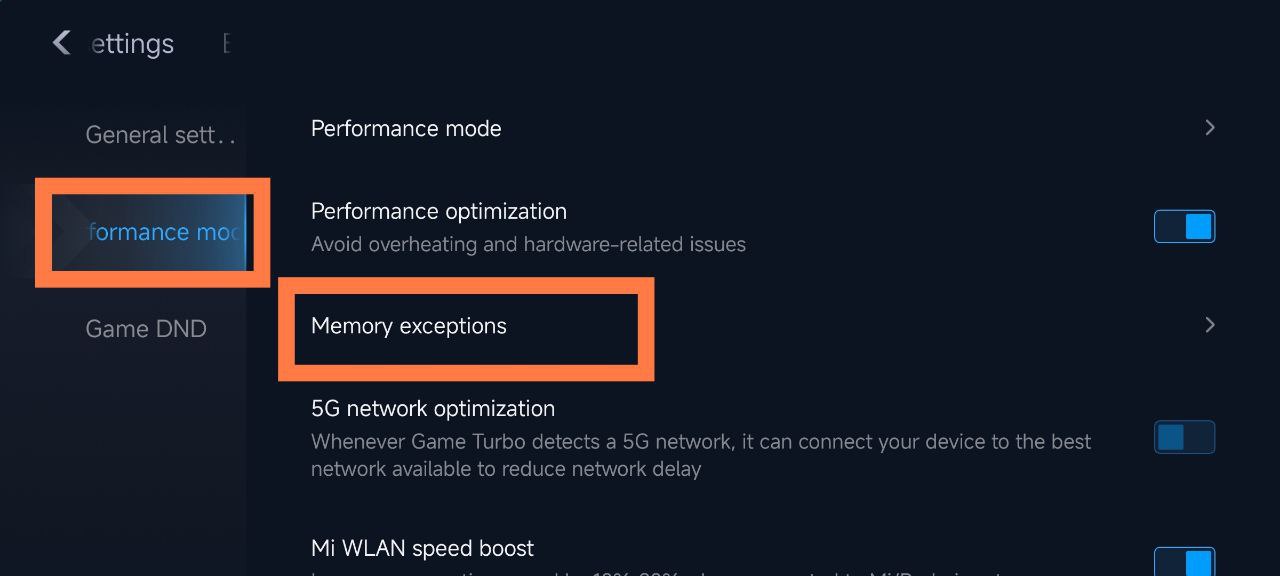
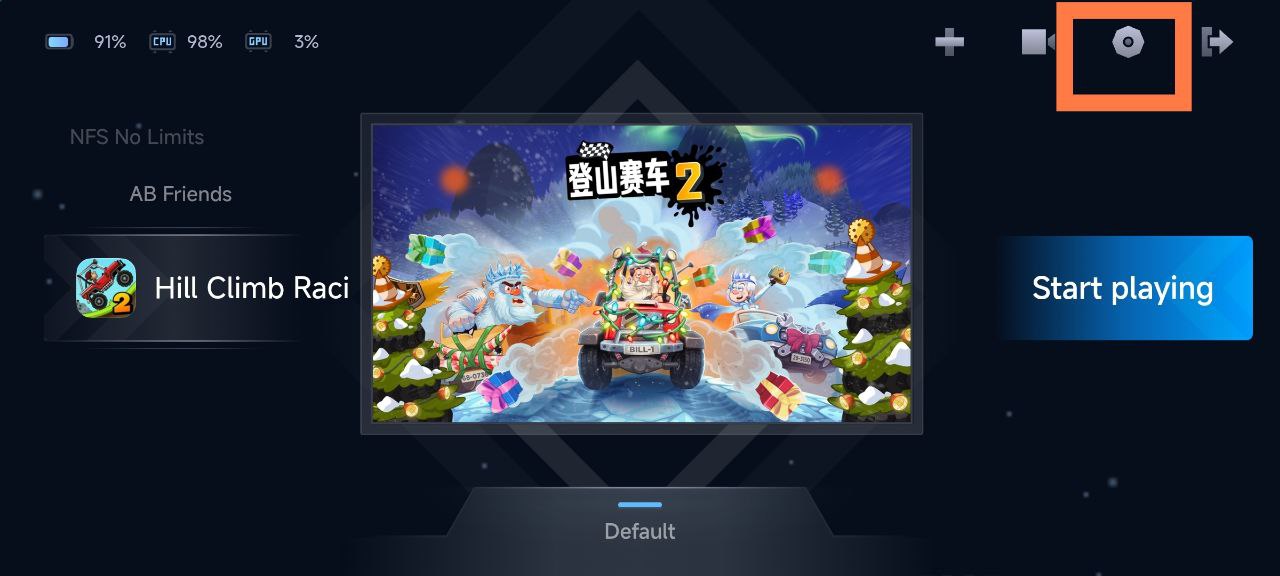
To enable it, simply open Game Turbo Settings > Performance > Memory Exceptions. From here, choose the applications that you want Game Turbo to forcibly end whenever you enter a game. This prevents unnecessary background applications from using memory or CPU cycles so your phone powers its gaming performance.
Why This Environment Is Important for Users
By allowing memory optimization, Game Turbo optimizes the system’s resources by releasing the RAM and keeping the frames stable in the course of playing. No interruptions by messaging or social app notifications will occur mid-match and thereby result in a smoother gaming experience.
This feature is particularly useful for Xiaomi, Redmi, and POCO smartphones that are running Snapdragon or Dimensity processors. Those playing Frequently playing gophers like Genshin Impact or PUBG Mobile will see distinct improvements in response and heat regulation when this feature is turned on.

