Reading view

New Website Lets You Scan Snaps for Known Security Vulnerabilities

Snapscope by Alan Pope lets you scan Snap packages to list CVES or security vulnerabilities in any bundled libraries, giving you more insight into Snap security.

You're reading New Website Lets You Scan Snaps for Known Security Vulnerabilities, a blog post from OMG! Ubuntu. Do not reproduce elsewhere without permission.

  •  

Maryland Man’s Fraud Conviction Highlights North Korea’s Rising Crypto Threat

A Maryland man was sentenced to prison this week for helping IT workers linked to North Korea infiltrate US companies.

This incident fits into a wider pattern in 2025, where insider access and rising crypto theft are becoming key features of North Korea’s cyber strategy. 

US Jobs Opened to North Koreans

The Justice Department announced on Thursday the sentencing of Minh Phuong Ngoc Vong, an American citizen convicted of conspiracy to commit wire fraud. Prosecutors proved that Vong used false credentials to secure remote software development jobs for North Korean nationals at 13 American companies.

According to public documents, Vong allowed a foreign operator to use his logins, devices, and identity documents to perform the work remotely. The man, who operated from China, is believed to be from North Korea.

One job created a particular risk when a Virginia technology firm hired Vong for work on a Federal Aviation Administration contract in 2023. 

Maryland Man Sentenced for Conspiracy to Commit Wire Fraud https://t.co/avJWBhOWVi

— National Security Division, U.S. Dept of Justice (@DOJNatSec) December 4, 2025

The role required US citizenship and granted him a government-issued personal identity verification card. Vong installed remote-access tools on the company laptop. The move allowed the North Korean man to complete the work from abroad inconspicuously.

The company paid Vong more than $28,000, and he sent part of those earnings to his overseas partners. Court filings show he collected over $970,000 across all companies, with most of the work performed by North Korean-linked operatives. Several firms also subcontracted with him for US government agencies, further expanding the exposure.

Vong was sentenced to 15 months in federal prison, followed by three years of supervised release.

The case comes as North Korea intensifies its global cyber operations

Record Year for North Korean Hacks

In October, blockchain analytics firm Elliptic reported that North Korea-linked hackers had stolen over $2 billion in cryptocurrency in 2025. This figure represents the highest annual total ever recorded. 

The overall amount attributed to the regime now surpasses $6 billion. These proceeds are widely believed to support nuclear and missile development.

This year’s surge stemmed from several major incidents, including the $1.46 billion Bybit breach, as well as attacks on LND.fi, WOO X, and Seedify. Analysts have also connected more than 30 other hacks to North Korean groups.

Most breaches in 2025 began with social engineering rather than technical flaws. Hackers relied on impersonation, phishing, and fabricated support outreach to gain wallet access. The trend highlights a growing focus on human weaknesses over code vulnerabilities.

Taken together, these trends suggest a coordinated approach, with North Korea combining insider infiltration with advanced cryptocurrency theft to expand both its income and operational footprint.

The post Maryland Man’s Fraud Conviction Highlights North Korea’s Rising Crypto Threat appeared first on BeInCrypto.

  •  

KeePass 2.60 Released with Firefox CSV Import Support (Ubuntu PPA)

KeePass Password Safe released new 2.60 version few days ago. Here are the new features and PPA update for Ubuntu users.

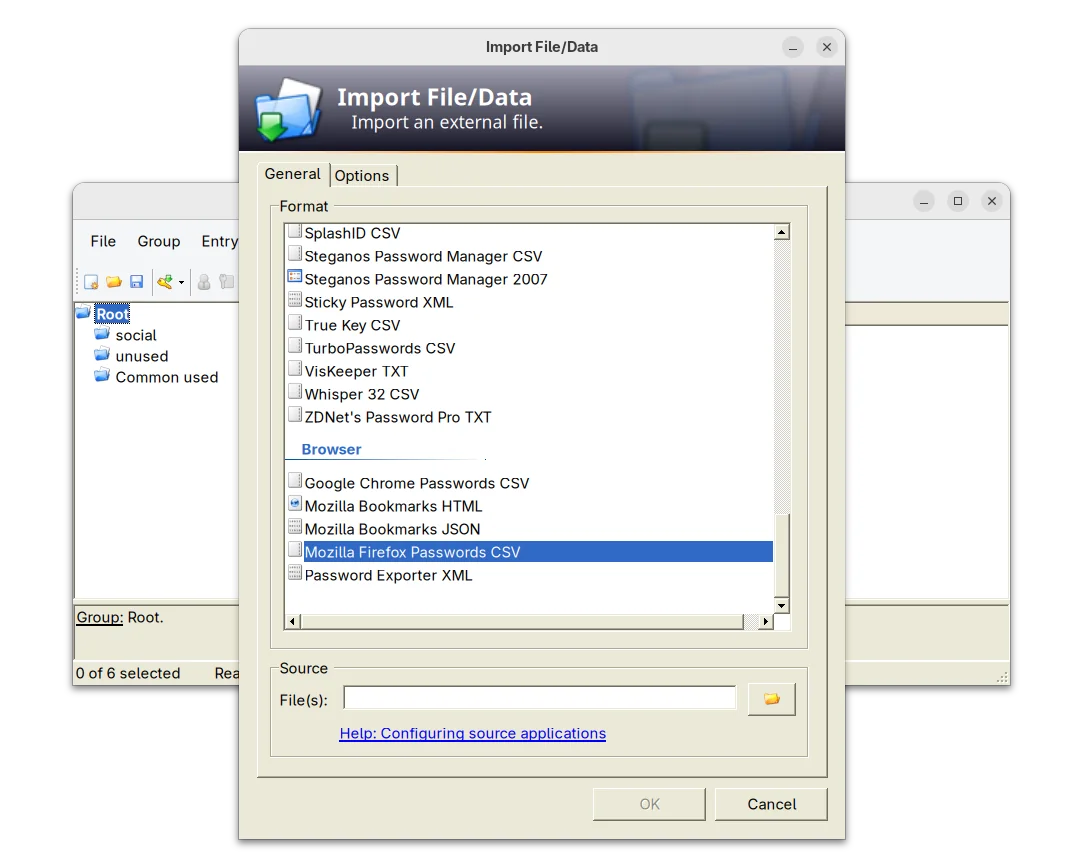
The new release of this free open-source password manager application added support importing .csv passwords exported from Mozilla Firefox web browser.

KeePass 2.60 support importing Firefox Password CSV

It as well improved Bitwarden JSON support. Now, if the value of a totp field consists only of Base32 characters, it is now treated as a shared secret for time-based one-time password generation.

The release also improved the app user interface. The quick search box now search for group paths, while a toggle option is available in Tools -> Options -> Interface (1) to turn on/off the feature.

The drop-down box for quick search box, which can be opened by Alt + Down now supports keyboard navigation and selection. However, due to bug, the auto-completion of the quick search box is disabled.

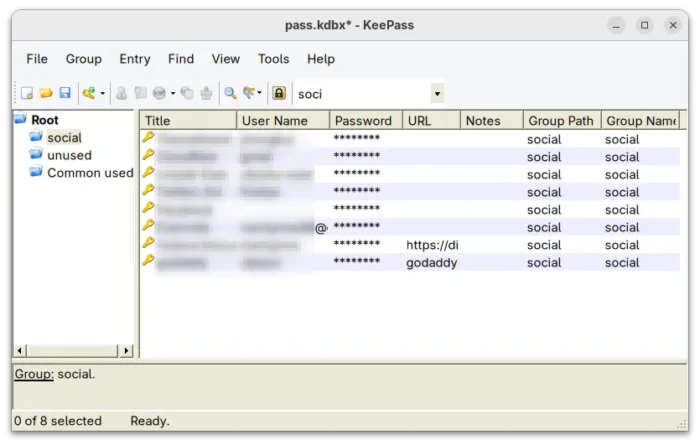
For users who have many groups, the release now supports displaying ‘Group Path’ and ‘Group Name’ list columns in the main entry. Though, the feature is not enabled by default. User may enable them by going to ‘View’ → ‘Configure Columns’.

KeePass 2.60 also improved the app user experience for keyboard users. It now supports pressing Ctrl+A to select all items in the list views, and Delete to delete selected items in list views that have a corresponding ‘Delete’ button.

And, for those who use Ctrl+Alt+A for the global auto-type hot key, while French Standard AZERTY keyboard layout is active, it shows a warning dialog telling the conflict along with a ‘More information’ link.

Other changes in the release include:

  • Add empty state messages for list views.
  • Support generating native ARM64 images (NGen) on ARM64 systems for ShInstUtil.
  • Save configuration immediately when shutting down the system.
  • The value of a ‘File/URL’ or ‘Key file’ field of a trigger event/condition/action may now optionally be enclosed in double quotation marks.
  • Various other improvements. See the release note for details.

Install KeePass 2.60

The official installer and portable zip archive for Windows are available to download in its website along with KeePass 1.x and source tarball.

For choice, you may go directly to this sourceforge page download page.

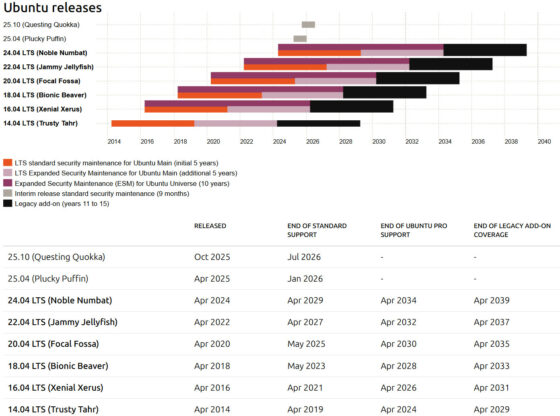
For Ubuntu user, there’s no official package for the new release so far. Besides building from source, I’ve uploaded the package into this unofficial PPA for Ubuntu 20.04, Ubuntu 22.04, Ubuntu 24.04, 25.04 and 25.10.

You may press Ctrl+Alt+T on keyboard to open terminal, then run the commands below one by one to add PPA & install the password manager:

sudo add-apt-repository ppa:ubuntuhandbook1/keepass2
sudo apt update
sudo apt install keepass2

Uninstall:

To uninstall the PPA package, run command:

sudo apt remove keepass2

And, remove the PPA either by running the command below in terminal:

sudo add-apt-repository --remove ppa:ubuntuhandbook1/keepass2

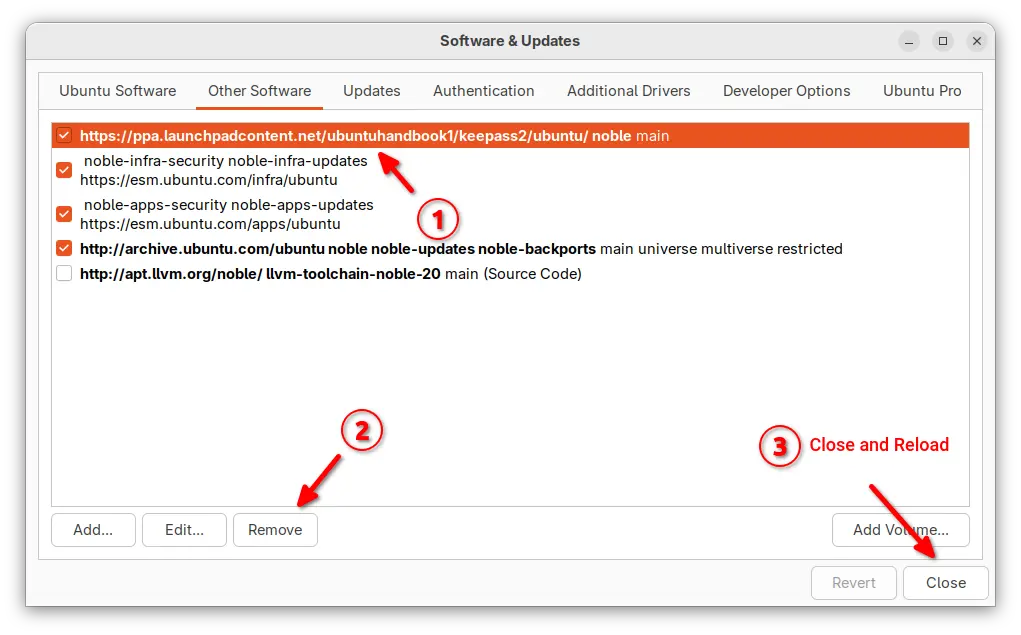
Or, launch “Software & Updates” and remove the source line under Other Software tab.

  •  

Ubuntu Security Roundup: Fixes for fetchmail, Go Cryptography, Linux Kernel, and More

Canonical has released a series of important security updates addressing vulnerabilities in fetchmail, Go Cryptography, and multiple Linux kernel variants used across Oracle Cloud and AWS environments. These updates patch flaws that could lead to crashes, privilege leaks, or system compromises. Ubuntu has rolled out four security notices USN-7838-1, USN-7839-1, USN-7795-4, and USN-7833-3 between October […]

The post Ubuntu Security Roundup: Fixes for fetchmail, Go Cryptography, Linux Kernel, and More appeared first on UbuntuPIT.

  •  

Ubuntu Security Roundup: Fixes for fetchmail, Go Cryptography, Linux Kernel, and More

Canonical has released a series of important security updates addressing vulnerabilities in fetchmail, Go Cryptography, and multiple Linux kernel variants used across Oracle Cloud and AWS environments. These updates patch flaws that could lead to crashes, privilege leaks, or system compromises. Ubuntu has rolled out four security notices USN-7838-1, USN-7839-1, USN-7795-4, and USN-7833-3 between October […]

The post Ubuntu Security Roundup: Fixes for fetchmail, Go Cryptography, Linux Kernel, and More appeared first on UbuntuPIT.

  •  

Lenspect – New Malware Scanner App for Linux Desktop

Want to scan your files for security threats? Here a new app can do the job for Linux Desktop.

It’s Lenspect, a free open-source Python written application that features a lightweight user interface designed for GNOME. And, it uses VirusTotal as backend for scanning.

As you may know, there’s a ClamAV AntiVirus software that supports Linux. It has a graphical front-end ClamTk (available in App Center or Ubuntu Software), that provides simple interface to scan your files or directories for malware.
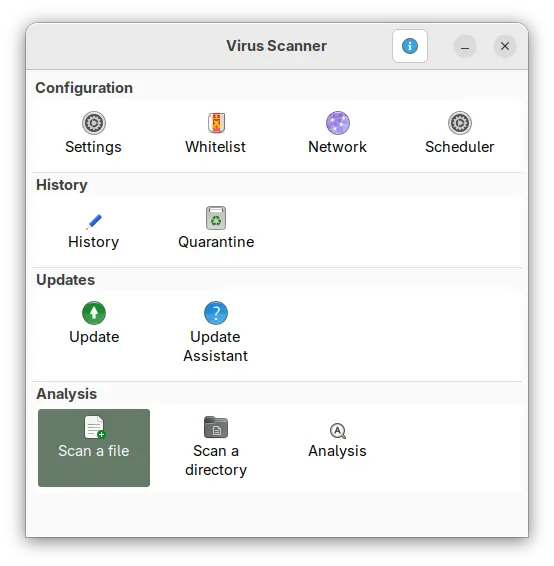
ClamTk

ClamAV is great for basic use, but if you want to check for viruses that ClamAV may have missed or verify against any false positives, then VirusTotal is a good alternative and Lenspect is a graphical front-end for it working on Linux.
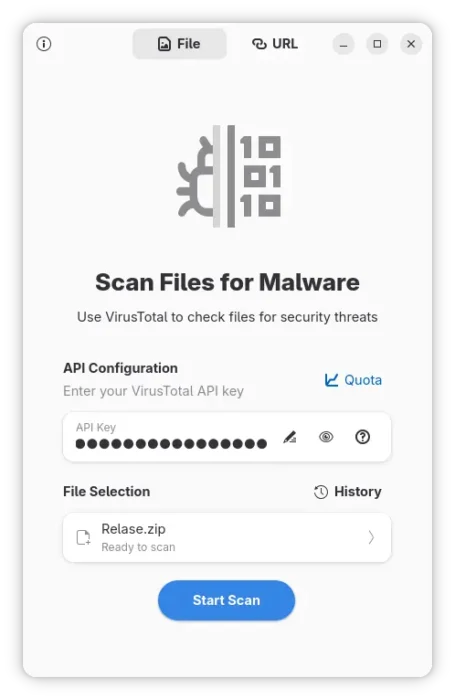
Lendspect

VirusTotal is an online service created by the Spanish security company Hispasec Sistemas. The company now belongs to Google Security Operations, a subsidiary of Google.

It’s a free service that aggregates over 70 antivirus engines and URL/domain blocklisting services called Contributors. They include Arcabit, Avast, BitDefender, ClamAV, McAfee, and more. See this page for all the scanning engines.

With it, you may scan files, IPs, and URLs to detect malware with multiple anti-malware or antivirus engines concurrently. Though as an online service, you need to upload file through either its web page, browser extension, or API.
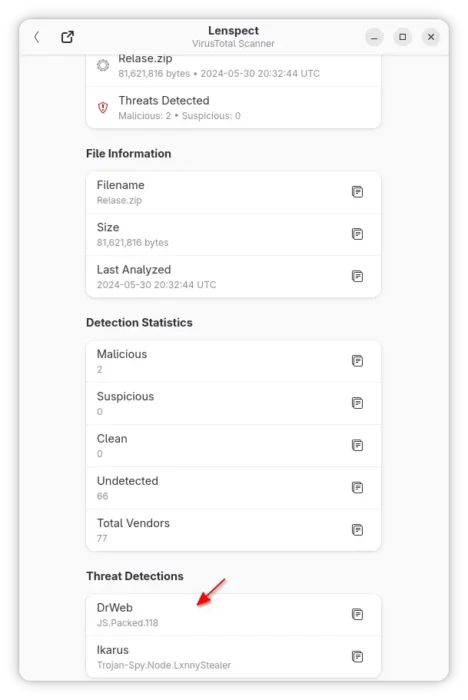
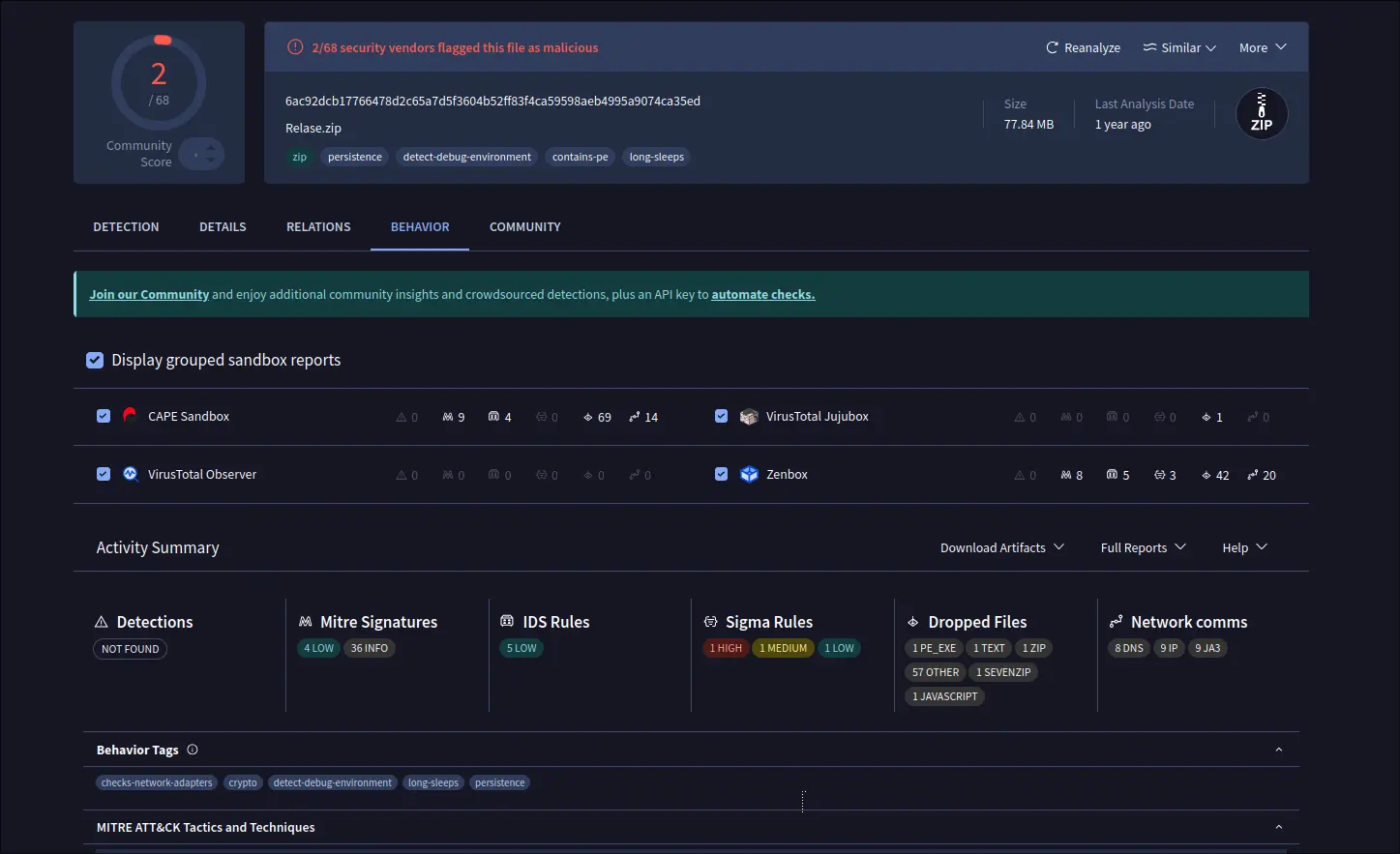
Lenspect uses VirusTotal API to upload you files, then show you a scan summary, while you may click open in VirusTotal website for a more detailed information, including analysis from different antivirus products, file details, and more.
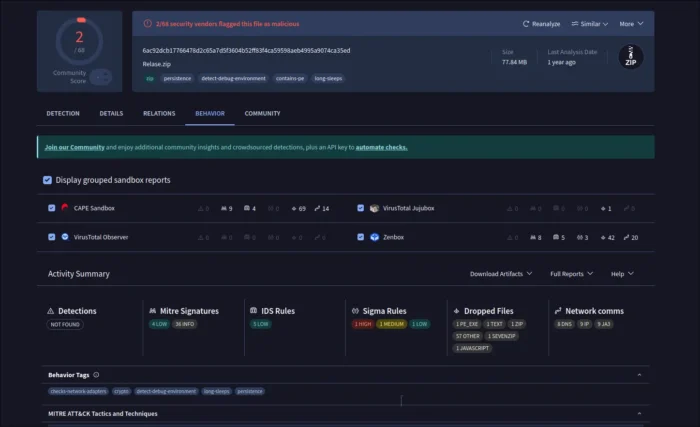
View scan details in virustotal.com

The standard API is free but has limitations. They include 4 lookups per min, 500 lookups per day, 15.5 K lookups per month, and non-business use.

Install Lenspect

NOTE that the app will send your file to VirusTotal, DON’T use it for scanning sensitive data.

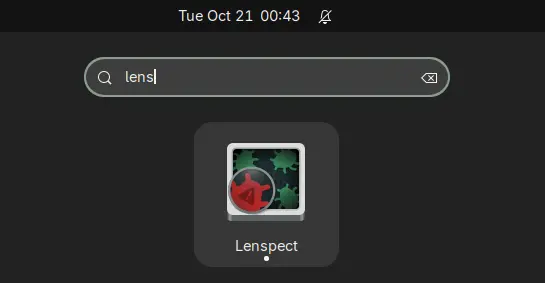
Lenspect is available to install in most Linux through Flatpak package, which runs in sandbox environment.

Linux Mint and Fedora Workstation may simply search & install the application from either Software Manager or GNOME Software.

While Ubuntu and other Linux can do the steps below one by one to get it:

  • First, open terminal (Ctrl+Alt+T) and run command to install Flatpak daemon package:
    sudo apt install flatpak

    For non-debian/ubuntu based distributions, follow the official setup guide to enable Flatpak support.

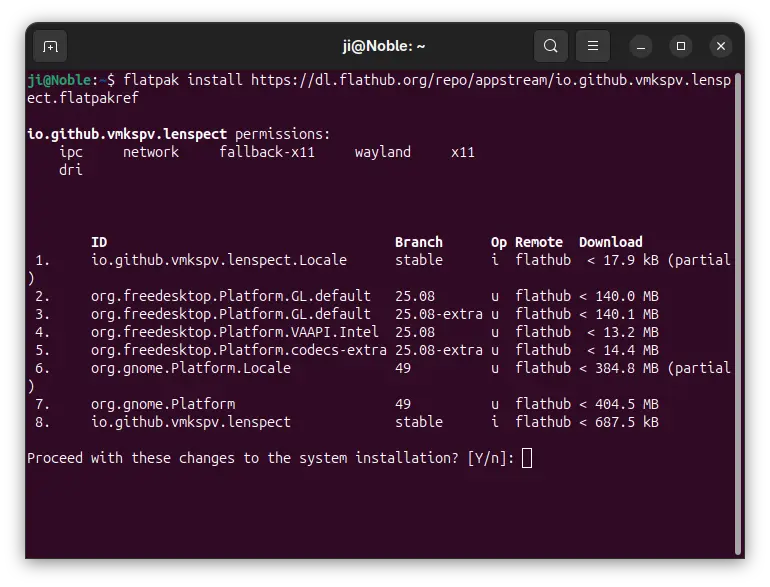
  • Next, install the app package by running command:
    flatpak install https://dl.flathub.org/repo/appstream/io.github.vmkspv.lenspect.flatpakref
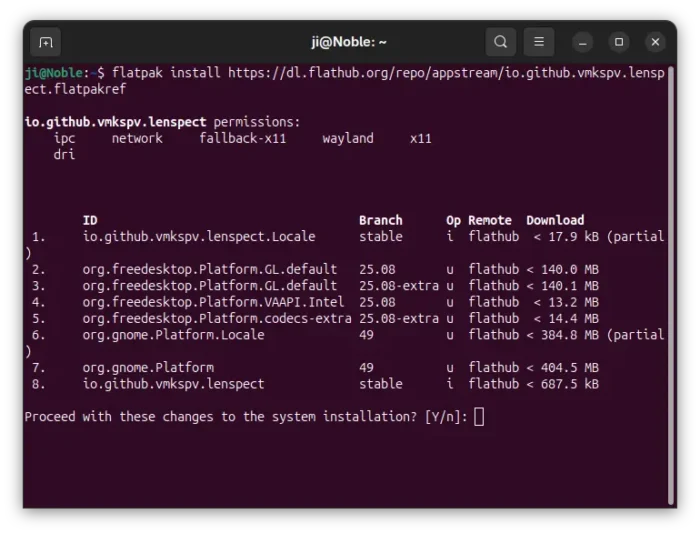
After installation, log out and back in if you don’t see the app icon, or run the command below to start it from terminal:

flatpak run io.github.vmkspv.lenspect

While you may replace run with update in last command to check updates.
Uninstall:

To uninstall the app, simply open terminal (Ctrl+Alt+T) and run command:

flatpak uninstall --delete-data io.github.vmkspv.lenspect

Also run flatpak uninstall --unused to remove useless runtimes to free up disk space.

  •  

Ubuntu Security Roundup: Fixes for MuPDF, Redis, Samba, and More

Canonical has released a series of Ubuntu Security Notices (USNs) addressing critical vulnerabilities across key open-source packages, including MuPDF, Redis, Samba, and Apache Subversion. The updates mitigate risks ranging from denial-of-service attacks to potential remote code execution. The latest batch of Ubuntu security advisories highlights several vulnerabilities fixed across multiple long-term support (LTS) releases, reinforcing […]

The post Ubuntu Security Roundup: Fixes for MuPDF, Redis, Samba, and More appeared first on UbuntuPIT.

  •  

Ubuntu Fixes Multiple Linux Kernel Vulnerabilities Across Oracle, Azure, and Raspberry Pi Systems

Canonical has issued multiple Ubuntu Security Notices fixing serious Linux kernel vulnerabilities across Oracle, Azure, and Raspberry Pi systems. The patches close subsystem flaws that could enable remote or local attackers to compromise affected machines. Canonical’s latest security advisories USN-7801-3, USN-7810-3, USN-7810-2, USN-7808-2, USN-7821-1, and USN-7791-4 deliver kernel-level fixes for several Ubuntu variants. Each update […]

The post Ubuntu Fixes Multiple Linux Kernel Vulnerabilities Across Oracle, Azure, and Raspberry Pi Systems appeared first on UbuntuPIT.

  •