OnlyOffice Desktop Editor, the free open-source offline use office suite, release new 9.1 version yesterday.
The new release updated the PDF editing support with new tools, and improved formulas in sheets. It now automatically recover unsaved documents due to app crashes.
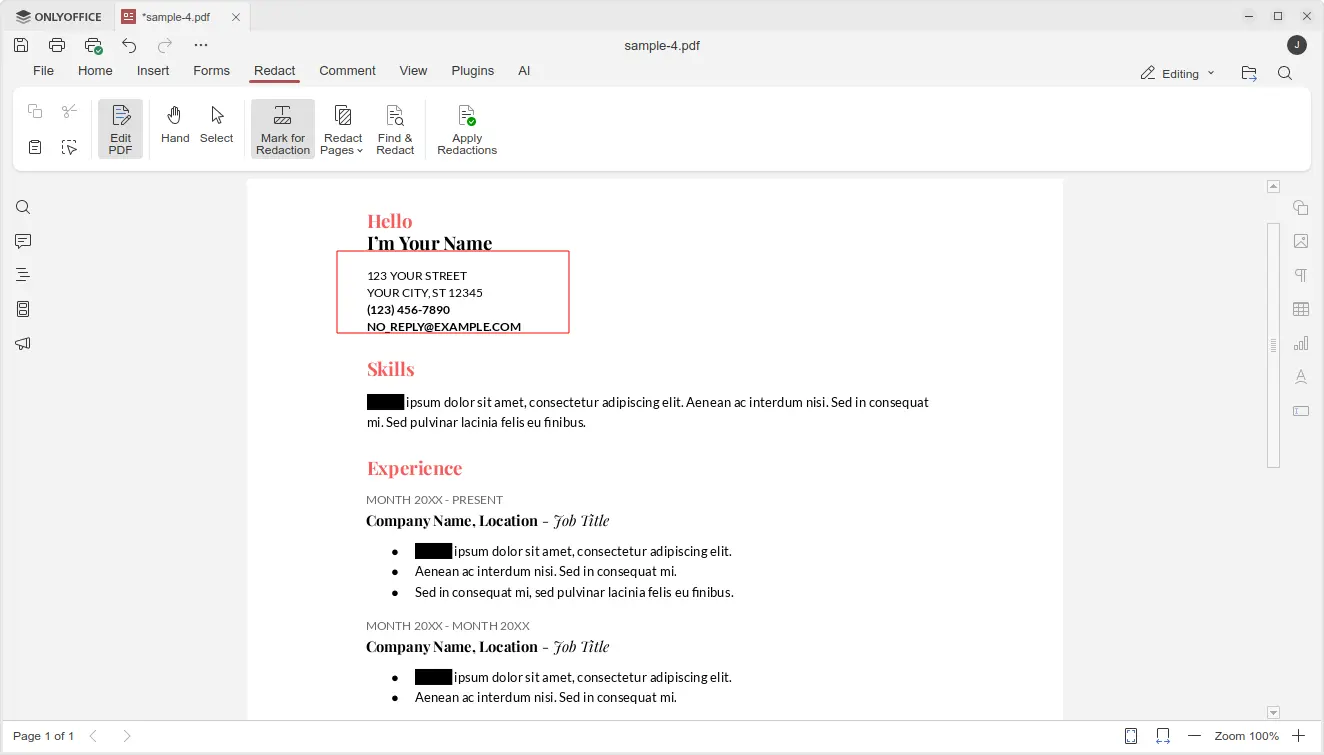
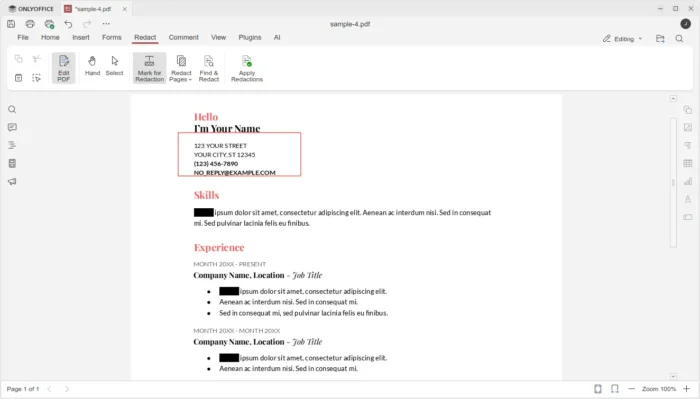
First, in PDF editing mode, it introduced new Redact feature, allowing to hide sensitive or confidential information.
The Redact tab includes “Mark for Redaction”, “Redact Pages”, and “Find & Redact” options, allowing user to select rectangle area in PDF content, choose PDF pages, or find all matched keywords, then use “Apply Redactions” option to hide them.
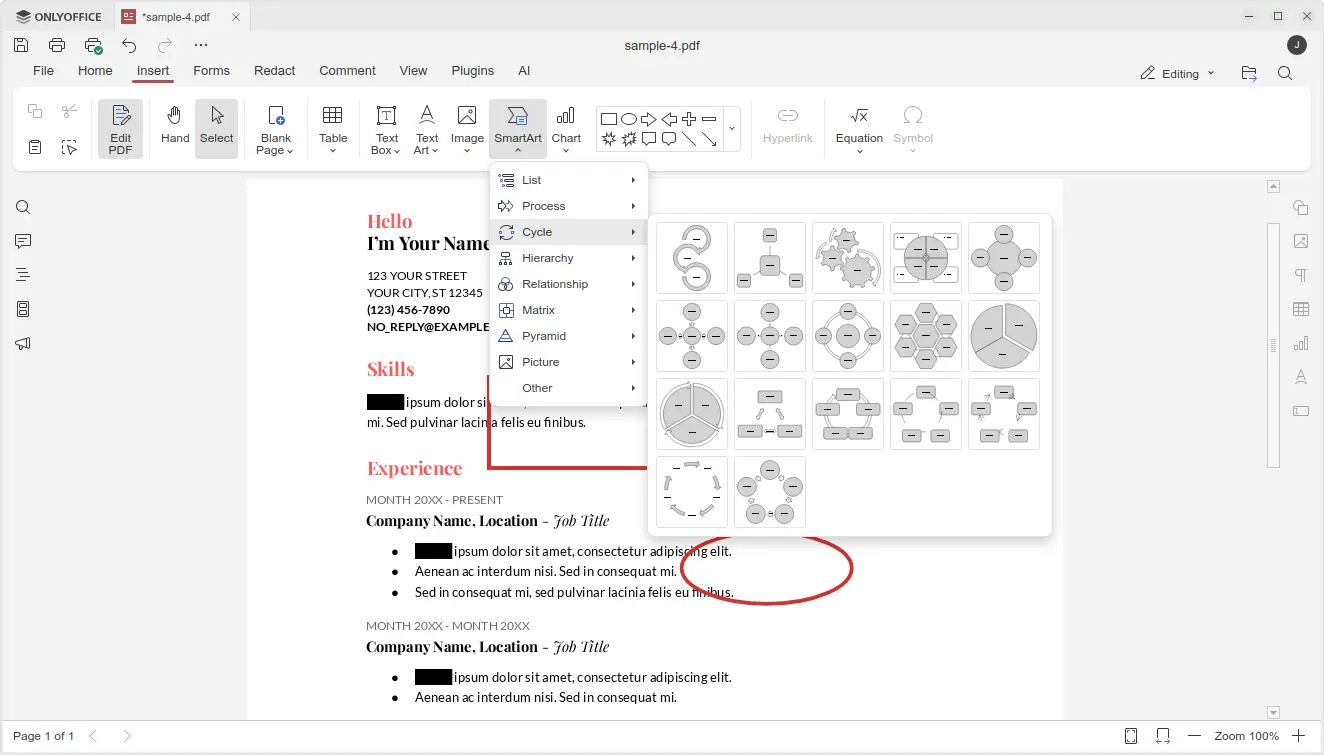
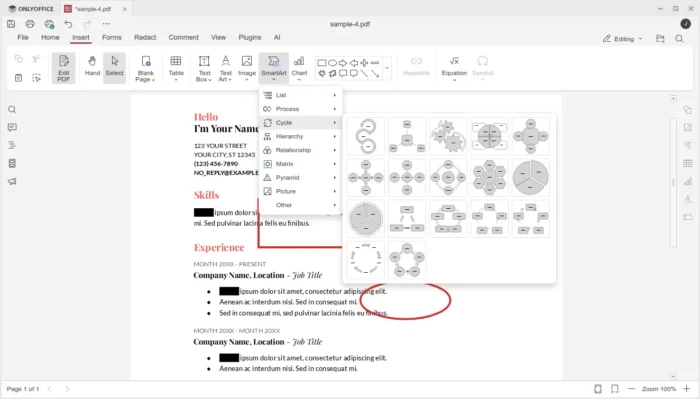
In “Comment” tab, there are new annotation tools added, allowing to draw rectangle, circle, arrow, and connected lines on your PDF, with custom color and size.
And in “Insert” tab, it added new SmartArt and Chart option, allowing to insert many new objects into your PDF.
The Spreadsheet editor now provides updated LOOKUP, VLOOKUP, HLOOKUP and XLOOKUP formulas that now deliver up to 4x faster exact and linear searches.
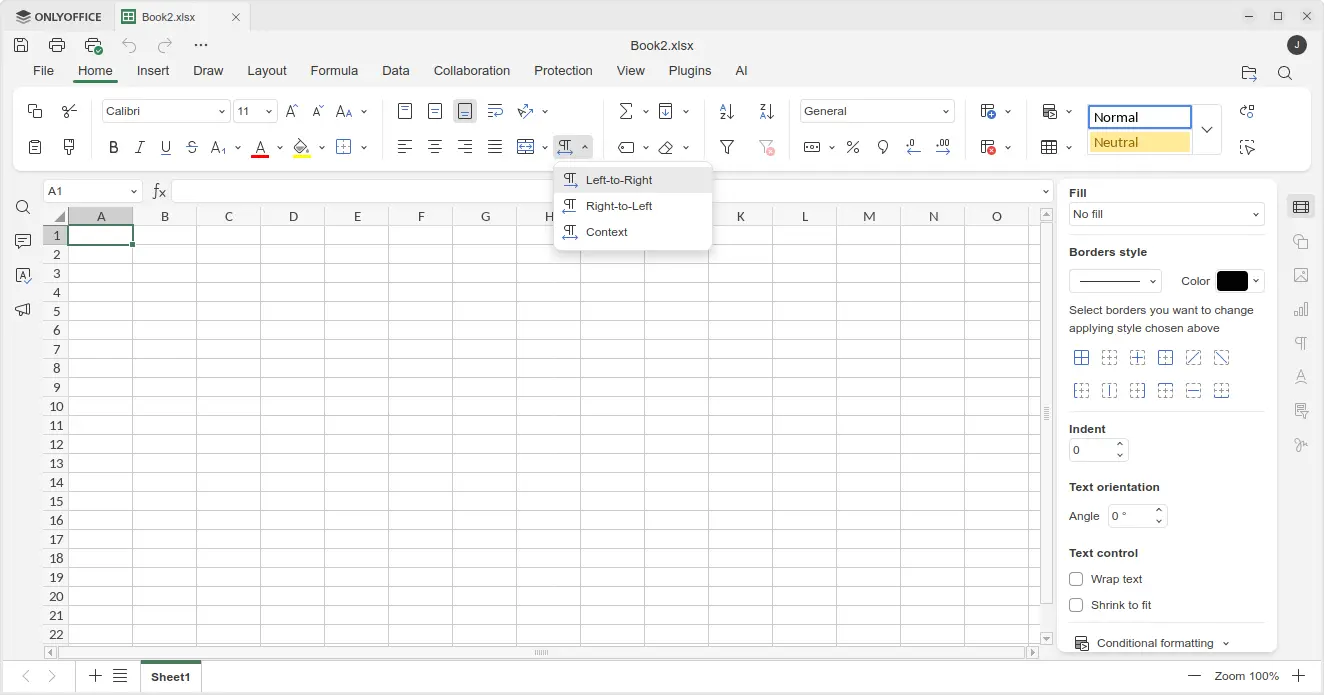
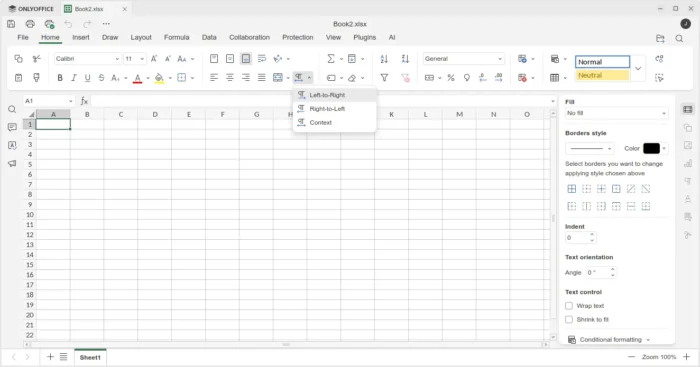
It also added support for date filters in pivot tables, dedicated “Table Design” tab with formatted table settings, and added Left-to-Right and Right-to-Left options in Home tab to easily switch text direction in cells.
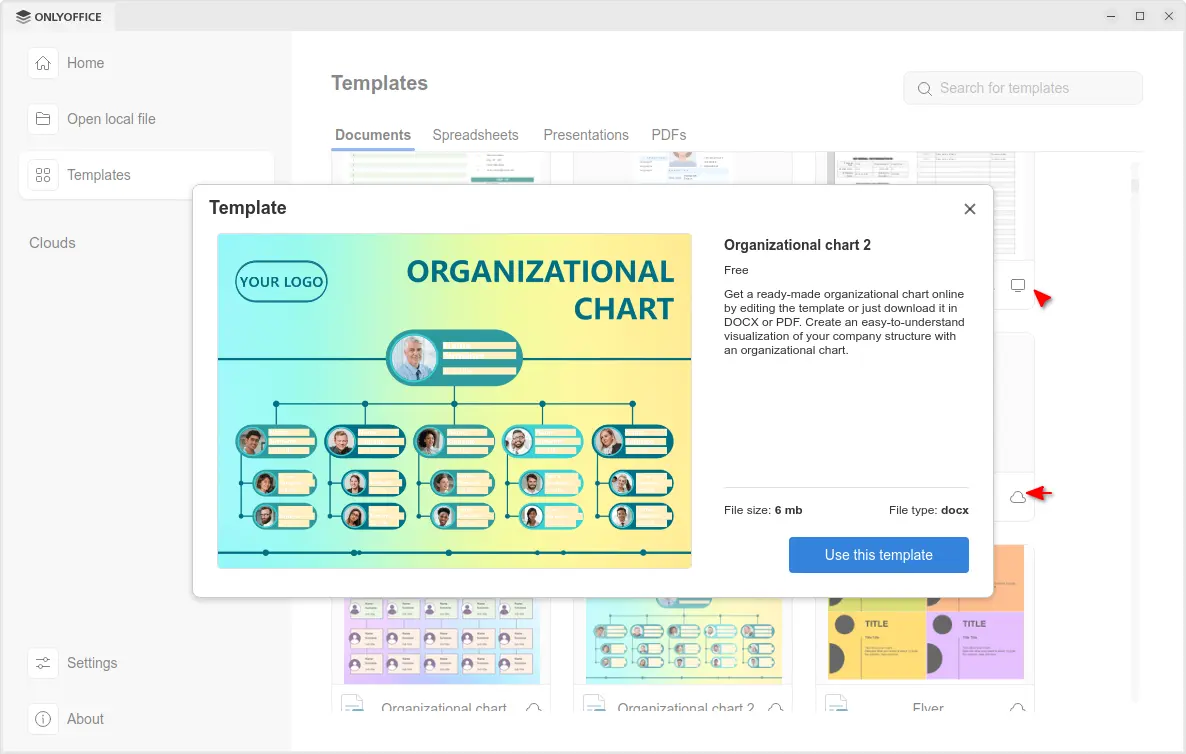
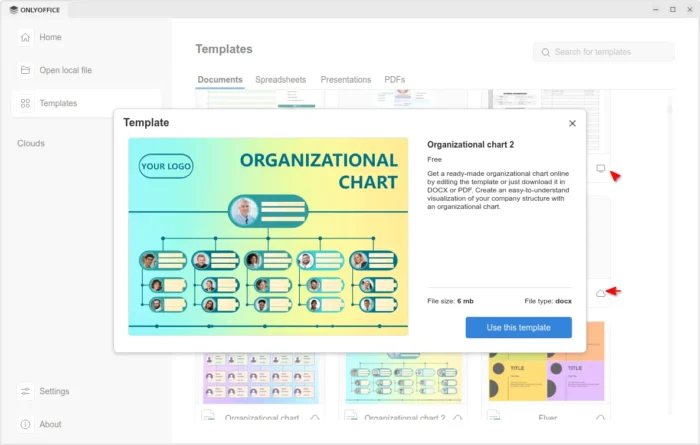
The release also improved the Templates support. It now includes many templates in local computer as well as tons of templates in cloud.
Clicking on a cloud template no longer open it directly in editor, instead it shows a popup with bigger preview with description as well as file type and size, making clearer whether it’s what you want before downloading it.
For Windows 10 and higher, it now displays the notifications about file associations and updates via system toast notifications instead of modal windows.
For macOS, it finally added the new options to insert audio and video files in Presentation, as well as built-in media player to play videos in your slides.
Other changes in the release include:
- Add HEIF images and HWPML documents support.
- Support direct PDF to TXT and PPTX to TXT conversion.
- Full-featured chart editor in documents and presentations.
- Add Spelling language detection toggle for macOS.
- Add explosion support for 2D pie and doughnut charts;
For more about OnlyOffice Desktop Editors 9.1, see the official announcement.
Get OnlyOffice Desktop Editors 9.1
For Ubuntu user, the office suite is easy to install by using App Center (or Snap Store). It’s Snap package that runs in sandbox environment. And, at the moment of writing, it’s still at version 9.0.x.
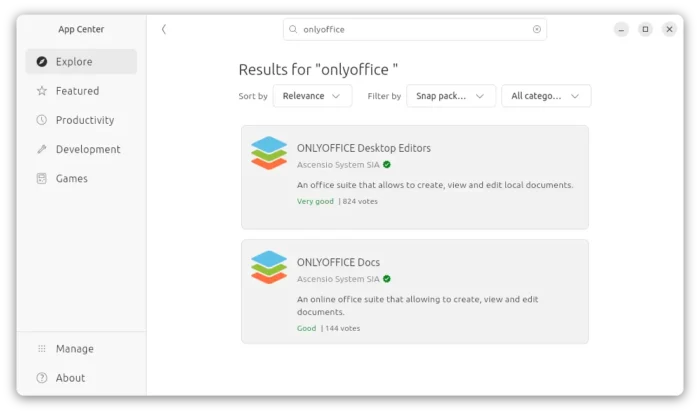
OnlyOffice in App Center
For choice you may download the app package for Windows, Linux, and macOS from its website. Where Ubuntu user may choose Download DEB, then click open with App Center to install.

 Login
Login
 ONLYOFFICE 9.2 is out. The free, open-source office suite now includes a built-in AI Agent for document generation, content analysis, and more. Feature details inside.