
❌

Normal view

Ubuntu Announced the 25.04 to 25.10 Upgrade Channel

By:Ji m
31 October 2025 at 19:50

After 3 weeks of the release date, Ubuntu finally opened the channel for upgrading from Ubuntu 25.04 to Ubuntu 25.10.

Ubuntu 25.10, code-name Questing Quokka, is the latest version that was released on October 9th. It features 9 month support until July 2026, Linux Kernel 6.17, GNOME Desktop 49, new Rust-based core utilities, new Ptyxis terminal emulator, and Loupe image viewer.

It as well removed the classic Xorg session and dropped β€œStartup Applications” tool. See Ubuntu 25.10 release note for more details.
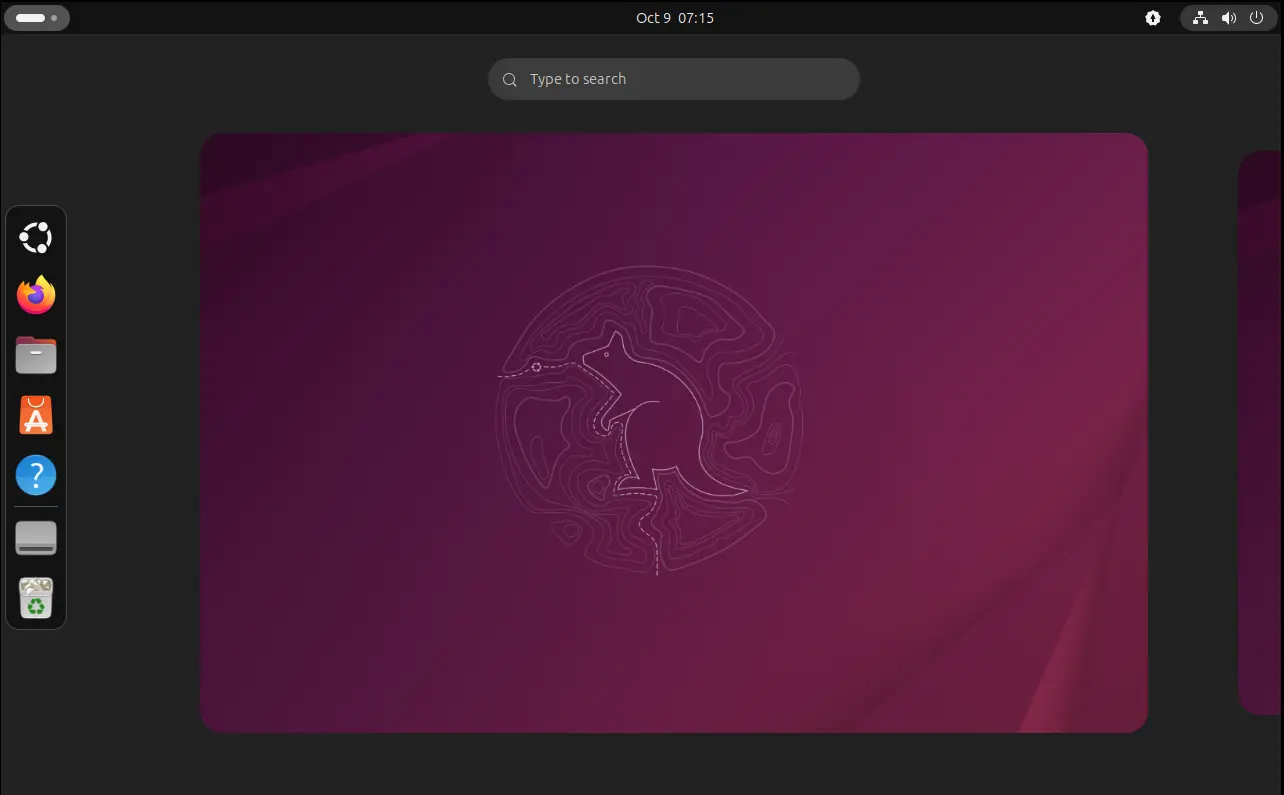
Just one day ago, Ubuntu finally announced the upgrade channel for 25.04, while Ubuntu 24.04 may also upgrade to 25.04, then to 25.10.

We’re happy to announce that the upgrades to Ubuntu 25.10 (Questing Quokka) are now live!

This cycle also marks the arrival of amd64v3 as an architecture variant β€” shiny, fast, and ready for testing. If you haven’t already, I’d encourage reading the Discourse post for the full story:

https://discourse.ubuntu.com/t/introducing-architecture-variants-amd64v3-now-available-in-ubuntu-25-10/71312

Happy upgrading, and may your Quokka quest be bug-free!

Before getting started

Ubuntu 25.04 support will end in January 2026. If you decide to upgrade to Ubuntu 25.10, then it’s better to do following steps before getting started:

  • Backup, backup, backup! Backup your important data before upgrading to 25.10, as the process might fail due to unknown bugs or potential interruption.
  • Backup the data of Xorg only applications, as 25.10 dropped Gnome on Xorg, unless you use other desktop environments (e.g., XFCE4, MATE) or switch to XUbuntu, Ubuntu MATE, etc flavors.
  • (optional) Uninstall unused apps, which can speed up the upgrade process by downloading less packages.
  • For laptops, connect to power supply in case of running out of battery.

Upgrade from 25.04 to 25.10

Ubuntu 25.04 now should automatically pop-up a dialog saying that Ubuntu 25.10 upgrade is available, with buttons to accept or refuse.

If you miss that dialog, then do following steps to manually start the upgrading process.

1. First launch Software & Updates, under β€œUpdates” tab, make sure you set notify for any new Ubuntu version.

For Ubuntu server, edit /etc/update-manager/release-upgrades instead and set Prompt=normal

2. Next, launch Software Updater and install all the available updates. And, restart your computer if it asks.

For server with GUI, run the command below instead:

sudo apt update && sudo apt full-upgrade

3. Finally, either launch Software Updater again and click the β€œUpgrade” button.

Or, run the command below to start the upgrade process from terminal:

do-release-upgrade

then follow the wizard or terminal output to upgrade your Ubuntu.

NOTE: Don’t go far away from your computer. It will ask few questions during the upgrade process, e.g., whether to keep obsolete packages or not. And, when everything’s done well, it will ask you restart computer to complete.

Bazzite Fall Update Arrives with Fedora 43, Handheld Expansions, and Nvidia LTS Support

31 October 2025 at 15:13

The Bazzite Fall Update has officially landed, bringing the Fedora-based gaming image up to Fedora 43. The release introduces expanded handheld device support, renewed Nvidia compatibility, and updated desktop environments, making this one of the most comprehensive refreshes for Linux gamers this year. Bazzite’s latest build focuses on real-world performance, hardware coverage, and long-term reliability. […]

The post Bazzite Fall Update Arrives with Fedora 43, Handheld Expansions, and Nvidia LTS Support appeared first on UbuntuPIT.

How to Install GNOME 46 on Linux Mint 22.x

31 October 2025 at 23:38

If you’re runningΒ Linux Mint 22.x (β€œXia”)Β and want to experience the modern GNOME 46 desktop environment instead of the default Cinnamon, you’re in the right place. Since Mint 22 is built on Ubuntu 24.04 LTS (Noble Numbat), you’ve got direct access to GNOME 46 β€” the latest stable release that brings significant performance improvements and a […]

The post How to Install GNOME 46 on Linux Mint 22.x appeared first on LinuxShout.

Linux Troubleshooting: These 4 Steps Will Fix 99% of Errors

31 October 2025 at 22:11
Linux Troubleshooting: These 4 Steps Will Fix 99% of Errors

I’ll admit, I hesitated a bit before writing this post. The whole point of this linuxblog.io and linuxcommunity.io forum is to bring together like-minded Linux users and professionals so we can troubleshoot, share ideas, and learn from one another.

Continue reading...

Shotcut 25.10 Video Editor Released with Screen Recording, Typewriter Text Effect

1 November 2025 at 09:05

Shotcut 25.10

Shotcut 25.10 open-source video editor is now available for download with screen recording. Typewriter text effect, and more. Here’s what’s new!

The post Shotcut 25.10 Video Editor Released with Screen Recording, Typewriter Text Effect appeared first on 9to5Linux - do not reproduce this article without permission. This RSS feed is intended for readers, not scrapers.

Kodi 22 β€œPiers” Gets HEIF/HEIC and FFmpeg 8 Support, Alpha 2 Out Now

1 November 2025 at 03:05

Kodi 22 alpha 2

Kodi 22 "Piers" has a new alpha version available for testing with HEIF/HEIC support, FFmpeg 8 support, and other changes. Here's what's new!

The post Kodi 22 β€œPiers” Gets HEIF/HEIC and FFmpeg 8 Support, Alpha 2 Out Now appeared first on 9to5Linux - do not reproduce this article without permission. This RSS feed is intended for readers, not scrapers.

Kodi 21.3 Improves Blu-Ray Playback on Linux, Adds HDR Support on Xbox One

1 November 2025 at 01:52

Kodi 21.3

Kodi 21.3 open-source media center and home theater software is now available for download with improved Blu-ray playback on Linux, HDR support on Xbox One, and other changes.

The post Kodi 21.3 Improves Blu-Ray Playback on Linux, Adds HDR Support on Xbox One appeared first on 9to5Linux - do not reproduce this article without permission. This RSS feed is intended for readers, not scrapers.

AerynOS 2025.10 Released with GNOME 49.1, KDE Plasma 6.5, and GNU libstdc++

31 October 2025 at 22:10

AerynOS 2025.10

AerynOS 2025.10 Linux distribution is now available for download with the latest GNOME 49 desktop environment, Linux kernel 6.16, and more. Here’s what’s new!

The post AerynOS 2025.10 Released with GNOME 49.1, KDE Plasma 6.5, and GNU libstdc++ appeared first on 9to5Linux - do not reproduce this article without permission. This RSS feed is intended for readers, not scrapers.

Distribution Release: AerynOS 2025.10

31 October 2025 at 20:46
The DistroWatch news feed is brought to you by TUXEDO COMPUTERS. AerynOS is an independently-developed, rolling-release Linux distribution designed for general desktop use. The project has published a new snapshot, version 2025.10, which updates its three desktop environments (GNOME, COSMIC and Plasma). This snapshot also reverts the C++ library from LLVM to the GNU implementation. "The GNOME packaging team....

LibreOffice 25.2.7 Is Out as the Last Update in the Series, Upgrade to LibreOffice 25.8

30 October 2025 at 21:49

LibreOffice 25.2

LibreOffice 25.2.7 is now available for download as the last update in the LibreOffice 25.2 office suite series with 57 bug fixes. Users are now urged to update to LibreOffice 25.8.

The post LibreOffice 25.2.7 Is Out as the Last Update in the Series, Upgrade to LibreOffice 25.8 appeared first on 9to5Linux - do not reproduce this article without permission. This RSS feed is intended for readers, not scrapers.

Qt Creator 18 Open-Source IDE Released with Experimental Container Support

30 October 2025 at 19:24

Qt Creator 18

Qt Creator 18 open-source IDE (Integrated Development Environment) is now available for download with various improvements. Here’s what’s new!

The post Qt Creator 18 Open-Source IDE Released with Experimental Container Support appeared first on 9to5Linux - do not reproduce this article without permission. This RSS feed is intended for readers, not scrapers.

Ubuntu 25.04 Users Can Now Upgrade to Ubuntu 25.10, Here’s How

29 October 2025 at 22:09

Ubuntu 25.10 Upgrade

A step-by-step and easy-to-follow tutorial (with screenshots) on how to upgrade your Ubuntu 25.04 installations to Ubuntu 25.10.

The post Ubuntu 25.04 Users Can Now Upgrade to Ubuntu 25.10, Here’s How appeared first on 9to5Linux - do not reproduce this article without permission. This RSS feed is intended for readers, not scrapers.

❌