❌

Normal view

Arch Linux’s November 2025 ISO and Archinstall 3.0.12 Installer Are Out Now

1 November 2025 at 21:11

Archinstall 3.0.12

Arch Linux 2025.11.01 is now available for download as the November 2025 ISO snapshot, along with the Archinstall 3.0.12 menu-based installer.

The post Arch Linux’s November 2025 ISO and Archinstall 3.0.12 Installer Are Out Now appeared first on 9to5Linux - do not reproduce this article without permission. This RSS feed is intended for readers, not scrapers.

Distribution Release: NebiOS 10.0

1 November 2025 at 22:44
The DistroWatch news feed is brought to you by TUXEDO COMPUTERS. NebiSoft has announced the release of NebiOS 10.0, a major new version of the project's general-purpose, Ubuntu-based desktop Linux distribution with a custom-built NebiOS Wayland compositor and various user interface enhancements. "NebiOS X 10.0 is the final release following RC4 and delivering a more stable NebiDE Wayland environment,....

Colourful Spotify Controller (+ More) for GNOME Shell

31 October 2025 at 07:58

Spotify logo with muscle notes around it.Control Spotify playback from top bar in Ubuntu using gSpotify, a slick GNOME extension that even changes colour based on the playing track's artwork.

You're reading Colourful Spotify Controller (+ More) for GNOME Shell, a blog post from OMG! Ubuntu. Do not reproduce elsewhere without permission.

πŸ’Ύ

Shotcut 25.10 added Text to Speech & Image/Video from HTML Support

By:Ji m
2 November 2025 at 01:11

After 2 months of development, the Shotcut video editor released new 25.10 version yesterday.

The new release of this free open-source Qt and MLT based video editor introduced new option to generate image or video from HTML, Text to Speech, and some other exciting new features.

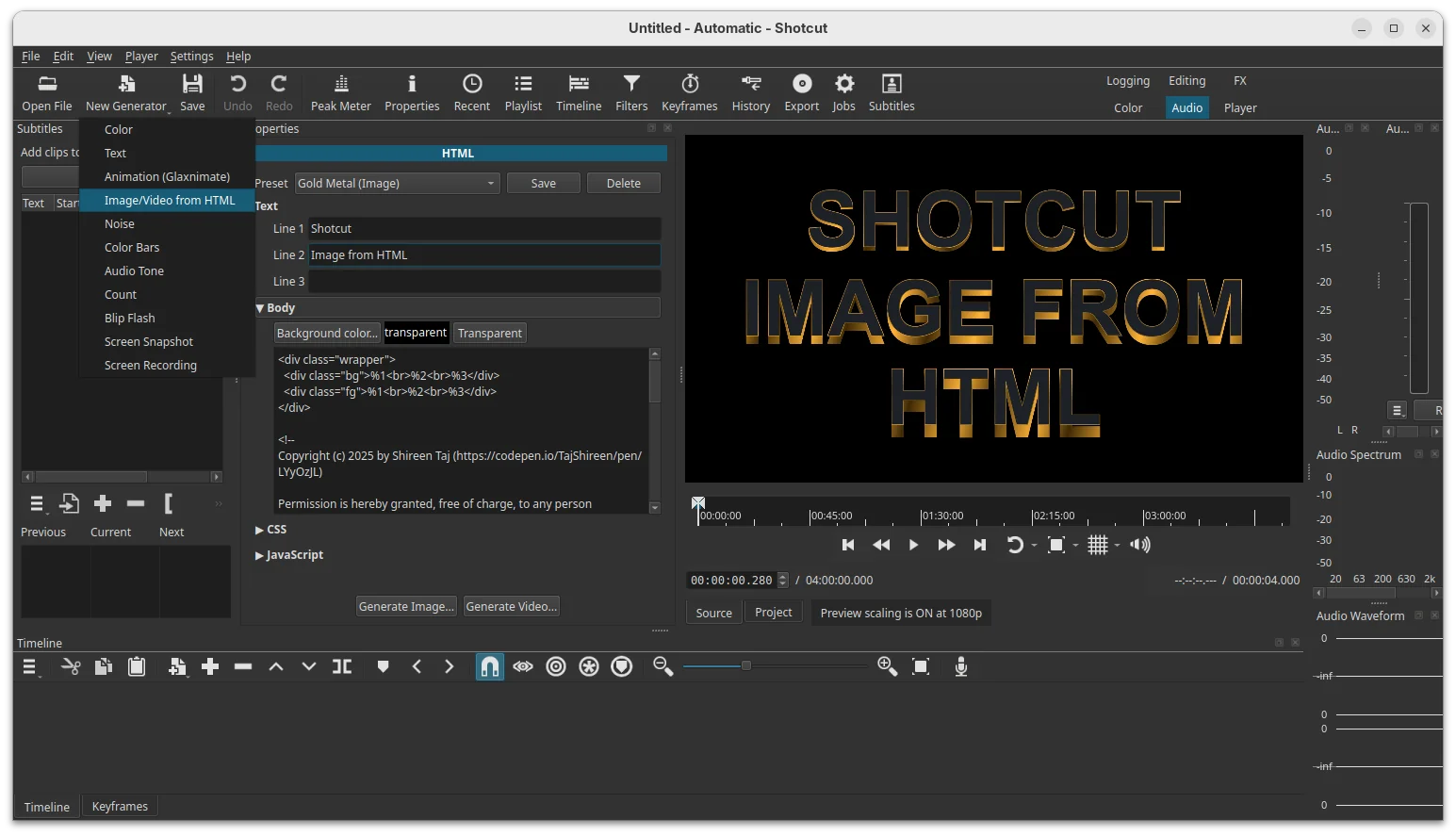
Under File -> New or New Generator menu, there’s a new Image/Video from HTML option, that can generate image or video through custom HTML code, with transparent background by default, though the video is limited to 15 frame-per-second for performance reasons.

The feature depends on Google Chrome or Chromium web browser. You need to specify path to the executable of either browser first time you launch the option.

It offers some presets that also demonstrate a template with up to 3 lines of text. And, it automatically opens the generated image or video in the Source viewer so that you can preview and revise it if need. However, there’s neither preprocessors nor WebGL or embedded video support.

In addition, the release added New -> Screen Snapshot and Screen Recording options to generate image or video from your screen. And, the recording so far can be only ended by selecting β€œStop This Job” from context menu of the job.

Shotcut 25.10 also added Text to Speech support to Notes and Subtitles. The quality with subtitles is heavily dependent upon the timing and duration of each item. And, it requires installing a docker image which takes 13.2 GB space in my case in Ubuntu.

Text to Speech needs installing a docker image as plugin

The release also introduced new Text: Typewriter video filter, that can insert text to your video clip and display them line by line, word by word, or character by character with typing cursor animation.

Other changes in the release include:

  • Add Typewriter option to β€œNew Generator -> Text” dialog.
  • Add β€œOpen with” and β€œReload” buttons to properties.
  • Upgrade to FFmpeg 8.0.
  • Raise minimum glibc requirement to version 2.35 (Ubuntu 22.04 and higher).

Get Shotcut 25.10

The official release note and installer packages for Linux, Windows, macOS are available to download in Github releases page. Along with the source tarball they are available via the link below:

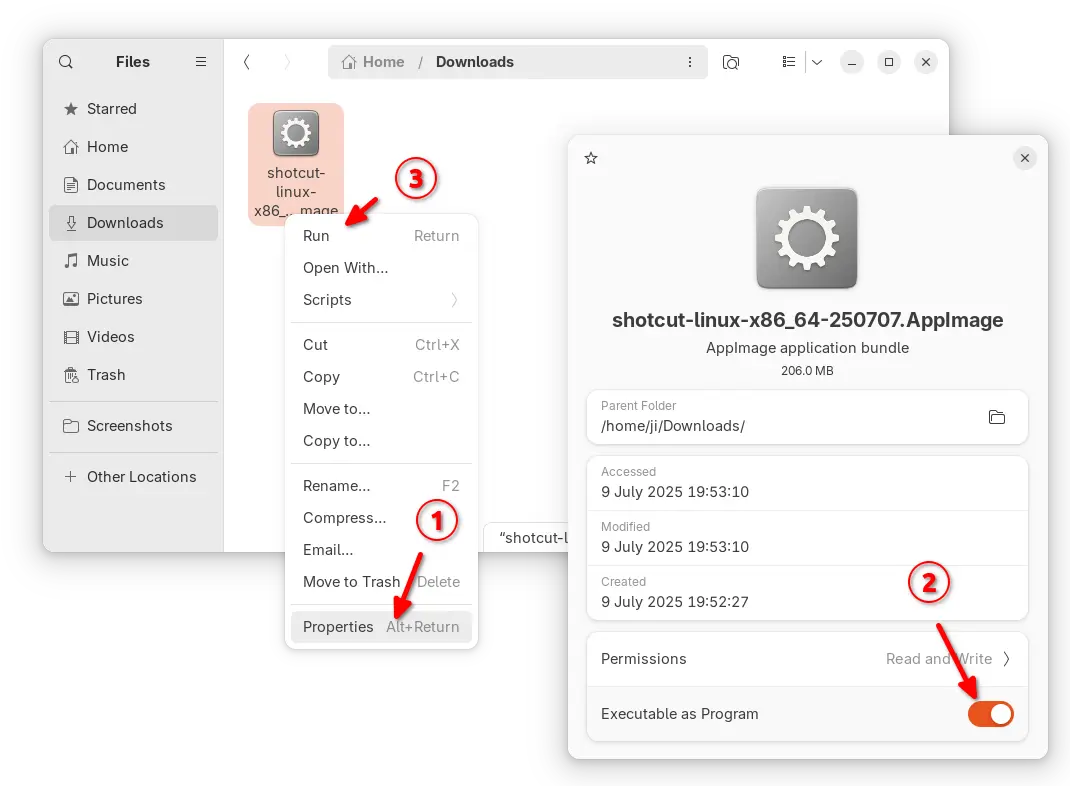
For Linux, either download the AppImage (for Intel/AMD). Then add executable permission from its Properties dialog, and click Run the package to launch the video editor.

NOTE: Ubuntu since 22.04 does NOT support AppImage out-of-the-box. Press Ctrl+Alt+T to open terminal and run command to install the required library first:

sudo apt install libfuse2

Or, download the Linux tarball β€œshotcut-linux-x86_64-25.10.31.txzβ€œ, extract and run the executable file to launch the video editor, though you need to manually set the run-time libraries environment variable.

For choice, there are also official Flatpak package in flathub.org, which also support ARM64 platform, and snap package in App Center (or Ubuntu Software), though both run in sandbox environment!

Ubuntu Announced the 25.04 to 25.10 Upgrade Channel

By:Ji m
31 October 2025 at 19:50

After 3 weeks of the release date, Ubuntu finally opened the channel for upgrading from Ubuntu 25.04 to Ubuntu 25.10.

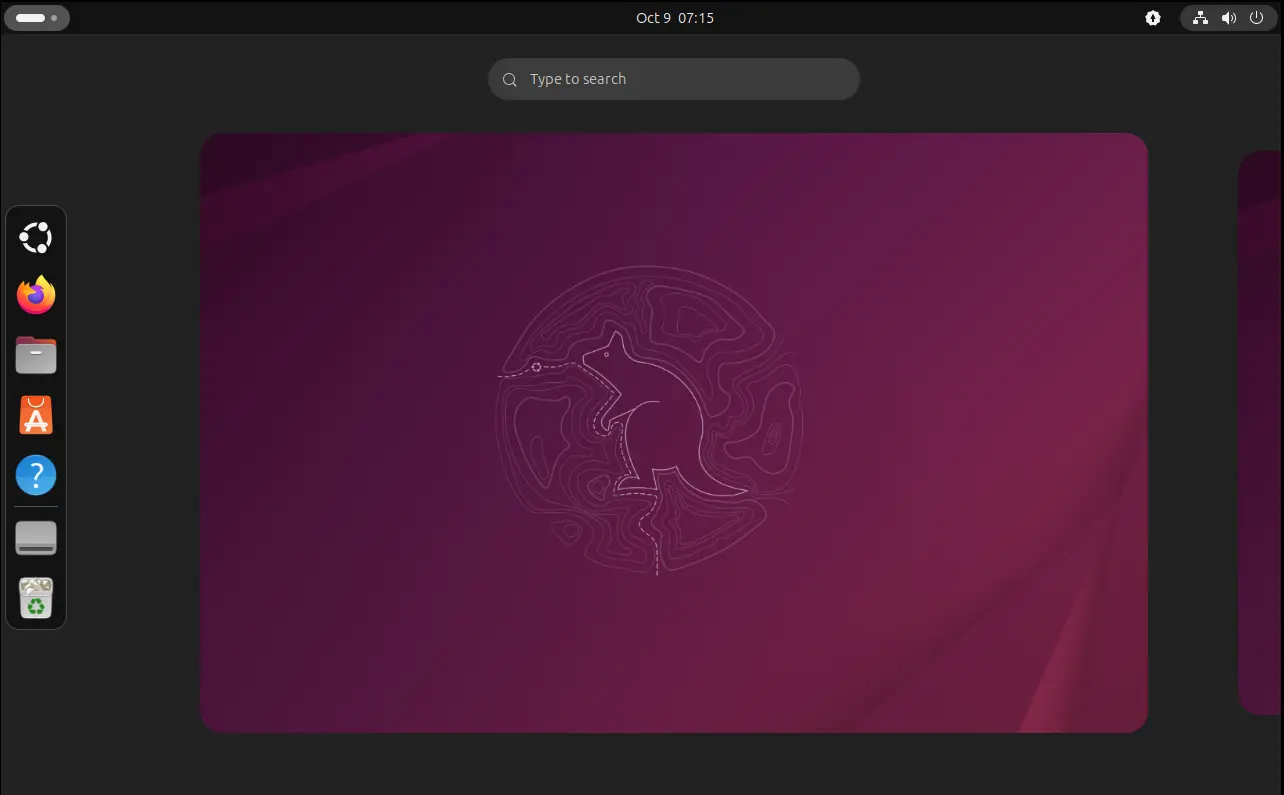
Ubuntu 25.10, code-name Questing Quokka, is the latest version that was released on October 9th. It features 9 month support until July 2026, Linux Kernel 6.17, GNOME Desktop 49, new Rust-based core utilities, new Ptyxis terminal emulator, and Loupe image viewer.

It as well removed the classic Xorg session and dropped β€œStartup Applications” tool. See Ubuntu 25.10 release note for more details.

Just one day ago, Ubuntu finally announced the upgrade channel for 25.04, while Ubuntu 24.04 may also upgrade to 25.04, then to 25.10.

We’re happy to announce that the upgrades to Ubuntu 25.10 (Questing Quokka) are now live!

This cycle also marks the arrival of amd64v3 as an architecture variant β€” shiny, fast, and ready for testing. If you haven’t already, I’d encourage reading the Discourse post for the full story:

https://discourse.ubuntu.com/t/introducing-architecture-variants-amd64v3-now-available-in-ubuntu-25-10/71312

Happy upgrading, and may your Quokka quest be bug-free!

Before getting started

Ubuntu 25.04 support will end in January 2026. If you decide to upgrade to Ubuntu 25.10, then it’s better to do following steps before getting started:

  • Backup, backup, backup! Backup your important data before upgrading to 25.10, as the process might fail due to unknown bugs or potential interruption.
  • Backup the data of Xorg only applications, as 25.10 dropped Gnome on Xorg, unless you use other desktop environments (e.g., XFCE4, MATE) or switch to XUbuntu, Ubuntu MATE, etc flavors.
  • (optional) Uninstall unused apps, which can speed up the upgrade process by downloading less packages.
  • For laptops, connect to power supply in case of running out of battery.

Upgrade from 25.04 to 25.10

Ubuntu 25.04 now should automatically pop-up a dialog saying that Ubuntu 25.10 upgrade is available, with buttons to accept or refuse.

If you miss that dialog, then do following steps to manually start the upgrading process.

1. First launch Software & Updates, under β€œUpdates” tab, make sure you set notify for any new Ubuntu version.

For Ubuntu server, edit /etc/update-manager/release-upgrades instead and set Prompt=normal

2. Next, launch Software Updater and install all the available updates. And, restart your computer if it asks.

For server with GUI, run the command below instead:

sudo apt update && sudo apt full-upgrade

3. Finally, either launch Software Updater again and click the β€œUpgrade” button.

Or, run the command below to start the upgrade process from terminal:

do-release-upgrade

then follow the wizard or terminal output to upgrade your Ubuntu.

NOTE: Don’t go far away from your computer. It will ask few questions during the upgrade process, e.g., whether to keep obsolete packages or not. And, when everything’s done well, it will ask you restart computer to complete.

Bazzite Fall Update Arrives with Fedora 43, Handheld Expansions, and Nvidia LTS Support

31 October 2025 at 15:13

The Bazzite Fall Update has officially landed, bringing the Fedora-based gaming image up to Fedora 43. The release introduces expanded handheld device support, renewed Nvidia compatibility, and updated desktop environments, making this one of the most comprehensive refreshes for Linux gamers this year. Bazzite’s latest build focuses on real-world performance, hardware coverage, and long-term reliability. […]

The post Bazzite Fall Update Arrives with Fedora 43, Handheld Expansions, and Nvidia LTS Support appeared first on UbuntuPIT.

How to Install GNOME 46 on Linux Mint 22.x

31 October 2025 at 23:38

If you’re runningΒ Linux Mint 22.x (β€œXia”)Β and want to experience the modern GNOME 46 desktop environment instead of the default Cinnamon, you’re in the right place. Since Mint 22 is built on Ubuntu 24.04 LTS (Noble Numbat), you’ve got direct access to GNOME 46 β€” the latest stable release that brings significant performance improvements and a […]

The post How to Install GNOME 46 on Linux Mint 22.x appeared first on LinuxShout.

Linux Troubleshooting: These 4 Steps Will Fix 99% of Errors

31 October 2025 at 22:11
Linux Troubleshooting: These 4 Steps Will Fix 99% of Errors

I’ll admit, I hesitated a bit before writing this post. The whole point of this linuxblog.io and linuxcommunity.io forum is to bring together like-minded Linux users and professionals so we can troubleshoot, share ideas, and learn from one another.

Continue reading...

Shotcut 25.10 Video Editor Released with Screen Recording, Typewriter Text Effect

1 November 2025 at 09:05

Shotcut 25.10

Shotcut 25.10 open-source video editor is now available for download with screen recording. Typewriter text effect, and more. Here’s what’s new!

The post Shotcut 25.10 Video Editor Released with Screen Recording, Typewriter Text Effect appeared first on 9to5Linux - do not reproduce this article without permission. This RSS feed is intended for readers, not scrapers.

❌