Normal view

Received yesterday — 19 December 2025

3 HyperOS lock screen setups to make your Xiaomi devices feel high end

19 December 2025 at 12:45

Xiaomi HyperOS has also broadened lock screen customization to a much larger extent than before. It is no longer restricted to simple wallpaper. The styles are layered and magazine-like. These offer depth effects, dynamic text handling, and intelligent object identification. If one uses a Xiaomi smartphone with HyperOS, they will notice that their lock screen is now a tangible part of the operating system and not merely a still image. In this article, We will elaborate on three HyperOS lock screen styles that are remarkable for their blending of aesthetics and technical talent.

Importance of HyperOS Lock Screen Styles

The lock screen for HyperOS is meant to make effective and efficient use of AMOLED display technology. Also, the company, namely Xiaomi, has some smart algorithms for creating a depth effect on background images, allowing the widget and clock to interact with a photograph.

These are not just aesthetics, as they also reflect Xiaomi’s attention to designing for a system level. Every design is scalable to screen size, resolution, and brightness, servicing all Xiaomi devices.

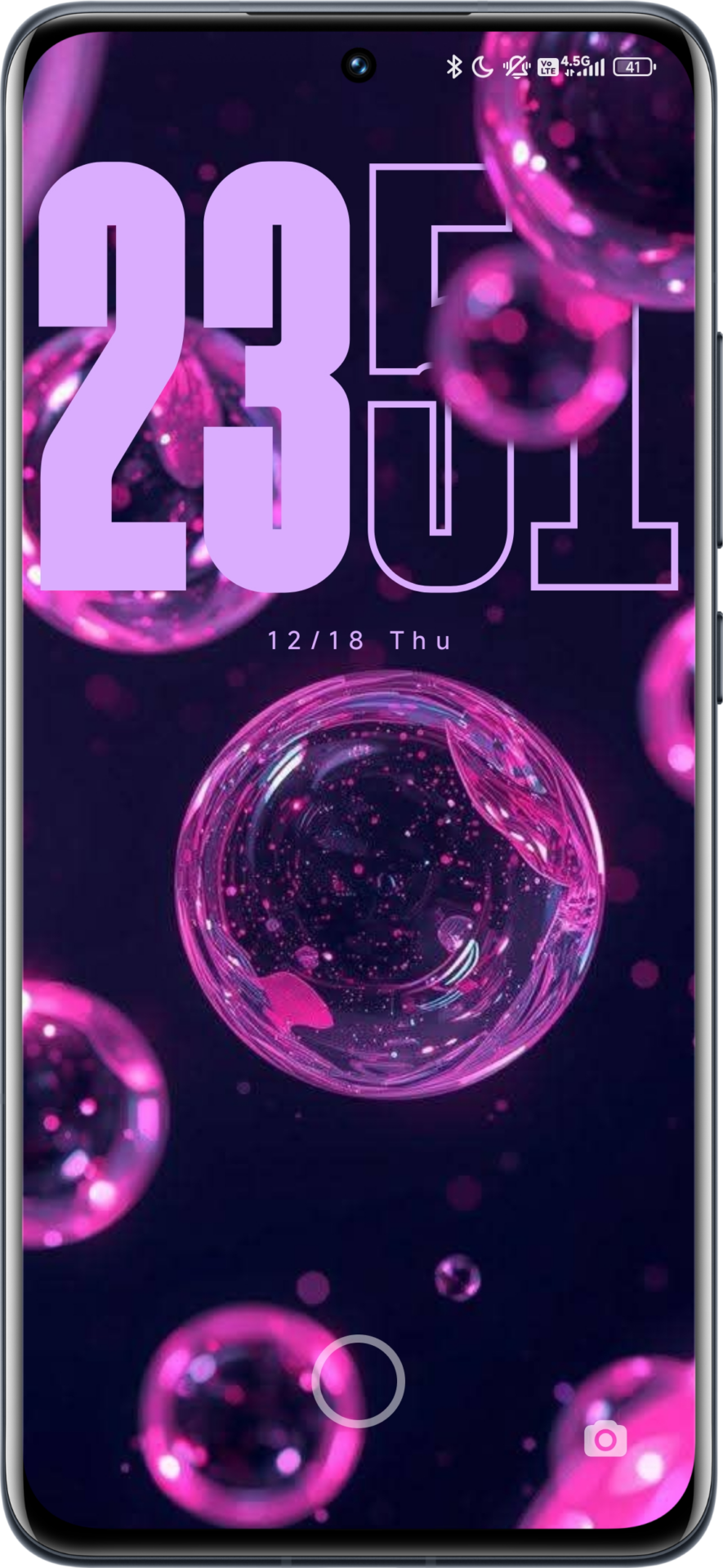
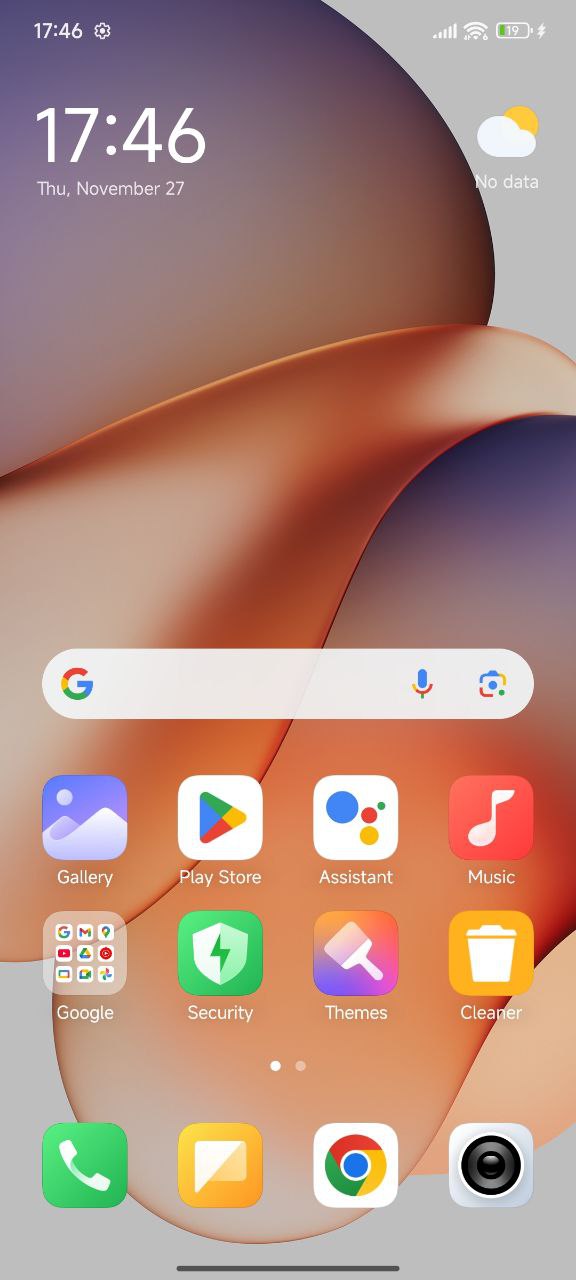
Style 1: Neon Bubbles and Depth Effect

The wallpaper comes with a dark background and abstract neon-colored bubbles, which improves the black brightness and color contrast of AMOLED screens. The clock features a bold font style, HyperOS, with a depth effect, which moves some components of the clock behind other elements displayed in the foreground. The clock features automatic color adaptation, featuring shades of purple that match the colors used in the wallpaper.

Key characteristics:

  • Contrast ratio for AMOLED displays
  • Strong depth separation
  • Clean and modern visual language
Neon Bubbless Lockscreen Neon Bubbless WALLPAPER

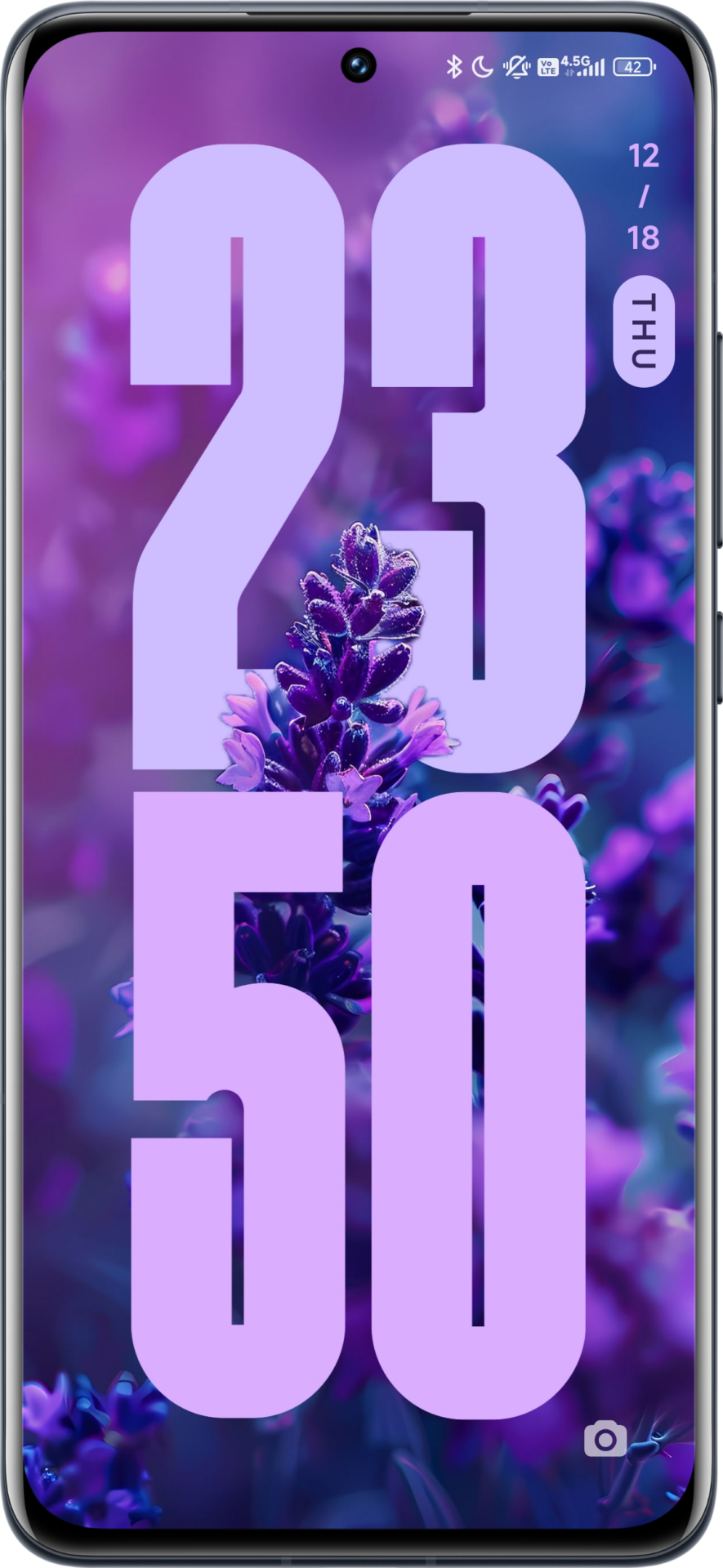
Style 2: Natural Macro with Vertical Layout

This design takes inspiration from editorial magazine covers.

A macro photograph of a lavender flower is paired with the vertical positioning of the clock. HyperOS has the capability to identify the flower stem and petals to overlap them on the clock. The vertical positioning of the time enables proper compositions and still keeps the center point blank. Less usage of colors eliminates the strain on the eyes to make this skin style usable.

Key characteristics: Vertical Clock Alignment

  • Vertical clock alignment
  • Advanced object detection
  • Soft, natural color balance
Nautral Macro Lockscreen Wallpaper Nautral Macro Lockscreen Wallpaper

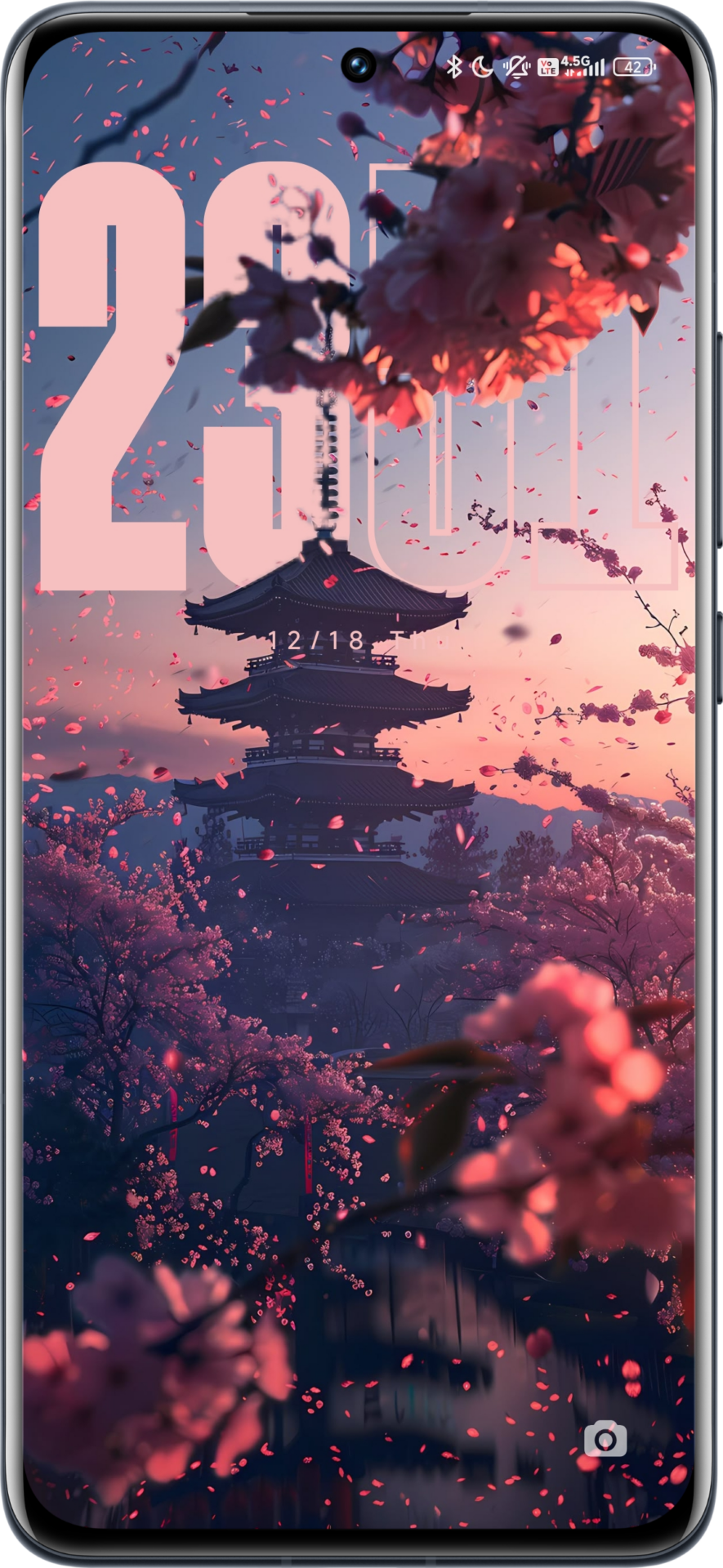
Style 3: East Asian Landscape with Outline Clock

This design combines traditional views with limited typography.

The background on the paper has a pagoda with East Asian cherry blossoms themes painted during sunset. Because the picture has a lot of details, HyperOS applies the use of an outline font on the clock instead of a fill font. This creates a better effect where the time will be visible without hiding the details. Transparency and white outlines are applied for the same effect. Key characteristics:

  • Outline clock design
  • Layered foreground elements
  • Balanced readability on complex images
East Asian Landscape East Asian Landscape

Final Tips for Xiaomi Users

The lock screen options for each style are also managed inside the framework and do not need any additional themes. Just need wallpapers. Xiaomi system applications pertaining to themes and customization can be updated using the site HyperOSUpdates.com, while the MemeOS Enhancer app on the Google Play Store enables the access to hidden features, system app updates, and more on Xiaomi.

What really kills Xiaomi phone battery life faster than you think

19 December 2025 at 06:45

Battery health has become a critical topic for active Xiaomi users in modern times, considering the trend of thin designs and extremely fast charging speeds, among others. This also extends to the wide ecosystem of devices from Xiaomi, Redmi, and POCO; poor battery health is a result of how well heat generation is contained, good charging behavior is observed, and chemical aging of cells occurs over a long period of time. These help a user understand how they can protect battery health while enjoying features such as HyperOS, HyperCharge, and high-refresh-rate screens.

Why Temperature Is the Fastest Killer for Xiaomi Phone’s Battery

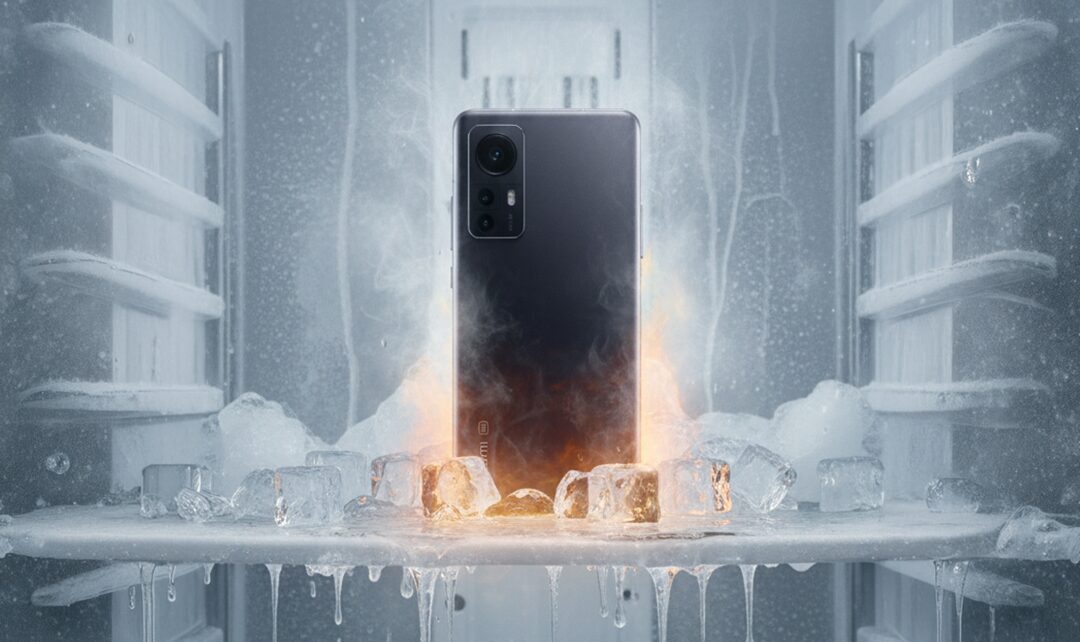
The most damaging factor for lithium-ion batteries used in Xiaomi smartphones is definitely heat. Higher temperatures chemically accelerate unwanted reactions inside the battery cell, thus reducing capacity. The ideal operating range for smartphone batteries is between 10°C and 35°C. Spending too much time above this range seriously diminishes battery lifespan.

Hot xiaomi 12 phone

One of the common sources of heat is heavy usage during charging. Gaming or resource-intensive application usage during charging creates a “dual load” scenario. The phone is charging and discharging simultaneously, heating it up internally and causing the battery to go through micro charge cycles repeatedly. This kind of behavior, over time, eats into the limited charge-cycle lifespan of a battery considerably faster than normal daily use.

Another underestimated heat source is high screen brightness. Using the phone outdoors at maximum brightness, especially on OLED panels with high peak luminance, raises overall device temperature. This heat slowly transfers to the battery, bringing long-term degradation even if it feels only warm to the touch.

Fast Charging and HyperCharge: Convenience vs Longevity

One major invention by Xiaomi is its HyperCharge technology, which comes in variants of 120W and even 210W, and manages to reduce charging time below 20 minutes. This system is based on advanced power management chips combined with dual-cell batteries and the use of improved cooling materials. According to official data, Xiaomi reports that these batteries retain a capacity of about 80% after hundreds of cycles.

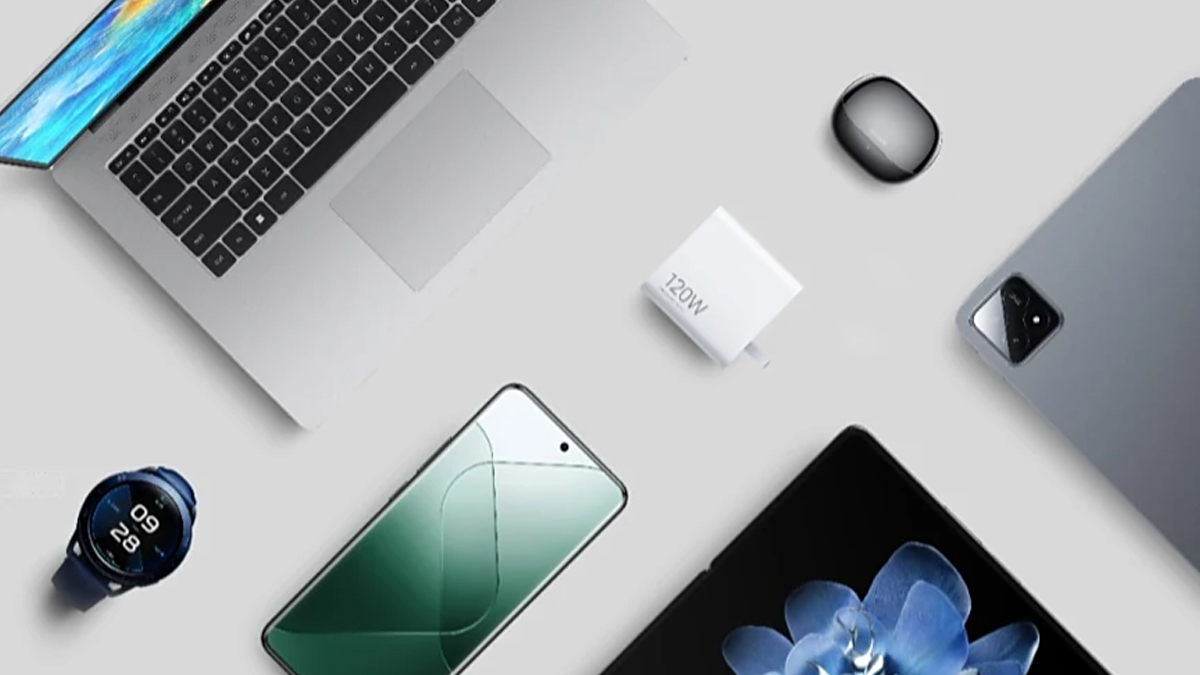
HyperCharge Ecosystem

However, frequent use of ultra-fast charging still puts higher electrical and thermal stress on the battery cells. The most intense stress occurs during the first half of charging, with the highest current and peak heat generation. While HyperOS intelligently slows down charging after around 80%, daily reliance on maximum charging speeds can slowly accelerate the battery aging process more quickly.

A balanced approach is favored by many expert users. Charging overnight occurs with slower chargers like 18W or 33W, while HyperCharge comes in for urgent situations. This approach decreases the total heat exposure and can let the battery health last longer.

Silicon-Carbon Batteries: Higher Capacity, New Challenges

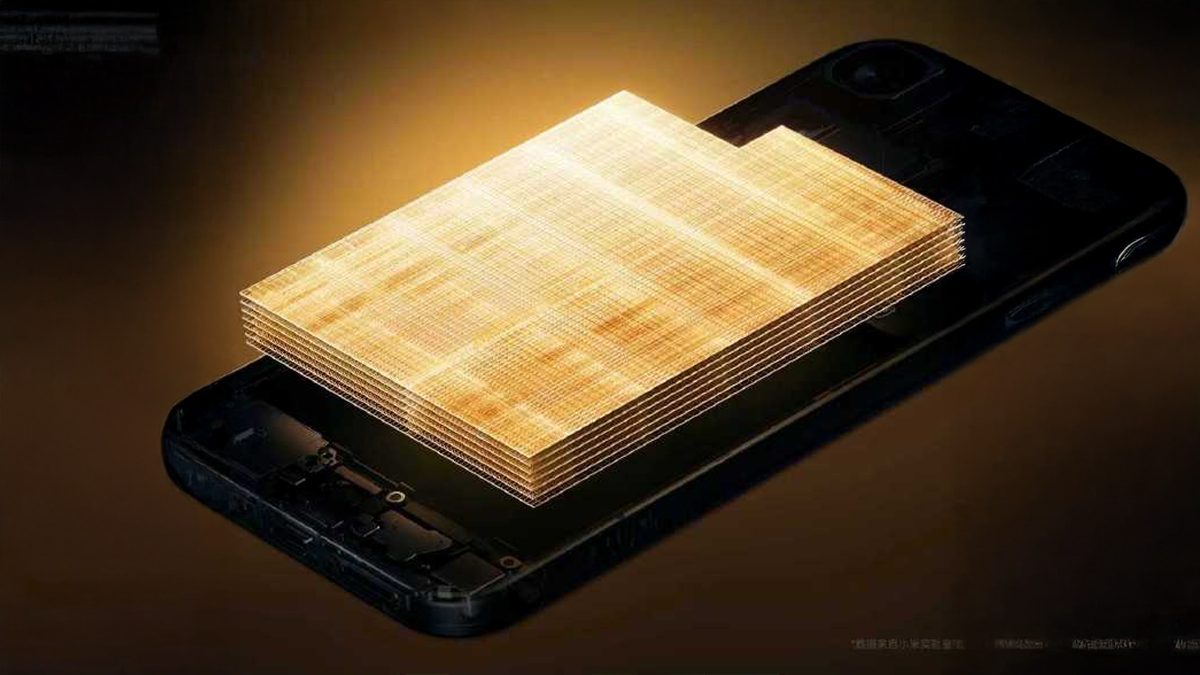
Newer Xiaomi phones, including recent flagships, are moving to silicon-carbon battery technology. In such a design, higher energy density is facilitated, thereby making room for larger battery capacities without needing to increase the thickness of the device. This is an absolute plus in terms of daily usage time; however, it creates new mechanical challenges.

Xiaomi 17 Pro Battery 1

Silicon expands much when storing lithium ions. Whereas conventional graphite anodes expand modestly, silicon can expand several times more. Xiaomi solves this by embedding silicon within a carbon structure, but some mechanical stress still accumulates over long-term use. This means that, even with careful usage, these batteries might show noticeable capacity loss after two or three years.

That does not mean the technology is unreliable; rather, temperature control, consistent charging habits, and avoiding physical stress like drops or extreme changes in temperature are important.

Software Factors: HyperOS and Background Power Use

Of course, battery life is a function not only of hardware but also of software behavior. In going from MIUI to HyperOS, Xiaomi implemented updated power management algorithms at the system level. Following major OS updates, it usually happens that users have felt battery drain increased; this has been normal and generally a consequence of background optimization processes such as app re-indexing and system compilation.

These processes take a few days to stabilize. In later stages, the intelligent app sleep feature and adaptive performance profiles make the HyperOS features not only control performance but also increase the efficiency in the long run. AI-based features might be power-consuming for the first few days but are designed in such a way that they optimize usage patterns with the passage of time.

Pre-installed system services are not an exception. Services running in the background constantly sync data or provide recommendations. Though normally lightweight, an excessive number of background activities increases overall energy consumption. Using HyperOS, it is easily possible to control permissions for background activity and to put a stop to superfluous action without influencing system stability.

Display, Connectivity, and Signal Stress

Higher refresh rate monitors, such as 120Hz or even above, show smoother visuals but force the GPU to work more often. It uses more power and heats up more while in sustained use. Adaptive refresh rate settings do mitigate the impact by reducing refresh rates with static content.

The case of connectivity is another factor. Forcing the modem to work harder when operating on 5G networks in areas of weak signal strength increases both power draw and heat output; switching to 4G can noticeably reduce battery drain and temperature.

How Xiaomi Protects Battery Health

Xiaomi has built-in a number of features to minimize the speed of battery degradation. Battery protection modes prevent charging beyond about 80%, thereby reducing voltage stress and prolonging overall cycle life. Smart charging learns user behavior and completes charging close to wake-up time, minimizing time spent at full charge.

This bypass charging is also supported on some gaming-oriented Xiaomi and POCO devices. Essentially, the power directly heads to the motherboard when one is gaming, completely bypassing the battery. This reduces heat build-up and conserves charge cycles.

This secret Xiaomi setting can double your battery life

These practices do not restrict daily use but minimize long-term chemical and thermal stresses on the battery significantly.

Based on technical analysis, excessive heat is the primary factor that shortens battery lifespan in Xiaomi phones. Charging under load, high ambient temperatures, and sustained high brightness contribute most to degradation. Frequent ultra-fast charging and deep discharge habits follow closely behind. Software-related drain is usually temporary and manageable through system optimization.

As Xiaomi continues to push innovation with higher charging speeds and new battery materials, user awareness becomes increasingly important. Balanced usage habits remain the most effective way to ensure stable battery performance over several years.

Received before yesterday

SQL Operators: 6 Different Types (w/ 45 Code Examples)

16 December 2025 at 19:31

SQL operators are the building blocks behind almost every SQL query you’ll ever write. Whether you’re filtering rows, comparing values, performing calculations, or matching text patterns, operators are what make your queries actually do something.

In this guide, we’ll break down six different types of SQL operators, explain what each one does, and walk through 45 practical code examples so you can see exactly how they work in real queries. The goal isn’t just to list operators. It’s to help you understand when and why to use them.

And because everyone learns differently, if reading examples isn’t your preferred learning style, you can also practice these concepts hands on with our interactive SQL courses, which let you run queries directly in your browser. Try them for free here.

Let’s start with the basics.

What are SQL operators?

A SQL operator is a symbol or keyword that tells the database to perform a specific operation. These operations can range from basic math, like addition and subtraction, to comparisons, logical conditions, and string matching.

You can think of SQL operators as the tools that control how data is compared, calculated, filtered, and combined inside a query.

In this article, we’ll cover six types of SQL operators: Arithmetic, Bitwise, Comparison, Compound, Logical, and String.

Arithmetic operators

Arithmetic operators are used for mathematical operations on numerical data, such as adding or subtracting.

+ (Addition)

The + symbol adds two numbers together.

SELECT 10 + 10;

- (Subtraction)

The - symbol subtracts one number from another.

SELECT 10 - 10;

* (Multiplication)

The * symbol multiples two numbers together.

SELECT 10 * 10;

/ (Division)

The / symbol divides one number by another.

SELECT 10 / 10;

% (Remainder/Modulus)

The % symbol (sometimes referred to as Modulus) returns the remainder of one number divided by another.

SELECT 10 % 10;

Bitwise operators

A bitwise operator performs bit manipulation between two expressions of the integer data type. Bitwise operators convert the integers into binary bits and then perform the AND (& symbol), OR (|, ^) or NOT (~) operation on each individual bit, before finally converting the binary result back into an integer.

Just a quick reminder: a binary number in computing is a number made up of 0s and 1s.

& (Bitwise AND)

The & symbol (Bitwise AND) compares each individual bit in a value with its corresponding bit in the other value. In the following example, we are using just single bits. Because the value of @BitOne is different to @BitTwo, a 0 is returned.

DECLARE @BitOne BIT = 1
DECLARE @BitTwo BIT = 0
SELECT @BitOne & @BitTwo;

But what if we make the value of both the same? In this instance, it would return a 1.

DECLARE @BitOne BIT = 1
DECLARE @BitTwo BIT = 1
SELECT @BitOne & @BitTwo;

Obviously this is just for variables that are type BIT. What would happen if we started using numbers instead? Take the example below:

DECLARE @BitOne INT = 230
DECLARE @BitTwo INT = 210
SELECT @BitOne & @BitTwo;

The answer returned here would be 194.

You might be thinking, “How on earth is it 194?!” and that’s perfectly understandable. To explain why, we first need to convert the two numbers into their binary form:

@BitOne (230) - 11100110
@BitTwo (210) - 11010010

Now, we have to go through each bit and compare (so the 1st bit in @BitOne and the 1st bit in @BitTwo). If both numbers are 1, we record a 1. If one or both are 0, then we record a 0:

@BitOne (230) - 11100110
@BitTwo (210) - 11010010
Result        - 11000000

The binary we are left with is 11000000, which if you google is equal to a numeric value of 194.

Confused yet? Don’t worry! Bitwise operators can be confusing to understand, but they’re rarely used in practice.

&= (Bitwise AND Assignment)

The &= symbol (Bitwise AND Assignment) does the same as the Bitwise AND (&) operator but then sets the value of a variable to the result that is returned.

| (Bitwise OR)

The | symbol (Bitwise OR) performs a bitwise logical OR operation between two values. Let’s revisit our example from before:

DECLARE @BitOne INT = 230
DECLARE @BitTwo INT = 210
SELECT @BitOne | @BitTwo;

In this instance, we have to go through each bit again and compare, but this time if EITHER number is a 1, then we record a 1. If both are 0, then we record a 0:

@BitOne (230) - 11100110
@BitTwo (210) - 11010010
Result        - 11110110

The binary we are left with is 11110110, which equals a numeric value of 246.

|= (Bitwise OR Assignment)

The |= symbol (Bitwise OR Assignment) does the same as the Bitwise OR (|) operator but then sets the value of a variable to the result that is returned.

^ (Bitwise exclusive OR)

The ^ symbol (Bitwise exclusive OR) performs a bitwise logical OR operation between two values.

DECLARE @BitOne INT = 230
DECLARE @BitTwo INT = 210
SELECT @BitOne ^ @BitTwo;

In this example, we compare each bit and return 1 if one, but NOT both bits are equal to 1.

@BitOne (230) - 11100110
@BitTwo (210) - 11010010
Result        - 00110100

The binary we are left with is 00110100, which equals a numeric value of 34.

^= (Bitwise exclusive OR Assignment)

The ^= symbol (Bitwise exclusive OR Assignment) does the same as the Bitwise exclusive OR (^) operator but then sets the value of a variable to the result that is returned.

Comparison operators

A comparison operator is used to compare two values and test whether they are the same.

= (Equal to)

The = symbol is used to filter results that equal a certain value. In the below example, this query will return all customers that have an age of 20.

SELECT * FROM customers
WHERE age = 20;

!= (Not equal to)

The != symbol is used to filter results that do not equal a certain value. In the below example, this query will return all customers that don't have an age of 20.

SELECT * FROM customers
WHERE age != 20;

> (Greater than)

The > symbol is used to filter results where a column’s value is greater than the queried value. In the below example, this query will return all customers that have an age above 20.

SELECT * FROM customers
WHERE age > 20;

!> (Not greater than)

The !> symbol is used to filter results where a column’s value is not greater than the queried value. In the below example, this query will return all customers that do not have an age above 20.

SELECT * FROM customers
WHERE age !> 20;

< (Less than)

The < symbol is used to filter results where a column’s value is less than the queried value. In the below example, this query will return all customers that have an age below 20.

SELECT * FROM customers
WHERE age < 20;

!< (Not less than)

The !< symbol is used to filter results where a column’s value is not less than the queried value. In the below example, this query will return all customers that do not have an age below 20.

SELECT * FROM customers
WHERE age !< 20;

>= (Greater than or equal to)

The >= symbol is used to filter results where a column’s value is greater than or equal to the queried value. In the below example, this query will return all customers that have an age equal to or above 20.

SELECT * FROM customers
WHERE age >= 20;

<= (Less than or equal to)

The <= symbol is used to filter results where a column’s value is less than or equal to the queried value. In the below example, this query will return all customers that have an age equal to or below 20.

SELECT * FROM customers
WHERE age <= 20;

<> (Not equal to)

The <> symbol performs the exact same operation as the != symbol and is used to filter results that do not equal a certain value. You can use either, but <> is the SQL-92 standard.

SELECT * FROM customers
WHERE age <> 20;

Compound operators

Compound operators perform an operation on a variable and then set the result of the variable to the result of the operation. Think of it as doing a = a (+,-,*,etc) b.

+= (Add equals)

The += operator will add a value to the original value and store the result in the original value. The below example sets a value of 10, then adds 5 to the value and prints the result (15).

DECLARE @addValue int = 10
SET @addValue += 5
PRINT CAST(@addvalue AS VARCHAR);

This can also be used on strings. The below example will concatenate two strings together and print “dataquest”.

DECLARE @addString VARCHAR(50) = “data”
SET @addString += “quest”
PRINT @addString;

-= (Subtract equals)

The -= operator will subtract a value from the original value and store the result in the original value. The below example sets a value of 10, then subtracts 5 from the value and prints the result (5).

DECLARE @addValue int = 10
SET @addValue -= 5
PRINT CAST(@addvalue AS VARCHAR);

*= (Multiply equals)

The *= operator will multiple a value by the original value and store the result in the original value. The below example sets a value of 10, then multiplies it by 5 and prints the result (50).

DECLARE @addValue int = 10
SET @addValue *= 5
PRINT CAST(@addvalue AS VARCHAR);

/= (Divide equals)

The /= operator will divide a value by the original value and store the result in the original value. The below example sets a value of 10, then divides it by 5 and prints the result (2).

DECLARE @addValue int = 10
SET @addValue /= 5
PRINT CAST(@addvalue AS VARCHAR);

%= (Modulo equals)

The %= operator will divide a value by the original value and store the remainder in the original value. The below example sets a value of 25, then divides by 5 and prints the result (0).

DECLARE @addValue int = 10
SET @addValue %= 5
PRINT CAST(@addvalue AS VARCHAR);

Logical operators

Logical operators are those that return true or false, such as the AND operator, which returns true when both expressions are met.

ALL

The ALL operator returns TRUE if all of the subquery values meet the specified condition. In the below example, we are filtering all users who have an age that is greater than the highest age of users in London.

SELECT first_name, last_name, age, location
FROM users
WHERE age > ALL (SELECT age FROM users WHERE location = ‘London’);

ANY/SOME

The ANY operator returns TRUE if any of the subquery values meet the specified condition. In the below example, we are filtering all products which have any record in the orders table. The SOME operator achieves the same result.

SELECT product_name
FROM products
WHERE product_id > ANY (SELECT product_id FROM orders);

AND

The AND operator returns TRUE if all of the conditions separated by AND are true. In the below example, we are filtering users that have an age of 20 and a location of London.

SELECT *
FROM users
WHERE age = 20 AND location = ‘London’;

BETWEEN

The BETWEEN operator filters your query to only return results that fit a specified range.

SELECT *
FROM users
WHERE age BETWEEN 20 AND 30;

EXISTS

The EXISTS operator is used to filter data by looking for the presence of any record in a subquery.

SELECT name
FROM customers
WHERE EXISTS
(SELECT order FROM ORDERS WHERE customer_id = 1);

IN

The IN operator includes multiple values set into the WHERE clause.

SELECT *
FROM users
WHERE first_name IN (‘Bob’, ‘Fred’, ‘Harry’);

LIKE

The LIKE operator searches for a specified pattern in a column. (For more information on how/why the % is used here, see the section on the wildcard character operator).

SELECT *
FROM users
WHERE first_name LIKE ‘%Bob%’;

NOT

The NOT operator returns results if the condition or conditions are not true.

SELECT *
FROM users
WHERE first_name NOT IN (‘Bob’, ‘Fred’, ‘Harry’);

OR

The OR operator returns TRUE if any of the conditions separated by OR are true.In the below example, we are filtering users that have an age of 20 or a location of London.

SELECT *
FROM users
WHERE age = 20 OR location = ‘London’;

IS NULL

The IS NULL operator is used to filter results with a value of NULL.

SELECT *
FROM users
WHERE age IS NULL;

String operators

String operators are primarily used for string concatenation (combining two or more strings together) and string pattern matching.

+ (String concatenation)

The + operator can be used to combine two or more strings together. The below example would output ‘dataquest’.

SELECT ‘data’ + ‘quest’;

+= (String concatenation assignment)

The += is used to combine two or more strings and store the result in the original variable. The below example sets a variable of ‘data’, then adds ‘quest’ to it, giving the original variable a value of ‘dataquest’.

DECLARE @strVar VARCHAR(50)
SET @strVar = ‘data’
SET @strVar += ‘quest’
PRINT @strVar;

% (Wildcard)

The % symbol - sometimes referred to as the wildcard character - is used to match any string of zero or more characters. The wildcard can be used as either a prefix or a suffix. In the below example, the query would return any user with a first name that starts with ‘dan’.

SELECT *
FROM users
WHERE first_name LIKE ‘dan%’;

[] (Character(s) matches)

The [] is used to match any character within the specific range or set that is specified between the square brackets. In the below example, we are searching for any users that have a first name that begins with a d and a second character that is somewhere in the range c to r.

SELECT *
FROM users
WHERE first_name LIKE ‘d[c-r]%’’;

[^] (Character(s) not to match)

The [^] is used to match any character that is not within the specific range or set that is specified between the square brackets. In the below example, we are searching for any users that have a first name that begins with a d and a second character that is not a.

SELECT *
FROM users
WHERE first_name LIKE ‘d[^a]%’’;

_ (Wildcard match one character)

The _ symbol - sometimes referred to as the underscore character - is used to match any single character in a string comparison operation. In the below example, we are searching for any users that have a first that begins with a d and has a third character that is n. The second character can be any letter.

SELECT *
FROM users
WHERE first_name LIKE ‘d_n%’;

More helpful SQL resources:

Or, try the best SQL learning resource of all: interactive SQL courses you can take right in your browser. Sign up for a FREE account and start learning!

Who is the REDMI C series for, and can it really meet young users’ needs?

15 December 2025 at 23:30

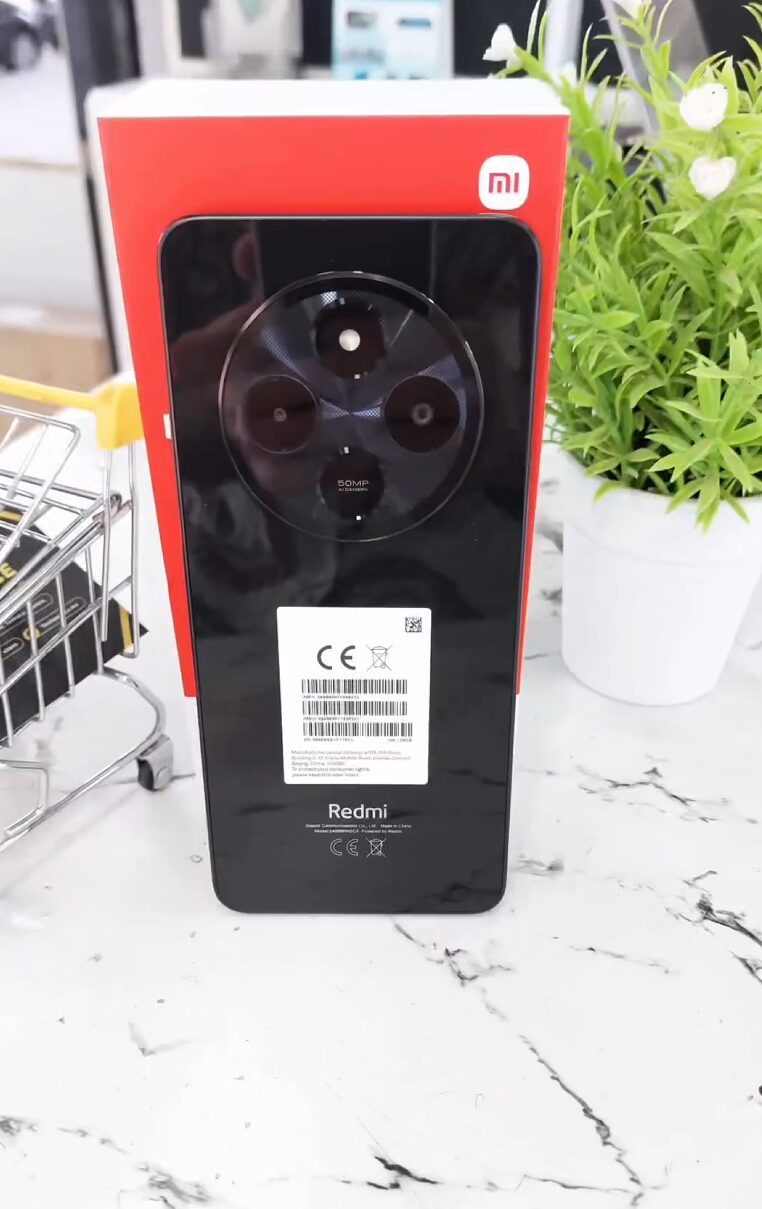
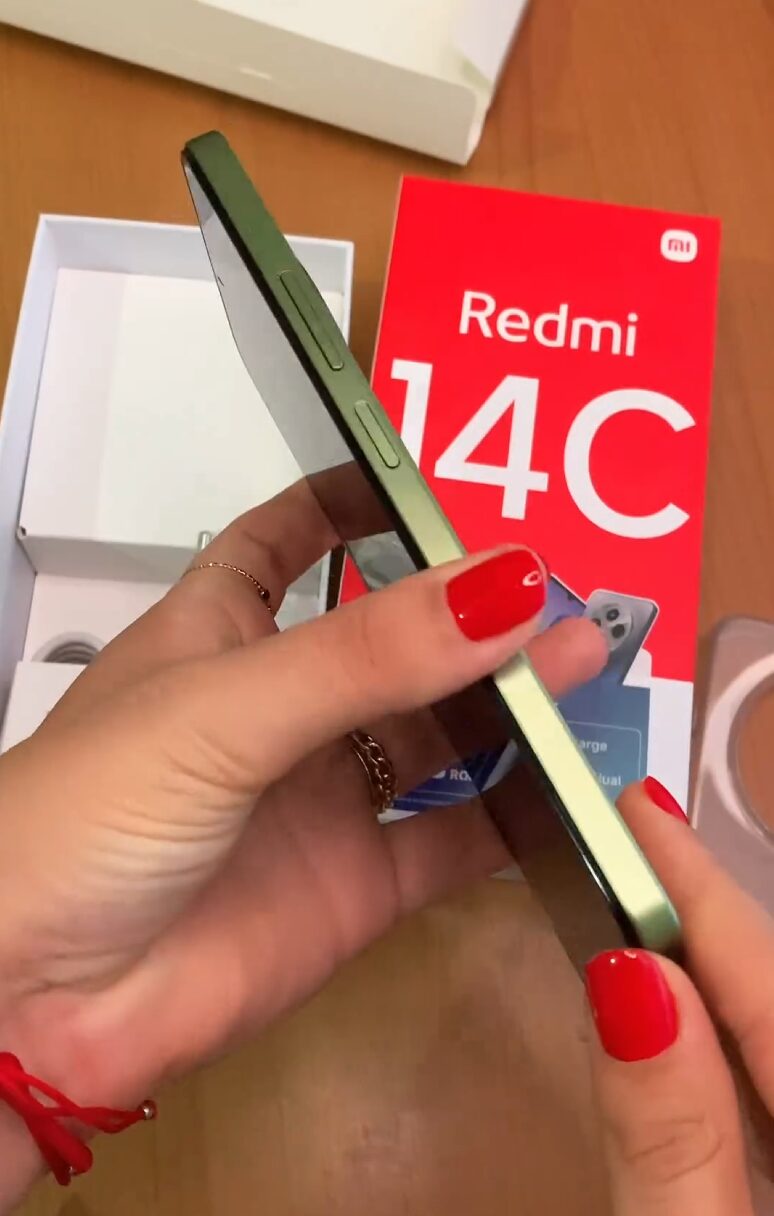
The smartphone product line offered by Xiaomi is divided into distinct segments of consumers, and the REDMI C series has a particular role in this product diversification. Having a designation in between other budget options such as REDMI A series and more advanced smartphones in the form of REDMI Note series, REDMI devices emphasize budget and basic requirements. REDMI 13C and REDMI 14C models are widely distributed in most regions, including Türkiye. Further analysis in this article discloses if the REDMI C series can fulfill requirements and expectations of younger generations of consumers, and which type of consumers can benefit most from it.
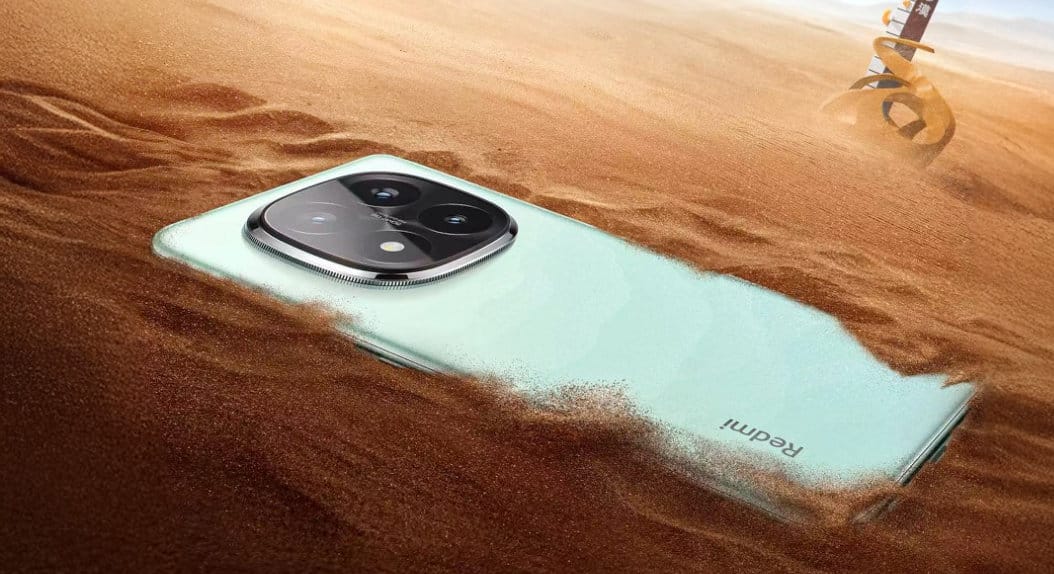
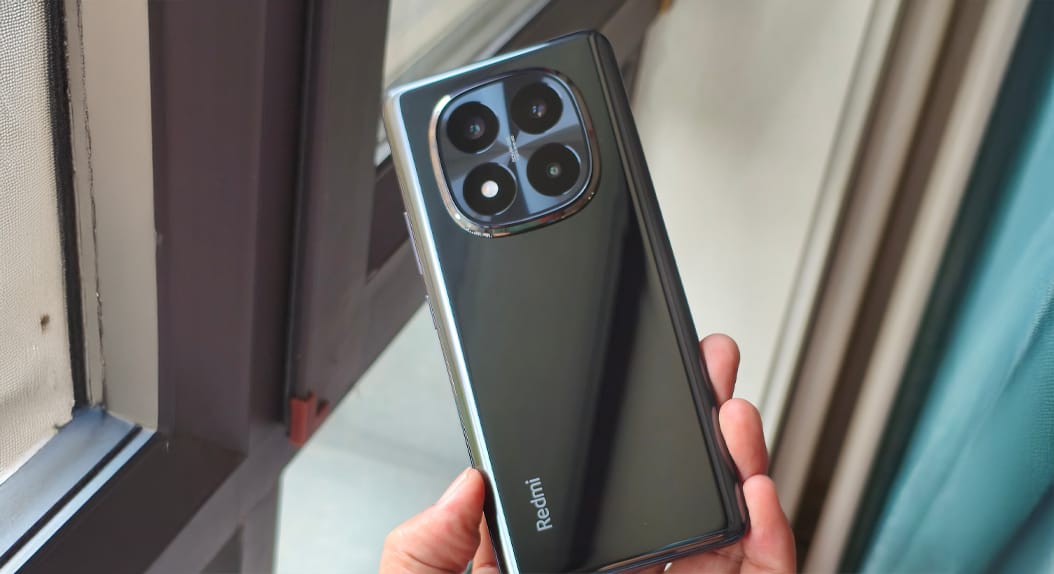
Strategic Positioning of the REDMI C Series

Xiaomi has always practiced a product pricing strategy based on different tiers according to their sensitivity towards pricing. In this segmentation, REDMI C series aims to provide basic smartphone usage capabilities with a controlled pricing mechanism, not targeting performance-centric mid-range smartphones.

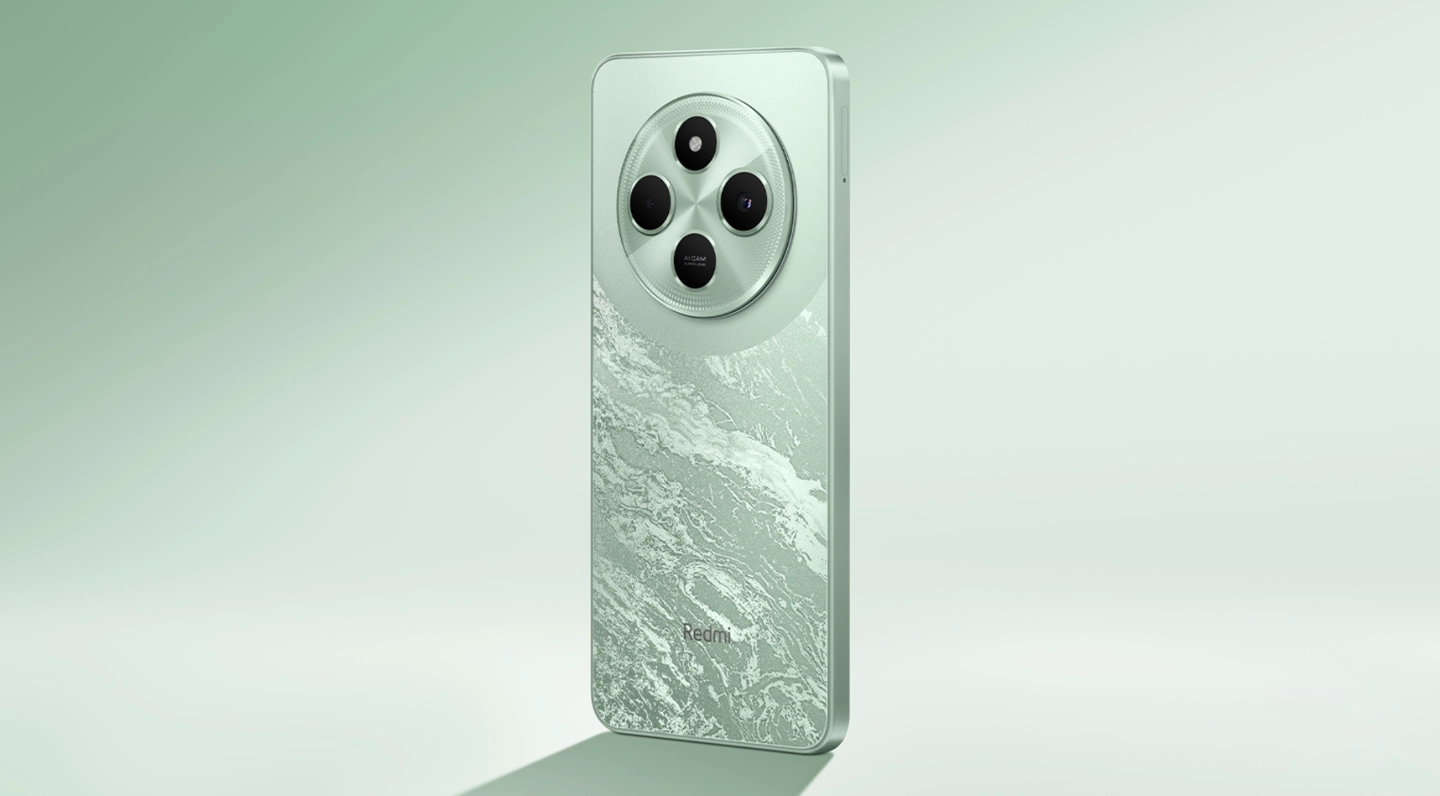
REDMI 14C China 5

Implemented, this approach means that the REDMI C series focuses on screen size, endurance, and usability rather than speed. The idea behind this product strategy by Xiaomi is not to cater to power users but to provide a stable smartphone experience to consumers who appreciate simplicity. Such a strategy has remained consistent in recent REDMI variants, such as the REDMI 13C and REDMI 14C.

Target Users and Daily Use Cases

The main market audience for the REDMI C series products is people whose need for a smartphone centers on communication, media consumption, and basic apps. Such phones are ideal for first smartphone buyers, senior people who want larger screens, and people in need of a reliable secondary phone.

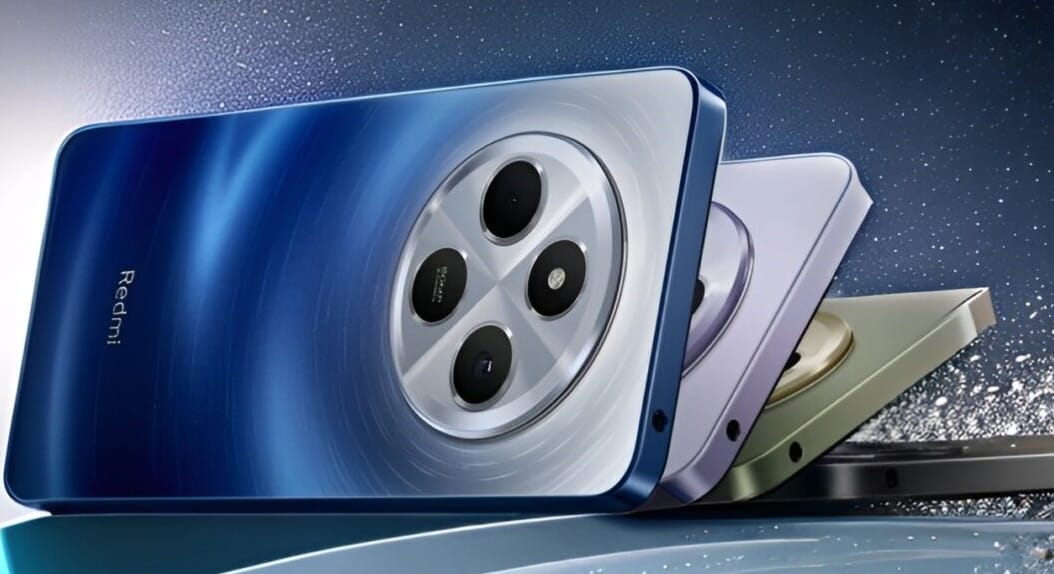
Redmi 14C

Screen sizes over 6.7 inches are an advantage when it comes to viewing, and batteries with a capacity of 5,000 mAh will allow them to last a whole day. For such people, stability will matter far more in a device than gaming performance or fast storage.

In contrast, for younger consumers, the picture is a little different. Students and younger consumers will probably buy the REDMI C series because of financial necessity rather than preference. Although these devices will be sufficient for communication, browsing, and social network usage, standards relating to multitasking, gaming, and content creation will be higher.

Hardware Architecture and Performance Viewpoint

In terms of technology, the latest offerings in the REDMI C series come with MediaTek Helio processors such as Helio G85 or Helio G81 Ultra. These processors have a 12nm technology platform, which is optimized for cost savings rather than performance.

However, in terms of practical usage, this hardware configuration is sufficient for apps such as messaging, streaming, and basic social media usage. Where multiple apps are used simultaneously or where heavy games are launched, performance constraints become more evident. Moreover, this does not point towards any design inadequacy but rather a calculated trade-off with a focus on pricing.

Redmi 14C 2 1 Redmi 14C 3

Storage technology Another key factor to highlight is storage technology. The REDMI C series is equipped with storage technology called eMMC 5.1, which is slower when compared to the storage technology in the REDMI Note series, which is UFS storage technology. Therefore, application launch times and multitasking may not be very seamless.

Display, Multimedia, and Gaming Experience

The REDMI C series phones normally come with IPS screens featuring an HD+ display. Although these screens are quite large and conducive for reading and playing videos, they lack the sharpness and contrast typical of Full HD+ OLED screens found in higher-end segments.

As far as online streaming is concerned, everything remains in order, especially if one considers a service such as YouTube or Netflix. Gaming performance is adequate for casual games, but serious gaming would need lower graphic qualities in order to keep a stable framerate. As far as children are concerned, they may notice these deficiencies since they see gaming and social network support as an integral part of using a smartphone.

Pricing Context and Value Assessment

In the market, pricing dynamics are important in estimating the cost of REDMI C series devices. Depending on their model and vendors, a REDMI 14C device will cost approximately 150 to 170 USD when considered in local currency. Based on this pricing category, sometimes with promotional elements, devices from the REDMI Note series become affordable.

Naturally, this closeness in price encourages comparisons. Although the REDMI C series continues to offer competitive pricing in this segment, consumers with flexible pricing in mind will benefit more in moving up to a REDMI Note series model, especially when considering display and storage performance.

Software Support and Longevity

REDMI C devices come with Xiaomi Hyper OS pre-installed, which will allow consumers to benefit from being part of the entire Xiaomi ecosystem. Additionally, consumers can update their system apps using Hyper OS Updates.com or through Meme OS Enhancer from Google Play Services, which will provide consumers with access to additional functionalities such as system application updates and access to hidden functions among other benefits.

Redmi 14C

Although assistance via software is a positive factor in terms of longevity, a related need with respect to usage over time will remain linked with hardware capabilities. “Entry-level hardware may not be as fluid with future system updates, despite official support being offered,” a referenced article stated.

Final Evaluation: Is the REDMI C Series Suitable for Young Users?

The REDMI C series serves this purpose as an inexpensive and dependable line of smartphones. The series is most suitable for people with a focus on basic communication functions, large display screens, and durable batteries with a controlled price tag. For gamers and social media enthusiasts, if they have an interest in content creation, a better option in a different price segment would be to look at an alternative available in the REDMI Note series. Hence, in this case, a balance can be achieved based on an alternative offering available in a different price segment.

What happens if Xiaomi earbuds go missing?

14 December 2025 at 11:00

With the rapid adoption of true wireless earbuds across the continent, compact audio devices became a big part of everyday life in Europe, but at the same time, this increased the chances of losing them even more. Xiaomi’s Redmi Buds, Xiaomi Buds, and their POCO-branded equivalents-sold as Xiaomi T series globally-are among the widely used ones within the European Economic Area, where its small size and cable-free design can become a practical disadvantage.

Understanding what can and cannot be done in case of a loss will help manage expectations and take the right technical steps.

Understanding how to locate Xiaomi earbuds

Before recovery attempts, it is critical to acknowledge the technical limitations of wireless earbuds. Unlike smartphones, Xiaomi earbuds do not include any GPS modules or cellular connectivity. Location detection must therefore be indirect and depends entirely on Bluetooth signals and software ecosystems.

Find earbuds

Modern Xiaomi earbuds employ Bluetooth Low Energy, usually based on Bluetooth 5.2 or 5.3, or newer standards. When an earbud is outside its charging case and has some battery power, it periodically broadcasts a signal. Smartphones can estimate proximity using the signal strength values, commonly referred to as RSSI. This method will only work for short distances, typically less than ten meters, and thick walls, commonly found in European buildings, will weaken signals considerably.

This normally means that when the earbuds are inside the charging case and the lid is closed, Bluetooth transmission is usually disabled at the hardware level. In this state, digital tracking isn’t possible. Of course, once the battery is completely dead, all signal transmission stops, making the recovery a purely physical search.

Using Effective Xiaomi & Google Software Tools

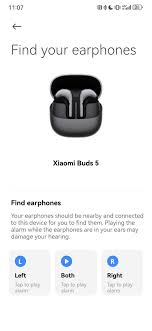
Xiami, on their part, offers simple recovery capabilities via the official earbuds management application. Thus, the “Find your earphones” feature can only be helpful in quiet indoor environments like homes or offices because it allows users to initiate a loud ringing from the earbuds provided they are currently connected to the phone.

The application also logs the last known location where the Bluetooth connection was active. This is static information and does not update if, at some point afterward, the earbuds have moved. It is rather to be used as a reference point than as live data from tracking.

find headphones

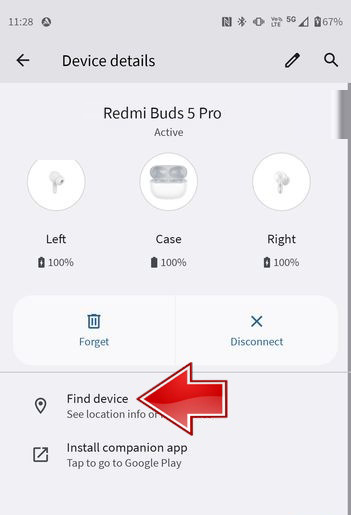
Newer Xiaomi earbuds that support Google Fast Pair are able to integrate with Google’s “Find My Device” network. If an Android device is nearby an, in a sense, misplaced earbud, it may anonymously detect the Bluetooth signal and report an approximate location back to the owner. This can be very helpful if your earbuds go missing in a busy urban area, though the earbuds do need to have some juice left in them. A completely dead earbud cannot be found via this network.

Practical steps toward recovery in Europe

Timing is most crucial when the earbuds are lost. When the device still has power, taking action as soon as possible improves the possibility of recovering these devices.

Check the last known location of the Xiaomi Earbuds in the app or using Google Find My Device. Return to that area with Bluetooth turned on. In indoor environments, lowering background noise and activating the sound alert narrows down their location. Third-party Bluetooth scanner apps may help advanced users by showing how the signal strength changes as a person walks through a space.

If the loss took place in a public transport or shared area, contact the local lost-and-found services. European transport operators often list small electronic items only descriptively without serial number, but having the purchase documentation may help.

Replacement options and cost considerations

If recovery is unsuccessful, replacement becomes the next decision point. With the exception of very few cases, officially individual earbuds or charging cases are hardly sold as stock items in official Xiaomi channels in Europe. Some replacements may be offered for a fee by authorized service centers, with prices often approaching that of a new set, especially in the case of budget models.

IndividualIssues with Third-Party Sellers

Some third-party sellers sell single earbuds, mostly sourced from outside the EU. Although this offers cost savings for premium models, shipping times and possible warranty limitations should be carefully weighted. For more affordable Redmi Buds variants, buying a new pair is often the most convenient and pragmatic approach.

After having replaced a single earbud, users need to make a full reset and re-pair it so that the new and existing parts will be able to synchronize appropriately. Firmware updates via the official app are highly recommended for stable performance.

Future preventive measures

Sometimes, prevention is better than recovery. It’s highly recommended to enable Google Find My Device at setup. Protective cases with keyrings attached or an external Bluetooth tracker attached inside the charging case can greatly reduce most risks. Doing periodic system app updates through trusted sources such as HyperOSUpdates.com or using tools like the MemeOS Enhancer application will let one have the bleeding-edge features added into the ecosystem and all stability enhancements.

Losing European Xiaomi earbuds is a manageable situation when one understands the real technical and logistic facts. Recovery tools based on Bluetooth can work within conditions, and there are no guarantees provided. For premium segment models, the replacement of a single module might be economically reasonable; in entry-level ones, it is often more advisable to replace them completely. As in most cases, the best strategy remains one of proactive prevention, which combines software activation with physical accessories and informed habits of use.

Why Taiwan ROM became the top priority when choosing a Xiaomi phone

13 December 2025 at 07:00

The strategic role of regional software variations has become increasingly important for Xiaomi users seeking long-term stability, functional freedom, and consistent performance. With hardware capabilities usually dominating decision-making, such as processor efficiency, camera sensors, and display quality, the software layer defines the daily user experience. Indeed, many experienced Xiaomi users have cited the Taiwan (TW) Global ROM as their main criterion, as it is generally seen as a perfect balance between customization, privacy, and functional completeness.

Understanding Xiaomi’s Regional Software Ecosystem

Xiaomi does this by deploying a variety of ROM types in the global markets for conformation to local regulations and device alignment with user expectations. Therefore, the variety of ROM types differs not only in language support or pre-installed applications but also in the rules of privacy, the behavior of dialers, and security settings. This form of a multi-layered software distribution model allows Xiaomi to make perfect adaptations without necessarily touching or tampering with the core hardware framework.

dialer 1 dialer 2

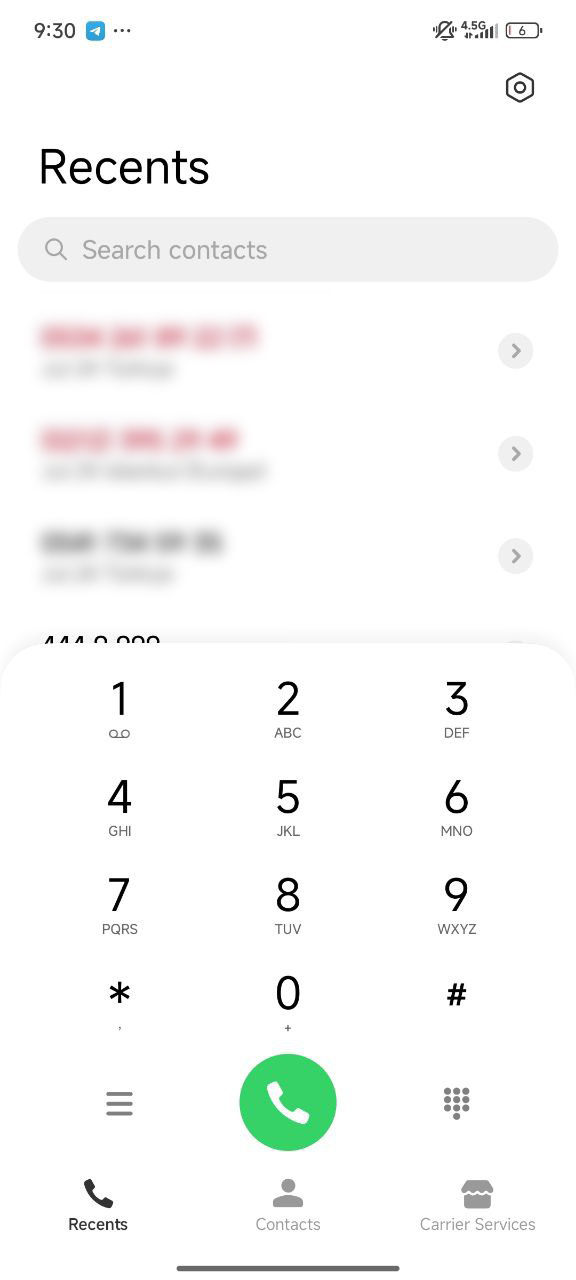
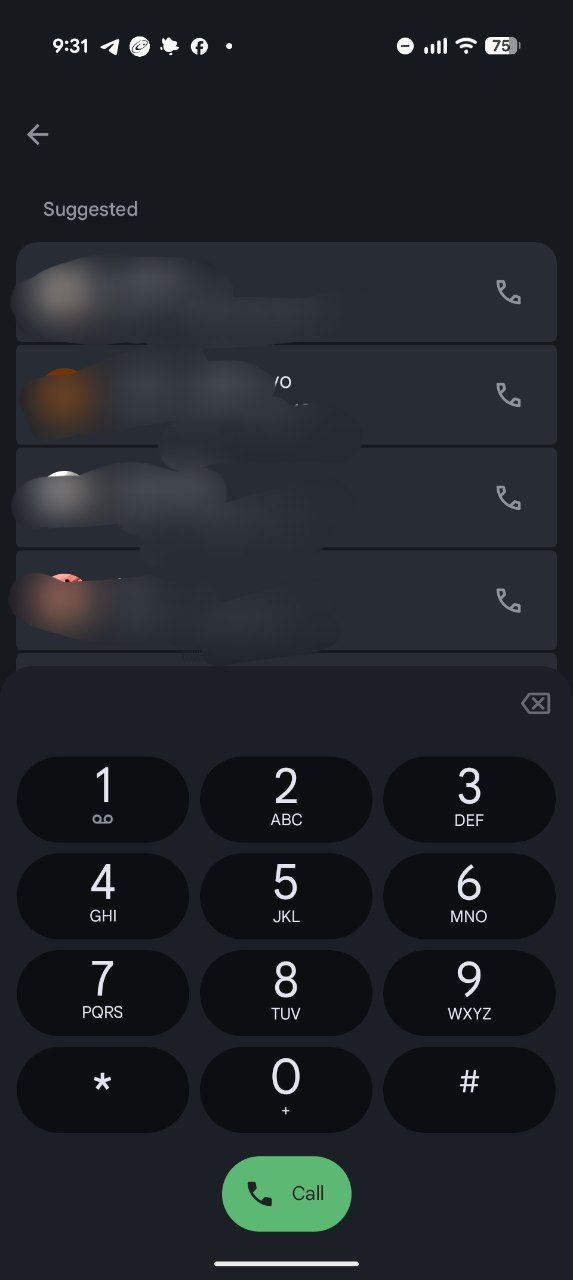
Technically, regional ROMs do share the same skeleton, but they differ in terms of communication applications, network settings, and update policies. For example, Global and EEA ROMs use Google’s communication suite, as required by law, while China and Taiwan variants stick to Xiaomi’s native dialer. As a result, the Taiwan ROM presents an interesting mashup: fully compatible Google services with Xiaomi system-level apps means one gets to experience HyperOS more cohesively.

The Taiwan ROM Advantage in Daily Communication

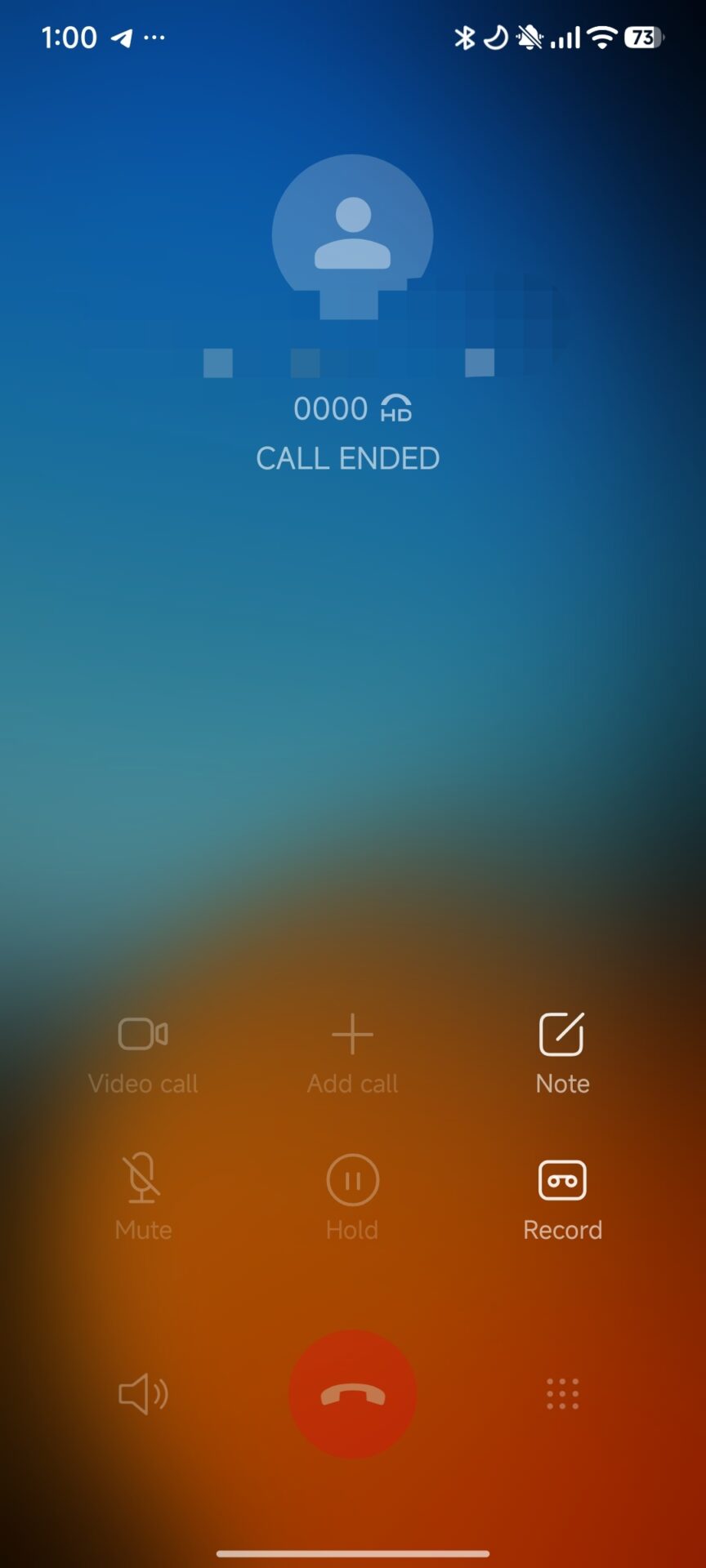
But the starkest contrast is in the communication tool category. Google’s Dialer, which comes compulsory on a number of regional ROMs, introduces audible call-recording alerts such as “This call is now being recorded” for compliance. These alerts break professional or personal workflows. Silent call recording is retained on the Xiaomi Dialer found on the Taiwan ROM, along with enhanced T9 search, and design consistency to interface and system-level audio handling.

MIUI Dialer

This can be particularly useful for users who often engage in business discussions or need secure documentation of conversations. Recordings are stored in system directories, easy to access, and allow for easier archiving and data management. Interface elements also fully align with the interface language of HyperOS, strengthening overall UI consistency.

Technical comparison of Taiwan ROM versus Indonesia

Though both regions retain Xiaomi’s native dialer, the biggest differences come in terms of update cadence, system cleanliness, and regulatory obligation. Taiwan is considered a premium-grade software distribution region; HyperOS updates are faster, security patches more stable, and third-party pre-installed applications fewer in number.

Indonesia ROM includes various local e-commerce and media apps, which are required by the market demand. Taiwan ROM has a more lean, minimum, and professional software build with less background activities, which supports smoother transitions between major HyperOS releases. This is repeatedly emphasized in community benchmarks and user feedback.

Optimize the performance of HyperOS under Taiwan ROM.

HyperOS introduces a new and improved rendering engine with advanced memory scheduling and a performance framework per Xiaomi’s “Alive Design” principles. These optimizations work more consistently on the Taiwan ROM since there are lesser regulatory restrictions and fewer modifications due to Google’s ecosystem policies.

about phone xiaomi 1 about phone xiaomi 2

The result is an interface that is smoother, the performance of the standby power is more stable, and the effective use of resources. Besides that, making optional services like com.miui.analytics and com.miui.msa.global unavailable through usual ADB methods doesn’t sacrifice anything about the system’s functionality and provides even greater freedom to the user.

Security, NFC Payments and Compliance Integrity

Taiwan is a region with a highly adopted NFC-based payment. Due to this, it pushes Xiaomi to keep the operating system in rigorous compliance with Google Play Integrity and financial security protocols. Devices running with Taiwan ROMs—purchased in Europe later and cross-flashed—retain full NFC payment compatibility, a situation that extends further to banking applications, encryption frameworks, and biometric authentication. Such stability makes the Taiwan ROM’s reputation quite strong as secure and dependable global-grade software.

The most effective ways to contact Xiaomi customer service worldwide

11 December 2025 at 19:05

Xiaomi’s customer service has evolved globally into a multilayered setup that is designed to help millions of users of smartphones, IoT devices, and smart home products. Such a service model reflects the company’s “Smartphone × AIoT” strategy and is tailored according to each region’s regulatory environment, user expectations, and service demand.

As we have explained in detail in guides on Xiaomi International WarrantyHyperOS updates, and Xiaomi Support Centers, the brand integrates digital channels, physical centers, and authorized partners in an effort to enable a consistent experience. Xiaomi’s hybrid system works under a continuous mechanism to ensure seamless assistance for its users, whether they are from India, China, Europe, or Southeast Asia.

How Xiaomi’s Global Support System Works

Xiaomi follows a glocalized model which blends direct service centers with strategic authorized partners per market requirements. This will enable the company to scale up fast, maintaining high service quality across many product categories.

Xiaomi Service

Hybrid Service Model of Xiaomi

It adopts two main structures in the regions: the direct service management that heavily relies on China and India, with full control of the user experience, and an authorized partner model in both Western Europe and North America, where companies such as SBE Ltd. of the UK, B2X of the EU, and Anovo of Spain are managing the operations. Both systems would therefore be structured to comply with regional legislation, ensure after-sales consistency, and provide transparent repair processes.

Key Components of the Global Service Framework

The support structure comprises digital self-service tools, on-site repair centers, premium customer lounges, WhatsApp support lines, and community-driven help channels; all these layers make it possible for the company to offer accessible technical assistance at all consumer touchpoints.

International Warranty and Regional Policies

Xiaomi has kept a flexible warranty model, which varies based on local legal requirements and user segments. The company differentiates between standard regional warranties and the premium International Warranty Service.

Xiaomi International Warranty Service (IWS)

It is only available in premium models such as Xiaomi 15 Ultra, Xiaomi 14 Ultra, Xiaomi 13 Ultra, Xiaomi 13 Pro, Xiaomi 12 Pro, and Xiaomi MIX Flip. It allows users to receive repairs in eligible countries regardless of the device’s original purchase location. The policy covers repairs but excludes device replacement, misuse damage, and grey market purchases.

Xiaomi International Warranty Service IWS

European Union and Global Warranty Standards

In the European Union, Xiaomi observes the obligatory 24-month protection rules. Devices bought in Spain, France, Italy, or other EU countries can be serviced across the whole EU. On the other hand, in global markets such as India and Southeast Asia, there is normally a 12-month standard warranty. Accessories normally have a 6-month coverage period.

Regional Service Center Operations

Because of variances in market size, user behavior, and local logistics, Xiaomi’s operational strategy is very different between regions. Below is a tabular comparison of customer service operations in Europe and Asia.

Europe: Partner-Driven High-Compliance Network

European countries depend on strong authorized service partners conforming to GDPR, EU warranty laws, and industrialized repair procedures.

Country Hotline Service Hours Notes
France 0805 370 916 Mon–Fri 09:00–20:00 Extended evening service
Italy 800 690 921 Mon–Fri 09:00–20:00 High-demand regions
Spain 900 128 128 Mon–Fri 09:00–21:00 Longest service window
Germany 0800 223 11 44 Mon–Fri 08:00–20:00 Early opening
UK 0800 021 1888 Mon–Fri 09:00–18:00 Operated by SBE Ltd
Poland +48 800 111 332 Mon–Fri 08:00–20:00 East-EU logistics hub

These differences reflect market maturity and consumer expectations, as well as regional labor regulations.

India and China: High-Touch, High-Density Service Network

India itself hosts more than 100 service centers, Premium Service Centers in major cities, and repair vans on wheels. China has similarly adopted a dense model with deep integration into Xiaomi’s retail ecosystem. Both regions also offer multilingual AI support bots and very extensive 7-day access.

Xiaomi servicee e1765448153911

Distributed and Digital-First Model: Southeast Asia

These countries include Indonesia, Malaysia, and the Philippines, which leveraged a hybrid model with WhatsApp integrations for diagnosis, remote diagnostics, and strong logistics networks to overcome geographic challenges such as island-based populations with different infrastructures.

Table of Regional Comparison – Asia Pacific

Country Hotline Service Hours Notes
India 1800 103 6286 08:00–23:00 (Daily) Widest availability
Indonesia 00180300650029 09:00–18:00 WhatsApp support until 24:00
Malaysia 1800 18 0112 09:00–18:00 Mall-based centers
Philippines 1800-1110-3128 Business Hours Collection-point structure

How to Contact Xiaomi Customer Service

For reaching customer support at Xiaomi, there are a few different avenues depending on your region.

Officially Supported Communication Channels

  • Phone Hotlines: Region-specific support lines with localized service hours
  • Official Website: Live chat, warranty check, and booking for repair
  • Xiaomi Support App: Firmware diagnostics and service scheduling WhatsApp-selected territories: quick communication and tracking of the status
  • Premium Service Centres: Offering on-site repair and consultation for flagship models

Community and Self-Service Tools

  • Mi Community Forums: Discussions and basic troubleshooting led by peers
  • HyperOSUpdates.com: Checking HyperOS firmware packages and updates
  • MemeOS Enhancer (Play Store): Updates system apps, enables hidden Xiaomi features, and allows HyperOS OTA downloads

The customer service structure for Xiaomi will be globally positioned to deliver scalable, efficient, and regionally relevant support across a multitude of markets. Advanced warranty models, strong digital channels, and reliable authorized partners make sure users in Europe, India, or Southeast Asia get consistent support. This shows how the brand is committed to bringing hardware and AIoT together with user-centric support into one global approach.

Xiaomi’s hidden feature that ends family arguments instantly

11 December 2025 at 11:30

In the modern smartphone era, digital misunderstandings between generations have become more common, especially inside families. Xiaomi has directly addressed this challenge with smart interface features designed to simplify complex smartphone interactions. Through tools such as Lite ModeSecond Space, and system-level remote support, Xiaomi created a user experience that reduces stress, prevents mistakes, and helps families communicate more effectively. This article explains how these features work and why they are becoming essential for peaceful daily smartphone use.

How Xiaomi Solves Generational Tech Conflicts

Xiaomi identified that most family-level digital conflicts come from three primary causes: interface complexity, accidental changes, and privacy concerns. Instead of reducing features, the company introduced structured modes that change how the operating system behaves based on user needs. These solutions are available on Xiaomi smartphones using MIUI and Xiaomi HyperOS, and they are optimized for stability, accessibility, and long-term daily use. The approach does not remove power from the system, it reorganizes the user journey for clarity.

Lite Mode: A Simplified Interface for Stress-Free Use

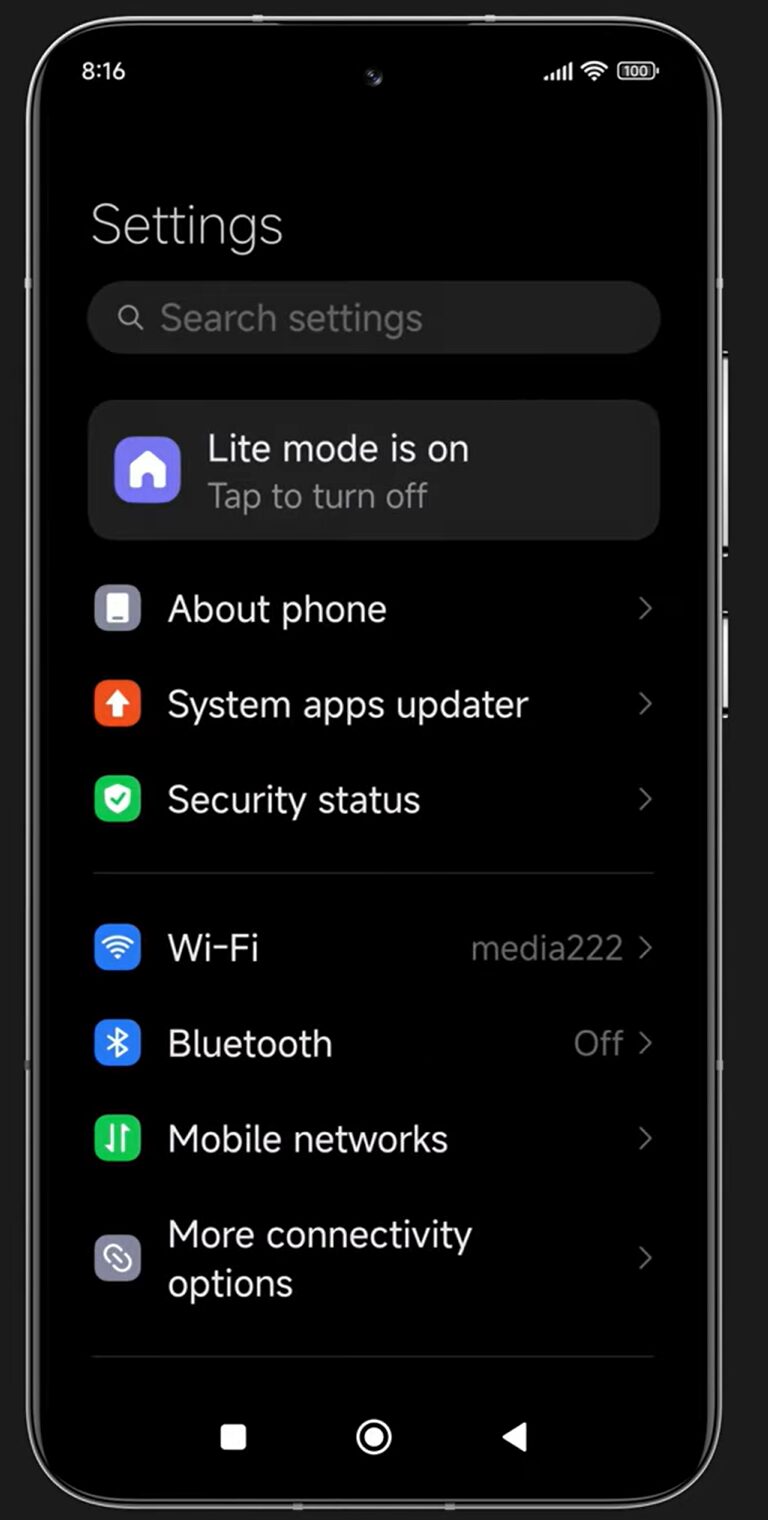
Lite Mode transforms the phone into a clean, large-button, high-contrast interface that is easy to understand. Icons are larger, menus are shorter, and gestures are replaced with visible navigation buttons. This dramatically lowers error rates and eliminates confusion caused by hidden menus. Technically, Xiaomi restructures the user interaction layer to minimize touch sensitivity errors and visual overload.

Key technical advantages of Lite Mode:

  • Larger icons and system-wide text scaling
  • Simplified 3×3 home screen layout
  • Disabled complex gestures
  • Protected app deletion behavior
Lite Mode

Second Space: Privacy Without Confrontation

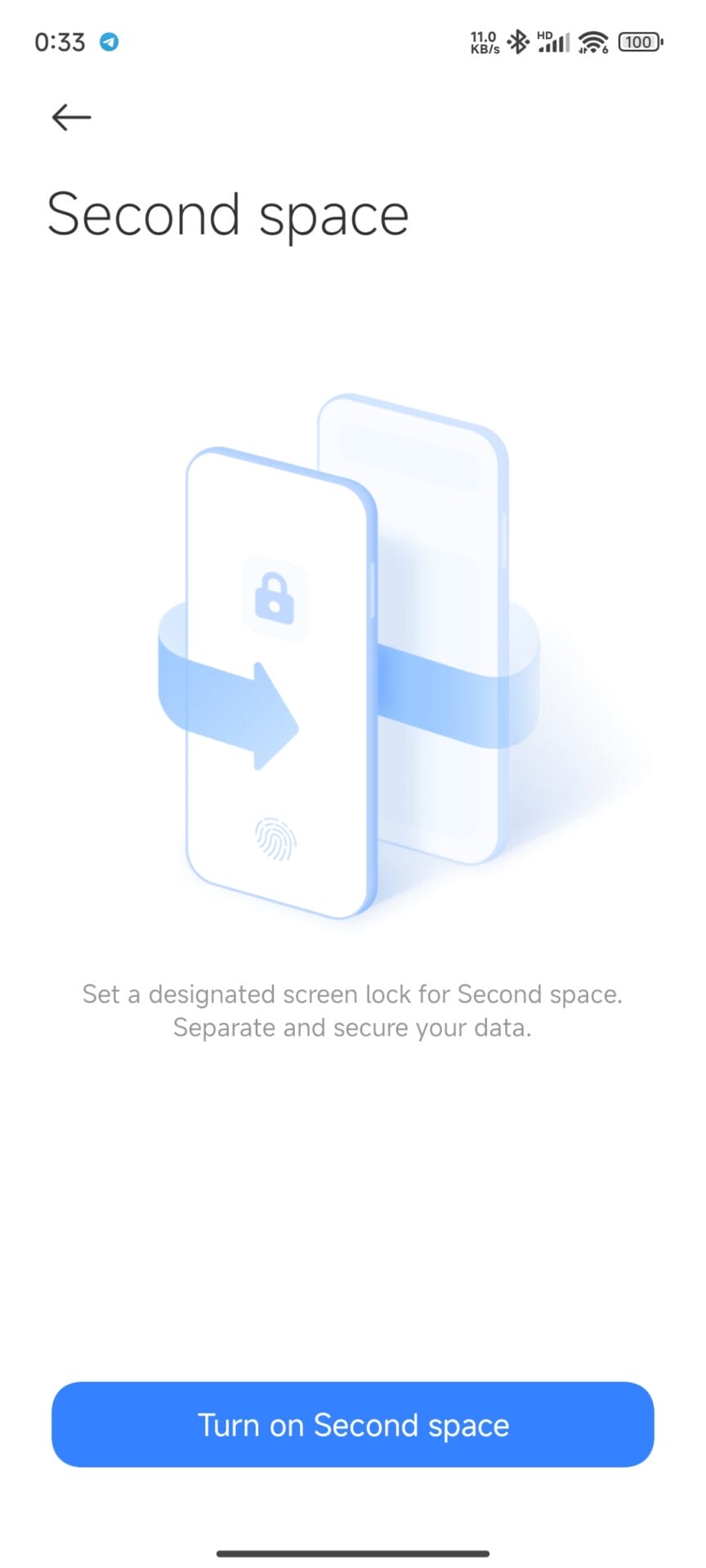
Second Space creates a physically isolated virtual environment inside the same phone. This feature is based on Android’s multi-user architecture but enhanced by Xiaomi with biometric triggers. Different fingerprints can open different virtual spaces, creating two separate digital worlds.

This prevents family-related conflict by:

  • Separating photos, chats, and app history
  • Allowing “guest mode” usage without suspicion
  • Maintaining full data encryption separately

Why Second Space Works Better Than App Locks

Unlike traditional app locking, Second Space does not show “restricted” warnings. The user simply sees a clean, empty environment. This avoids emotional tension and keeps the experience natural and respectful.

Screenshot 2024 05 14 00 33 38 728 com.miui .securitycore

Lock Home Screen Layout for Stability

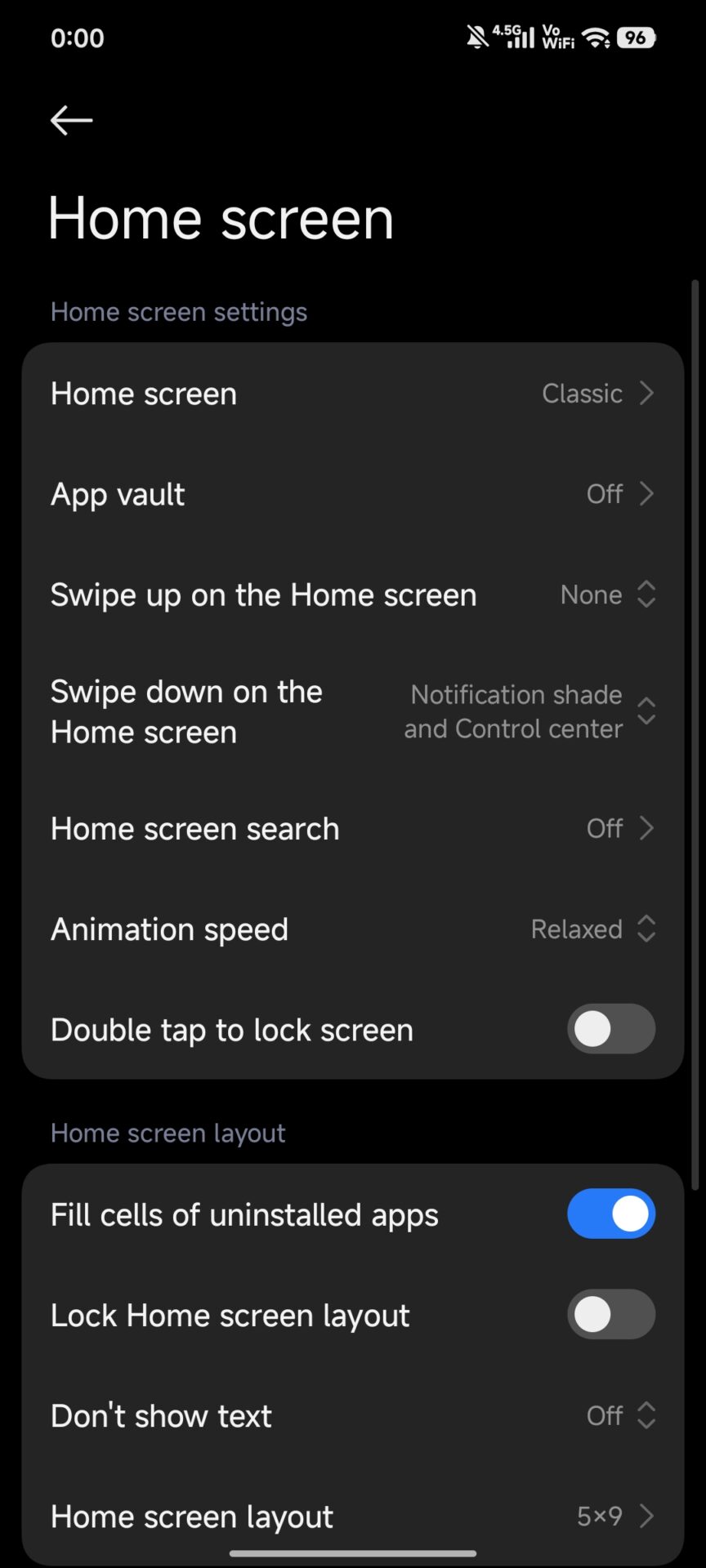
Many conflicts do not start from mistakes but from small visual changes. Xiaomi allows users to lock the entire home screen structure.

Benefits of home screen locking:

  • Prevents icon movement
  • Stops accidental app deletion
  • Preserves long-term muscle memory

This feature is located under Settings > Home Screen > Lock Home Screen Layout.

Screenshot 2025 12 11 00 00 37 824 com.miui .home

Remote Support Via Screen Sharing

Xiaomi supports integrated remote assistance through native video calling and screen sharing. Instead of explaining problems verbally, users can visually show the screen in real time.

This reduces:

  • Miscommunication
  • Call duration
  • Emotional frustration during support calls

In supported regions, limited remote control functionality is also enabled through Xiaomi system services.

Competitive Advantage of Xiaomi in This Area

Compared to similar platforms:

  • Xiaomi provides deeper Lite Mode system control than Samsung One UI
  • Offers full Second Space virtual session unlike Apple iOS, which lacks real isolation
  • Makes all features available even on budget Redmi devices, improving accessibility

This makes Xiaomi especially attractive for families seeking stable, stress-free digital environments.

Key Benefits Summary

  • Reduced digital errors
  • Improved family communication
  • Greater privacy protection
  • Lower emotional friction in daily usage

Final Evaluation

Xiaomi has positioned itself not only as a hardware brand, but as a human-centered software innovator. By designing Xiaomi HyperOS and MIUI around real behavioral patterns, the company created solutions that prevent family-level digital tension without removing technological power. These features work quietly in the background, delivering psychological comfort through practical engineering.

How to wait HyperOS 3 update in smartest way

10 December 2025 at 03:31

The HyperOS 3 update is a major progression of Xiaomi’s software lifecycle, based on Android 15 and Android 16, with the goal of strengthening the “Human × Car × Home” ecosystem. To global users, especially for those using regional ROMs such as TR, this waiting process is often dictated by staged rollouts and backend technical limits. Understanding how the OTA system works and how Xiaomi prioritizes devices can turn waiting from a passive experience into a controlled and strategic process.

How Xiaomi Distributes HyperOS 3 Updates

Xiaomi relies on a global OTA system with BigOTA servers and several layers of CDN. When users tap “Check for updates” in the Xiaomi HyperOS updater, the device sends out encrypted identifiers like ROM version, region code, and device model. The server will compare those parameters against a dynamic white list.

If the device is in an active rollout wave, the server responds with a secure download link and validation hash; if not, the device receives a “No updates available” response. This explains why updates are available online for some users, while their devices still show nothing.

There is also an option called “Get updates earlier.” This feature registers the device into a buffer rollout pool. Technically, it can move the update window forward by 24–72 hours but only if the firmware is already prepared for the device and region.

Updater App 1 Updater App 2

Beta Programs and Stable Beta Access

The most straightforward way to get HyperOS 3 early would be through Xiaomi’s official beta programs, which are now integrated into the Xiaomi Community app. The older Mi Pilot program has shifted to a point-based system.

They have to accrue at least 60 community points to get qualified. Points are gained through profile setup, daily check-ins, and basic interactions such as likes, views, and shares. After qualification, applicants have to pass a short risk-awareness test to confirm they understand what a beta software is.

Stable Beta builds are usually distributed a few weeks ahead of public stable releases. These are near-final builds, but they are still monitored for critical issues. Once those are validated, the same build is pushed to the general public.

Since Xiaomi tests on larger populations first, China, India, and Europe get firmware first. The other region ROMs follow later after regional certification and network-level validation are done.

Safe Waiting Strategies for HyperOS 3

Waiting correctly really is a matter of maximizing official channels without affecting device safety. Enabling the “Get updates earlier” option, maintaining the Xiaomi Community score above 60 points, and tracking firmware versions from trusted sources are some safe and effective ways to do this.

HyperOS Updates MemeOS Enhancer About Phone

Other more aggressive methods involve renaming packages and unlocking bootloaders, although they are not advisable to anyone but technically savvy users, since these might invalidate warranties and some app security layers.

HyperOS 3 is conceptualized as a long-term platform, bridging the gaps between smartphones, tablets, cars, and home devices under a single software vision. The most accurate way to do this would be through relying on the official updater mechanisms, community beta accesses, and controlled tracking of firmware releases. This approach helps safeguard the integrity of the device while being able to experience new features as early as possible.

Double your Xiaomi speed with this simple trick instantly

9 December 2025 at 20:15

Do your formerly speedy Xiaomi phone feel slow now? There is a surprisingly simple way that can restore your phone to its former glory with no technical know-how or risky tweaks. This lesser-known tip has been helping thousands of Xiaomi enthusiasts regain their devices’ best performance in POCO, Redmi, and Xiaomi phones.

Simply deleting specific system cache files, and you can eliminate the accumulated digital clutter that is silently slowing down your favorite phone and restore it to the smooth, responsive feel that captured your heart with love at first sight.

Why Your Xiaomi Phone Slows Down With Time

Before we dive into the solution, we should know what makes smartphones slower with time. Launcher apps, initially designed to optimize and speed things up, accumulate cached information with time, which becomes cumbersome and counterintuitive. This digital clutter affects:

  • App loading times
  • Home screen animations
  • Efficiency in multitasking
  • Overall System Response Time
  • Battery performance

The good news is that this slowdown is transitory and does not represent any decline in your device’s hardware.

The Universal Xiaomi Quick Fix for All Devices

The solution varies depending on what Xiaomi sub-brand you’re using:

For POCO Users

  1. Go to Settings
  2. Navigate to Apps or Application Management
  3. Find and click “POCO Launcher”
  4. Tap on “Storage”
  5. Select “Clear Cache”
  6. Reboot your device.

For Xiaomi and Redmi Users

  1. Tap Settings.
  2. Go to Apps or Application Management
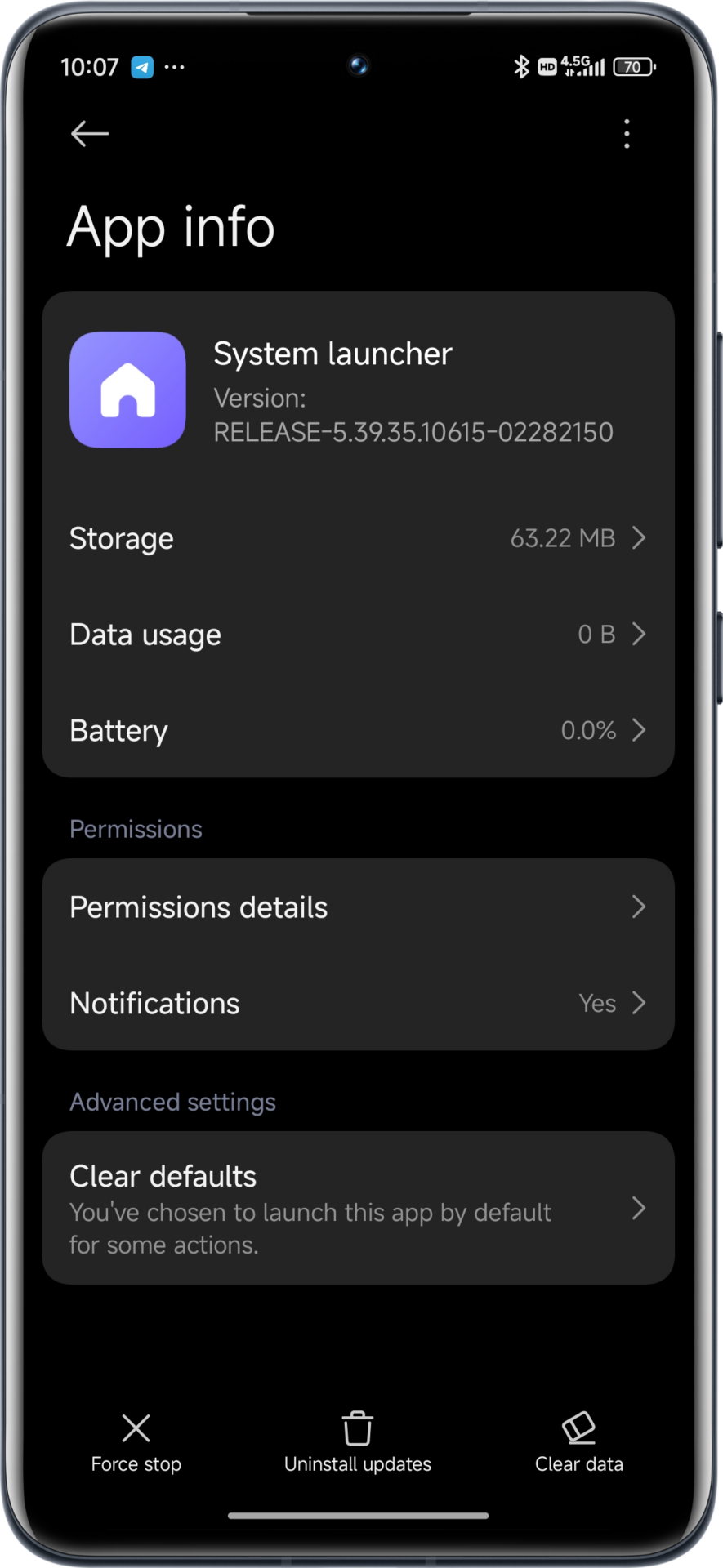
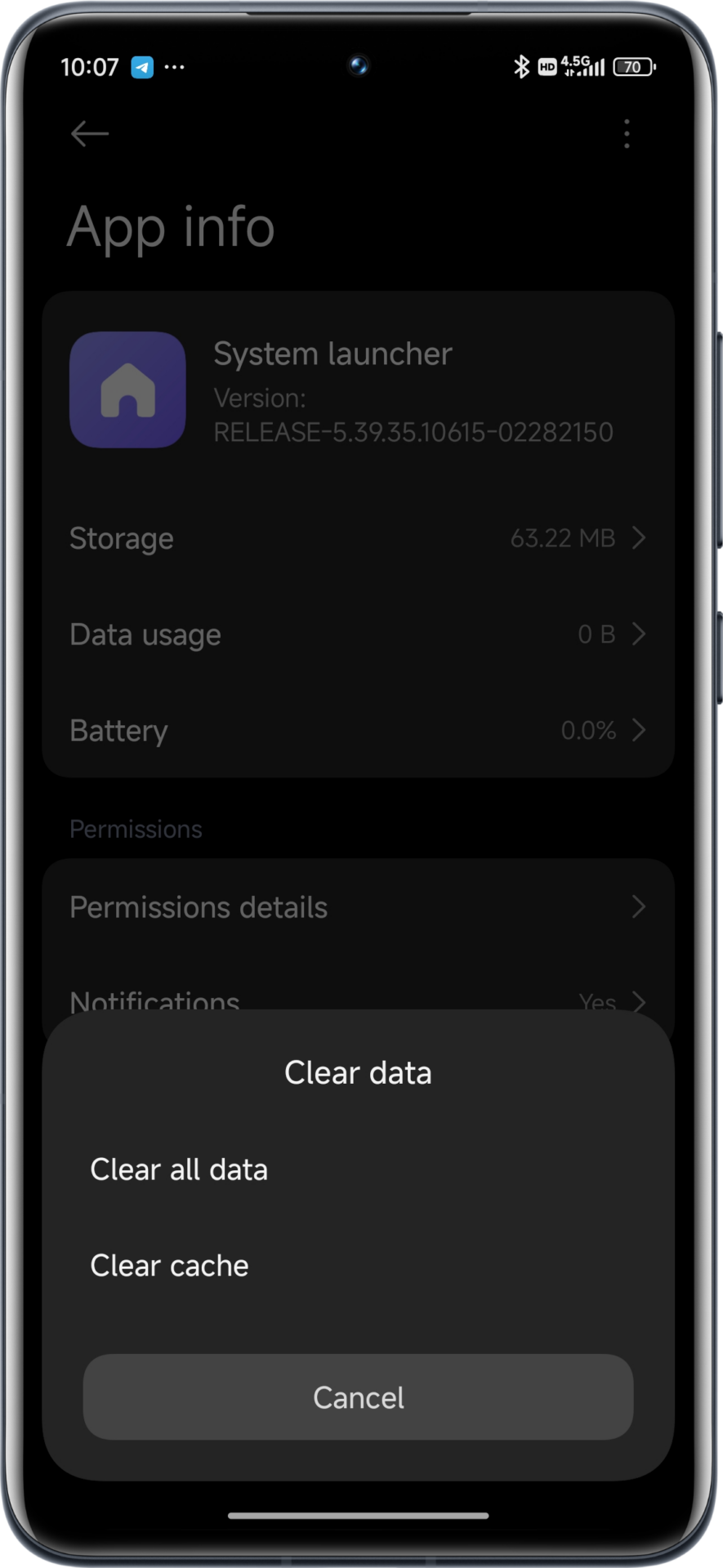
  3. Find “System Launcher”
  4. Tap on “Storage”
  5. Select “Clear Cache”
  6. Restart your phone.
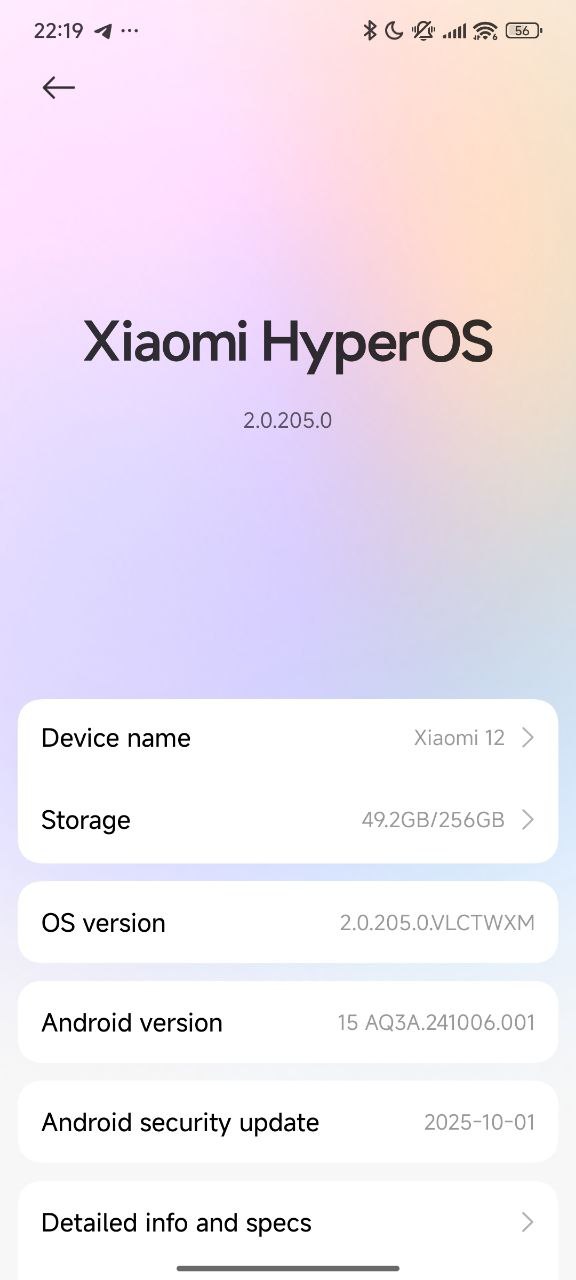
Screenshot 2025 03 13 22 07 28 114 com miui securitycenter edit Screenshot 2025 03 13 22 07 33 951 com miui securitycenter edit

This simple maintenance routine removes temporary files that have accumulated in your system launcher but does not remove any of your personal settings, information, or applications that you’ve installed.

Advantages Beyond Speed

Aside from the immediate performance enhancement, clearing your launcher cache periodically has a number of other benefits:

  • Decreased usage of RAM
  • Improved battery efficiency
  • Less frequent random app crashes
  • Smoother animations and transitions
  • Enhanced overall user experience

For the best results, carry out this routine maintenance once in 1-2 months in order to keep your Xiaomi device in top shape.b

What is Xiaomi’s best-selling series?

6 December 2025 at 06:35

In fact, the expansion Xiaomi has seen between 2024 and 2025 underlines that the company continues to maintain formidable leadership throughout competitive markets. Internal market insights and industry analyses reveal that the Redmi Note series remains Xiaomi’s most successful smartphone line worldwide. This obviously rests on Xiaomi’s wide ecosystem strategy of HyperOS and other interconnected IoT products.

Xiaomi’s Market Position in 2024–2025

Xiaomi further consolidated its position in both mature and developing markets, maintaining a stable global market share of around 13–14%. Indeed, it has consistently pursued a multi-segment approach in different regions, balancing affordability and performance with ecosystem integration.

The company’s premiumization strategy further strengthened the Xiaomi flagship series, while the mass-market successes continued to be driven by the Redmi Note series.

Why Redmi Note Is Xiaomi’s Best-Selling Series

Thus, the Redmi Note series reached more than 400 million sales around the globe, making it the volume leader for Xiaomi. The series offers mid-range pricing with near-flagship features-a combination that attracts users in Europe, India, China, Latin America, and Turkey.

Key Reasons Behind Its Success

  • Long-term value with durable hardware
  • Competitive pricing under the USD 300 segment
  • Strong performance features, including 120Hz AMOLED and high-resolution cameras.
  • Wide distribution across retail and operator channels
  • Regular update cycle under Xiaomi HyperOS
REDMI NOTE 15 4G

Regional Trends Supporting the Dominance of Redmi Note

Xiaomi’s position differs in various markets, but Redmi Note remains the backbone across every region.

China

Competition is fierce, while Redmi Note has continued to complement a premium Xiaomi flagship lineup. Its durable design and strong price-to-performance ratio will keep the volume sales high.

India

The Redmi Note series is a cultural phenomenon and often ranks among the best-selling models in the country.

Europe & Latin America

Both regions have strong demand for the Redmi Note and T-Series models, with Redmi Note leading the volume-driven segments.

Supporting Lineups: Entry-Level Redmi and Premium Xiaomi

Though Redmi Note leads in terms of the total volume, the wider portfolio from Xiaomi also contributes to its success.

Redmi Number Series

Devices like the Redmi 13C and Redmi 14C drive sales in developing markets and create an entry point into the Xiaomi ecosystem.

Xiaomi Flagship Series

The Xiaomi 14 and Xiaomi 15 series continue to drive strong premium sales with higher margins. These models help Xiaomi compete better with Samsung and Apple in the upper tier segments.

POCO’s part in the growth of online markets

POCO models, especially the F and X Series, firm up Xiaomi’s online presence. These devices target performance-conscious users and usually lead the ranking during every e-commerce campaign.

Undoubtedly, the most successful and best-selling smartphone line of Xiaomi is the Redmi Note series, which alone has exceeded 400 million global unit sales. It strikes a fine balance between performance, durability, and affordability, hence being a strong choice for consumers looking at mid-range devices.

Though the flagship series of Xiaomi provides value elevation for both brand perception and margin, Redmi Note remains the primary volume engine and core component of its global growth strategy.

Durable Xiaomi phones for heavy duty work: Ultimate guide 2025

1 December 2025 at 18:07

Devices used by professionals working in demanding sectors like agriculture, mechanics, and heavy industry should be resistant to harsh environments. A typical smartphone usually can’t withstand all the dust, mud, and physical impacts that happen during field operations in Europe. In this review, we will look at some of the most suitable Xiaomi smartphones for “dirty jobs,” namely the Redmi Note 14 Pro+ 5G and the Xiaomi 14T. We will delve into their IP ratings, screen durability, and repair economy so you can take the right decision in choosing your trusted companion for field operations.

Operational Challenges in Industrial Environments

The gap between laboratory durability tests and real-world conditions is significant, especially in agriculture and mechanical sectors. Understanding specific stress factors will contribute to device selection.

Threats in Agricultural and Mechanical Fields

The main enemy for farmers and agricultural engineers is abrasive micro-particles. Soil contains silica and minerals that are much harder than glass and can scratch screens and block charging ports. That is why an IP6X dust-tight rating is not a luxury but a must. Moreover, devices must have very high resistance to corrosion due to exposure to fertilizers and moisture.

In the mechanical repair industry, however, the risks shift toward physical impacts and chemical exposure. Mechanics often work in tight spaces where phones are subjected to pressure in pockets or drops onto concrete; oil and solvents can degrade oleophobic coatings and adhesives. Here, the structural integrity of the frame-specifically, the difference between aluminum and plastic-becomes the deciding factor for longevity.

Analyzing the Durable Technologies at Xiaomi

Xiaomi has raised the bar in terms of durability for 2025, especially with the “Redmi Note” and “T” series, but different architectural decisions bring various advantages among industrial users.

IP68 Protection: How Important Is It?

The “Ingress Protection” rating, or IP rating, is the most objective measure of a phone’s seal.

  • IP68 (The Gold Standard): Models like the Redmi Note 14 Pro+ 5G and Xiaomi 14T feature this rating. It ensures the device is dust-tight and can withstand submersion in water-usually 1.5 meters for 30 minutes. This allows a muddy phone to be washed under a tap or survive a drop into a wet field.
  • IP54/IP64 Limited Protection: Devices such as the POCO F6 Pro or the X6 Pro have limited protection against splashes. While very good for gaming, they are not recommended for serious industrial work where liquid submersion or fine metal dust is an ever-present danger.

Screen Architecture: Curved vs. Flat Displays

The Redmi Note 14 Pro+ 5G uses Corning Gorilla Glass Victus 2, which is of the highest class and even specifically developed for drops on rough surfaces. Its curved screen design, though, exposes the edges of the glass to side impacts, which is a structural weakness. In addition, it is hard to apply effective tempered glass protectors to curved screens, leaving the panel exposed.

By contrast, the Xiaomi 14T sports a flat display covered by Gorilla Glass 5. The generation of glass is older, but the flat geometry enables the metal frame to absorb corner impacts. Also essential to mechanics, a flat screen enables cheap, heavy-duty screen protectors to be applied with ease. You’ll save money having to replace a $10 protector versus a $170 screen module.

Model Specific Analysis by Professionals

Redmi Note 14 Pro+ 5G: The Theoretical Leader

Sold with the slogan “All-Star Durability,” this model sports the “Xiaomi Guardian Structure” with internal cushioning to better protect the motherboard and battery against shock. Available composite back materials shatter less easily than glass, but the plastic frame offers reduced rigidity under bending forces compared to metal-a factor for those who carry phones in tight work trousers.

Redmi Note 14 Pro series to launch with IP66IP68IP69 waterproof certification Xiaomi shows off Redmi Note 14 Pro with excellent drop resistance and waterproofing Redmi Note 14 Pro officially released Dimensity 7300 Ultra

Xiaomi 14T: The Industrial Powerhouse

The Xiaomi 14T perfectly combines performance with structural rigidity. Based on a high-strength 6M13 aluminum alloy frame, it is broadly used in aerospace industries. This kind of material helps provide supreme resistance to bending and drops. Besides, this device has outstanding thermal management and won’t overheat during some outdoor work under direct sunlight.

Xiaomi 14T 1 K70 Ultra 5

For software longevity, this device supports 4 years of Android updates. Users can track these updates and manage system versions easily through our MemeOS Enhancer app to keep your phone secure throughout its operational life.

Repair Economy and Total Cost of Ownership

For field workers, the purchase price is only the starting point, as the TCO includes potential repairs and protective accessories.

Cost Analysis of Repairs

The table below estimates repair costs, converted into USD and showing European market trends for the year 2025.

Model Screen Type Est. Screen Part Cost Repair Difficulty
Xiaomi 14T Flat AMOLED ~$130 – $165 Low: Easy to protect with tempered glass.
Redmi Note 14 Pro+ Curved AMOLED ~$110 – $145 High: Curved glass is harder to replace and seal.
POCO X6 Pro Flat AMOLED ~$35 – $55 Medium: Cheaper parts, but lower device durability.

While the Xiaomi 14T has a higher preliminary screen cost, the ability to use regular screen protectors greatly reduces the likelihood of breaking the actual display. On the other hand, a curved screen on the Redmi Note series tends to require a complete replacement of the display after a side impact, increasing the possibility of long-term damage.

Final Verdict and Recommendations

Which one of these devices you choose depends on the work environment. For Agriculture and Farming, the Redmi Note 14 Pro+ 5G is a solid choice, considering its class-leading waterproof and dust-resistant rating. In practice, though, it needs to be installed in a heavy-duty 360-degree case to offer any real protection for the curved screen edges.

The Xiaomi 14T represents the rational investment for the purposes of Mechanics and Heavy Industry. Its aluminum frame resists crush forces, and the flat screen is readily armored with tempered glass. With an initial investment of about $550 – $650, the reduced risk of catastrophic damage makes it the most economical option over the long haul for “dirty jobs”.

What I do first when setting up a new Xiaomi device as expert

30 November 2025 at 16:01

Being a long-time Xiaomi user and HyperOS expert, the first thing I do with every new device is get rid of system ads and optimize the user experience. If there’s one thing annoying pop-ups do, it’s not just interrupt your workflow but actually slow you down, drain focus, and make the device feel less polished. Setting up my phone or configuring company devices, that’s always step one: remove distractions.

Below is my personal approach, the same process I’ve developed over years of working with HyperOS.

1. Disabling System Ads Through Settings

HyperOS still includes some ad-related services that must be manually toggled off. I start with the system-level options provided by Xiaomi, first of all-even if they are not always easy to find.

Turn Off HyperOS System Ads

  1. Open Settings
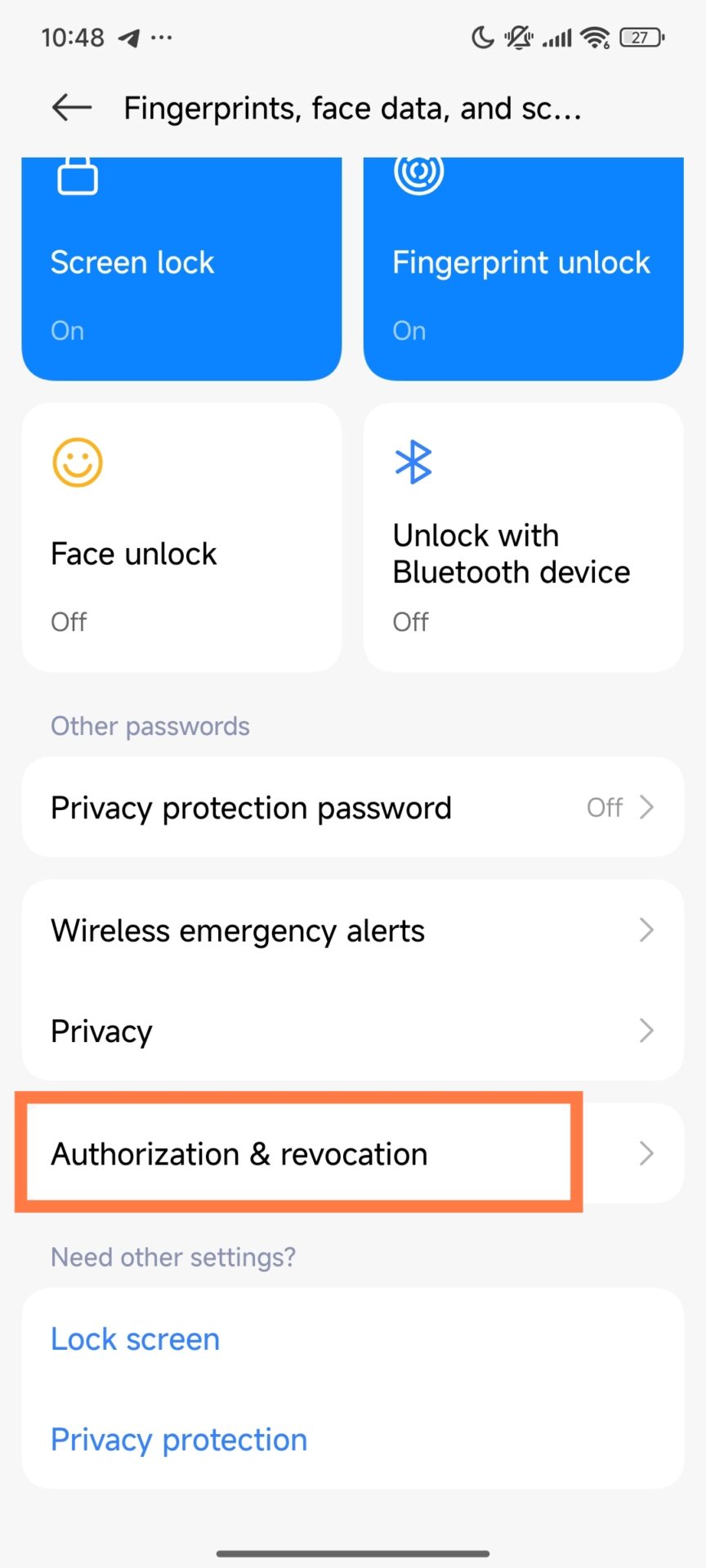
  2. Go to Fingerprints, Face Data & Screen Lock
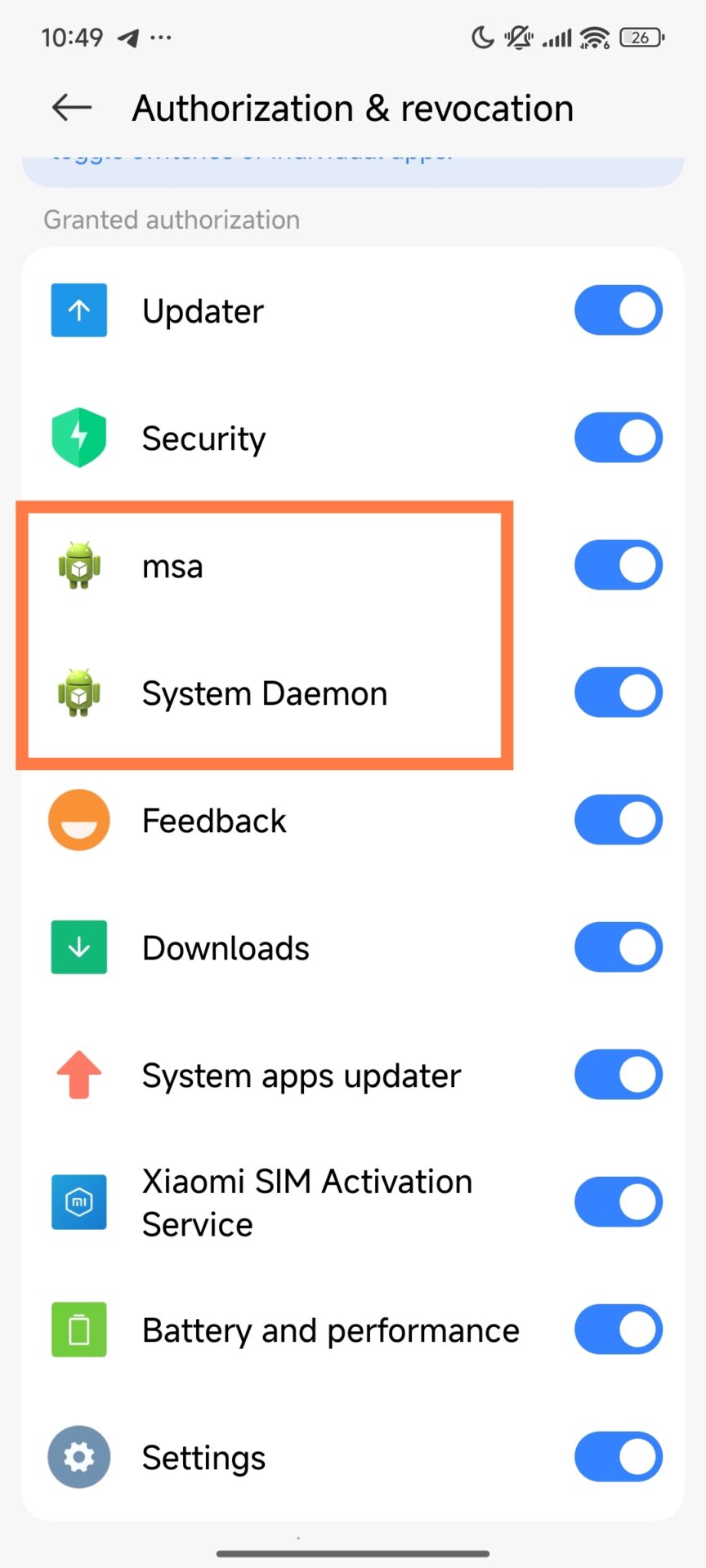
  3. Click on Authorization & Revocation
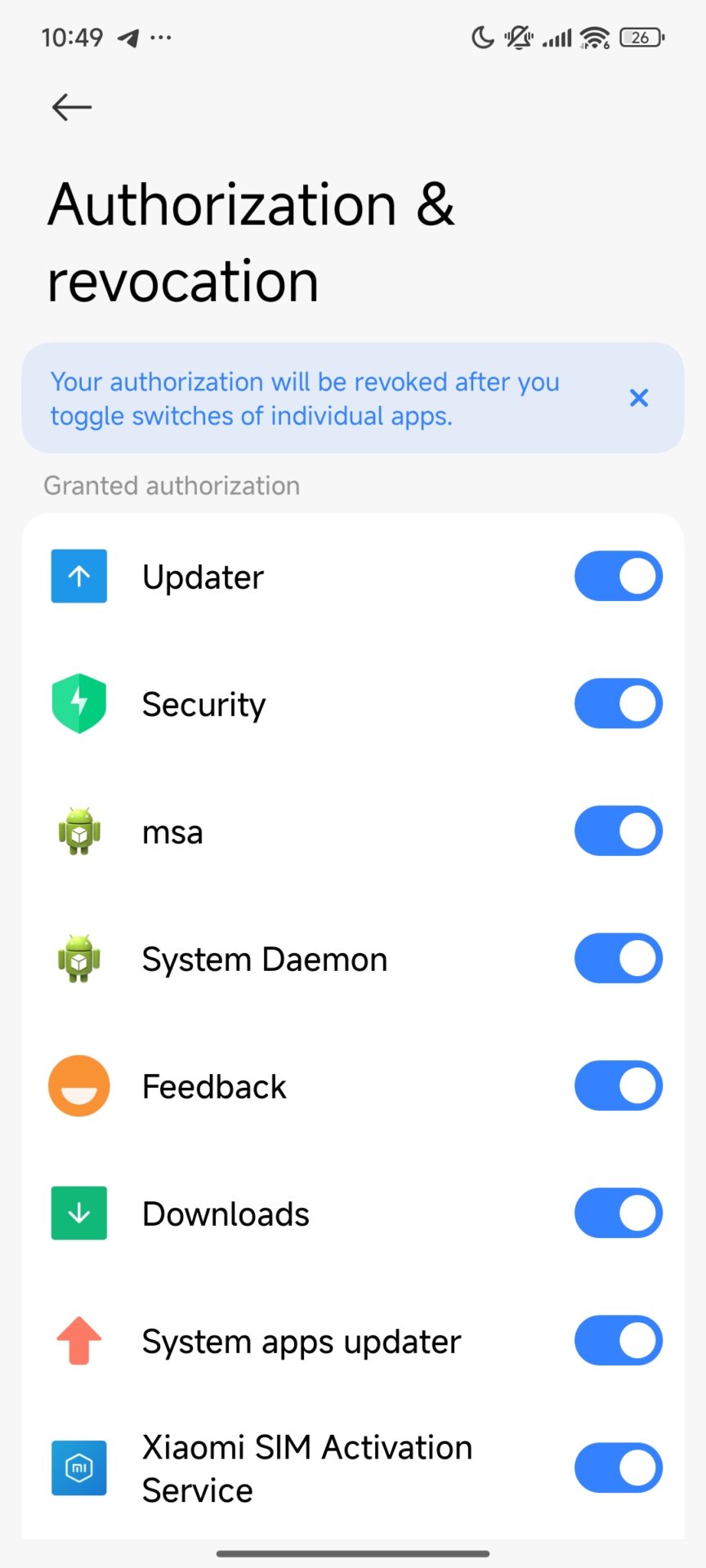
  4. Find MSA and MiuiDaemon or System Deamon
  5. Disable both

These two components account for most system ads, so once these are turned off, immediacy reduces interruptions.

disable msa 1 disable msa 2 disable msa 3

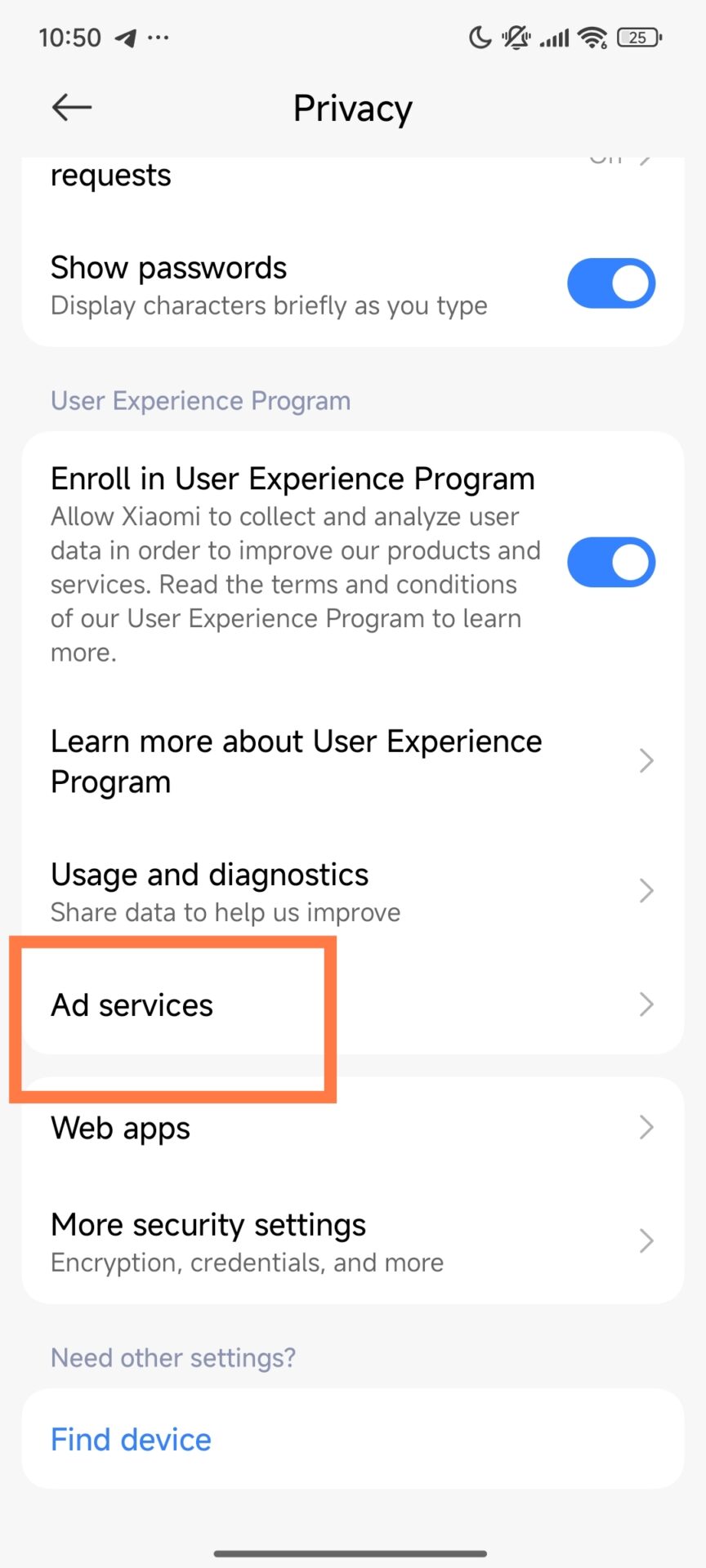
Disable Personalized Ad Recommendations

  1. Open Settings
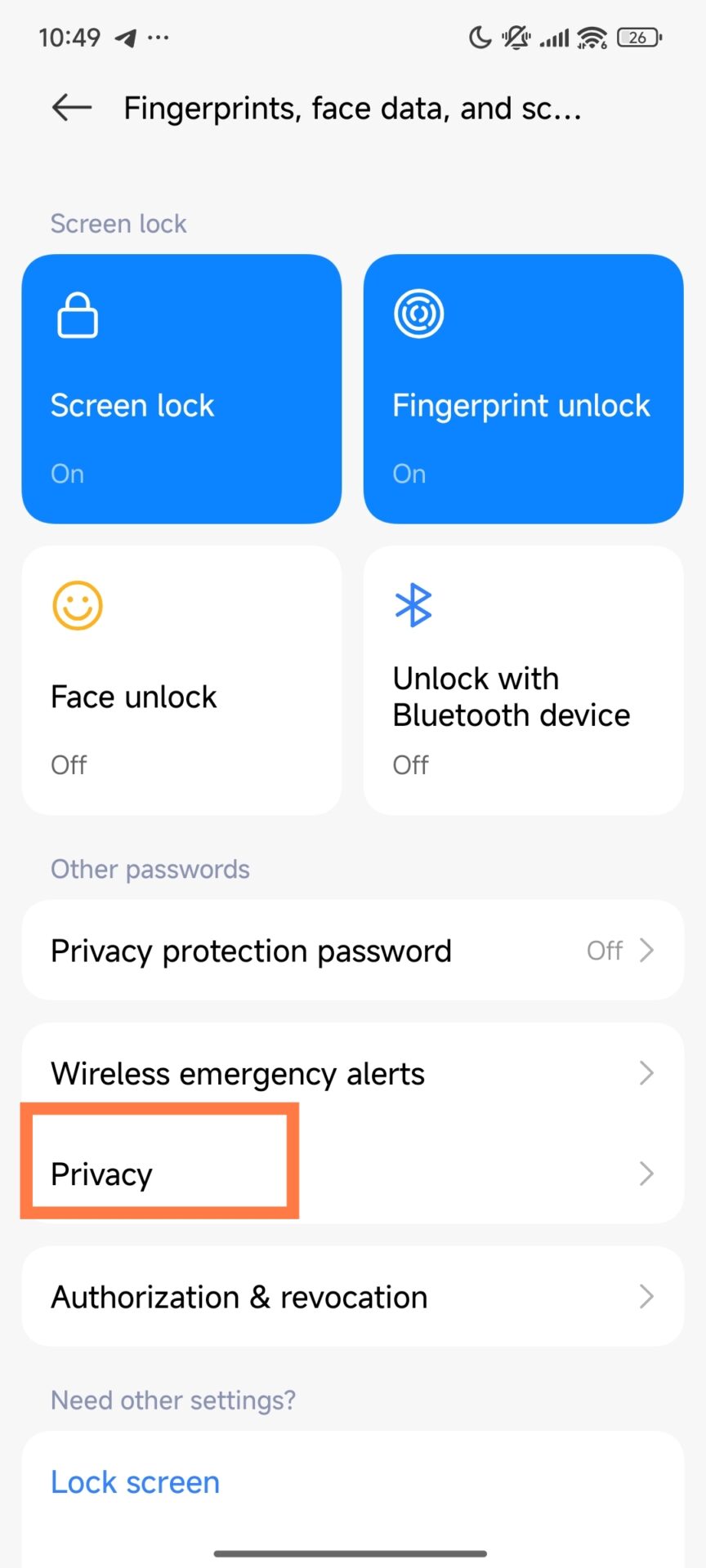
  2. Navigate to Passwords & Security
  3. Enter Privacy
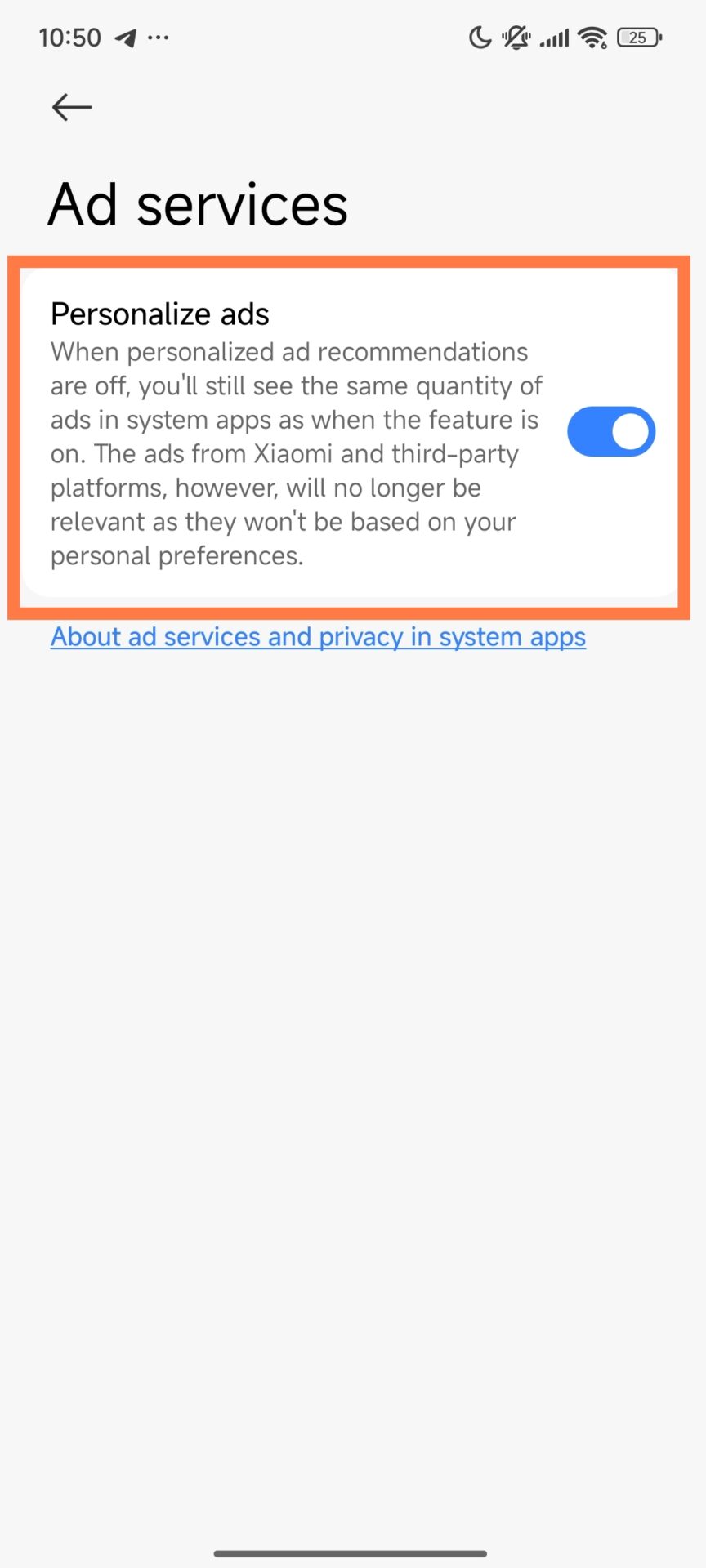
  4. Tap Ad Services
  5. Deactivate Personalized Ad Suggestions

This stops Xiaomi from using your data to target ads.

disable ad services 1 disable ad services 2 disable ad services 3

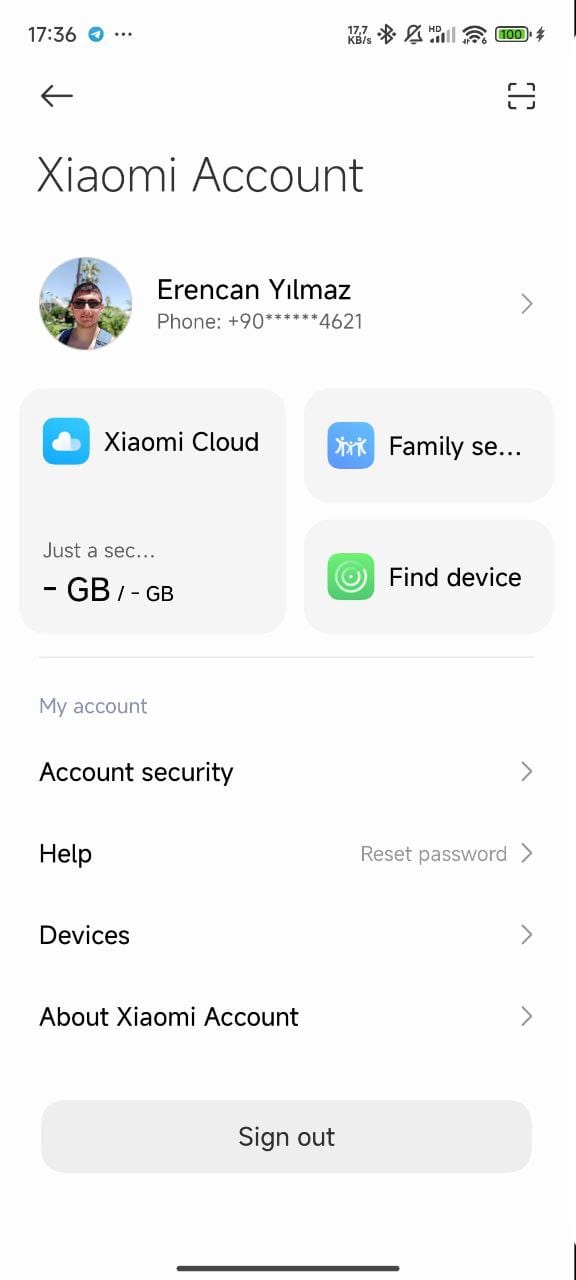
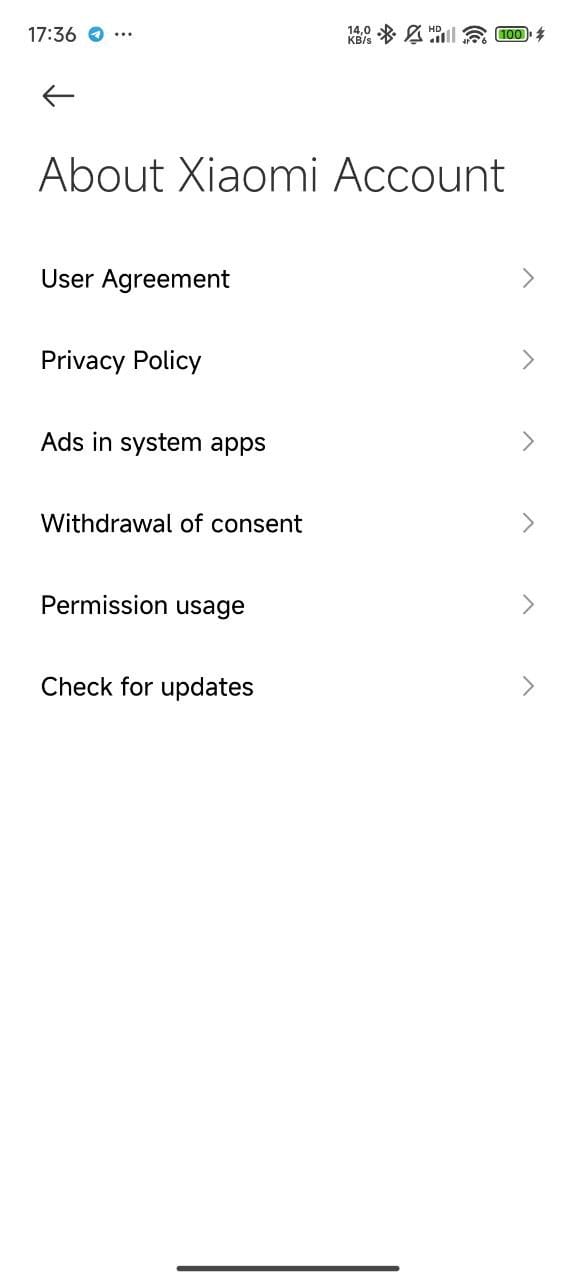
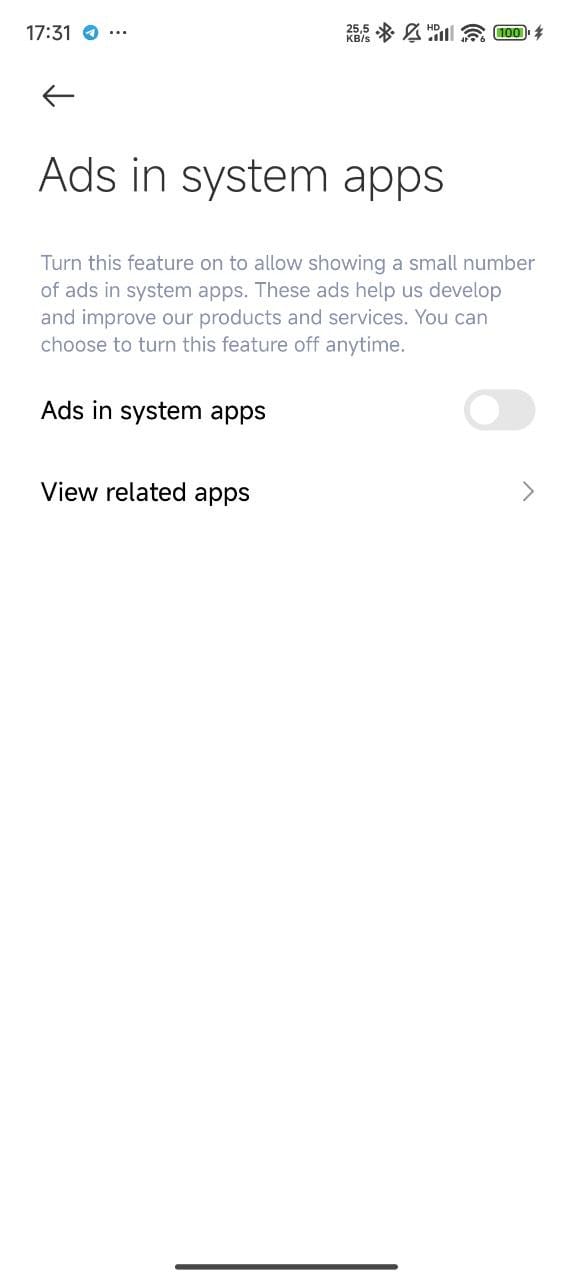
Turn Off System App Ads If Available

Not all devices have this option, but when they do, I always disable it:

  1. Open Settings
  2. Enter Mi Account
  3. Tap About Xiaomi Account
  4. Disable Ads in System Apps

With these steps completed, most visible ads across HyperOS are gone.

HyperOS System App Ad Remove 3 HyperOS System App Ad Remove 1 HyperOS System App Ad Remove 2

For more detailed guide follow our disabling ads in Xiaomi HyperOS guide.

2. Advanced Ad and Debloat Removal with ADB

I use ADB to uninstall ad-related system packages for a deeper cleanup, especially on corporate or shared/long-term business devices. This gives a clutter-free experience and is also good from a privacy perspective.

ADB Commands I Use

Once the device is connected and ADB is enabled, I run:

pm uninstall -k --user 0 com.miui.analytics
pm uninstall -k --user 0 com.miui.daemon
pm uninstall -k --user 0 com.miui.msa.global
pm uninstall -k --user 0 com.miui.android.fashiongallery
pm uninstall -k --user 0 com.xiaomi.payment
pm uninstall -k --user 0 com.micredit.in
pm uninstall -k --user 0 com.mipay.wallet.in
pm uninstall -k --user 0 com.xiaomi.mipicks
pm uninstall -k --user 0 com.mi.globalbrowser
pm uninstall -k --user 0 com.google.android.videos
pm uninstall -k --user 0 com.google.android.apps.tachyon
pm uninstall -k --user 0 com.google.android.apps.subscriptions.red
pm uninstall -k --user 0 com.xiaomi.glgm

These remove analytics tools, regional services, pre-installed apps, and ad-delivery components.

⚠ Important: ADB is powerful. Removing the wrong package can affect system functionality, so this step is best for advanced users or IT administrators. These remove analytics tools, regional services, pre-installed apps, and ad-delivery components.

Extra Optimization

For even more finetuning, I sometimes use the MemeOS Enhancer app from the Play Store, which provides extra controls for system behavior and performance, as well as updates, particularly in business.

Why This Matters

Once this is all set up, the Xiaomi device feels faster, cleaner, and far more professional. Productivity improves instantly, and privacy is enhanced via limited unnecessary data collection. This is why the first thing I do with any new HyperOS-powered phone is to remove the ads.

Does heavy gaming damage Xiaomi phones?

29 November 2025 at 15:27

Heavy mobile gaming is one of the most intensive workloads applied to modern smartphones, and besides the question of durability, there’s also component aging. Equipped with advanced thermal systems and HyperOS optimizations, Xiaomi devices can handle the most demanding scenarios, but still, long sessions of gaming at high load undoubtedly develop more heat and increase routine wear on several of their hardware components.

How High-Load Gaming Affects Xiaomi Hardware

Heavy gaming creates continuous performance peaks, and this heightens thermal output. The modern Xiaomi flagships and even mid-range devices have vapor chambers, high-efficiency heat-dissipation layers, and thermal regulation modules based on HyperOS. These throttle overheating by dynamically lowering CPU frequencies.

Though these prevent catastrophic failure, the outcome accelerates the natural component degradation process over a period. Such effects tend to show up mainly in the power-delivery modules, thermal materials, and AMOLED panel longevity.

Battery Aging Under Gaming Workloads

While it is natural that batteries degrade, gaming increases this timeline because the battery operates at higher temperatures and goes through more charge cycles. When temperatures above 40°C are common in normal operation during gaming, chemical aging accelerates, probably decreasing the maximum capacity after long-term use. Users who charge while playing increase both thermal and electrical load, which could shorten effective battery lifetimes. Regular battery replacements are still affordable worldwide, especially in comparison to other components.

Xiaomi 17 Pro Battery 1

Component-specific Effects in Xiaomi Smartphones

Xiaomi hardware platforms differ from model to model, but certain elements exhibit predictable wear under exposure to sustained thermal stress.

Motherboard and Solder Joints

Since many materials in smartphones have different thermal expansion behavior, repeated cycles of heating and cooling over a protracted duration of gaming may cause mechanical stresses across solder joints. Older models, like the POCO X3 Pro, have been known to fail from thermal cycling and other board design limitations.

More modern examples, including the POCO F5, POCO F6, Xiaomi 13, and Xiaomi 14, have introduced better-performing vapor chambers, optimised PCB layouts, and refined underfill materials, drastically reducing the likelihood of board-level failures during regular gaming use.

vapor chamber

AMOLED Panel Longevity

Most Xiaomi mid-tier and flagship devices utilize AMOLED panels with organic materials that gradually age. High brightness and static UI elements during gaming increase subpixel wear. Even with the inclusion of screen-protection patterns and brightness algorithms in HyperOS, static in-game HUD elements pose a more long-term risk for localized aging, or burn-in. These effects are usage-intensity dependent and do not generally imply immediate failure.

oled burn


Global Repair Economics

The deterioration of hardware is inevitable for all smartphones; however, repair costs vary by region and model type.

Motherboard Replacement Costs

The motherboard replacement is the most expensive repair for Xiaomi devices due to complex component integration. The repair cost for modern flagships usually reaches $370–$480, which makes repairing not as economically reasonable as replacement. For the mid-range models, the example here being POCO F6, the repair costs are considerably lower. And entry-level Redmi boards remain the cheapest.

Display and Battery Replacement

Premium model curved LTPO AMOLED screens cost in the range of $150–$350, depending on the region. Flat AMOLED panels, as seen on the POCO F5/F6 and Redmi Note models, are much more affordable. On the other hand, battery replacements remain very cost-effective in all regions, typically within the range of $20–$35 for parts, making them the most feasible maintenance part for hardcore gamers.

Recommendations for Users of Xiaomi

A few practical approaches will help gamers using Xiaomi smartphones to optimize device stability and prolong its service life. Enjoy long gaming sessions with regular breaks. Avoid charging while playing to reduce battery stress.

  • Employ HyperOS performance and battery settings for balanced operation.
  • Keep the device updated through HyperOSUpdates.com or our MemeOS Enhancer app on Google Play.
  • Lower display brightness while gaming to reduce AMOLED stress.

With modern thermal management, heavy gaming on Xiaomi phones does not cause sudden or catastrophic damage, though it does increase the natural aging rate of certain components, especially the battery and AMOLED sub-pixels. With some basic precautions, these effects can be minimized, ensuring a very stable and long-lasting gaming experience across the full device range of Xiaomi.

Xiaomi’s most functional office products of 2025

29 November 2025 at 12:00

Xiaomi continues to strengthen its HyperOS-powered office ecosystem by offering highly functional tools for both corporate and home-office environments. The company’s rapid shift from hardware-centric development to a fully integrated cross-device platform has reshaped user expectations. Xiaomi’s monitor lineup, lighting solutions, and network systems now work seamlessly across other devices like Xiaomi Pad 8 and Xiaomi 17 advanced cross-screen connectivity. The article below describes the most important office-focused Xiaomi products available in international markets.

Strategic Office Vision of Xiaomi

Xiaomi’s “Human x Car x Home” strategy incorporates workplace technology into the personal and automotive ecosystems. The concept turns traditional office equipment into a series of interconnected functional nodes: monitors, routers, and tablets communicate directly through the use of Xiaomi HyperConnect, with real-time continuity of data. Core parts of this vision are cross-screen copy-paste, auto-environment adjustment, and wireless projection, creating a more efficient workflow for the modern professional.

Xiaomi Professional Display Solutions

Xiaomi 4K Monitor A27Ui

The A27Ui was designed for creative professionals and executives looking for 4K IPS clarity combined with excellent factory calibration. Featuring Delta E < 1 accuracy, it ensures color precision for designers and video editors alike. The USB-C hub features 90W PD support and turns the monitor into a workstation center where a tidy, single-cable desktop setup is possible. This model addresses growing demands for high-fidelity visuals combined with ergonomic productivity.

REDMI A27U 4K

Xiaomi Mini LED Gaming Monitor G Pro 27i

Although designed on gaming standards, the G Pro 27i is equally suitable for software developers and hybrid workers who need higher refresh rates. The panel features 180Hz, HDR1000 brightness, and Mini LED local dimming that displays deep blacks and high contrast. The performance benefits dense spreadsheets, timeline-based editing, and real-time dashboard monitoring.

Xiaomi Monitor A27i

For workplaces that prioritize cost efficiency, the A27i strikes a balance with a Full HD experience on a 100Hz refresh rate. With a frameless design to support multi-monitor expansion, this affordable display fits well in large enterprises and call centers as well as administrative departments.

Redmi Monitor A27Q Multi function stand edition 2025 now available

Xiaomi Office Lighting Technologies

Mi Computer Monitor Light Bar

This asymmetrical light bar eliminates reflections by directing illumination only to the desk surface. The wireless control puck allows for an adjustment in brightness and color temperature comfortably, without clutter. With a CRI 95 rating, the device is highly suitable for professionals examining printed materials or color-sensitive samples.

Mi Computer Monitor Light Bar

Mi Smart LED Desk Lamp Pro

Xiaomi’s desk lamp provides advanced lighting: uniform, with high CRI values and variable temperature. Its optical design limits visual fatigue during very long work sessions. With HyperOS, users can program lighting scenarios with Xiaomi Home routines to improve overall ergonomics in both home and corporate applications.

Mi Smart LED Desk Lamp Pro

Networking and Connectivity Solutions by Xiaomi

Xiaomi Wi-Fi 6 and Wi-Fi 7 Mesh Systems

Xiaomi’s mesh routers offer stable multinode networking, very important for modern office environments that require constant high-bandwidth performance. Their AI-optimized routing, WPA3 security, and wide-range antenna structures minimize dead zones, ensuring reliable connectivity for online meetings, cloud services, and remote collaboration. They are also easily integrated with HyperOS devices, allowing real-time monitoring and management of connection priority.

Mi WiFi Range Extender Pro

Xiaomi’s ever-expanding office ecosystem shows how the firm has transitioned from a pure device maker to an integrated productivity platform. The fusion of monitors, lighting systems, routers, and tablets strikes a balance in bringing professionalism with cost efficiency. To users in worldwide, Xiaomi offers an affordable, high-end, and connected office setup, ready for 2025 and beyond.

Does using themes on Xiaomi affect battery life?

29 November 2025 at 08:00

Theme customization is one of the most recognizable parts of Xiaomi’s ecosystem, especially with the transition from MIUI to HyperOS. Many users often ask whether applying themes decreases battery life, and while this concern is valid, the answer depends on several independent factors like display technology, animation load, rendering behavior, and background services. Xiaomi’s software architecture, its theme engine, and features such as Super Wallpapers all play a measurable role in overall energy efficiency.

How Display Technologies Influence Theme-Related Power Consumption

The relation between a theme and battery consumption is strongly linked to the panel type.

LCD Display

An IPS LCD panel behaves differently compared to an AMOLED screen in terms of color rendering and backlight control.

On the IPS LCD displays, using black or dark themes does nothing to save backlight consumption, which means the theme has almost no direct effect on energy consumption. On AMOLED panels, however, illumination at the pixel level makes dark themes much more power-efficient. Since each pixel produces its light, black areas simply turn completely off, thus reducing energy draw and enhancing endurance.

AMOLED Display

True-black or dark-based themes have a noticeable effect on AMOLED panels found on Xiaomi’s flagships and upper-midrange models. A lower Average Picture Level (APL) means reduced pixel emission, which contributes to improved Screen-On Time. Users targeting longer battery life generally prefer true-black elements. The difference between pure black and dark gray is usually small, however.

  • White-dominant themes: High power draw
  • Dark themes: Up to 40–60% less display power
  • Best result: static black wallpaper
Black wallpaper

From MIUI to HyperOS: How System Architecture Shapes Battery Behavior

With the shift of Xiaomi from MIUI to HyperOS, there comes a redesigned rendering pipeline, introducing a more dynamic visual language. The OS uses improved resource scheduling; however, it introduces richer animations, real-time lighting effects, and more flexible visual elements.

These improvements enhance the overall visual quality, but at the same time, they can be GPU and CPU-intensive, depending on the theme applied. For instance, themes using blur or intensive icon overlays will increase the computational needs, particularly on mid-tier hardware. Following a major system update, some temporary indexing and background optimization might also affect battery behavior.

Alive Design and System Efficiency

HyperOS’s “Alive Design” features smoothly integrated natural animations, fluid transitions, and adaptive graphical elements. While optimized for modern chipsets and distributed computing, the use of visually heavy themes may offset some of these system-level efficiencies.

The Impact of Dynamic Elements: Super Wallpapers and Animated Components

The most evident effect on battery performance is from dynamic wallpapers and animations. Super Wallpapers from Xiaomi work like real-time 3D scenes that are constantly rendering frame-by-frame rather than just showing static images.

These elements keep the GPUs active, use motion sensors, and prevent the device from going into low-refresh or deep-sleep states.

Impact Breakdown – Battery

  • Static black wallpaper: Best performance Video wallpaper: Increased power consumption, medium
  • Super Wallpapers: Up to 10–20% daily battery reduction
  • Dynamic widgets: Higher CPU and sensor polling

Users who would prefer higher endurance should refrain from motion-based themes and animated widgets.

HyperOS Moon Super Wallpaper 4 HyperOS Mars Super Wallpaper 3

Third-Party Themes: How to Optimize, Assess Risks, and Apply Best Practices

Third-party themes have many options to fine-tune but vary massively in the quality of the optimization. Larger image assets, icons that aren’t vector-based, or XML elements using deprecated attributes can make HyperOS utilize compatibility layers. This greatly increases memory usage and might lead to occasional frame drops and extra CPU cycles.

Characteristics of Battery-Friendly Themes

  • Simple vector icons
  • Static wallpapers
  • Dark UI background for AMOLED screens
  • No blur, glow, or motion effects
  • Minimal usage of widgets

Theme usage on Xiaomi does not reduce battery life across the board; rather, it depends on hardware employed—be it AMOLED or LCD, system architecture, which can either be MIUI or HyperOS, and the complexity of the theme used. If selected well—and better if lightweight, static, and optimized—users can easily enjoy personalization without compromising power efficiency.

Why Xiaomi moved from 200W charging to 100W in 2025

29 November 2025 at 05:00

Xiaomi’s 2025 charging strategy represents one of the most significant structural upgrades on the company’s battery roadmap. While Xiaomi previously announced record 120W and even 200W HyperCharge systems, the new flagship generation including the Xiaomi 15 series falls back to 90W–100W charging rates. This is consistent with the transition toward high-density silicon-carbon batteries and single-cell architectures that Xiaomi is undertaking. For additional background on Xiaomi’s contemporary battery strategy, readers can also refer to our Xiaomi 15 Pro battery analysisHyperOS battery optimization overview, or Xiaomi charging technology timeline.

A Structural Shift in Mobile Power Engineering

This reduction in peak charging wattage is not a technological downgrade but rather the result of a conscious engineering recalibration. Newer silicon-carbon batteries boast much higher volumetric energy density relative to conventional graphite-based cells. However, this gain comes with strict thermal and mechanical limitations. For long-term stability and to extend battery life well over 1,600 cycles, Xiaomi has balanced the charging currents to achieve the new ceiling of around 90W–100W. This allows for bigger capacities such as 6000mAh+ without adding device thickness.

battery cycle

Why High Energy Density Changes the Charging Equation

Silicon-carbon chemistry gives Xiaomi a chance to increase energy storage without growing the size of the chassis. However, silicon expands considerably during charging, increasing internal stress when exposed to heavy currents. The charging system needs to operate within a controlled power envelope to avoid structural fatigue, electrolyte degradation, and premature aging. Therefore, battery longevity and reliability are more valued by Xiaomi than achieving extreme wattages, particularly in premium units where long-term performance is more critical.

Single-Cell Architectures and Thermal Considerations

In the earlier 120W–200W systems, Xiaomi relied on dual-cell layouts that distributed voltage across two separate battery modules. This provided for higher instantaneous power at the cost of reduced available internal volume and restricted maximum capacity due to duplicate packaging, connection layers, and safety buffers. New single-cell designs in the Xiaomi 15 Pro greatly improve volumetric efficiency, allowing for capacities above 6100mAh in slim bodies.

Xiaomi 17 Pro Battery 1

Why Single-Cell Charging Cannot Reach 120W+

A single lithium-ion cell operates around 4.5V. Pushing 120W into such a structure requires currents above 26A, which are beyond the safe limits of USB-C connectors, motherboard traces, and battery terminals. Even with enhanced materials, these currents generate excessive heat and accelerate chemical wear. Consequently, engineering teams concluded that 90W–100W is the safe and sustainable limit for next-generation single-cell silicon-carbon batteries.

Different Product Priorities: Xiaomi Flagship vs Redmi K Series

While the Xiaomi 15 Pro was all about improving the imaging performance and extending battery life, Redmi K80 Pro — only sold in China — continues to employ dual-cell systems to enable 120W charging. This difference reflects diverging design philosophies. Whereas the Redmi K line emphasizes gaming and fast power delivery, the Xiaomi flagship series targets premium ergonomics, camera quality, and overall endurance.

Why Redmi Can Still Use 120W

The reason why the Redmi models can afford to have more internal space for the battery module is that their camera system occupies less volume than the Leica-optimized modules in the Xiaomi flagships. This allows for extra space, thus enabling dual-cell designs without compromising capacity. Xiaomi’s flagship layout, on the other hand, would rather focus on optical performance, thus making the single-cell high-density battery an optimum solution.

Battery Longevity as the New Industry Standard

This places Xiaomi’s products in step with budding regulation and consumer expectations as the industry moves away from “charging speed competition” and toward “battery lifecycle optimization.” The thermal profile of the 200W-class systems limits cycle life to about 800 cycles, whereas the optimized 90W-100W systems with silicon-carbon cells can reach 1,600+ cycles reliably, effectively doubling the usable lifetime. This long-term performance advantage now represents a more valuable metric than the difference between 15-minute and 28-minute full-charge times.

Do Xiaomi users prefer an iOS-like interface or Xiaomi’s own unique design?

28 November 2025 at 09:35

The long-term evolution of Xiaomi’s software experience has raised an important discussion among users: should Xiaomi further move into adopting an iOS-inspired visual language, or return to a more original and performance-oriented identity similar to MIUI 9? As the Human x Car x Home ecosystem by Xiaomi expands with HyperOS, this debate has gained momentum across global markets. Early feedback collected from community reports, interface reviews, and feature comparisons shows that user expectations vary considerably depending on usage habits and device categories.

Changing the Game from MIUI 9 to HyperOS

Only in that comparison-the performance-first engineering of MIUI 9 versus the modern visual architecture of HyperOS-can the design transformation of Xiaomi be contextualized. While MIUI 9 aimed for minimalism, fast animations, and strict resource allocation, HyperOS replaced those with advanced rendering effects, layered blur structures, and a split Control Center reminiscent of modern iOS releases.

MIUI 9 1 HGyperos cONTROL center

The Role of Design Evolution

This shift to a richer visual identity has been influenced by evolving user needs, larger display technologies, and the requirement for an interface suitable for phones, tablets, wearables, and automotive systems. Because HyperOS acts as a unified platform across these categories, consistency is favored over pure performance. The reason being that some users appreciate its premium aesthetics, whereas others miss the direct and fast interaction model of MIUI 9.

Why Some Users Prefer an iOS-Like Experience

For many users, including those who have recently migrated from iPhone or are used to the iOS-influenced design language, Xiaomi’s new direction is highly valued. They point out that daily operations are much more intuitive with the familiar layout, unified toggles, dynamic elements like Super Island, and better visual depth.

HGyperos cONTROL center HyperOS Control Center Mod 3

Adoption Patterns Across Markets

iOS remains a strong aspirational reference point in China, especially in premium segments. HyperOS from Xiaomi resonates strongly with users seeking modernity and consistency across smartphones, tablets, and the SU7 vehicle. This alignment further improves app compatibility patterns for large-scale local services such as WeChat, Alipay, and Meituan, in support of overall user satisfaction.

Why Some Users Prefer Xiaomi’s Original Approach

On the other hand, long-time Xiaomi users, power enthusiasts, and Android-centric communities believe that Xiaomi should work towards a more distinguished visual identity. For this audience, MIUI 9 is valued due to its fast response times, all-in-one notification panel, and less complex animation logic.

MIUI 9

Performance, Consistency and Control

It is also not uncommon for them to point out that, with less powerful hardware, the visual effects-real-time blurring, dynamic renderings-actually limit performance. They want options for how the interface works, such as being able to toggle between the Android-style unified panel and the new split Control Center; the inability to do so on some of the HyperOS builds tends to be a major factor of dissatisfaction.

Strategic Factors Behind Xiaomi’s Current Direction

From the perspective of business, design decisions by Xiaomi strongly support broader strategic objectives: with increasing exposure to the premium smartphone category, along with growing the ecosystem via SU7 and smart home products, a unified visually rich interface becomes of prime importance.

Alignment with the Premium Segment

The high-end Xiaomi offerings, like the Xiaomi 15 Ultra or Xiaomi 14 Ultra, usually match up to and surpass the flagships of iPhones in categories above the $900 USD range. For these categories, visual polish and perceived premium quality make a huge difference in user expectations. The aesthetic approach of HyperOS attains this with a modern, recognizable design and consistency across product lines.

Whether Xiaomi wants to give users an iOS-like interface or something quintessentially Xiaomi in design is a question that does not have a singular answer. Instead, it reflects the diversity of Xiaomi’s global audience: power users emphasize originality and performance efficiency, while mainstream and premium-segment users value familiarity, visual sophistication, and ecosystem consistency.

As Xiaomi continues to develop HyperOS for phones, vehicles, and smart home devices, the challenge will be juggling this diversity while sustaining a coherent design identity.

Top 5 budget power banks for Xiaomi, Redmi and POCO users

28 November 2025 at 08:00

With Xiaomi, Redmi, and POCO smartphones continuing to adopt brighter AMOLED displays, multi-core Snapdragon 8 Elite processors, and high-speed 5G modems, demands for stable, fast, and efficient mobile energy solutions have increased significantly. These technologies raise energy consumption and create a clear need for power banks capable of activating Xiaomi’s fast-charging standards such as Mi Turbo Charge and HyperCharge. In this article, we will be discussing the most balanced 10,000mAh power banks optimized for Xiaomi devices, complemented with a technical comparison for users across the global market.

Understanding Energy Requirements in the Xiaomi Ecosystem

There’s also the fact that high-refresh AMOLED panels and advanced chips significantly increase current draws, so fast-charging support is already quite a necessity. For Xiaomi users, the most valuable power bank is not the one offering the highest mAh, but rather the one capable of triggering the correct Xiaomi fast-charge protocol. A 10,000mAh capacity remains the most practical level because it balances weight efficiency, travel compatibility, and charging speed.

Why 10,000mAh is the Optimal Capacity

A typical unit with 10,000mAh weighs between 200g and 250g, adequate for everyday use and short trips. Versions with 20,000mAh usually exceed the 450g threshold to become less portable. Furthermore, 10,000mAh is well below the 100Wh limit imposed by aviation, which makes it safe for cabin transportation on international flights. This means that, for Xiaomi users, the ratio of performance to portability is highest in this category.

Top 5 Power Banks for Xiaomi, Redmi and POCO

1. Cuktech 10 (PB100P) – Peak Performance Leader

Cuktech is part of Xiaomi’s former ZMI power solutions division and presents one of the most impressive engineering designs in the class. The Cuktech 10 boasts 21700 battery cells, popular in electric vehicle engineering, that provide stable voltage and superior thermal efficiency.

The device supports up to 120W Xiaomi HyperCharge, which will allow models like the POCO F6 Pro or Xiaomi 13 Pro to reach their maximum charging profiles using compatible cables. With a 90W input rating, the power bank itself recharges much quicker than usual designs, allowing for greater uptime for intensive users.

Cuktech 10 PB100P details Cuktech 10 PB100P

2. Xiaomi 33W Power Bank 10000mAh Pocket Edition Pro

This model caters specifically to Xiaomi’s mainstream 33W charging ecosystem, used in devices such as the Redmi Note series and the POCO X series. Thanks to compatibility with Xiaomi’s internal PMIC, the device consistently triggers Mi Turbo Charge without falling back to lower USB-PD levels. The compact design makes it perfect for everyday carrying, and dual-direction 22.5W fast charging means efficient recovery time.

Xiaomi 33W Power Bank 10000mAh 2 Xiaomi 33W Power Bank 10000mAh

3. Xiaomi 33W Integrated Cable Power Bank

This alternative 10,000mAh Xiaomi option comes with an inbuilt USB-C cable that should reduce accessory clutter when traveling. With its dedicated 33W output, it provides reliable performance for Redmi Note and POCO devices, especially for users who prefer a minimalistic, cable-free design. Its integrated cable also eliminates handshake issues with low-quality third-party cables.

Xiaomi 33W Integrated Cable Power Bank 2 Xiaomi 33W Integrated Cable Power Bank

4. Baseus Adaman2 30W

Baseus integrates modern USB-PD and PPS standards, enabling compatible Xiaomi devices to reach up to 30W charging in global markets. The metal housing supports effective heat dissipation, making the unit suitable for mid-range POCO or Redmi models that benefit from stable power delivery. The efficient cell structure and compact form factor also support extended longevity.

Baseus Adaman2 30W 2 Baseus Adaman2 30W

5. UGREEN Uno 30W

UGREEN’s Uno 30W offers PPS-enabled charging that benefits the Xiaomi devices capable of flexible voltage negotiation. Though it doesn’t trigger Xiaomi’s proprietary fast-charge profiles like Mi Turbo Charge, the universal PD compatibility makes it really great for multi-device use. If you have a mixed ecosystem of laptops, tablets, and accessories, this model delivers widespread flexibility.

UGREEN Uno 30W 32 UGREEN Uno 30W

The best power bank for a Xiaomi, Redmi, or POCO user should support not only high mAh capacity but also correct protocol compatibility. Models like the Cuktech 10 and Xiaomi Pocket Edition Pro stand out by offering flawless handshake performance with the Chinese company’s charging architecture, while Baseus and UGREEN are strong PD-PPS alternatives with international users in mind. Comparing the output in wattage, cell structure, and protocol support will enable buyers to make the best choice for efficient real-world mobility.

Best Xiaomi HyperOS region: Which Global ROM is truly better?

28 November 2025 at 00:31

The regional firmware structure at Xiaomi has become a key differentiator of user experience on both HyperOS and the legacy MIUI devices. Each region—be it EEAGlobalTaiwanIndonesiaIndia, or Russia—employs different system applications, privacy architectures, and feature sets. For most users, this often boils down to whether native call recording, dialer integration, update cadence, and system stability fit their expectations. This article provides a clear technical overview of regional ROM variations, referencing our resources such as Xiaomi HyperOS features and Xiaomi 14 series updates for deeper context.

Understanding Xiaomi’s Regional ROM Structure

Thus, the global strategy of software distribution by Xiaomi is based on compliance with local legislations, the policy of Google Mobile Services, and particular market requirements. That is why several lines of firmware can have the same hardware base but work with different application ecosystems. Regional ROM identities are given by firmware code names such as EUMITWIDIN, or RU, shaping the system experience in their own way.

Typically, a Xiaomi ROM will include a unified kernel layer, a framework layer with partial integration of either Google or Xiaomi cloud services, and then a top application layer where differences tend to be most apparent. Call recording, SMS frameworks, the default type of dialer, and pre-installed applications all fall under this topmost layer completely, meaning there are some functional reasons to prefer certain regions over others.

Why Taiwan (TW) is the optimal region

The Taiwan ROMs stick with Xiaomi’s native dialer and messaging applications, thus offering integrated call recording without audible announcements. That makes the Taiwan variant one of the most wanted ROMs from users around the world who value consistent functionality and local-first Xiaomi design. Another great thing about the ROM is that it is free of excessive third-party apps and retains full compatibility with global hardware.

Despite getting major HyperOS updates a bit later than Global or EEA ROMs, Taiwan builds tend to exhibit better stability since they package in fixes rolled out in earlier regions. With the balance of feature richness, regulatory flexibility, and Xiaomi-native application support, Taiwan represents the most optimal choice for people who want a unified experience of HyperOS.

photo 2025 11 27 17 49 10 2 photo 2025 11 27 17 49 10 3 photo 2025 11 27 17 49 10 photo 2025 11 27 17 49 09

Europe (EEA) Region: Stability and Compliance

Since the EEA ROM is based on European data protection and digital market regulations, it removes system ads, limits telemetry, and has strict privacy boundaries. Xiaomi optimizes EEA firmware for consistency and reliability, often releasing its updates before most other regions except China. Although native call recording isn’t supported due to Google Dialer requirements, the EEA ROM is highly recommended to those who want regulatory compliance, data security, and long-term stability.

Indonesia (ID) Region: A Functional Alternative

Indonesia ROMs also use Xiaomi’s native dialer and messaging suite, offering call recording and better integration with the Xiaomi ecosystem. However, the region includes more partner apps to satisfy the needs of the local market. Some phones with HyperOS 2.0 have started featuring early hints of a move back to Google Dialer, but for now this is model dependent. It works, but this uncertainty puts Indonesia below Taiwan in terms of predictable feature support over the longer term.

HyperOS 2 and 3 Effects on Regional Variations

HyperOS 2 and 3 has a much more unified codebase, reducing the visual and functional differences between regions. However, this is still hampered by regulatory constraints on dialer availability and the behavior of call recording. Some regions, especially Indonesia, have seen partial alignment to Global standards in HyperOS 2 and 3 On the contrary, Taiwan still sticks with Xiaomi’s homebrew communication suite, solidifying it as a stable and feature-complete option.

Safely Switching Regions and Bootloader Considerations

Users can switch regions by unlocking their bootloader, flashing the desired ROM, and relocking, provided that hardware and firmware compatibility is maintained. Most Global hardware can support Taiwan, EEA, Indonesia, Russia, and Turkey ROMs for proper relocking. However, if relocking with mismatched hardware-for example, installing Global firmware on a China-specific model-it will brick the device irreversibly. For users who do not unlock the bootloader, OTA region-switching methods are work.

Recommended Xiaomi Region Selection Summary

  • Best Overall: Taiwan (TW) – Native dialer, stable performance, minimal bloat.
  • Best for Privacy & Stability: EEA (EU) – GDPR compliance and early updates.
  • Best Alternative with Native Dialer: Indonesia (ID) – Functional but variable.
  • Best for Pure Google Experience: Global (MI) – Broad availability and support.

❌