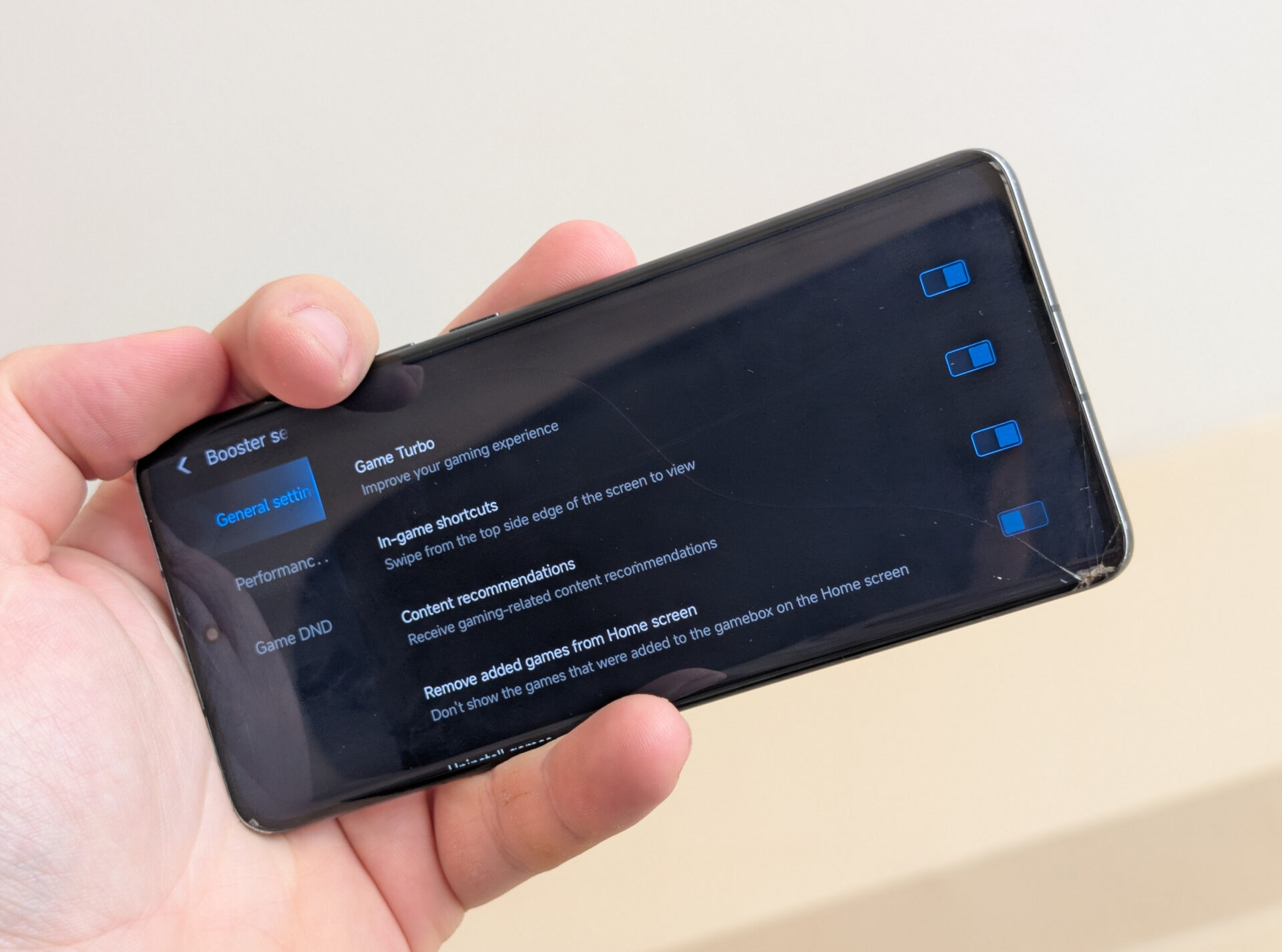
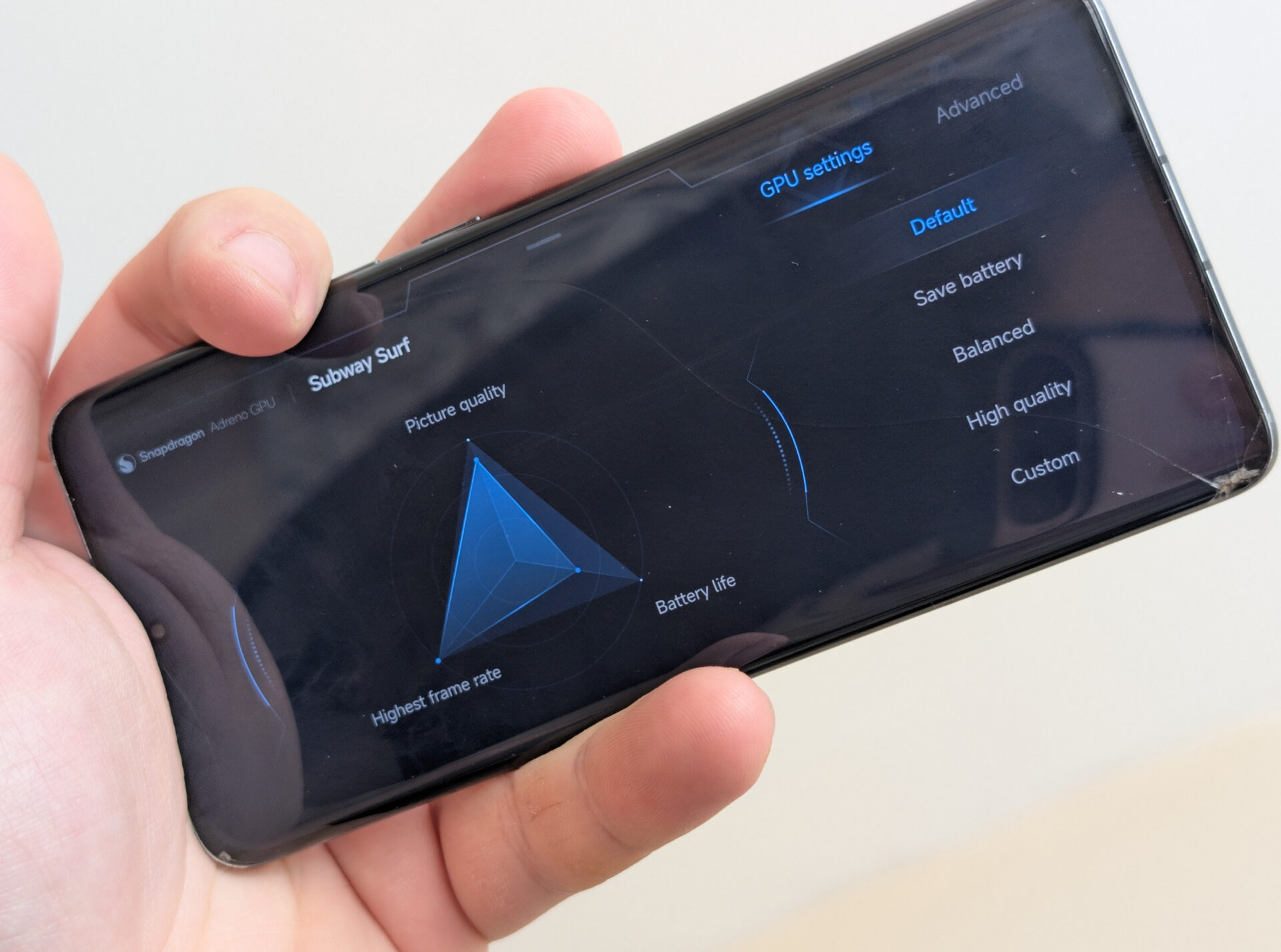
Most HyperOS gamers are dependent on Game Turbo, but hardly know its most potent feature — background app optimization — lies disabled by default. This feature has the potential to boost your gaming performance and interruptions by a great margin but lies in the depths of the settings. If you experience periodic loss of frames or irritating notification interrupts while gaming, it may be because your most important option lies disabled.
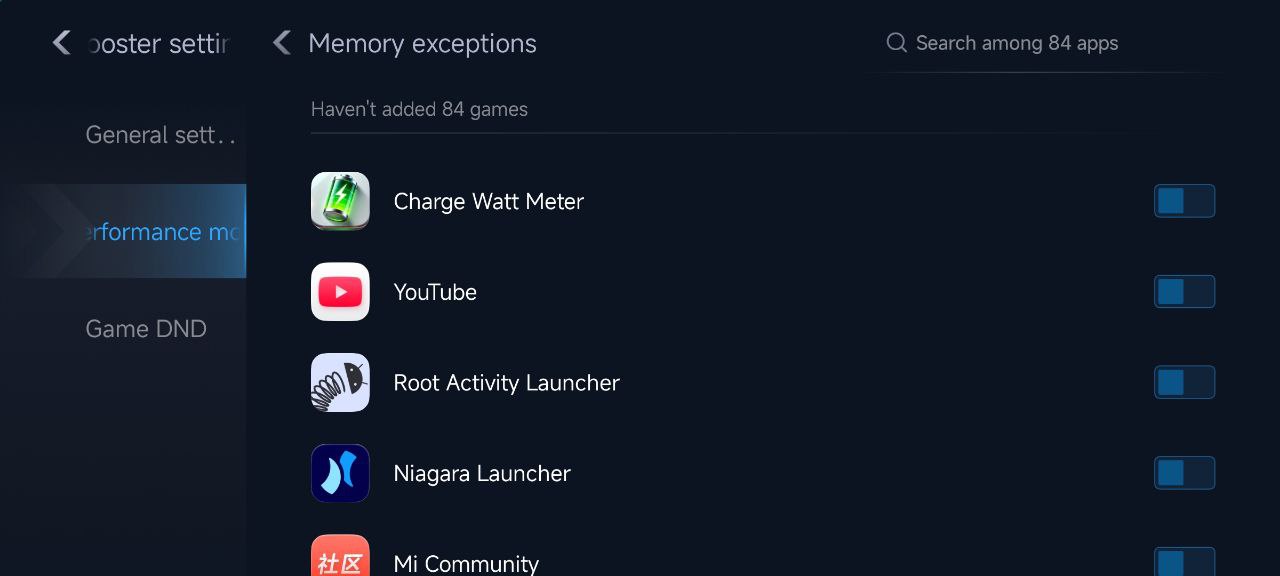
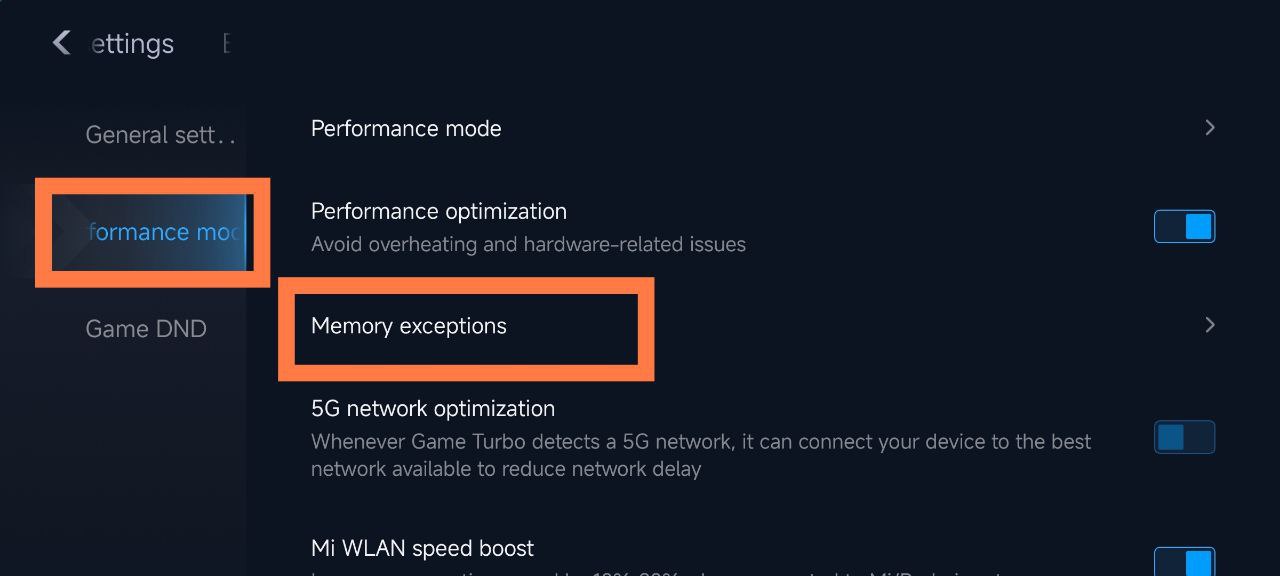
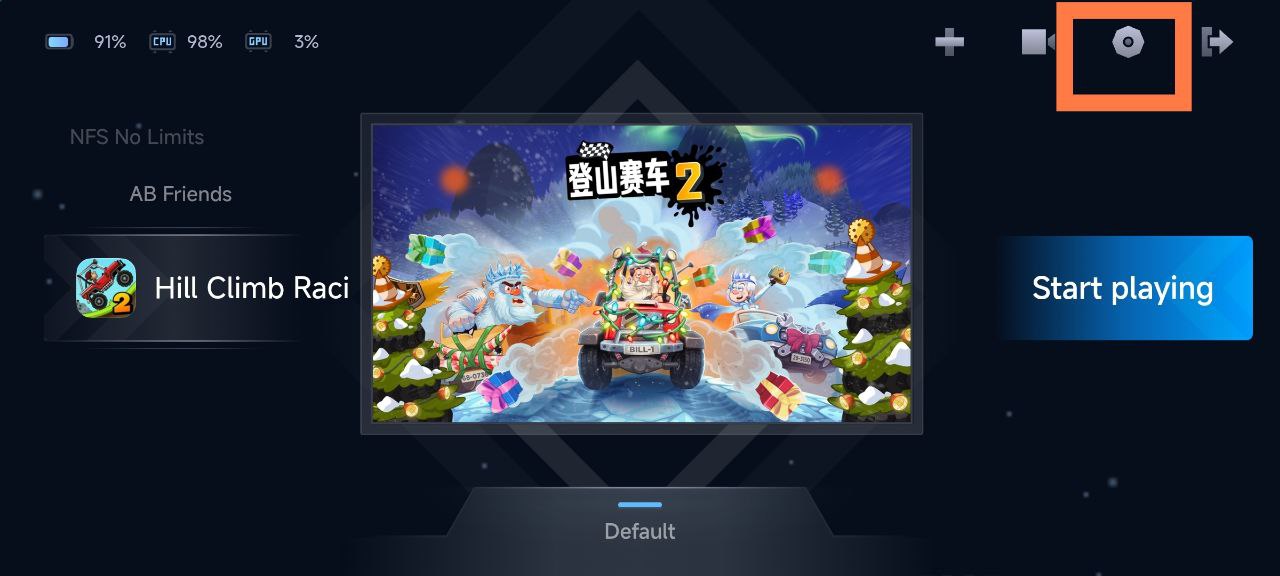
To enable it, simply open Game Turbo Settings > Performance > Memory Exceptions. From here, choose the applications that you want Game Turbo to forcibly end whenever you enter a game. This prevents unnecessary background applications from using memory or CPU cycles so your phone powers its gaming performance.
Why This Environment Is Important for Users
By allowing memory optimization, Game Turbo optimizes the system’s resources by releasing the RAM and keeping the frames stable in the course of playing. No interruptions by messaging or social app notifications will occur mid-match and thereby result in a smoother gaming experience.
This feature is particularly useful for Xiaomi, Redmi, and POCO smartphones that are running Snapdragon or Dimensity processors. Those playing Frequently playing gophers like Genshin Impact or PUBG Mobile will see distinct improvements in response and heat regulation when this feature is turned on.
Are you annoyed with Xiaomi phone performance or storage space? Your phone probably has at least a dozen or more unnecessary applications installed, eating away at precious resources that can also monitor your activities. Unnecessary apps, also referred to as “bloatware”, can substantially slow down your user experience by consuming battery, wasting storage, as well as compromising privacy. The good news is that most of these applications can be uninstalled safely to speed up your Xiaomi smartphone performance, extend battery, as well as recover storage space. The right method can turn your phone into a cleaner, speedier machine without affecting functionality.
MIUI and Xiaomi HyperOS System Bloatware
Prior to deleting any applications, it’s crucial to know which applications can safely be deleted. We have a complete list of Xiaomi bloatware that can safely be uninstalled by most users.
com.miui.cleanmaster: Cleaning app with abundant advertising that provides little return
com.miui.daemon: Background tracking application
com.miui.msa.global: Advertisement serving app that presents ads in MIUI
com.mi.webkit.core: Custom system webview by Xiaomi (Google’s would be better)
Most Xiaomi phones also have Google programs installed that you may not use:
com.google.android.apps.podcasts: Google Podcasts
com.google.android.apps.subscriptions.red: Google One
com.google.android.apps.photos: Google Photos
com.google.android.videos: Google TV
com.google.android.apps.tachyon: Google Duo
com.google.android.apps.wellbeing: Digital Wellbeing
How to Remove Bloatware
You can safely remove these apps by referring to our complete How to Debloat Xiaomi HyperOS tutorial. The removal process needs either ADB (Android Debug Bridge) commands or specialized debloat software that doesn’t involve root access.
Important: Uninstall the default file explorer (com.mi.android.globalFileexplorer) only after you’ve got an alternate file manager to ensure that a gap in functionality does not arise.
For the most convenient method to handle system applications and access hidden capabilities, you can download our MemeOS Enhancer application from the Play Store. This tool not only assists in deleting bloatware but also allows access to hidden Xiaomi settings, system application updates, as well as screen update management.
Xiaomi has just started rolling out a new update for Game Turbo this November 2025. This isn’t just a minor patch; it’s a significant enhancement delivered through the latest HyperOS Security app (version 11.7.3-250929.0.1). For those of us who live and breathe Xiaomi, this is another example of how the company seamlessly integrates powerful features into its ecosystem. Instead of a separate, clunky app, Game Turbo remains a core part of the security suite, reinforcing the brilliant all-in-one philosophy of Xiaomi HyperOS. This update continues the trend of constant improvement we’ve seen in other system apps, like the recent updates to the Xiaomi Gallery.
What’s New in the November 2025 Game Turbo?
This update focuses on refining the core mechanics that make a real difference during intense gameplay. Xiaomi’s engineers have clearly been listening to feedback, delivering targeted improvements that smooth out performance and make your device feel more responsive than ever. It’s all about giving you that competitive edge.
The key enhancements in this release include:
Buttery-Smooth Frame Rates: The optimization algorithms have been tweaked to provide a more stable and consistent frame rate, reducing stutters and lag in demanding titles.
Smarter Thermal Control: Play longer without the heat! The update brings improved thermal management to keep your device cool under pressure, ensuring sustained peak performance.
Lightning-Fast Touch Response: Every millisecond counts. Touch sensitivity has been recalibrated for more precise and immediate in-game interactions, from aiming to navigating menus.
Enhanced Focus Mode: Uninterrupted gameplay is now even better with expanded “do-not-disturb” features, letting you block out the world and focus solely on the win.
Optimized RAM Allocation: The system now does an even better job of allocating memory to your games, ensuring apps load faster and run efficiently in the background.
How to Get the Latest Game Turbo Update
Getting your hands on this game-changing update is incredibly simple. Since Game Turbo is part of the HyperOS Security app, all you need to do is update that single application. For the best experience and even more control over your device, we highly recommend using our very own MemeOS Enhancer app from the Google Play Store.
Who Gets the Update?
The update can be downloaded through the MemeOS Enhancer or HyperOSUpdates website. If you’re still using an older MIUI version, don’t worry! You can still access similar optimization features through the Game Launcher Turbo app available on the Google Play Store.
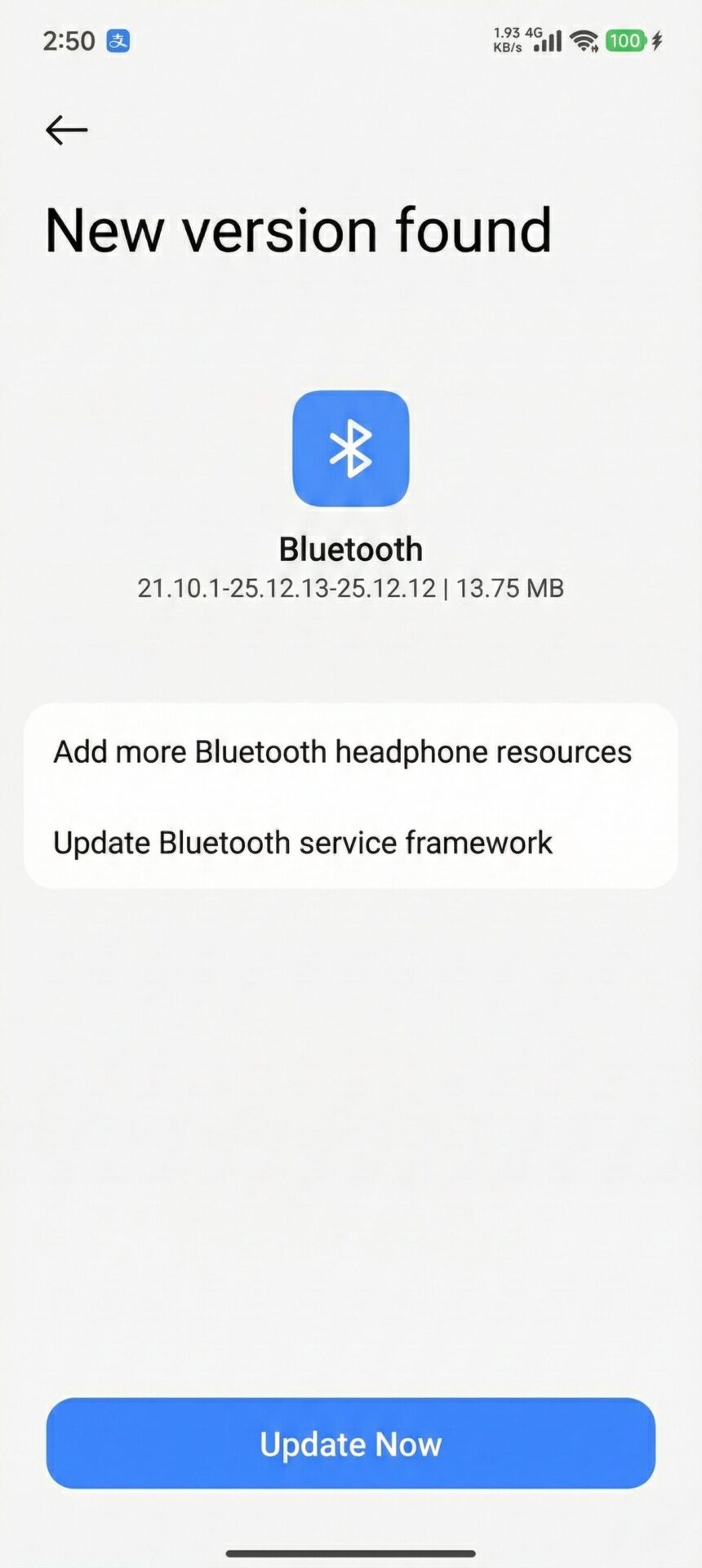
Xiaomi has released a comprehensive Bluetooth update for all compatible devices, bringing version with significant improvements to connectivity and device compatibility. This major system-level update addresses numerous connectivity issues while expanding support for a wider range of earphone models and accessories. Users across the globe are reporting enhanced audio performance, improved device pairing, and more stable connections with various Bluetooth peripherals. The update represents Xiaomi’s ongoing commitment to refining the user experience through regular system optimizations and ensuring seamless integration with the expanding ecosystem of wireless devices and accessories.
Key Improvements in Latest Update
The new Bluetooth update introduces several important enhancements that significantly improve the overall wireless experience for Xiaomi device users. The updated service framework provides a more robust foundation for future connectivity improvements.
Enhanced Device Compatibility
Extended support for additional earphone models
Improved recognition of third-party accessories
Better compatibility with various Bluetooth devices
Service Framework Updates
Updated Bluetooth service framework for better stability
Enhanced connection protocols for reliable pairing
Optimized power management for extended battery life
How to Install the Update
Installing this important Bluetooth update is straightforward and can be completed in just a few simple steps. Users should ensure their device is connected to WiFi before beginning the update process.
Installation Steps:
Open Settings app on your Xiaomi device
Navigate to Bluetooth settings
Look for the Updates section
Download and install
Device Compatibility and Availability
This Bluetooth update is rolling out globally to all compatible Xiaomi devices running HyperOS and MIUI. The update process may take several minutes depending on your internet connection speed and device performance capabilities.
Additional Benefits
Beyond the core improvements, users may notice enhanced audio quality when using supported earphones and improved connection stability during media playback. The update also includes background optimizations that contribute to better overall system performance.
For users interested in tracking additional Xiaomi system updates, these can be monitored through HyperOSUpdates.com or by installing the MemeOS Enhancer application from the Play Store. The MemeOS app provides access to hidden Xiaomi features, system app updates, and on-screen update notifications.
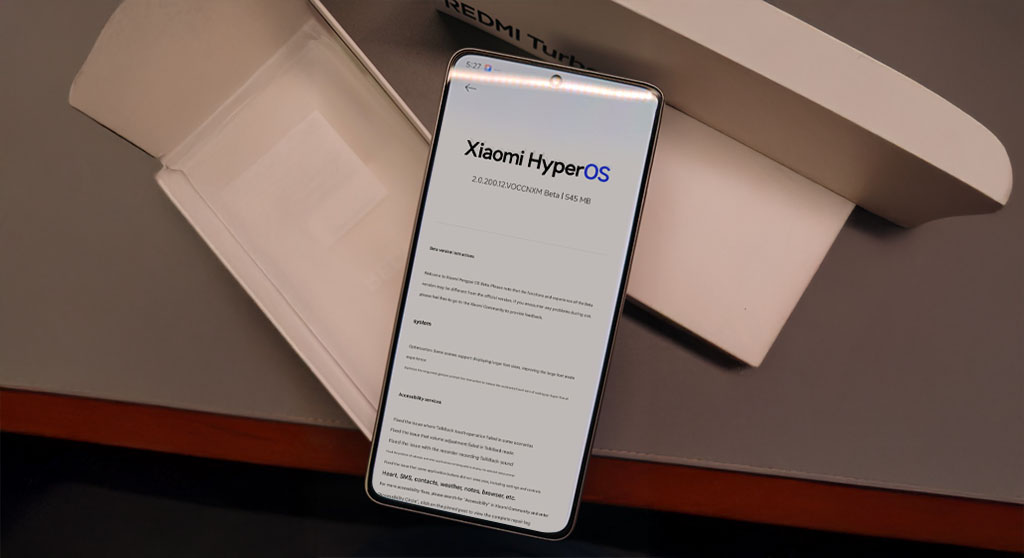
If you’re looking to stay ahead in the rapidly evolving tech landscape, Xiaomi’s Beta Tester program is your gateway to early HyperOS releases. The process to join is straightforward—apply during active recruitment windows, and you’ll gain access to pre-release features and participate in Xiaomi’s software development cycle. Typically, Xiaomi reopens Beta applications alongside major HyperOS updates, such as the anticipated HyperOS 3 or 2.2 rollout. Below, you’ll find the essentials for enrolling as a HyperOS Beta tester and leveraging early access to the latest software.
Strategic Advantages of Joining the HyperOS Beta Program
Participation in the HyperOS Beta program gives you exclusive access to upcoming features and system enhancements before they’re widely released. Beta testers are instrumental in Xiaomi’s R&D efforts, providing critical feedback and surfacing potential issues well ahead of public launch. This involvement ensures your insights contribute directly to product refinement.
Beta members are first in line for new features, offering them an immediate competitive edge. The program fosters a direct communication channel between users and Xiaomi’s development team, allowing your input to shape final release decisions. You’ll also gain valuable insight into Xiaomi’s product roadmap and future innovations.
For those seeking further customization and control, updates are available at HyperOSUpdates.com, and the MemeOS Enhancer app on the Play Store adds advanced management tools and access to hidden features.

 Login
Login