Normal view

Received yesterday — 24 December 2025

postmarketOS 25.12 Linux Mobile OS Rolls Out Based on Alpine Linux 3.23

23 December 2025 at 23:09

postmarketOS 25.12

postmarketOS 25.12 distribution based on Alpine Linux is now available for download with support for new devices and new features. Here's what's new!

The post postmarketOS 25.12 Linux Mobile OS Rolls Out Based on Alpine Linux 3.23 appeared first on 9to5Linux - do not reproduce this article without permission. This RSS feed is intended for readers, not scrapers.

Raspberry Pi Imager 2.0.3 Improves Drive Filtering and AppImage Bundle on Linux

23 December 2025 at 03:38

Raspberry Pi Imager 2.0.3

Raspberry Pi Imager 2.0.3 microSD card flashing utility is now available for download with performance improvements and bug fixes. Here’s what’s new!

The post Raspberry Pi Imager 2.0.3 Improves Drive Filtering and AppImage Bundle on Linux appeared first on 9to5Linux - do not reproduce this article without permission. This RSS feed is intended for readers, not scrapers.

elementary OS 8.1 Released with Wayland Session by Default, ARM64 Support

23 December 2025 at 01:59

elementary OS 8.1

elementary OS 8.1 distribution is now available for download based on Ubuntu 24.04.1 LTS and powered by Linux kernel 6.8. Here’s what’s new!

The post elementary OS 8.1 Released with Wayland Session by Default, ARM64 Support appeared first on 9to5Linux - do not reproduce this article without permission. This RSS feed is intended for readers, not scrapers.

9to5Linux Weekly Roundup: December 21st, 2025

22 December 2025 at 08:57

9to5Linux Roundup December 21st

9to5Linux Weekly Roundup for December 21st, 2025, brings news about Firefox AI kill switch, Linux Mint 22.3 Beta, Scribus 1.6.5, SparkyLinux 2025.12, OpenShot 3.4, Emmabuntüs Debian Edition 6, Flatpak 1.16.2, LibreOffice 25.8.4, OpenZFS 3.4, fwupd 2.0.19, NVIDIA 590 graphics driver, Linux 6.18 LTS on Ubuntu, Linux 6.17 EOL, Kdenlive 25.12, Darktable 5.4, Ventoy, 1.1.10 MPV 0.41 and GnuCash 5.14, and more.

The post 9to5Linux Weekly Roundup: December 21st, 2025 appeared first on 9to5Linux - do not reproduce this article without permission. This RSS feed is intended for readers, not scrapers.

GnuCash 5.14 Open-Source Accounting Software Adds Support for US Bonds

22 December 2025 at 04:31

GnuCash 5.14

GnuCash 5.14 open-source, free, and cross-platform accounting software is now available for download with various improvements and bug fixes.

The post GnuCash 5.14 Open-Source Accounting Software Adds Support for US Bonds appeared first on 9to5Linux - do not reproduce this article without permission. This RSS feed is intended for readers, not scrapers.

MPV 0.41 Open-Source Video Player Released with Improved Wayland Support

22 December 2025 at 03:28

MPV 0.40

MPV 0.41 open-source media player is now available for download with improved Wayland support and ambient light support on Linux. Here’s what’s new!

The post MPV 0.41 Open-Source Video Player Released with Improved Wayland Support appeared first on 9to5Linux - do not reproduce this article without permission. This RSS feed is intended for readers, not scrapers.

Ventoy 1.1.10 Bootable USB Creator Released with Support for AerynOS

21 December 2025 at 21:54

Ventoy 1.0.80

Ventoy 1.1.10 open-source bootable USB solution is now available for download with support for AerynOS and other improvements. Here's what's new!

The post Ventoy 1.1.10 Bootable USB Creator Released with Support for AerynOS appeared first on 9to5Linux - do not reproduce this article without permission. This RSS feed is intended for readers, not scrapers.

Darktable 5.4 Open-Source RAW Image Editor Improves Camera Support

21 December 2025 at 18:11

Darktable 5.4

Darktable 5.4 open-source RAW image editor is now available for download with support for new cameras, new noise profiles, and bug fixes. Here’s what’s new!

The post Darktable 5.4 Open-Source RAW Image Editor Improves Camera Support appeared first on 9to5Linux - do not reproduce this article without permission. This RSS feed is intended for readers, not scrapers.

5 cool Xiaomi case types you need to see

24 December 2025 at 08:00

The peripheral environment of mobile computing devices has experienced a paradigm shift in the latest technological age. The idea of a protective cover began transforming from just an armor shell to an elaborate environment of performing interfaces for gadgets such as Xiaomi 17 and POCO F8 Pro. The selection of an apt cover would soon reach equal importance to that of the device itself in defining its efficiency of functionality. This study will uncover five different designs of a cover that can upgrade the user interface environment of the Xiaomi series.

The Professional Photography Grip System

As camera aficionados, the standard protective casing is not enough when it comes to optical image quality. The Xiaomi 15 Ultra Photography Kit is the epitome of its class, almost making the smartphone function like a professional camera. These cases have their own nano-tech leather texture, which is necessary not only for aesthetics but also for grip when taking videos or pictures.

15 Ultra photography kit Xiaomi 15 Ultra Photography Kit

Beyond the ergonomic aspects, these systems comprise a professional shutter and a zoom lever designed to directly communicate with the device via a short-range connectivity technology such as USB-C and Bluetooth. Another important addition that can be found is the presence of a 67mm filter adapter, enabling the use of professional ND and polarized filters, thereby filling a gap between computational photography and physics. These grips also provide a separate battery pack that can prevent battery exhaustion due to a powerful image signal processor.

Thermodynamic Cooling Enclosures

The introduction of advanced silicon variants, including the Snapdragon 8 Elite, has led to thermal efficiency becoming one of the most important considerations for mobile gaming. Thermodynamic armor cases are specifically designed to counter the effects of thermal throttling. These cases feature a composite design comprising layers of graphene and metals in direct contact with the back glass of the smartphone.

Active Cooling Integration

The highest level of advancements in this segment has magnetic induction rings that support external Peltier coolers. These cases efficiently manage the heat transition from the vapor chamber to the external cooling system, either by reducing the material thickness where it makes contact or adopting a copper window for the cooling sink. This ensures that the device operates at its highest clock speed without degradation, which has major impacts for competitive gaming in terms of performance.

Aramid Fibre and Composite Minimalist Shells

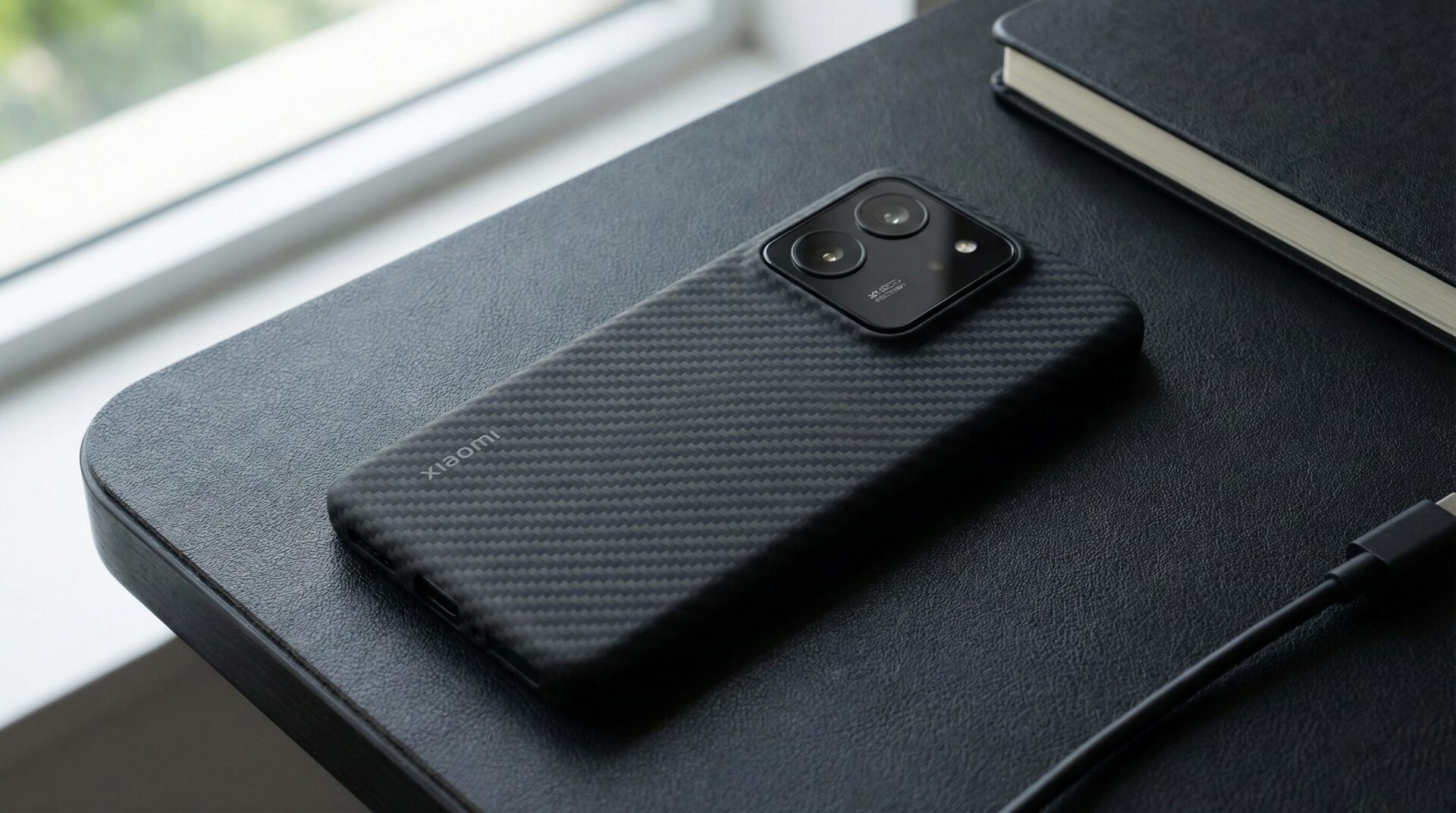
However, in cases where the user requires protectant properties without sacrificing the slim look of the device, Aramid-fiber composites are the scientifically preferable option. Commonly known by brands such as Kevlar, it has strength-to-weight ratios five times greater than even steel. They are usually molded with a thickness of less than 0.8mm, maintaining the original ID design of the Xiaomi 15 smartphone.

Carbon Case Xiaomi 15

While carbon fiber may cause interference with signal reception, Aramid fiber remains non-conductive to ensure that there are no effects related to the connectivity features like the 5G, Wi-Fi, or the GPS signal. It’s the best type to use during the present connectivity generation and allures with durability against scratches and slight impacts, along with the ability to retain the “naked” experience. The texture type includes the 600D/1500D weave, attributed to its sophisticated matte finish that resists finger and oil stains better than the polycarbonate type.

Functional Utility and Privacy Guards

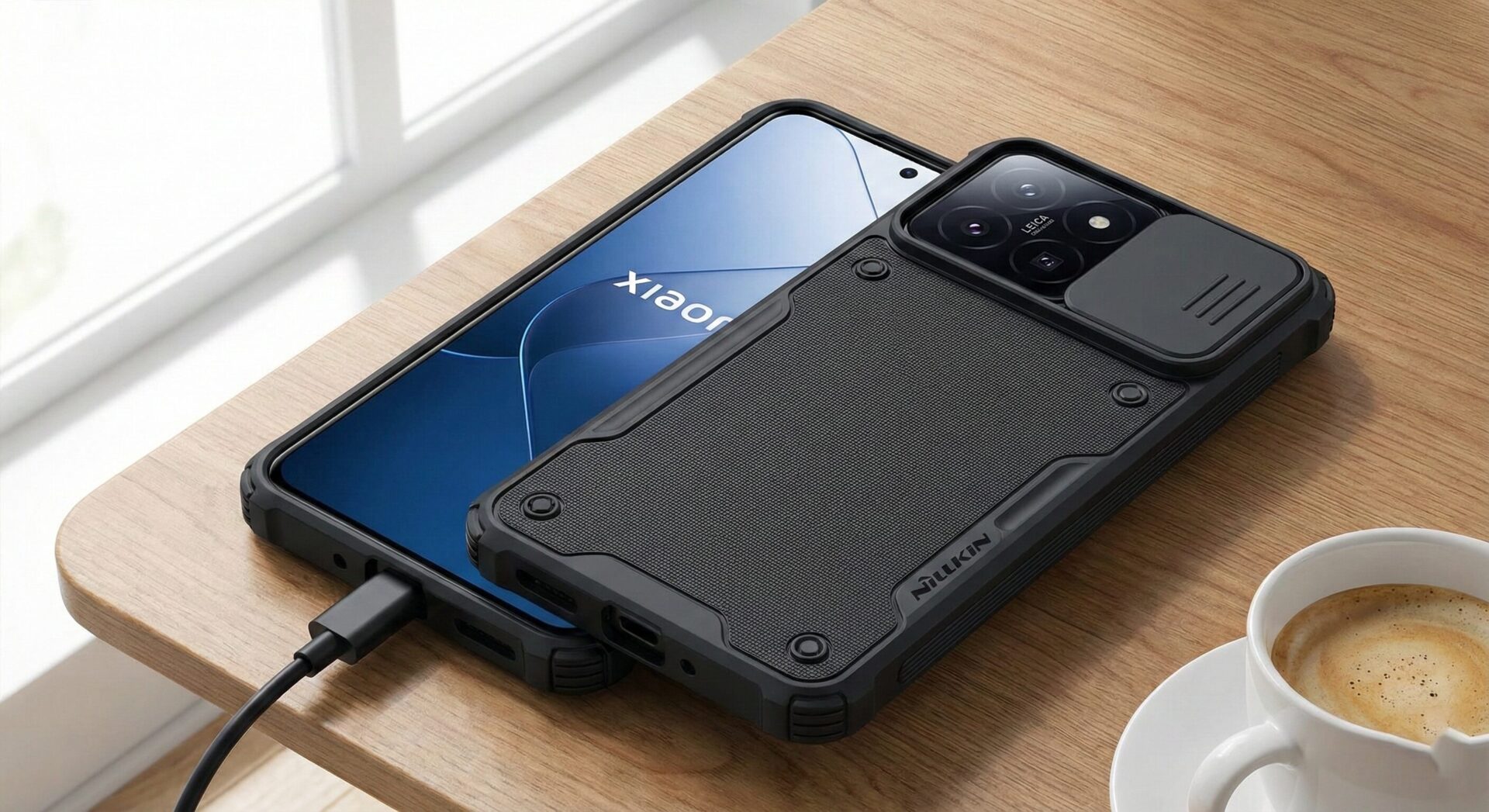
The incorporation of utility functionality within the case design helps to solve privacy and media viewing needs at the same time. This type of utility is characterized by the incorporation of “CamShields,” which shield the lens array physically when they are not in operation. This serves as an assured privacy solution for possible software attacks as well as prevents damage to the glass optics within the XRING O1 due to abrasion.

CamShield Case Xiaomi 14

Moreover, such mechanisms can also serve as strong kick stands that allow the device to be mounted upright for video calls or playing content. This feature makes it unnecessary to purchase additional accessories since a device can serve multiple functions. Such cases make it convenient for devices inside an individual’s ecosystem to connect using magnetic mountings for a smooth transition to car stands or connectivity with Xiaomi Pad 8 accessories using the Xiaomi HyperConnect protocols.

System Optimization and Software Maintenance

While it is essential to focus on physical protection, it has to be accompanied by attention to the internal health of the device. The photography kits and smart covers usually work in collaboration with particular system applications to achieve maximum efficiency. This calls for regular updates of system applications.

Xiaomi MIX Alpha was an impressive concept—so why was it cancelled?

24 December 2025 at 04:14

The Xiaomi MIX Alpha changed the smartphone industry in 2019 with its unique design and 180.6% screen-to-body ratio. Although this device remained a concept due to technical limits, its legacy continues to shape the future of Xiaomi phones. New reports indicate that Xiaomi is planning to bring this vision back in 2026 with advanced technologies found in the upcoming Xiaomi 15 Ultra and new foldable devices. Let’s analyze the future of this surround display technology.

The Engineering Marvel of Xiaomi MIX Alpha

The MIX Alpha was not just a smartphone; it was a glimpse into the future. It featured a “Surround Display” that wrapped around the entire body. The device used TC4 Titanium Alloy for its frame, which is three times stronger than stainless steel.

MI MIX ALPHA

Also, it introduced the world’s first 108MP camera sensor developed with Samsung. The screen resolution was 2088 x 2250 pixels, offering a sharp visual experience. However, there were no physical buttons. The sides used pressure-sensitive sensors and linear motors to simulate touch, a technology we might see again in the future.

MIX ALPHA

Why Was the Project Cancelled?

Xiaomi officially cancelled the MIX Alpha in 2020. The company faced huge challenges in mass production. It was impossible to manufacture the device efficiently at that time.

Production and Structural Challenges

The main problem was the yield rate. Producing a 360-degree flexible OLED screen was very difficult. Only a few panels passed the quality tests. This pushed the cost to approximately $2,800 (19,999 Yuan), and this price was only for the Chinese market. Additionally, assembling the battery and motherboard inside a “glass tube” caused thermal management issues. The cooling system was not effective enough for the Snapdragon processor.

mi mix alpha

We will probably not see a direct Xiaomi MIX Alpha replica in 2026. However, its technology will live on in the Xiaomi MIX Tri-Fold and the quad-curved Xiaomi MIX 5. The dream of a buttonless, all-screen phone is closer than ever.

Do smartphone camera sensors really degenerate with time?

23 December 2025 at 22:48

Smartphone cameras have become an integral part of the Xiaomi ecosystem, ranging from Redmi smartphones in China to the Xiaomi T series worldwide. With the growing usage of long exposure, night photography, and 4K videos, concerns have started rising regarding the age of image sensors, shutter counts for Android smartphones, and their overall reliability. This article will present an overall analysis of image sensors in terms of CMOS technology, Android camera systems, and top image sensors available in the market from Sony, Samsung, and OmniVision technologies.

Do Smartphone Camera Sensors Physically Degradate?

Camera smart phones utilize CMOS sensors, which are completely different from how conventional camera mechanisms are designed. CMOS sensors do not contain any shutter that moves; consequently, there are no friction issues as experienced in digital SLR cameras.

Over an extremely long time, the CMOS image sensor may exhibit a slight aging effect of the semiconductor material due to heat, voltage, and use. This kind of aging effect takes place over a longer period, which is much longer than the average three to five years of a smartphone’s life cycle. As a fact, the degradation of image quality by the aging effect of the image sensor has been considered highly improbable.

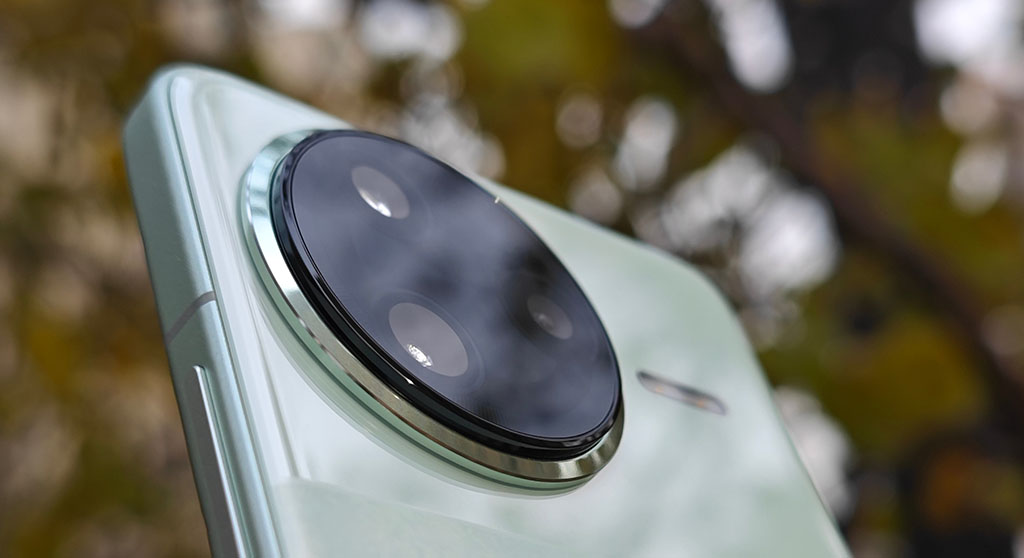
POCO F7 Pro camera

What is generally considered ‘camera aging’ may be generated by other matters, including scratched lens glass, dust accumulation, and modifications achieved through software upgrades rather than anything having to do with the camera sensors.

Does Android Phone Have a Shutter Count?

“Shutter count” is a term that is related to cameras that have mechanical shutters. The shutter opens and closes each time an image is taken, and this action activates a moving component. Android smartphones do not have mechanical shutters. They have digital rolling shutters. The sensor is scanned line by line.

Because of this design, a traditional number of shutter activations becomes irrelevant for Android phones. Though the manufacturer may record camera use statistics for testing and analysis, this number is not a good indication of the camera sensor status. A short video recording may accumulate thousands of sensor read cycles, rendering the number of photos irrelevant.

In conclusion, shutter count in smart phone cameras is not a good indicator of their longevity and dependability.

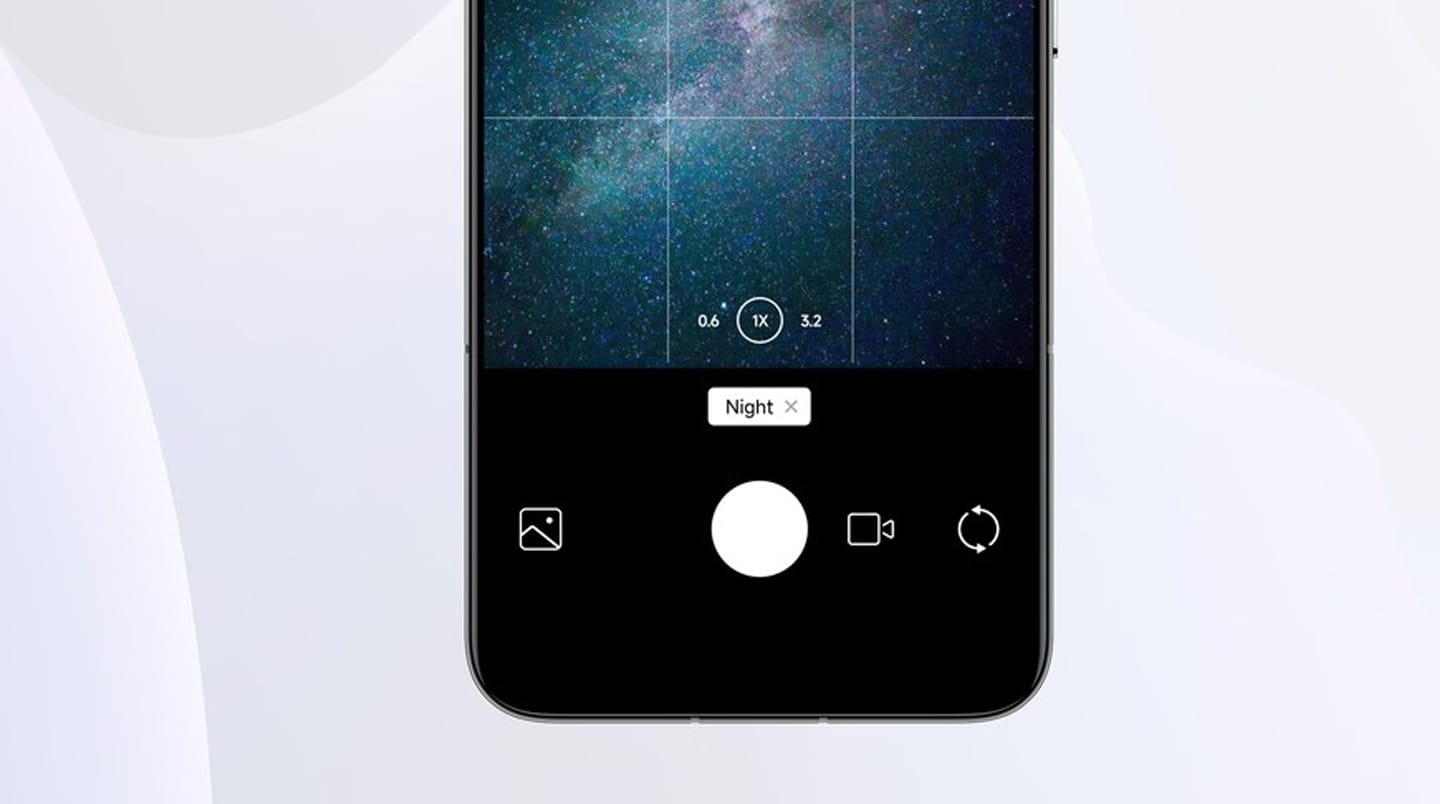
Xiaomi 17 camera UI

Do Long Exposure and Night Modes Damage the Sensor?

Long exposure photography on Android smartphones does not work like traditional single shot long exposure photography. It uses computational photography, and the process involves smartphones like those provided by Xiaomi, Samsung, and Google.

Rather than leaving the sensor active for several minutes without stopping, the device records numerous quick exposures and then stacks the images in software. This not only avoids heating up the sensor but is also not as taxing on the electronics.

Moreover, Android has protective mechanisms for overheating. If temperature levels are reached which are harmful to the sensor and processor, the camera application is turned off routinely by the camera application itself. Normal functionality of a camera allows for safe long exposure shots and astrophotography.

However, damage from light comes only from intense light sources like direct sunlight or a laser beam, which can damage pixels on a sensor in seconds.

Night Mode Xiaomi Camera

The Actual Weak Spot: OIS and Moving Components

The disadvantage in camera module failures can be seen when camera malfunctions, usually being linked to Optical Image Stabilization rather than image sensors. The OIS module promotes minute electromagnetic actuators that offset hand motion.

With time, mechanical fatigue or heavy vibrations resulting from mounting the phone on the handlebars of a motorcycle may affect these parts. Examples of malfunctioning parts are those that give out “rattling noises” or “unstable video” as well as those that create “focusing problems.” All these failures are mechanical, not semiconductor

Xiaomi hyperos video

Final Verdict

The sensors of the smartphone camera do not “wear out.” Neither is there a significant shutter count on an Android device, and long exposures are safe because of advances in computational photography and heat management. The selection of the sensor does affect the image qualities or options but not the longevity of the sensor.

As a consumer of Xiaomi smartphones, all that is required for maintaining the camera is to clean the lens periodically and avoid direct laser and sunlight exposure and unnecessary vibrations for the camera. In regular operating conditions, a camera inside a smartphone will function properly for its lifespan.

Xiaomi might roll out HyperOS 3 for 25 devices before 2026

23 December 2025 at 21:36

Xiaomi, is ready to kick-start its HyperOS 3 update even earlier than 2026. Internal server information suggests that HyperOS 3 builds are already labeled ready to release for various devices. Sources revealed through tracking on our website HyperOSUpdates.com that the software updates are not beta updates but are. This suggests Xiaomi aims to complete a large-scale rollout phase before the end of 2025, reinforcing its commitment to long-term software support across phones and tablets.

Status of HyperOS 3 Deployment Prior to 2026

HyperOS 3 marks the beginning of a new era of Xiaomi’s single-os ecosystem, ditching the older system versioning for a more modern, sophisticated name. Below are the improvements that are already live on Xiaomi servers, sporting the status of “ready to release,” which means that there are no other stages within the company for it to pass through.

The following devices will be receiving HyperOS 3, based on their server records:

Cihaz Modeli Durum
Xiaomi 13T The stable internal beta has not yet begun
Xiaomi 12S / 12S Pro The stable internal beta has not yet begun
Xiaomi 12 / 12 Pro Internal stable beta
Xiaomi 12T Pro Internal stable beta
Xiaomi 12S Ultra Internal stable beta
Xiaomi 13 Lite / Xiaomi Civi 2 Internal stable beta
POCO C85 4G Internal stable beta
Xiaomi Civi 3 Internal stable beta
Xiaomi MIX Fold 2 Internal stable beta
Redmi Pad Pro 5G Internal stable beta
Redmi K50 Ultra Internal stable beta
Redmi Note 12 Turbo Internal stable beta
Redmi Pad SE 8.7 Wi-Fi Internal stable beta
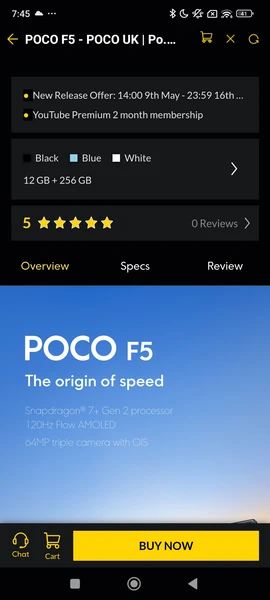
POCO F5 Internal stable beta
Redmi 15C 4G Internal stable beta
Xiaomi Pad 6 Max 14 Ready to release
Xiaomi Pad 6 Pro Ready to release
Xiaomi 13T Pro Ready to release
Redmi K60 Ultra Ready to release
Redmi K60 Ready to release
POCO F5 Pro Ready to release
Redmi 15 Ready to release
POCO C75 Ready to release
POCO F6 Ready to release
POCO X6 Neo Ready to release
POCO Pad M1 Ready to release
POCO M6 Pro 4G Ready to release
POCO M7 4G Ready to release
POCO M7 Pro 5G Ready to release
Redmi 15 4G Ready to release
Redmi Note 15 Ready to release
Redmi Pad Pro Ready to release
Redmi Pad 2 Pro Ready to release
Redmi Pad 2 Ready to release
Redmi A4 Ready to release
Redmi Pad SE 4G Ready to release
Redmi Note 13 Pro+ Ready to release
Redmi Note 13 Pro 4G Ready to release
POCO M7 5G Ready to release
Redmi 14C / Redmi A3 Pro Ready to release

All models have been marked as ready, so Xiaomi can start rolling out staged rollout distributions without public beta stages.

Android 15 and Android 16 Separation

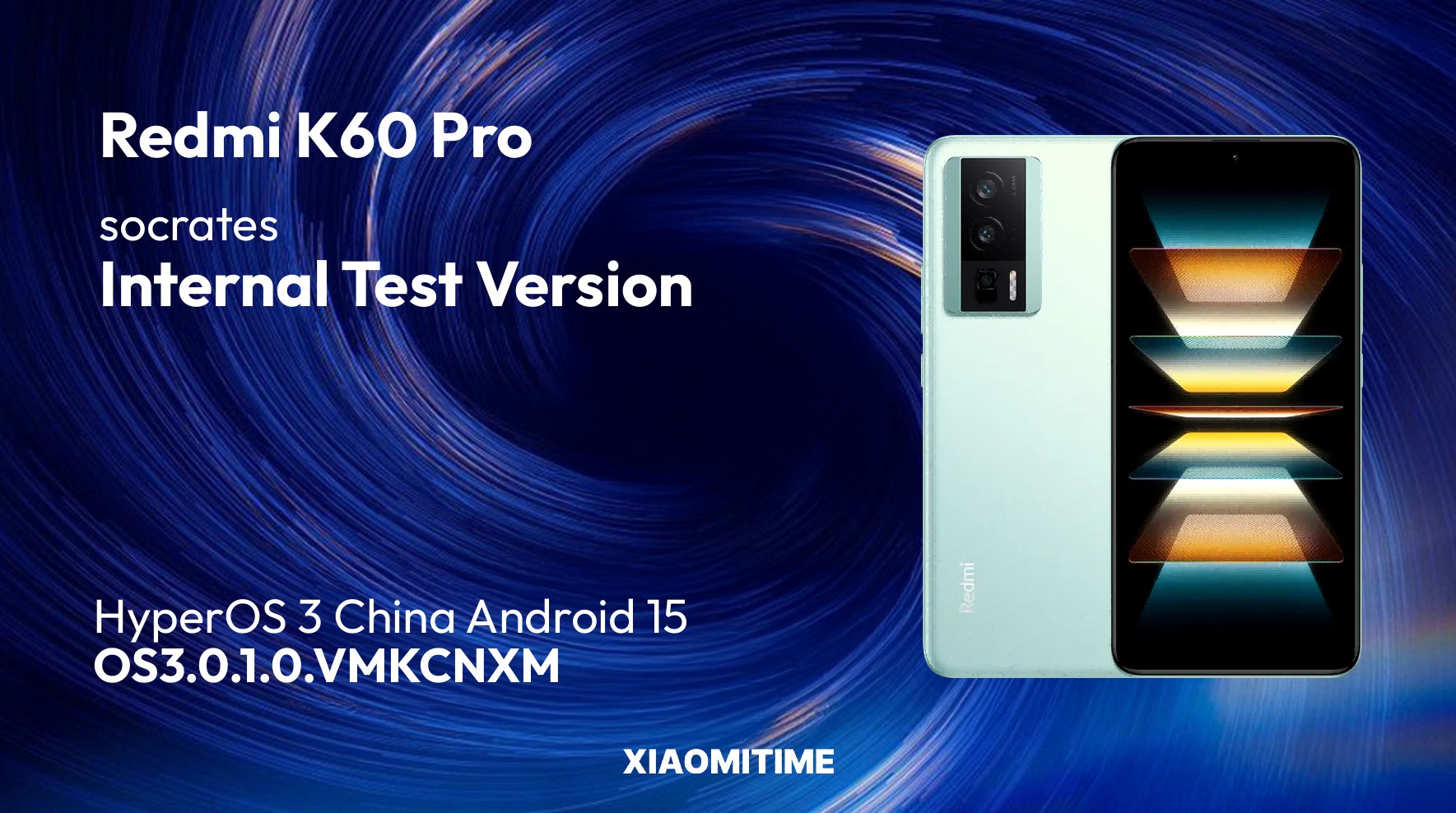
Not all versions of the HyperOS 3 support the same Android system. For instance, several models of higher-end devices, including the Xiaomi Pad 6 Max 14 model, as well as the Xiaomi Pad 6 Pro and REDMI K60 Pro variants, have been confirmed to support Android 15 and HyperOS 3 systems.

photo 2025 12 20 12 19 41

Support for other devices listed above will still be running the current Android system, although they will be provided with the full interface of HyperOS 3 system framework. Devices out of the list have already started being updated for Android 16 HyperOS systems.

What HyperOS 3 Brings

Much like its predecessor, the fingerprint recognition feature in the preliminary version of the operating system remains in the original version as well. Nevertheless, the emphasis in HyperOS

  • Optimizations involving sophisticated systems with the use of
  • New system icons & animations
  • More unified iOS-style interaction experience
  • Improved features of Super Island related to notifications and multitasking
  • Improved Xiaomi HyperConnect support on smartphones, tablets, and smart devices

Applications of the system can also be updated separately through MemeOS Enhancer app found at Google Play, which also allows the enabling of hidden functions of Xiaomi.

Release Timeline Expectations

Although Xiaomi has yet to confirm any details on the schedule of the rollout, the status of the servers is evidently indicating that it may be rolled out in phases even before the end of 2025. As always, this is still dependent on the region and model variant, and it is also dependent on the testing of stability, although the availability of the final version is already an indicator that it won’t be delayed.

How to check if your Xiaomi device is eligible to receive the HyperOS 3.1 update

23 December 2025 at 20:15

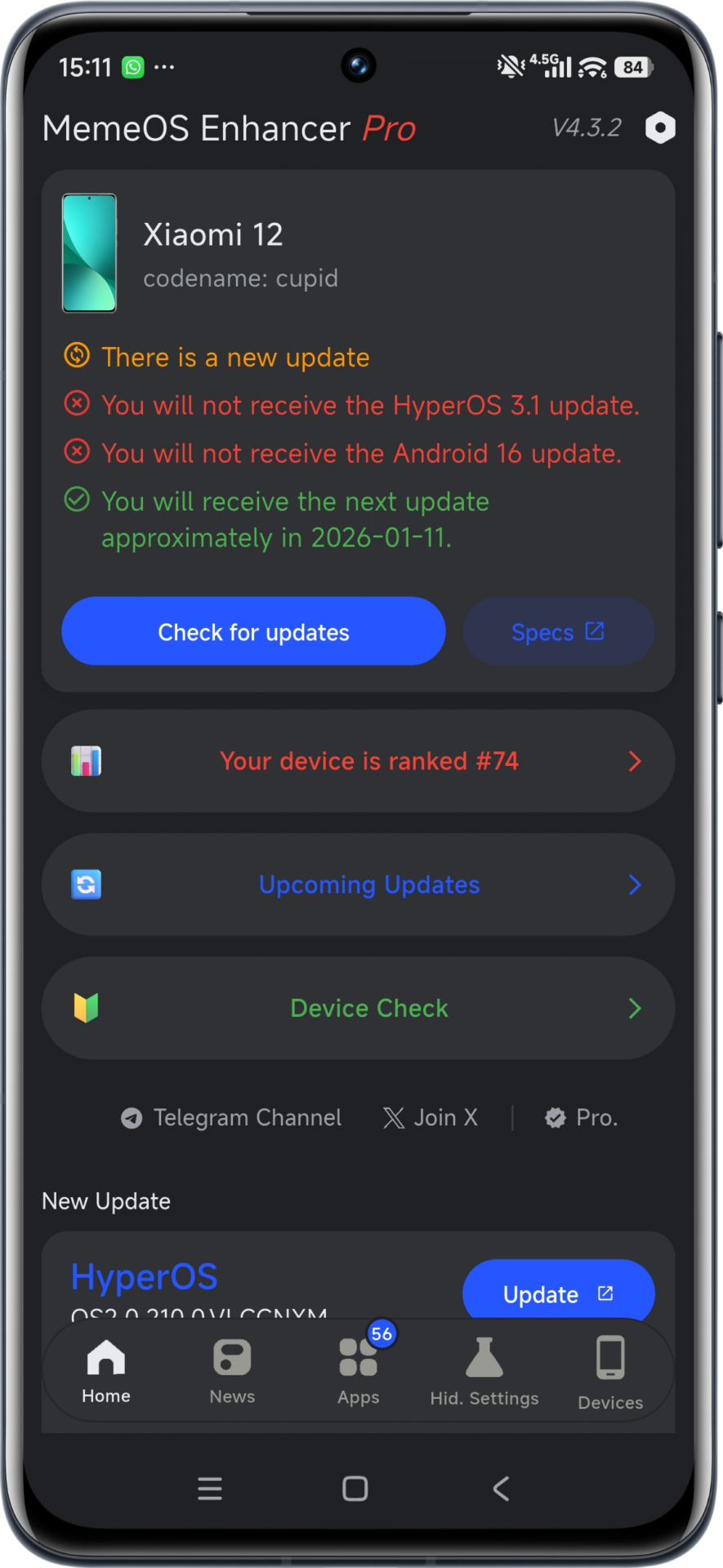
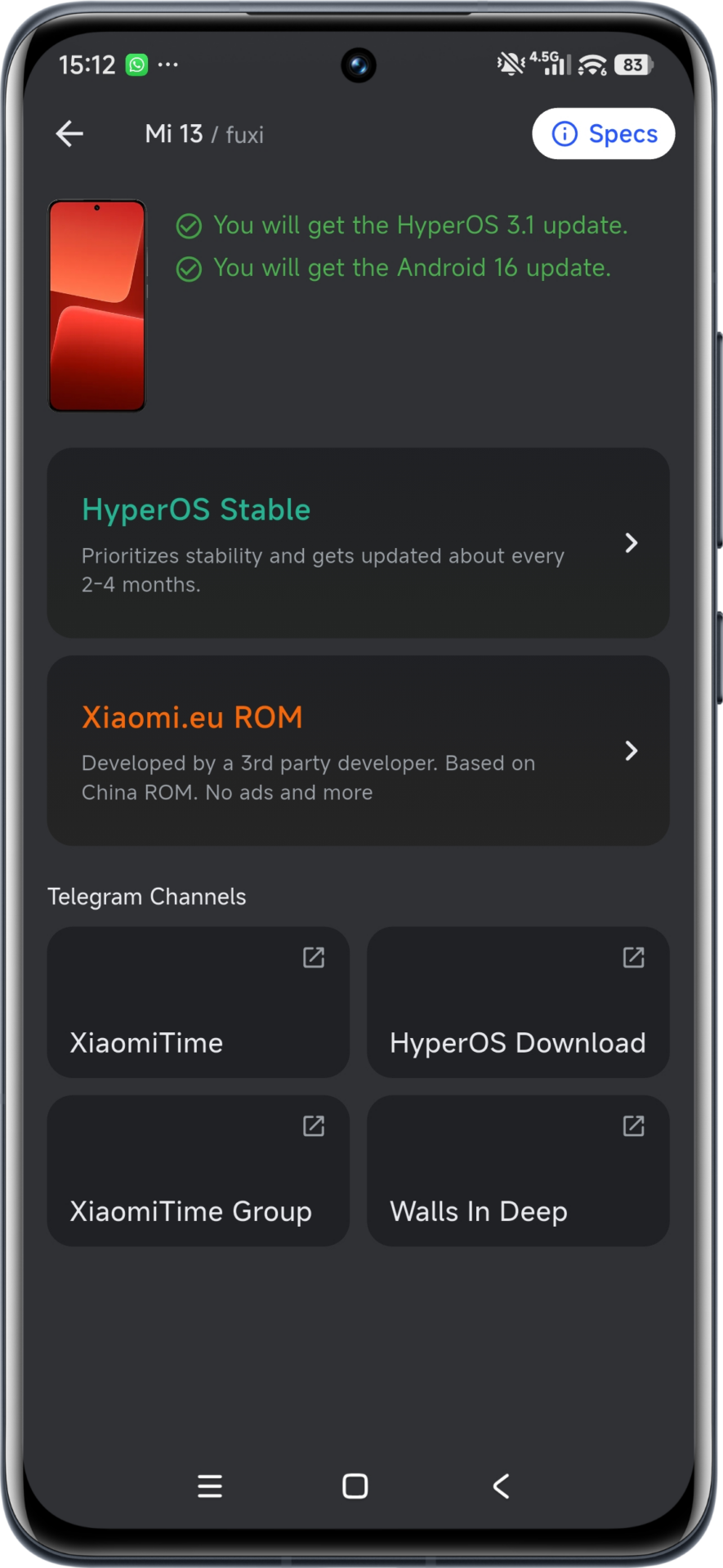
Xiaomi fans can now easily check if their devices are eligible for the HyperOS 3.1 update through the MemeOS Enhancer app. Through downloading the app from the Google Play Store and running it, users can see an option on the homepage showing whether their device is to receive HyperOS 3.1 or not. You can also follow the latest update rollout news through our partner site HyperOSUpdates.com.

Which Devices Will Receive HyperOS 3.1?

According to Xiaomi’s current software roadmap, all models eligible for Android 16 will also receive the HyperOS 3.1 update. This ensures that most of Xiaomi’s latest flagships and several mid-range models will continue to benefit from Xiaomi’s latest AI-powered interface improvements and performance optimizations.

MemeOS Enhancer HyperOS 3.1 eligible 1 MemeOS Enhancer HyperOS 3.1 eligible 2

The update brings a major visual change — the introduction of a new iOS-style Recent Apps menu, which allows smoother multitasking and improved memory management. Additionally, Xiaomi is refining animations and enhancing system stability to make the user experience more fluid and modern.

What’s New in HyperOS 3.1

HyperOS 3.1 marks another step in Xiaomi’s mission to unify its software ecosystem. Users can expect:

  • Overhauled multitasking interface from iOS inspiration.
  • Enhanced performance and resource optimization for seamless switching.
  • Greater AI penetration between applications and settings.

To gain access to the above new features the moment they are released, Xiaomi users are invited to download MemeOS Enhancer, which also unlocks system hidden options, refurbishes system apps, and enables on-screen firmware access for tinkerers who enjoy discovering the latest capabilities of Xiaomi.

Why Xiaomi ended the POCO Store app?

23 December 2025 at 18:00

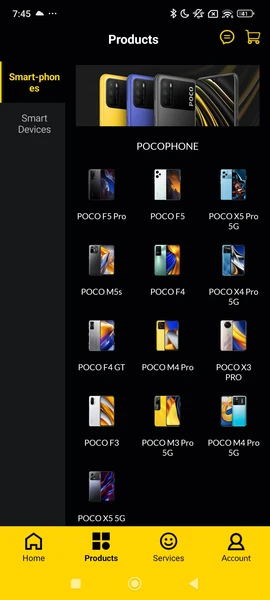
The POCO Store app has quietly disappeared from Android, raising questions among users who followed POCO as a distinct Xiaomi sub-brand. This change is not a technical failure or a regional bug. It is part of Xiaomi’s long-term strategy to simplify its digital ecosystem and unify all sub-brands under a single retail and service structure. Similar transitions have already been seen across Xiaomi software platforms, including HyperOS and Xiaomi HyperConnect. Users can now access POCO products through the main Xiaomi Store experience, already familiar from devices like Xiaomi Pad 6 and Xiaomi Band 9.

POCO Store App Shutdown: What Officially Changed

Xiaomi officially ended support for the POCO Store app at the end of 2024. The standalone POCO website and Android application were gradually redirected to Xiaomi’s main retail platform. From a business perspective, this move reduces duplicated infrastructure and creates a consistent purchase and support experience.

POCO Store 2 POCO Store 1

The POCO Store app was removed from Google Play, and its backend services were deactivated. As a result, users who still have the app installed may see connection errors or empty pages. Xiaomi now sells all POCO smartphones directly through the Mi Store app and the global Xiaomi website.

Key changes users should know:

  • The POCO Store app is discontinued and will not return.
  • All POCO devices are now sold via mi.com and the Mi Store app.
  • Warranty, invoices, and support are handled through Xiaomi accounts.

How Xiaomi Migrated POCO Users and Data

Xiaomi did not remove the POCO Store without preparation. During the transition period, user purchase history, warranty records, and loyalty data were migrated into Xiaomi’s central account system. Users can still access historical invoices and order details through their Xiaomi Account privacy panel.

POCO Points, previously used only in the POCO Store, were merged into the Mi Points program. This allows users to redeem points across a wider range of Xiaomi products, including smartphones, wearables, and smart home devices.

POCO Digital Service Status in 2025 User Action
POCO Store App Discontinued Uninstall recommended
POCO Website Redirected Automatically opens mi.com
POCO Points Migrated Available as Mi Points
Warranty Support Unified Managed by Xiaomi Support

India-Specific Situation: App Store Confusion Explained

In India, some users associate the “POCO Store” with the preinstalled GetApps marketplace rather than the shopping app. These are separate services. Xiaomi India replaced GetApps with the Indus App Store through a system update in early 2025. This change is unrelated to the global POCO Store shutdown.

The replacement happened automatically via OTA updates, which explains why some users saw an app disappear or change without manual action. This decision aligns with Xiaomi’s local software partnerships and regional compliance strategy.

Why Xiaomi Chose Full Ecosystem Integration

Xiaomi’s current strategy focuses on a unified “Human x Car x Home” ecosystem. Maintaining separate stores for sub-brands like POCO no longer fits this model. With HyperOS running across phones, tablets, cars, and smart home products, Xiaomi aims to provide one consistent digital entry point.

From an operational standpoint, this consolidation lowers maintenance costs, improves inventory management, and removes confusion around service centers and warranties. For users, it means fewer apps and a clearer support structure.

What Users Should Do Now

Users who still have the POCO Store app installed can safely uninstall it. Purchasing POCO devices now requires using the Mi Store app or Xiaomi’s official website. POCO phones continue to receive HyperOS updates normally, and software updates can also be tracked via HyperOSUpdates.com or through the MemeOS Enhancer app on Google Play, which provides access to system app updates and additional Xiaomi features.

From Mi 10 Ultra to Xiaomi 17 Ultra: History of flagship-level innovation

23 December 2025 at 16:51

Since the year 2020, Xiaomi’s Ultra series have always showcased a serious engineering intent, as opposed to just being a mere boosting exercise. Every Ultra variant that Xiaomi released acted as a development playfield for Xiaomi’s top-notch hardware, camera technology, and even power management. Starting from those initial experiments in superfast charging to the current professional-grade camera rigs co-developed with Leica, Xiaomi’s Ultra series seem to highlight how the company wants to differentiate its top engineering milestones. Below are the top innovations that were brought about by each Xiaomi Ultra series.

Mi 10 Ultra: Triple 120

With the introduction of Mi 10 Ultra by Xiaomi, the aim was clear. This smartphone emphasized hardware supremacy over other compromises.

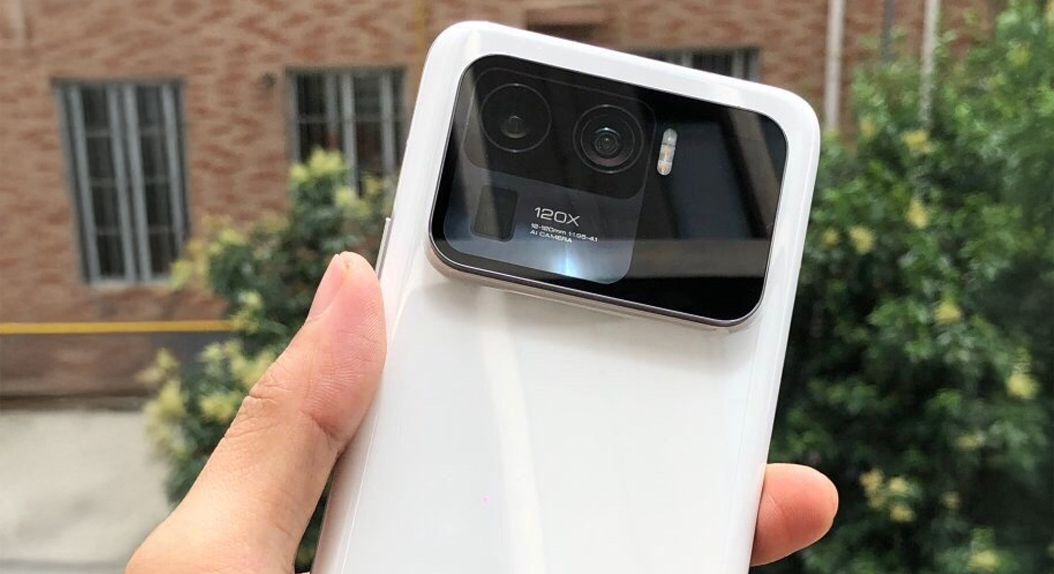
The osmotic change was the 120W wired fast charging feature, 120X zoom, 120Hz display which Xiaomi’s first “120” combo phone. To achieve this, there was a dual-cell battery. Concurrently, there was a partnership with a 120Hz high refresh rate OLED panel and a 120Hz periscope zoom camera system.

This model was used to create the Ultra philosophy: if a technology was possible, it fitted into the Ultra range.

Mi 10 Ultra


Xiaomi 11 Ultra: 50MP Era

With the Mi 11 Ultra, the brand turned its focus from charging speed to the physics of photography. TheSamsung GN2 sensor was a huge move towards professional photography.

Xiaomi 11 Ultra

Even before Xiaomi incorporated bigger sensors on their cameras, most smartphone cameras relied heavily on software processing. Also, since the GN2 was bigger, it captured light better to produce a noise-reduced image with a natural-looking dynamic range. Another feature that indicates that Xiaomi was not afraid to try out novel ideas is the rear display for self-portrait shots.

Altough it was quite heavy, the Mi 11 Ultra showed that sensor size counts in mobile photography.


Xiaomi 12S Ultra: Leica and 1″ sensor

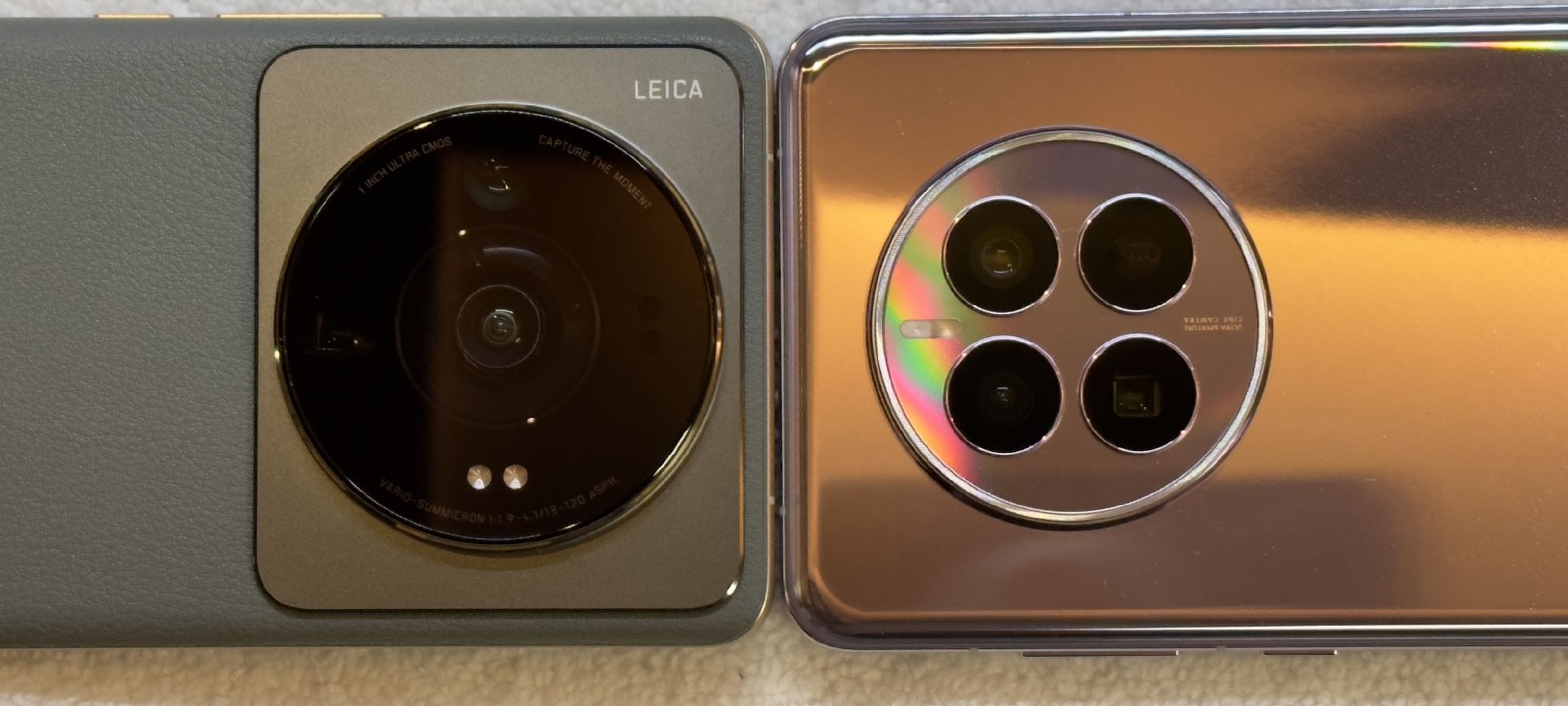
Xiaomi 12S Ultra marked the turning point. It was the first phone of the Ultra series that collaborated with Leica cameras and came along with a Sony and Leica-co-developed 1-inch camera sensor.

Xiaomi 12S Ultra

Prior to Leica, the focus of Xiaomi Cameras was on brightness and saturation. But after Leica, the color science turned more conservative and realistic. There were also two modes of photography: Leica Authentic and Leica Vibrant. These allowed users to adjust the nature of the image without affecting the detail.

It was also a generation that enjoyed enhanced efficient processing, which provided better thermal stability and performance.


Xiaomi 13 Ultra: Variable Aperture

The Xiaomi 13 Ultra finetuned the Leica collaboration and introduced elements found in professional cameras.

Among the most impressive upgrades is that of the “Variable Aperture” on the main camera. This gives the user the ability to manage focus and sharpness based on the environment. Furthermore, Xiaomi optimized the image sensor quality of each camera so that color and brightness remain consistent when switching.

Xiaomi 13 Ultra

Xiaomi has also launched a photographic kit that can be used optionally, enhancing ergonomics and encouraging thoughtful photography. This indicates that the Ultra series stands out for professional photographers.


Xiaomi 14 Ultra: AISP

With the Xiaomi 14 Ultra, the emphasis in the Xiaomi series was more on the computational photography and less on the hardware. The launch of Xiaomi AISP introduced image processing through AI-based fusion.

Xiaomi 14 Ultra

The new technology enabled better zoomed image reconstruction, a more accurate portrait image, and superior video processing. The enhancement in the more efficient 1-inch image sensor meant low power consumption and more dynamic range. Additionally, Sony’s AI-based solutions, such as Sony’s AI denoising engine

However, Ultra devices at this level of sophistication are as much a function of software intelligence as they are of physical devices.

Xiaomi 15 Ultra: 200MP Telephoto

The Xiaomi 15 Ultra advanced technology for far-field imaging. Notably, this device is characterized by a 200MP periscope telephoto camera, which supports Detailed zoom capabilities with minimal digital distortion.

For this purpose, Xiaomi used Snapdragon 8 Elite and introduced a silicon-carbon battery with higher energy density. This allowed the phone to function efficiently and run for an extended period despite the higher processing demands of higher resolution cameras.

Xiaomi 15 Ultra

Telephoto Macro added even more versatility to the camera, aligning well with Xiaomi’s emphasis on optical capability.


Xiaomi 17 Ultra

Preliminary information confirms that for Xiaomi 17 Ultra, they would focus on innovations at a sensor level and not on multiple camera lenses. Implementation of LOFIC technology is likely to improve the dynamic range by recording both highlights and shadows in a single frame.

Xiaomi 17 Ultra 1

Such variables help eliminate motion artifacts and ensure consistency in the videos. Another factor that suggests Xiaomi’s move to skip the “16 Ultra” name might be a result of the company’s implementation of the global flagship trends is the lack of the four megapixels camera.

Xiaomi Ultra Innovation Timeline

Model Key Innovation Main Focus
Mi 10 Ultra 120W 120X 120Hz 120 combo
Mi 11 Ultra Large GN2 sensor 50MP and back screen
Xiaomi 12S Ultra Leica partnership Color science
Xiaomi 13 Ultra Variable aperture Creative control
Xiaomi 14 Ultra Xiaomi AISP AI imaging
Xiaomi 15 Ultra 200MP periscope Long-range zoom
Xiaomi 17 Ultra APO lens and LOFIC sensor Dynamic range

In the Xiaomi Ultra series, each generation brings forward a specific, significant, and innovative technology that does not purely rely on improvements but on something more profound. Thus, the Xiaomi Ultra series has transformed from focusing on raw technological specs to considering the aspects of both computation, energy, and camera enhancement, hence bringing the company’s definition of a flagship mobile phone into the picture.

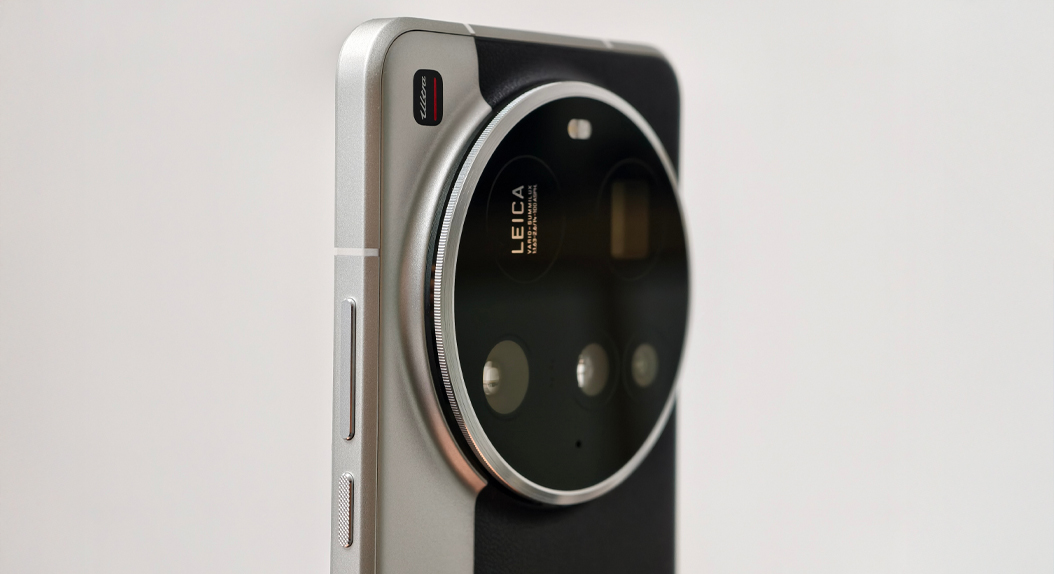
Xiaomi 17 Ultra uses a 75–100mm Leica 200MP lens with full optical output

23 December 2025 at 14:47

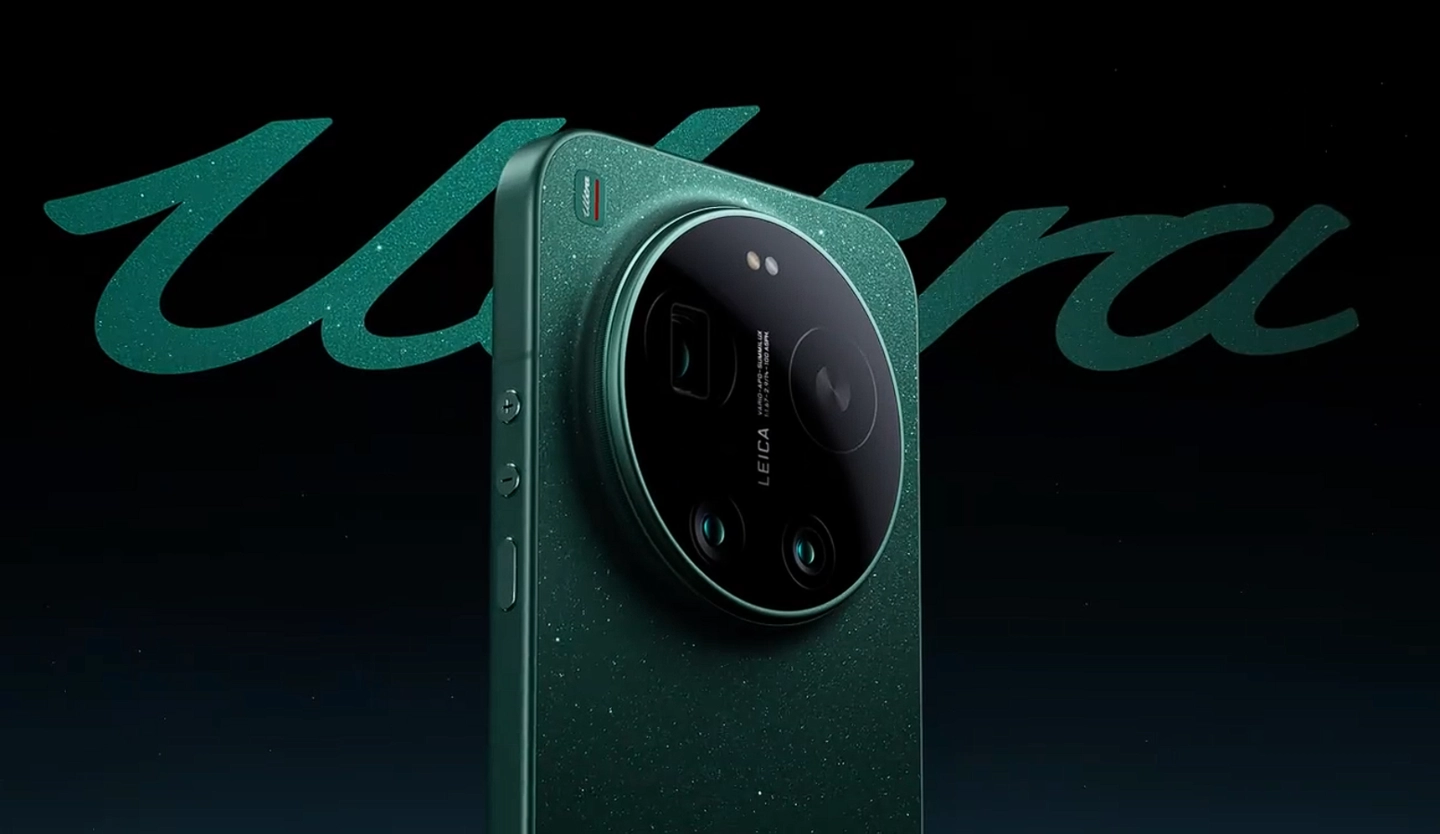
Xiaomi has indeed confirmed that the Xiaomi 17 Ultra will feature an industry-first Leica 200MP true optical zoom camera, which marks a milestone in mobile imaging. Various details were shared on Xiaomi’s official channels, which announced the all-new telephoto system without relying on digital cropping by giving full optical output. The announcement further seals the long-term partnership of Xiaomi with Leica, pointing to its continued emphasis on the brand’s optical engineering.

Leica 200MP Optical Zoom: New Telephoto Standard

The Xiaomi 17 Ultra will become the very first smartphone with the receipt of Leica APO optical certification for a telephoto lens. Xiaomi confirms this is not some software-based zoom solution but a real optical system capable of maintaining image quality across the zoom range.

This lens supports 75mm to 100mm continuous optical zoom with full 200-megapixel optical output. In avoiding digital crop methods, Xiaomi ensures consistent resolution, true-to-life colors, and controlled chromatic aberration through zooming. Leica APO certification further confirms that the lens meets strict optical precision standards commonly associated with professional camera equipment.

XIAOMI 17 Ultra Poster 1

Advanced Structure of Lenses and Optical Engineering

Behind this newly minted camera system is a design choice Xiaomi calls a 3G + 5P dual floating lens group, claimed as the most complex optical structure the manufacturer has ever attempted. This construction allows for continuous optical zoom within a compact smartphone module while preserving clarity and focus accuracy.

Xiaomi then dove in a little deeper to explain some of the technical features, stating that the design lies on the same principle as in traditional camera zoom lenses. Several floating components work in collaboration to manage focus, zoom movement, and optical compensation within the lens body. With this, several lossless focal lengths can be supported using just one telephoto module, decreasing the pressure on multiple fixed lenses being used.

Key highlights of optics include the

  • 200MP 1/1.4-inch large sensor for telephoto imaging
  • 75–100mm continuous optical zoom range
  • Certification of optical APO from Leica
  • True optical zoom without any digital crop

Imaging System and Additional Camera Features

In addition to the telephoto lens, the Xiaomi 17 Ultra is also equipped with a Leica 1-inch main camera, combined with the Light and Shadow Hunter 1050L sensor. Xiaomi has combined LOFIC ultra-high dynamic range technology, allowing for better single-frame dynamic range, hence achieving exquisite exposure in every shot, even in low-light scenarios.

XIAOMI 17 Ultra Poster 2

According to Xiaomi, this setup brings night shots that are cleaner and with balanced highlights/shadows-much less aggressive in post-processing. The device also supports four portrait focal lengths, all covered by a single lens system, improving the flexibility for portrait photography.

XIAOMI 17 ULTRA CAMERA SAMPLES 3 XIAOMI 17 ULTRA CAMERA SAMPLES 2 XIAOMI 17 ULTRA CAMERA SAMPLES 1 XIAOMI 17 ULTRA CAMERA SAMPLES 5 XIAOMI 17 ULTRA CAMERA SAMPLES 7 XIAOMI 17 ULTRA CAMERA SAMPLES 8 XIAOMI 17 ULTRA CAMERA SAMPLES 4 XIAOMI 17 ULTRA CAMERA SAMPLES 6

Design and Positioning

Xiaomi also confirmed the Xiaomi 17 Ultra as the thinnest Ultra model in the history of the company at 8.29mm, making it about 11.3% thinner compared to its predecessor. The phone uses a refined frame, a compact rear camera module for improved ergonomics, and a flat display with rounded corners.

Lei Jun added that the Leica 200MP optical zoom signifies yet another leap in Xiaomi’s strategic miniaturization of optics and brings smartphone photography one step closer to the experience achieved by professional camera systems.

DataCamp vs Codecademy: Which Learning Platform Fits Your Goals?

23 December 2025 at 23:15

You’re looking at DataCamp and Codecademy, trying to figure out which one actually deserves your time and money. They both teach you to code in your browser. They both have exercises and projects. So what’s the real difference?

DataCamp and Codecademy look similar on the surface, but they take fundamentally different approaches to what they teach and how they prepare you for actual work.

DataCamp Logo

VS

Codeacademy

This comparison cuts through the marketing speak to help you understand which platform actually matches your goals. We’ll compare learning formats, content focus, pricing, user satisfaction, and the practical outcomes each platform delivers. By the end, you’ll know exactly which platform fits where you’re trying to go.

TL;DR: Quick Answer

Choose DataCamp if you're committed to a data career and want video-based learning with structured career tracks. Strong mobile app and gamification keep you consistent.

Choose Codecademy if you're exploring multiple programming paths (web dev, software engineering, data science) and want affordable, text-based learning with broad language coverage.

Neither quite right? Dataquest focuses specifically on data science with downloadable project datasets for building GitHub portfolios. More expensive but deeper project integration.

Specialization vs. Exploration: The Core Difference

Before we compare features and pricing, you need to understand the fundamental difference between these platforms. This matters more than any individual feature.

DataCamp is a specialist:

  • Focuses entirely on data science, analytics, and AI
  • 600+ courses all centered on data-related skills
  • Every career track prepares you for data roles
  • Deep expertise in Python, R, SQL, and data tools

Codecademy is a generalist:

  • Covers 15 programming languages across multiple domains
  • 300+ courses spanning web development, software engineering, cybersecurity, and data science
  • Career paths for diverse technical roles
  • Broad exposure to different programming fields

A specialist platform builds deeper expertise in one domain. A generalist platform gives you options to explore before committing to a path.

Neither approach is inherently better. The right choice depends on where you are in your learning journey and what you’re trying to achieve.

How Each Platform Actually Teaches

The learning experience differs significantly between these platforms, even though both use interactive, browser-based coding environments.

DataCamp: Video Lectures Plus Immediate Practice

Platform snapshot:

  • Trustpilot rating: 4.6/5
  • Courses: 600+
  • Format: Video lectures followed by interactive exercises
  • Exercise style: Fill-in-the-blank coding

When you start a DataCamp course, you watch a short video (typically 2-4 minutes) where an expert instructor explains a concept with clear examples and visual demonstrations. Then you immediately apply what you learned in an interactive coding exercise.

The exercises run entirely in your browser with real-time feedback. You don’t need to install anything or set up a development environment. This creates a smooth, “learn then immediately practice” rhythm that many users describe as addictive.

DataCamp uses gamification heavily:

  • XP points for completing exercises
  • Streak tracking for daily practice
  • Leaderboards for competitive learners
  • Achievement badges

What's included:

  • Interactive coding exercises with instant feedback
  • Video lessons from expert instructors
  • Practice challenges and assessments
  • Certificate programs and career tracks
  • AI assistant for guidance
  • Mobile app for on-the-go learning

For learners motivated by progress tracking and achievement systems, this approach works well.

The trade-off users consistently mention: exercises are often fill-in-the-blank style. You're given partial code and asked to complete specific sections. This teaches syntax effectively but provides less practice writing complete solutions from scratch.

One user on Reddit summarized it well: "Filling in pieces of code is definitely not the same as writing code yourself, but it's a good method to learn the concepts."

DataCamp offers practical, hands-on learning in data science. The in-app console makes coding seamless, and the opportunities to learn directly from world-class instructors, including the authors of well-known packages. For the price, it's an unbeatable deal.

Thashalak Ananchirathaya

DataCamp works best for building foundational knowledge that you then deepen through personal projects outside the platform.

Codecademy: Text-Based Interactive Learning

Platform snapshot:

  • Trustpilot rating: 2.4/5
  • Courses: 300+
  • Format: Text instructions with interactive coding
  • Exercise style: Complete coding solutions with guidance

Codecademy takes a different approach. Instructions appear on the left panel, a code editor in the middle, and output on the right. This three-panel design emphasizes reading and typing over watching.

You read explanations, then write code to complete exercises. Some code may be pre-written, but you’re typing more complete solutions compared to DataCamp’s fill-in-the-blank approach. The exercises focus on applying specific concepts you just learned.

For example, after learning about Python loops, an exercise might ask: “Write a for loop that prints each item in the list_of_cities.”

Codecademy does include 100+ video walkthroughs to supplement its text-based instruction, but videos aren't the primary teaching method. Some users report these videos "speak so fast that for a newbie it's impossible to keep up," suggesting quality control issues in some supplementary content.

What's included:

  • Quizzes at regular intervals
  • Projects integrated into learning paths
  • Progress assessments
  • Clear next-step guidance
  • AI learning assistant (unlimited for paid users)
  • Interview simulator (Pro tier)

The structure keeps you moving forward with clear next steps, which helps prevent decision paralysis about what to learn next.

The trade-off users consistently mention: while Codecademy asks you to write more complete code than DataCamp's fill-in-the-blank exercises, the heavy scaffolding and step-by-step guidance can make it feel like following instructions rather than solving problems independently. Some users also report video walkthroughs moving too quickly for beginners, with one noting the videos "speak so fast that for a newbie it's impossible to keep up."

I've had a great experience using Codecademy. The lessons are clear, interactive, and well-structured, which makes it much easier to stay focused and actually retain what I learn. I especially appreciate the instant feedback when coding — it helps me learn through doing, not just reading or watching.

Farnood Mehrzadegan

Codecademy works best for beginners who need structured guidance and want to explore multiple programming domains before specializing.

Which Teaching Style Fits You?

Video learners who prefer watching demonstrations before practicing will likely prefer DataCamp’s approach. The visual instruction provides clarity that text alone can’t always deliver.

Text-based learners who prefer reading at their own pace and immediately applying concepts will appreciate Codecademy’s format. You can skim familiar material or deep-read complex topics without waiting for video playback.

The fill-in-the-blank versus more complete coding distinction matters for skill development. DataCamp’s approach teaches concepts efficiently but may require supplementation with independent coding practice. Codecademy asks you to write more complete solutions but still within structured exercises.

Neither platform fully simulates the experience of building something from scratch, which is ultimately what you’ll do in a job. Both work best as starting points that you supplement with personal projects.

Content Catalogs: Depth vs. Breadth

The course libraries reflect each platform’s philosophy about what learners need.

DataCamp: Deep Specialization in Data

Course library overview:

  • Total courses: 600+
  • Focus: Data science, analytics, and AI exclusively
  • New courses added in 2024: 100+
  • Enterprise clients: 80% of Fortune 1000 companies

DataCamp's catalog includes:

Programming languages:

  • Python, R, SQL (the core languages for data work)

Data tools:

  • Power BI, Tableau, Excel
  • Snowflake, dbt, Airflow, Databricks

Core skills:

  • Statistics and probability
  • Machine learning and deep learning
  • Data visualization

Emerging technologies:

  • Generative AI and ChatGPT
  • LangChain and prompt engineering
  • Hugging Face

Career tracks:

  • Data Scientist
  • Data Analyst
  • Data Engineer
  • AI Engineer
  • Machine Learning Scientist

Every course connects directly to data work. There's no web development, no mobile app development, no cybersecurity. This focus eliminates distraction but also limits exploration outside data-related fields.

DataCamp added 100+ new courses in 2024 alone, heavily weighted toward AI and machine learning topics. The platform clearly prioritizes staying current with rapidly evolving data technologies.

The course organization emphasizes career preparation. Career tracks provide structured paths from beginner to job-ready in specific roles. You’re not wondering what to learn next or whether a course matters for your goals. Everything builds toward data careers.

DataCamp’s partnerships with Snowflake, Microsoft, AWS, and Databricks ensure content reflects real-world tool usage.

Codecademy: Broad Programming Coverage

Course library overview:

  • Total courses: 300+
  • Focus: 15 programming languages across 17 subject areas
  • Certification prep: AWS, Google Cloud, Microsoft Azure, CompTIA, GitHub Copilot

Codecademy's catalog includes:

Programming languages:

  • Python, JavaScript, Java, C++, Ruby
  • Swift, Go, Kotlin, PHP
  • SQL, HTML/CSS
  • And more

Career paths:

  • Full-Stack Engineer
  • Front-End Engineer
  • Back-End Engineer
  • Computer Science
  • Cybersecurity
  • Data Science (multiple specializations)

Specialized topics:

  • Cloud computing (AWS, Azure, Google Cloud)
  • DevOps
  • Game development
  • Mobile development

The breadth is genuinely impressive. If you want to sample multiple programming domains before committing, or you need exposure to diverse technologies for your current role, Codecademy provides options that DataCamp doesn't offer.

I’ve been studying Python, Data Science, and AI for a few months now, and I’m making good progress. Codecademy offers an extensive range of courses, with a strong focus on practice. The Skills and Career Paths are the most in-depth options, but there are also short courses that cover niche topics.

Andy

For learners uncertain whether they want data science, web development, or software engineering, this exploration room matters. You can try a Python course, then a web development course, then a data analysis course without committing to a single path.

The trade-off is that breadth can mean less depth in any specific area. With 300+ courses across so many topics, quality varies. Some courses receive praise while others feel outdated or rushed.

The Practical Consideration

If you know you want a data career, DataCamp’s focused curriculum serves you better. You’re not sorting through unrelated content or wondering which of 15 languages to learn.

If you’re still exploring or need skills across multiple domains, Codecademy’s breadth makes more sense. The variety helps you discover what actually interests you before specializing.

For professionals who need to learn specific tools for work (like “I need to learn Tableau this month” or “My team is adopting Docker”), DataCamp excels at targeted, in-depth skill building in data tools. Codecademy works better for “I need to understand the basics of several cloud platforms” scenarios.

Projects and Portfolio Building: What You Can Actually Show Employers

This is where things get interesting, and it’s a topic most comparisons overlook.

When you’re trying to land your first data job or developer role, hiring managers want to see what you can build. Course certificates matter less than actual projects you can walk through in interviews.

DataCamp’s Project Approach

DataCamp includes 150+ hands-on projects throughout its catalog. You work with datasets and build analyses within the DataCamp environment. The projects are well-designed and use realistic scenarios.

The limitation: you cannot download the datasets.

This means your projects stay within DataCamp’s ecosystem. You can describe what you learned and document your approach, but transferring these to GitHub as standalone portfolio pieces requires recreating them with different datasets.

DataCamp does offer DataLab, an AI-powered notebook environment where you can build analyses. DataLab connects to real databases like Snowflake and BigQuery, which is valuable. Some users create impressive work in DataLab. But again, the work remains somewhat platform-dependent.

This isn’t necessarily a deal-breaker. You learn valuable skills through DataCamp projects. But most DataCamp users report needing to build independent projects outside the platform to have substantial portfolio pieces for job applications.

Codecademy’s Project Structure

Codecademy integrates projects into career paths and courses. These projects are designed as portfolio-ready deliverables. You build things like web applications, data analysis scripts, and more complex programs.

The projects often come with detailed guidance and video walkthroughs. Some users find these helpful while others report the videos move too quickly for beginners to follow comfortably.

Like DataCamp, most Codecademy projects live within the platform environment. While you’re writing more complete code compared to fill-in-the-blank exercises, transferring these projects to your personal GitHub still requires additional work.

Codecademy does emphasize portfolio building more explicitly in its Pro tier marketing. The platform positions projects as interview-ready work. However, user feedback suggests these projects still function better as learning exercises than as strong standalone portfolio pieces.

Where Dataquest Offers a Different Approach

If portfolio building is your priority, it’s worth knowing about a third option that specifically addresses this gap.

Dataquest takes a different approach by providing downloadable datasets for all 30+ guided projects. You complete projects that simulate realistic business scenarios, working with messy, real-world data. Because you can download the data, you can recreate these projects in your local environment and push them to GitHub with proper documentation.

This means your portfolio projects are genuinely yours to showcase. When you’re in an interview and someone asks about your experience handling messy data, you can walk them through actual code in your GitHub repository.

The trade-off is that Dataquest costs more (\$49/month vs. \$28-40/month) and offers fewer total courses. But if your goal is landing a data job and you need portfolio projects that demonstrate your skills, Dataquest’s downloadable approach provides something neither DataCamp nor Codecademy fully delivers.

This doesn’t mean DataCamp or Codecademy can’t help you build a career. Many people successfully use these platforms as learning foundations, then build portfolio projects independently. But understanding this distinction helps set realistic expectations about what you’ll need to do beyond platform courses.

Pricing: What You’ll Actually Pay

Both platforms use subscription models with promotional pricing that can obscure true costs. Let’s cut through the confusion.

DataCamp Pricing Breakdown

Pricing tiers:

Basic (Free):

  • First chapter of every course
  • Limited access to platform features
  • Good for trying out the platform

Premium:

  • \$43/month (month-to-month)
  • \$28/month when billed annually (\$336/year)
  • Student pricing: ~\$149/year (50% off with .edu email)

DataCamp often runs promotions offering 25-50% off annual subscriptions. The platform doesn’t offer monthly trials, but the free tier lets you sample content before committing financially.

What Premium includes:

  • Full course library (600+ courses)
  • Professional certifications
  • DataLab access
  • AI assistant
  • Mobile app access
  • Priority support

There are no hidden tiers or locked features requiring additional payment.

Codecademy Pricing Breakdown

Pricing tiers:

Basic (Free):

  • Access to basic courses
  • Limited practice exercises
  • 5 AI prompts per day

Plus:

  • \$29.99/month (month-to-month)
  • \$14.99/month when billed annually (~\$180/year)
  • Includes: courses, skill paths, limited features

Pro:

  • \$39.99/month (month-to-month)
  • \$19.99/month when billed annually (~\$240/year)
  • Student pricing: ~\$155/year (35%+ discount)
  • Includes: full platform access, career paths, interview prep, professional certifications

The confusion comes from what’s included where. Plus gives you all standalone courses and skill paths but excludes career paths, interview prep, and professional certifications. For most serious learners, Pro becomes the practical choice because it includes the features you actually want.

Codecademy offers 7-day free trials on Plus and Pro plans, giving you a week to evaluate the full experience before paying.

The Real Comparison

DataCamp Codecademy Plus Codecademy Pro
Monthly \$43 \$29.99 \$39.99
Annual (per month) \$28 (\$336/year) \$14.99 (~\$180/year) \$19.99 (~\$240/year)
Student pricing ~\$149/year Not clearly advertised ~\$155/year
Free tier First chapter of all courses Basic courses, 5 AI prompts/day Same as Plus free
What's included Everything: full library, certs, DataLab, AI assistant Courses, skill paths, limited features Full platform including career paths, interview prep, certs

Billing Complaints You Should Know About

Both platforms face widespread criticism about billing practices, particularly auto-renewals.

Codecademy’s Trustpilot reviews are heavily weighted toward billing disputes. Users report charges on cancelled subscriptions, difficulty obtaining refunds, and promotional emails being flagged as spam causing missed billing notifications. The platform responds to only 14% of negative reviews.

DataCamp receives similar auto-renewal complaints but responds to 100% of negative reviews, suggesting more active customer service engagement. Neither platform offers refund policies, which is standard for subscription models but frustrating when combined with auto-renewal issues.

The practical takeaway: if you subscribe to either platform, set calendar reminders about renewal dates and keep billing emails in a folder you check regularly. Cancel through your account settings well before renewal if you’re not planning to continue.

Budget Considerations

For budget-conscious learners, Codecademy Plus at \$180/year provides the lowest entry point to comprehensive programming education. The Plus tier includes most of what you need unless you specifically want career paths or professional certifications.

For serious data science learners, DataCamp at \$336/year delivers better value through specialized depth and a simpler pricing structure. You’re not sorting through tiers trying to figure out what you actually need.

Student pricing makes both platforms genuinely affordable at around \$150/year. If you have a .edu email address, take advantage of it.

AI Features: The New Competitive Battleground

Both platforms invested heavily in AI assistance during 2024, but with different approaches and capabilities.

DataCamp’s AI Ecosystem

DataCamp offers multiple AI-powered tools:

  • DataLab AI Assistant provides context-aware coding help within notebook environments. It knows your variables and table structures, offering relevant suggestions. The “Fix Error” button corrects bugs and explains what went wrong, which helps you learn from mistakes.
  • Generate Code feature converts natural language descriptions into Python, R, or SQL code. You can describe what you want to accomplish, and DataLab generates working code as a starting point.
  • AI course catalog includes dedicated tracks on building AI applications, using large language models, and prompt engineering. DataCamp clearly positions itself as the platform for learning to work with AI, not just use AI for learning.

The AI integration feels purpose-built for data work. DataLab connects to real databases (Snowflake, BigQuery), making it useful for actual analysis work beyond just learning exercises.

Codecademy’s AI Tools

Codecademy’s AI features focus more on learning support:

  • AI Learning Assistant (powered by GPT-4o) provides contextual help with unlimited prompts for paid users (5/day for free tier). You can ask questions about concepts, request explanations, or get unstuck when confused.
  • Interview Simulator represents Codecademy’s unique differentiator. This AI-powered tool conducts mock technical interviews customizable by company, skill level, and interview stage. Over 20,000 sessions have been completed, suggesting it provides genuine value for job seekers. Nothing comparable exists on DataCamp.
  • Job-Readiness Checker analyzes how your skills match specific job postings. It shows gaps and suggests learning paths to fill them, which is helpful for targeted skill development.

Which AI Approach Serves You Better?

For pure learning support, both platforms offer competent AI assistance. You can ask questions, get explanations, and work through confusion without getting completely stuck.

For job preparation, Codecademy's Interview Simulator provides unique value. Practicing technical interviews with AI feedback helps build confidence and identifies areas where you struggle to articulate your knowledge.

For data work productivity, DataCamp's DataLab integration creates a more sophisticated environment. The database connections and code generation capabilities make it useful beyond just learning, approaching a real workspace tool.

The AI features on both platforms continue evolving rapidly. Neither platform's AI can replace good instruction or teach you concepts from scratch. They work best as supplements that help when you're stuck or need different explanations of difficult concepts.

User Satisfaction: What the Reviews Actually Say

Aggregating reviews across multiple platforms reveals consistent patterns about user satisfaction.

The Rating Breakdown

Platform Trustpilot G2 SwitchUp Course Report
DataCamp 4.6/5 (800 reviews) 4.5/5 (503 reviews) 4.69/5 (121 reviews) 4.4/5 (146 reviews)
Codecademy 2.4/5 (1,468 reviews) 4.3/5 (169 reviews) 3.15/5 (30 reviews) Not available

The stark difference in Trustpilot ratings demands explanation.

Why DataCamp Scores Higher

DataCamp users consistently praise:

  • Bite-sized lesson format that makes learning feel manageable
  • Expert instructors including package authors and industry leaders
  • Structured career tracks with clear progression
  • Interface quality and smooth user experience
  • Mobile app that works well for on-the-go learning

Datacamp have been of great help to me in my data analysis journey. There well detailed course track with exceptional data professionals have guided me to a right path which form a firm foundation which i build on.

Olumuyiwa Ibironke

Common DataCamp complaints focus on:

  • Auto-renewal billing practices and lack of refund options
  • Fill-in-the-blank exercises limiting deeper learning
  • Price point being higher than some competitors

The criticism about exercises is legitimate. Many users report needing to supplement DataCamp with independent projects to feel job-ready. But users still rate the platform highly because it delivers what it promises: foundational knowledge in data science.

Why Codecademy Scores Lower on Trustpilot

Codecademy’s low 2.4/5 Trustpilot score reflects billing issues more than content quality.

Users report:

  • Charges on cancelled subscriptions continuing despite cancellation
  • Difficulty reaching support for billing problems
  • Promotional emails overwhelming billing notices, causing missed renewal alerts
  • Auto-renewal without adequate warning

Content-specific criticism includes:

  • Outdated courses that haven't been refreshed
  • Rushed project videos moving too quickly for beginners
  • AI assistance that doesn't always resolve problems effectively

Positive Codecademy reviews highlight:

  • Beginner-friendly approach that reduces intimidation
  • Breadth of topics allowing exploration
  • Career path structure providing clear direction
  • Free tier offering substantial value

The discrepancy between Trustpilot (2.4/5) and G2 (4.3/5) suggests the Trustpilot reviews skew heavily toward frustrated users dealing with billing issues, while G2 captures a more balanced view of the learning experience itself.

Mobile Learning: Flexibility Matters

Mobile access isn’t just convenience. For busy professionals, the ability to maintain learning momentum during commutes or lunch breaks can mean the difference between consistent progress and abandoned goals.

DataCamp’s Mobile Experience

DataCamp offers a full-featured mobile app for iOS and Android. The app includes:

  • 50+ courses optimized for mobile learning
  • Full coding exercises with interactive keyboard
  • Daily 5-minute challenges for quick practice sessions
  • Flashcards for concept review
  • Progress syncing across devices
  • Streak tracking to maintain momentum

Users report the mobile app works well for maintaining daily practice. The 5-minute challenges fit perfectly into small time windows. You can genuinely maintain learning progress while commuting or during breaks.

The gamification elements (streaks, XP, leaderboards) work particularly well on mobile, similar to language-learning apps like Duolingo. For learners who respond to progress tracking and daily goals, the mobile experience supports consistent habit building.

Codecademy’s Mobile Limitations

Codecademy Go provides a more limited experience:

  • Concept review and reading materials
  • Flashcards for reinforcement
  • Article reading from courses
  • Limited interactive coding compared to desktop

Full interactive coding exercises require desktop access. This reduces the app’s utility for actual learning rather than just reviewing what you’ve already covered.

Free tier users face additional mobile restrictions, making the app less useful unless you’re on a paid plan.

Certificates and Professional Recognition

Both platforms issue completion certificates, but their value and recognition differ.

DataCamp Professional Certifications

DataCamp offers two types of credentials:

Statements of Accomplishment for completing courses. These prove you finished the material but aren’t exam-based or time-limited.

Professional Certifications for Data Scientist, Data Analyst, Data Engineer, and SQL Associate roles. These require:

  • Passing comprehensive exams
  • Demonstrating practical skills
  • Renewal every two years (for Career and Technology certs)
  • Timed completion (30 days after registration to finish requirements)

The Professional Certifications are designed with input from hiring managers and based on job market analysis. They’re explicitly built to demonstrate job readiness, not just course completion.

DataCamp also offers prep courses for externally-recognized certifications from Microsoft, Tableau, AWS, and others. These third-party certifications carry more weight in job markets than platform-issued certificates.

Users report DataCamp certifications “help get interviews” when combined with portfolio projects. The Data Analyst and SQL certifications receive particular mentions as helpful for job applications.

Codecademy Professional Certifications

Codecademy offers:

Certificates of Completion for finishing courses or paths (included with Plus/Pro subscriptions). These acknowledge completion but aren’t exam-based.

Professional Certifications (Pro tier only) for select career paths including Full-Stack Engineer, Front-End Engineer, Back-End Engineer, Data Scientist (two specializations), and Computer Science. These are awarded after passing all career-path exams.

Users describe Codecademy certificates as less rigorous than DataCamp’s exam-based credentials. The real value comes from the career path structure and skills gained rather than the certificate itself.

The Honest Assessment

Neither platform’s certificates substitute for degrees or bootcamp credentials in competitive job markets. Recruiters rarely weight these platform certificates as heavily as applicants hope.

However, DataCamp certifications carry marginally more weight in data-specific roles due to:

  • The examination component requiring demonstrated knowledge
  • Two-year expiration forcing recertification (showing current knowledge)
  • Employer partnerships with Fortune 1000 companies using DataCamp for training

Codecademy certificates work better as LinkedIn additions and resume conversation starters rather than primary credentials.

The most valuable output from either platform isn’t the certificate. It’s the skills you develop and the portfolio projects you can discuss in interviews. Certificates help get your resume noticed. Projects and demonstrated competence get you hired.

Career Support: Beyond the Courses

Both platforms offer resources to help with job preparation, but in different ways.

DataCamp Career Resources

DataCamp provides:

  • Professional profile feature for showcasing skills
  • Resume reviews for certified users
  • Certification community for networking
  • Free educator program (DataCamp Classrooms) providing Premium access to students and teachers
  • Enterprise partnerships creating name recognition with employers

The employer partnerships matter more than they initially seem. When 80% of Fortune 1000 companies use DataCamp for training, recruiters from those companies recognize the certifications and curriculum. This isn’t as strong as a university degree, but it’s more than zero recognition.

Codecademy Career Features

Codecademy Pro includes:

  • Partnership with Handshake for job listings
  • Study groups with exclusive events
  • Interview prep courses and AI simulator
  • Priority support with 12-hour response time
  • Career paths with built-in interview preparation
  • Job-Readiness Checker matching skills to postings

Codecademy’s Handshake integration and Interview Simulator provide more direct job-seeking support compared to DataCamp. The Interview Simulator in particular offers practice that neither DataCamp nor most competitors provide.

Which Offers Better Career Support?

For direct job hunting tools, Codecademy’s Handshake partnership and Interview Simulator win. You’re getting resources specifically designed for the job search process.

For credential recognition and skill development aligned with employer needs, DataCamp’s enterprise partnerships and exam-based certifications provide advantage.

The reality is that neither platform’s career support replaces networking, building a strong portfolio, or developing communication skills for interviews. They supplement job preparation but don’t replace the work of actually applying, networking, and interviewing.

Making Your Decision: Who Should Choose Which Platform

Let’s bring this together into a practical decision framework.

Choose DataCamp If You:

  • Know you want a data career in analytics, data science, or data engineering
  • Need depth over breadth in data-specific tools and techniques
  • Prefer video-based instruction with immediate interactive practice
  • Want mobile learning capability that genuinely works for daily practice
  • Value structured career tracks that eliminate decision paralysis
  • Seek specialized certifications recognized by data-focused employers
  • Learn best with gamification including streaks, XP, and progress tracking
  • Need current AI/ML curriculum reflecting current industry demands

Typical DataCamp users include career changers targeting data analyst roles, professionals upskilling in specific tools (Power BI, SQL, Tableau), and beginners who know they want a data career.

Choose Codecademy If You:

  • Are exploring programming broadly before committing to specialization
  • Want web development, mobile development, or software engineering paths
  • Need the most affordable option for comprehensive programming education
  • Value interview preparation tools like the AI simulator
  • Want to learn multiple programming languages beyond just data-focused ones
  • Prefer text-based learning over video instruction
  • Are a complete beginner unsure which technical career to pursue
  • Need broad exposure to different programming domains

Typical Codecademy users include career explorers testing different technical paths, aspiring web developers, hobbyist programmers, and students seeking affordable broad exposure.

The Core Decision: Specialist vs. Generalist

The DataCamp vs Codecademy decision reduces to specialization versus exploration.

DataCamp dominates for focused data science learning, offering superior user satisfaction (4.6/5 on Trustpilot), the largest specialized catalog in data and AI, meaningful certifications designed with hiring manager input, and mobile experiences that support consistent practice. The fill-in-the-blank exercises trade depth for accessibility, but this is reasonable for beginners building foundations they’ll deepen elsewhere.

Codecademy serves learners who need breadth, exploring web development alongside data science, seeking exposure to multiple programming languages, or valuing interview preparation tools over specialized credentials. The billing issues and lower satisfaction scores (2.4/5 on Trustpilot) warrant caution, but the content serves its broader audience adequately.

The Dataquest Alternative for Serious Data Learners

For learners specifically committed to data science careers who value rigorous, project-first learning, Dataquest represents a third option worth considering.

Key differences from DataCamp and Codecademy:

  • Text-based instruction (no videos) with immediate full-solution coding
  • Mandatory projects you cannot skip, forcing deeper skill development
  • Downloadable datasets enabling genuine GitHub portfolio work
  • Smaller catalog (~100 courses vs. 300-600) with more depth per topic
  • 7 career paths specifically targeting data analyst, scientist, and engineer roles

Users describe Dataquest’s approach as taking them “From Zero to Hero!!”

Dataquest is the place to be. When I joined, I had no background in coding, mathematics or computers in general. The courses are tailor-made to accommodate anyone with an ambition and will to learn. Today, I've built a career from scratch. I'm now a data scientist!!!

Linky Janabi

Dataquest fits self-directed learners who prefer reading documentation to watching videos, want portfolio projects integrated throughout learning rather than as separate add-ons, and are willing to pay premium pricing for less scaffolding and more problem-solving.

Getting Started Today

The fact that you’re reading detailed comparisons means you’re serious about this. That determination is your biggest asset. It matters more than platform choice, course catalogs, or pricing tiers.

Try before you decide:

  1. Sign up for free tiers on both DataCamp and Codecademy
  2. Complete at least one full lesson on each platform
  3. Pay attention to which teaching style keeps you genuinely engaged
  4. Notice which platform makes you want to come back tomorrow

That feeling of sustained motivation matters more than feature lists or price differences.

Then commit:

  • Pick the platform that matches your goal
  • Set up a consistent practice schedule
  • Supplement with personal projects
  • Show up every week

Your future technical career is waiting on the other side of that consistent work.

I Now Manage My DNS Server from Git (and It Changed Everything)

23 December 2025 at 21:26

I have been writing a lot about DNS lately as I have been trying out a lot of different solutions. Recently, I took the new version of Technitium for a…

The post I Now Manage My DNS Server from Git (and It Changed Everything) appeared first on Virtualization Howto.

Stop Drawing Network Diagrams Manually Scanopy Does It for You

22 December 2025 at 21:37

Keeping your network diagrams up to date can be a chore. You already probably know how this story ends. You start out having good intentions and use something like draw.io…

The post Stop Drawing Network Diagrams Manually Scanopy Does It for You appeared first on Virtualization Howto.

Dolphin Emulator 2512 fixed SD & added Logitech Microphone Emulation

By:Ji m
24 December 2025 at 00:54

Dolphin, the GameCube and Wii emulator, released new 2512 version yesterday! Ubuntu PPA updated for all current Ubuntu 22.04, 24.04, 25.04 and 25.10 releases.

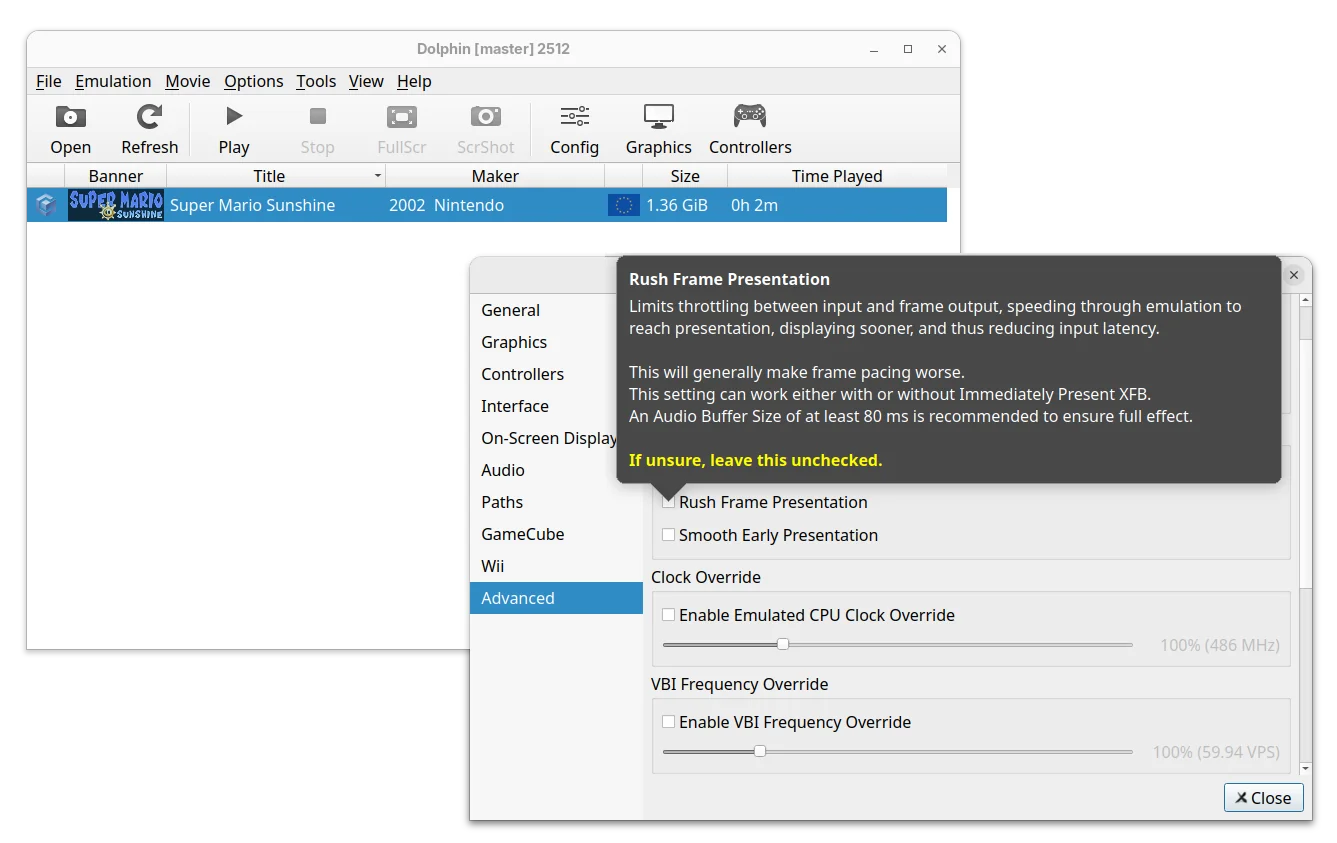
The new release of this free open-source Nintendo video game console emulator added two new options Rush Frame Presentation and Smooth Frame Presentation.

Rush Frame Presentation is a new throttling mode to reduce latency which however generally make frame pacing worse. And, Smooth Frame Presentation can improve frame pacing with Immediately Present XFB and/or Rush Frame Presentation, while still maintaining most of the input latency benefits.

Both options are available in the Advanced settings page, where, a new “Reset All Settings” button is added to restore everything to default, without manually deleting the Dolphin settings files.

For Linux and Windows, the new version added new Broadband Adapter (BBA) IPC mode for the GameCube by using the cpp-ipc library. It allows running multiple Dolphin instances on the same machine to share memory and communicate directly without the need for a host network.

The emulator now uses Vera Sans Mono as default font for On-Screen Display, which looks clear regardless of DPI scaling. While, user can override it by adding any TrueType font to the “Load” folder of the User directory and name it “OSD_Font.ttf”.

And, On-Screen Display settings page added more options to configure what to be displayed, font size, or if to disable them all together.

The 2512 version added a patch to detect and skip complex idle loops in Need for Speed: Nitro and Rayman Raving Rabbids, results in massive performance boosts, especially in lighter areas.

It also added small patches for Hulk (2003), Conduit 2, Driver: San Francisco, Monsters Inc. Scream Arena, Tetris Worlds, The Simpsons Hit & Run, etc games that either increased emulation performance or fixed specific issues.

For Android, the RetroAchievements support is finally added. User can log in and unlock achievements in supported GameCube games. However, some menus are incomplete, it may be best to have the RetroAchievements website open in the background for achievement lists and other things.

Other changes in Dolphin 2512 include:

  • Emulate Logitech Microphone with any standard PC microphone.
  • Add SDL Gamepad (Stock) profile to speed up GameCube controller mapping.
  • Make InetAToN function async to prevent stutter for online gaming.
  • Fix CSD/CID emulation. It now properly works with virtual SD cards up to 32GB in size.
  • Fix broken audio in NFL Blitz Pro.

For more about the release, see the official announcement.

Install Dolphin 2512

Dolphin provides official installer packages which are available to download via the link below:

For Linux, it’s Flatpak package that runs in sandbox environment. Just download it, then run the command below in terminal to install it:

flatpak install /path/to/flatpak

Besides typing path to the flatpak manually, you may simply drag’n’drop it into terminal to auto insert the path.

For Ubuntu users who prefer the classic .deb package, I’ve built the package into this unofficial PPA for Ubuntu 22.04, Ubuntu 24.04, Ubuntu 25.04 and 25.10.

You may open terminal (Ctrl+Alt+T) and run the commands below one by one to add the PPA and install the emulator:

sudo add-apt-repository ppa:ubuntuhandbook1/dolphin-emu
sudo apt update
sudo apt install dolphin-emu

NOTE for Ubuntu 22.04 & Ubuntu 24.04, the PPA contains updated version of Vulkan loader library which is needed for building (and MAYBE properly running) Dolphin 2512, though they are NOT tested. Use it at your own risk!

❌